
Stress-free Squarespace Website DesignNatalie Smikle
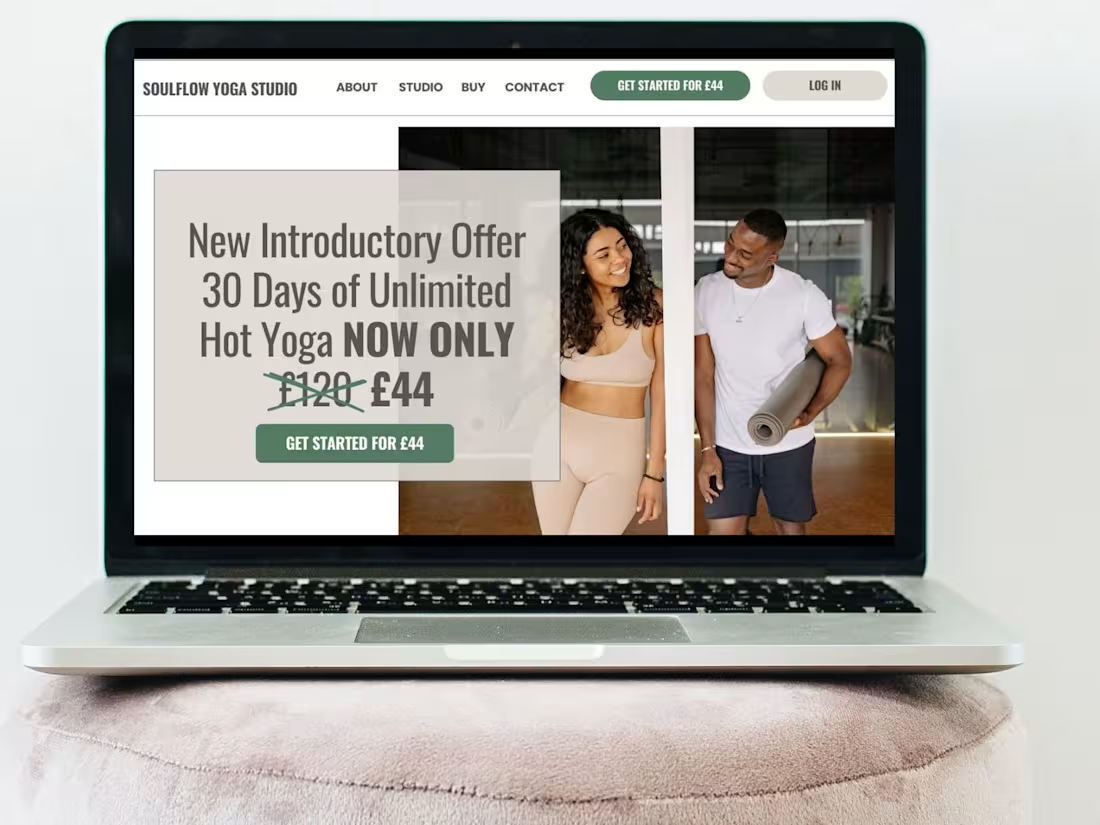
Perfect for small businesses looking to showcase their success and attract more customers. Elevate your brand with a professional, polished website that builds trust, strengthens credibility, and turns visitors into loyal clients.
What's included
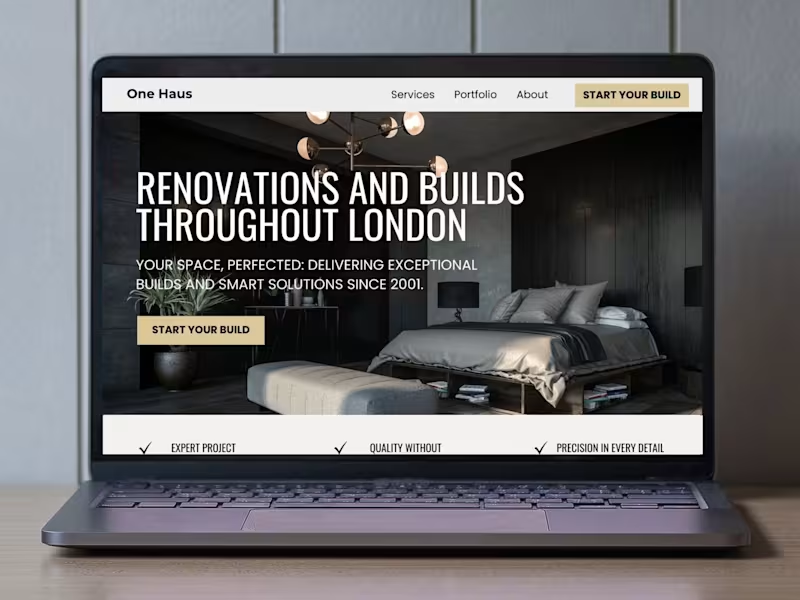
🎨 Custom Website Design (Up to 5 Pages)
A beautifully designed Squarespace website that boosts credibility and makes a lasting impression on your audience.
📝 Website Copy Templates for Clear Messaging
Easily craft compelling content with guided templates that help you communicate your brand’s value effectively.
📱 Mobile Optimization
Your site will look great and function seamlessly on any device, ensuring a smooth user experience.
🔍 Basic SEO Setup
Improve search visibility with SEO best practices, making it easier for potential clients to find you online.
🎓 Squarespace Training
Get the confidence to manage and update your site with personalized training—no tech skills required!
🚀 Stress-Free Process (Live in 4 Weeks)
A streamlined, organized approach that gets your new website up and running without delays.
📩 30 Days Post-Launch Email Support
Enjoy peace of mind with ongoing email support to help with any initial questions or guidance.
FAQs
Perfect for small businesses looking to establish a strong, credible online presence. Here’s what you get:
Custom Website Design (Up to 5 Pages):
We create a professional, custom website designed to build your brand’s credibility. The design includes up to 5 core pages, such as Home, Services, About, Blog/Portfolio, and Contact. You’ll also get a blog set up with up to 3 initial posts of yours or a portfolio section with up to 3 of your featured projects.
Website Copy Templates:
Don’t worry if you’re unsure about what to write for your website. We provide easy-to-follow copy templates to help you craft clear, effective messaging that connects with your audience.
Mobile Optimization:
Your website will be fully optimized for mobile devices, ensuring a smooth user experience on any screen size, from smartphones to tablets.
Basic SEO Setup:
We’ll implement basic SEO best practices to improve your site’s visibility in search engines to help drive more organic traffic.
Legal Pages:
We’ll set up your Privacy Policy, Terms and Conditions, or any other required legal pages using your provided content. (See “Are there additional costs?” FAQ for legal policy setup.)
Custom Error 404 Page:
A customized 404 error page is included, so even if users hit a broken link, they’ll still get a branded, engaging experience.
Stress-Free, 4-Week Process:
From start to finish, we make the process smooth and straightforward, with your website going live in just 4 weeks.
30 Days Post-Launch Email Support:
After your site launches, we provide 30 days of email support to answer any initial questions or guidance. Please note, this support does not include design revisions or edits. (Please see the “Do you offer support?” FAQ.)
App Integrations:
We can connect apps like Acuity, MailerLite, or Dubsado (see “Are there additional costs?” for more details on third-party services).
Squarespace Walkthrough and Training:
You’ll receive a 90-minute live training via video call to walk through your new website. This includes recorded tutorials and additional resources so you can confidently manage and update your website moving forward.
In Squarespace, best practices for on-page SEO include:
✅ SEO-Friendly Page Titles & Meta Descriptions – Ensuring each page has clear, compelling titles and descriptions that help with search rankings.
✅ Structured Headings (H1, H2, H3) – Organizing content properly so search engines and visitors can easily understand the page’s hierarchy.
✅ Alt Text for Images – Describing images for accessibility and SEO purposes.
✅ Clean URL Structures – Making sure URLs are short, descriptive, and keyword-rich.
✅ Mobile Optimization – Ensuring the site is fully responsive since mobile-friendliness is a ranking factor.
✅ Optimized Site Speed – Using Squarespace’s built-in features to improve loading times.
✅ Internal Linking – Strengthening site structure and guiding visitors toward key pages.
✅ SEO Settings Configuration – Making sure all pages are indexable, setting up automatic redirects if needed, and ensuring a logical site structure.
While I don’t specialize in advanced SEO strategies like backlinking or paid search campaigns, I follow Squarespace’s best SEO practices to create a strong foundation that helps your site be more discoverable.
Yes, in order to keep your website live and fully functional, there are a few additional costs to consider beyond the design package. Here’s what you should keep in mind:
1. Squarespace Hosting, Domain Fees and Subscription Fees
Squarespace charges a fee for their websitehosting plan, domain registration and any additional subscription. These costs are separate from our design fees, and you'll be responsible for maintaining your subscriptions to keep your website live. Squarespace offers different pricing plans and more information on Squarespace’s pricing structure can be found on their website. Most clients choose either the Business Plan or the Basic Commerce Plan. If you decide to work with us, you will receive 20% off your first year’s subscription (recommended), or 20% off your first month if paying monthly.
2. Legal Policies
If you don’t already have your website’s legal policies in place, you’ll need to add those. A Privacy Policy is required by law, and it’s also recommended to have Terms & Conditions and a Cookie Consent Tool to protect your business.
3. Stock Photos for Purchase
If you require professional, high-quality images for your website, you may choose to purchase stock photos. These are photos taken by professional photographers and made available online for a fee. While some clients use their own images, stock photos can add a polished look to your site and help visually communicate your brand.
4. Upgrading or Adding Features on Squarespace
If you decide to upgrade your Squarespace plan or add extra features like Member Areas, Email Campaigns, or Video Hosting, there may be additional charges. These features can enhance your site’s functionality and engagement but come at an extra cost.
5. Third-Party Services and Integrations
Depending on your business needs, you might want to integrate third-party services that connect to your Squarespace website. Some common options include:
Email Marketing Tools (e.g., ConvertKit, FloDesk, MailerLite) for managing campaigns.
Fitness Management Software like Mindbody, which can be integrated for gyms, fitness studios, and wellness businesses that need booking, class scheduling, and membership management.
SEO Services or Tools if you aim to optimize your site for higher search rankings.
Branded Email Addresses via Google Workspace to establish a professional presence.
Online Scheduling Tools like Acuity or Calendly for booking appointments.
Client Management Systems (CRMs) like Dubsado for service-based businesses.
Project Management Tools to help organize your workflow, many of which offer free plans.
6. Ongoing Fees and Post-Launch Support
Once your design package is paid in full, we don’t charge any ongoing fees. We do offer 30 days of email support post-launch to help with any initial questions or guidance. Please note, this support does not include design revisions or edits.
If you need additional edits or changes after the project deadline, we can handle those on a piece-work basis at my hourly rate. Any additional charges will be clearly communicated to you in advance, so you won’t encounter any unexpected costs.
7. Membership Platforms
If you plan to set up a membership service beyond free platforms like Facebook, you may choose to use paid options such as Circle.so or Mighty Networks.
Absolutely! If you’d like to enhance your website with additional features, we can tailor a solution to fit your needs. Here are some optional add-ons that can be included in your project:
Squarespace membership or course setup for exclusive content
Custom email setup with Google Workspace
Squarespace Email Campaign set up for newsletters and campaigns
Additional custom pages for expanded site functionality
Please keep in mind that adding extra features may extend the project timeline, but we’ll discuss everything in our discovery call to ensure you have a clear quote and timeframe before moving forward.
Once you book, you'll receive access to your own Client Portal, which will serve as the central hub for all project communication. Here, you'll find everything you need—your contract, invoices, page templates, and more. The portal keeps everything organized and ensures you feel fully involved in every stage of the process.
To keep the project on schedule, we recommend giving yourself 4 weeks to gather all your content, such as copy, images, and any other media. All content must be fully completed and submitted at least 3 business days before the design start date. This ensures we have everything needed to begin the design process and stay on track.
Having all content ready and organized in advance will help us make the most of our time together and ensure a smooth, timely launch.
Example work

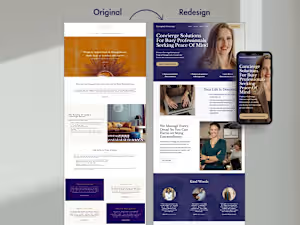
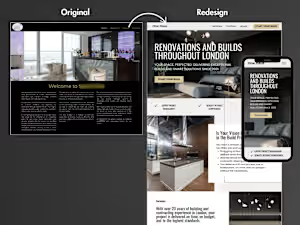
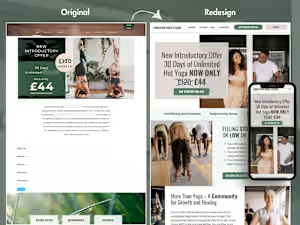
Natalie's other services
Starting at$750
Duration4 weeks
Tags
Canva


Squarespace

Canva Designer
Squarespace Website Design
Service provided by
Natalie Smikle London, UK
Stress-free Squarespace Website DesignNatalie Smikle
Starting at$750
Duration4 weeks
Tags
Canva
Squarespace
Canva Designer
Squarespace Website Design
Perfect for small businesses looking to showcase their success and attract more customers. Elevate your brand with a professional, polished website that builds trust, strengthens credibility, and turns visitors into loyal clients.
What's included
🎨 Custom Website Design (Up to 5 Pages)
A beautifully designed Squarespace website that boosts credibility and makes a lasting impression on your audience.
📝 Website Copy Templates for Clear Messaging
Easily craft compelling content with guided templates that help you communicate your brand’s value effectively.
📱 Mobile Optimization
Your site will look great and function seamlessly on any device, ensuring a smooth user experience.
🔍 Basic SEO Setup
Improve search visibility with SEO best practices, making it easier for potential clients to find you online.
🎓 Squarespace Training
Get the confidence to manage and update your site with personalized training—no tech skills required!
🚀 Stress-Free Process (Live in 4 Weeks)
A streamlined, organized approach that gets your new website up and running without delays.
📩 30 Days Post-Launch Email Support
Enjoy peace of mind with ongoing email support to help with any initial questions or guidance.
FAQs
Perfect for small businesses looking to establish a strong, credible online presence. Here’s what you get:
Custom Website Design (Up to 5 Pages):
We create a professional, custom website designed to build your brand’s credibility. The design includes up to 5 core pages, such as Home, Services, About, Blog/Portfolio, and Contact. You’ll also get a blog set up with up to 3 initial posts of yours or a portfolio section with up to 3 of your featured projects.
Website Copy Templates:
Don’t worry if you’re unsure about what to write for your website. We provide easy-to-follow copy templates to help you craft clear, effective messaging that connects with your audience.
Mobile Optimization:
Your website will be fully optimized for mobile devices, ensuring a smooth user experience on any screen size, from smartphones to tablets.
Basic SEO Setup:
We’ll implement basic SEO best practices to improve your site’s visibility in search engines to help drive more organic traffic.
Legal Pages:
We’ll set up your Privacy Policy, Terms and Conditions, or any other required legal pages using your provided content. (See “Are there additional costs?” FAQ for legal policy setup.)
Custom Error 404 Page:
A customized 404 error page is included, so even if users hit a broken link, they’ll still get a branded, engaging experience.
Stress-Free, 4-Week Process:
From start to finish, we make the process smooth and straightforward, with your website going live in just 4 weeks.
30 Days Post-Launch Email Support:
After your site launches, we provide 30 days of email support to answer any initial questions or guidance. Please note, this support does not include design revisions or edits. (Please see the “Do you offer support?” FAQ.)
App Integrations:
We can connect apps like Acuity, MailerLite, or Dubsado (see “Are there additional costs?” for more details on third-party services).
Squarespace Walkthrough and Training:
You’ll receive a 90-minute live training via video call to walk through your new website. This includes recorded tutorials and additional resources so you can confidently manage and update your website moving forward.
In Squarespace, best practices for on-page SEO include:
✅ SEO-Friendly Page Titles & Meta Descriptions – Ensuring each page has clear, compelling titles and descriptions that help with search rankings.
✅ Structured Headings (H1, H2, H3) – Organizing content properly so search engines and visitors can easily understand the page’s hierarchy.
✅ Alt Text for Images – Describing images for accessibility and SEO purposes.
✅ Clean URL Structures – Making sure URLs are short, descriptive, and keyword-rich.
✅ Mobile Optimization – Ensuring the site is fully responsive since mobile-friendliness is a ranking factor.
✅ Optimized Site Speed – Using Squarespace’s built-in features to improve loading times.
✅ Internal Linking – Strengthening site structure and guiding visitors toward key pages.
✅ SEO Settings Configuration – Making sure all pages are indexable, setting up automatic redirects if needed, and ensuring a logical site structure.
While I don’t specialize in advanced SEO strategies like backlinking or paid search campaigns, I follow Squarespace’s best SEO practices to create a strong foundation that helps your site be more discoverable.
Yes, in order to keep your website live and fully functional, there are a few additional costs to consider beyond the design package. Here’s what you should keep in mind:
1. Squarespace Hosting, Domain Fees and Subscription Fees
Squarespace charges a fee for their websitehosting plan, domain registration and any additional subscription. These costs are separate from our design fees, and you'll be responsible for maintaining your subscriptions to keep your website live. Squarespace offers different pricing plans and more information on Squarespace’s pricing structure can be found on their website. Most clients choose either the Business Plan or the Basic Commerce Plan. If you decide to work with us, you will receive 20% off your first year’s subscription (recommended), or 20% off your first month if paying monthly.
2. Legal Policies
If you don’t already have your website’s legal policies in place, you’ll need to add those. A Privacy Policy is required by law, and it’s also recommended to have Terms & Conditions and a Cookie Consent Tool to protect your business.
3. Stock Photos for Purchase
If you require professional, high-quality images for your website, you may choose to purchase stock photos. These are photos taken by professional photographers and made available online for a fee. While some clients use their own images, stock photos can add a polished look to your site and help visually communicate your brand.
4. Upgrading or Adding Features on Squarespace
If you decide to upgrade your Squarespace plan or add extra features like Member Areas, Email Campaigns, or Video Hosting, there may be additional charges. These features can enhance your site’s functionality and engagement but come at an extra cost.
5. Third-Party Services and Integrations
Depending on your business needs, you might want to integrate third-party services that connect to your Squarespace website. Some common options include:
Email Marketing Tools (e.g., ConvertKit, FloDesk, MailerLite) for managing campaigns.
Fitness Management Software like Mindbody, which can be integrated for gyms, fitness studios, and wellness businesses that need booking, class scheduling, and membership management.
SEO Services or Tools if you aim to optimize your site for higher search rankings.
Branded Email Addresses via Google Workspace to establish a professional presence.
Online Scheduling Tools like Acuity or Calendly for booking appointments.
Client Management Systems (CRMs) like Dubsado for service-based businesses.
Project Management Tools to help organize your workflow, many of which offer free plans.
6. Ongoing Fees and Post-Launch Support
Once your design package is paid in full, we don’t charge any ongoing fees. We do offer 30 days of email support post-launch to help with any initial questions or guidance. Please note, this support does not include design revisions or edits.
If you need additional edits or changes after the project deadline, we can handle those on a piece-work basis at my hourly rate. Any additional charges will be clearly communicated to you in advance, so you won’t encounter any unexpected costs.
7. Membership Platforms
If you plan to set up a membership service beyond free platforms like Facebook, you may choose to use paid options such as Circle.so or Mighty Networks.
Absolutely! If you’d like to enhance your website with additional features, we can tailor a solution to fit your needs. Here are some optional add-ons that can be included in your project:
Squarespace membership or course setup for exclusive content
Custom email setup with Google Workspace
Squarespace Email Campaign set up for newsletters and campaigns
Additional custom pages for expanded site functionality
Please keep in mind that adding extra features may extend the project timeline, but we’ll discuss everything in our discovery call to ensure you have a clear quote and timeframe before moving forward.
Once you book, you'll receive access to your own Client Portal, which will serve as the central hub for all project communication. Here, you'll find everything you need—your contract, invoices, page templates, and more. The portal keeps everything organized and ensures you feel fully involved in every stage of the process.
To keep the project on schedule, we recommend giving yourself 4 weeks to gather all your content, such as copy, images, and any other media. All content must be fully completed and submitted at least 3 business days before the design start date. This ensures we have everything needed to begin the design process and stay on track.
Having all content ready and organized in advance will help us make the most of our time together and ensure a smooth, timely launch.
Example work
Natalie's other services
$750