
Hands-Off Lead Engine: 1,600 Prospects / Day + Auto Emails by Jonathan DuranHands-Off Lead Engine: 1,600 Prospects / Day + Auto Emails by Jonathan Duran
Hands-Off Lead Engine: 1,600 Prospects / Day + Auto EmailsJonathan Duran
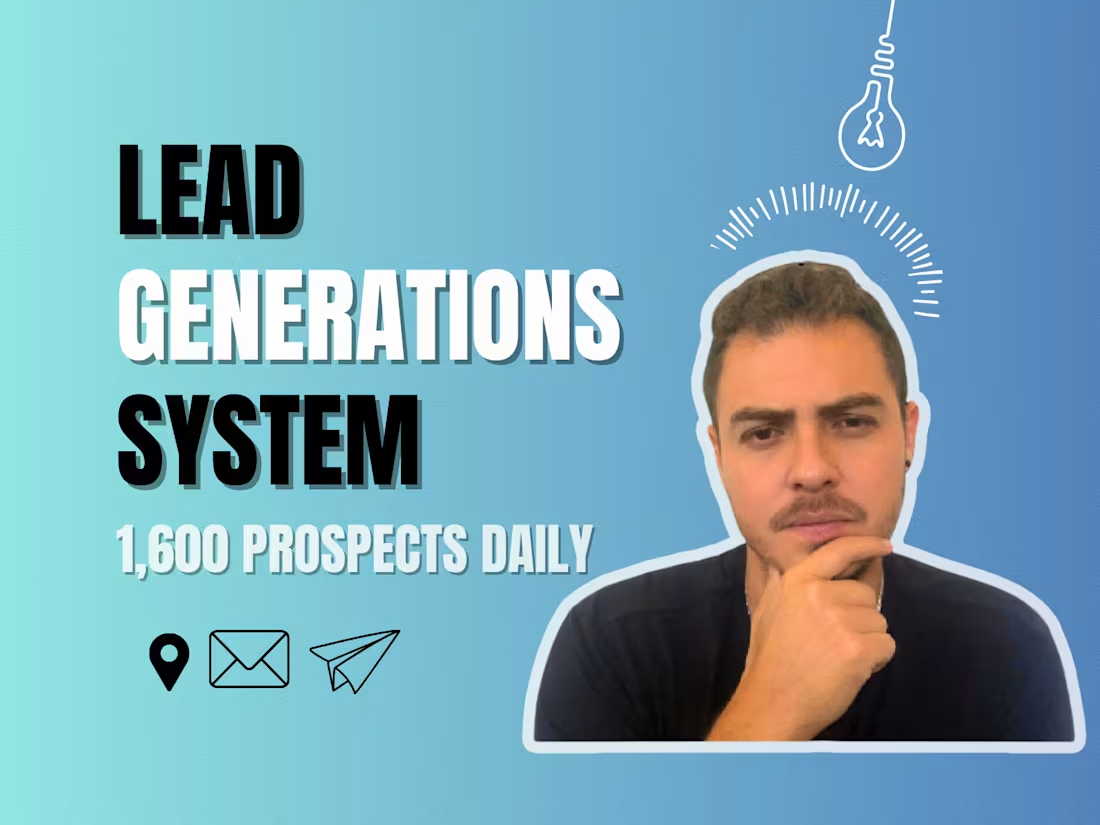
Cover image for Hands-Off Lead Engine: 1,600 Prospects / Day + Auto Emails
Need a steady flow of B2B prospects without lifting a finger? I build a hands-off engine that scrapes 50 fresh Google-Maps leads every 15 minutes, verifies emails, and auto-sends your branded outreach. You watch the deals roll in from a live Google Sheet that shows exactly who’s been contacted.

What's included

Automated Scraper + Email Workflow
End-to-end Make scenario that links Apify → Anymail Finder → Google Sheets → Brevo (or your SMTP). • Scrapes 50 new Google-Maps prospects per run • Filters for valid email & niche keywords • Sends branded cold email and stamps “Email Sent” status • Error-handler + schedule pre-configured (you choose 15, 30, 60 min)
Live Lead Dashboard (Google Sheets)
Shareable sheet auto-populated in real time with: • Business name, address, phone, website • Verified email(s) • “Email Sent” status column so you always know who’s been contacted
Handoff Kit & Training
• 15-min Loom walk-through of the system • 1-page SOP (PDF) showing how to change niches, edit email copy, or pause the schedule • 7-day post-launch email support for quick tweaks
FAQs
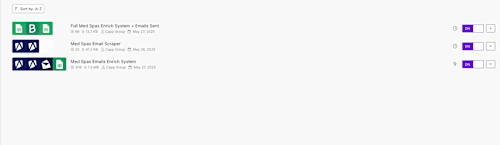
Just create the starter accounts for Apify, Anymail Finder, Brevo (or your SMTP of choice) and Make, then drop the API keys into a shared Google Sheet. You’ll also share a Google Drive folder where the live dashboard lives. Total client setup time: ≈ 20 minutes.
Each scrape pulls 50 fresh prospects. At the default 15-minute schedule that’s about 1 600 leads a day; hourly runs give 400/day. You pick the cadence to balance volume and tool-credit costs.
Yes. Inside your Apify “Google Maps Scraper” actor there’s a simple Search Query box (e.g., “med spa near Miami”). 1. Single-niche swap: Edit that query and click Save—the automation will scrape the new niche on the next run. 2. Multiple niches at once: Duplicate the Make scenario, paste a different Apify query, and point it to a new tab in the same Google Sheet (or a new sheet). A short Loom tutorial is included so you can do either method yourself—no extra fee unless you need me to build entirely new logic or copy variations.
Yes. Once the system is live you can add an optional Care Plan for $300 per month. What’s included: • Pro-active monitoring of all runs (Apify, Make, email) • Quick fixes if any module errors out • Monthly performance report (open rates, bounce rates, lead volume) • Up to two small tweaks per month—new keywords, copy edits, schedule changes, etc. You can subscribe or cancel the Care Plan at any time.
Starting at$1,500
Duration1 week
Tags
Anymail Finder

Apify

Brevo

Google Sheets

Make

Automation Engineer
Email Marketer
Lead Generator
Service provided by
Jonathan Duran North Miami, USA
1
Followers
Hands-Off Lead Engine: 1,600 Prospects / Day + Auto EmailsJonathan Duran
Starting at$1,500
Duration1 week
Tags
Anymail Finder
Apify
Brevo
Google Sheets
Make
Automation Engineer
Email Marketer
Lead Generator
Cover image for Hands-Off Lead Engine: 1,600 Prospects / Day + Auto Emails
Need a steady flow of B2B prospects without lifting a finger? I build a hands-off engine that scrapes 50 fresh Google-Maps leads every 15 minutes, verifies emails, and auto-sends your branded outreach. You watch the deals roll in from a live Google Sheet that shows exactly who’s been contacted.

What's included

Automated Scraper + Email Workflow
End-to-end Make scenario that links Apify → Anymail Finder → Google Sheets → Brevo (or your SMTP). • Scrapes 50 new Google-Maps prospects per run • Filters for valid email & niche keywords • Sends branded cold email and stamps “Email Sent” status • Error-handler + schedule pre-configured (you choose 15, 30, 60 min)
Live Lead Dashboard (Google Sheets)
Shareable sheet auto-populated in real time with: • Business name, address, phone, website • Verified email(s) • “Email Sent” status column so you always know who’s been contacted
Handoff Kit & Training
• 15-min Loom walk-through of the system • 1-page SOP (PDF) showing how to change niches, edit email copy, or pause the schedule • 7-day post-launch email support for quick tweaks
FAQs
Just create the starter accounts for Apify, Anymail Finder, Brevo (or your SMTP of choice) and Make, then drop the API keys into a shared Google Sheet. You’ll also share a Google Drive folder where the live dashboard lives. Total client setup time: ≈ 20 minutes.
Each scrape pulls 50 fresh prospects. At the default 15-minute schedule that’s about 1 600 leads a day; hourly runs give 400/day. You pick the cadence to balance volume and tool-credit costs.
Yes. Inside your Apify “Google Maps Scraper” actor there’s a simple Search Query box (e.g., “med spa near Miami”). 1. Single-niche swap: Edit that query and click Save—the automation will scrape the new niche on the next run. 2. Multiple niches at once: Duplicate the Make scenario, paste a different Apify query, and point it to a new tab in the same Google Sheet (or a new sheet). A short Loom tutorial is included so you can do either method yourself—no extra fee unless you need me to build entirely new logic or copy variations.
Yes. Once the system is live you can add an optional Care Plan for $300 per month. What’s included: • Pro-active monitoring of all runs (Apify, Make, email) • Quick fixes if any module errors out • Monthly performance report (open rates, bounce rates, lead volume) • Up to two small tweaks per month—new keywords, copy edits, schedule changes, etc. You can subscribe or cancel the Care Plan at any time.
$1,500