
Shopify Supplier Inventory SyncAbuzar Arif
If you sell products from a supplier, you know the problem: their stock changes all day, and your store doesn't know. You oversell items that are gone, leave sold-out products listed, and spend hours importing spreadsheets by hand.
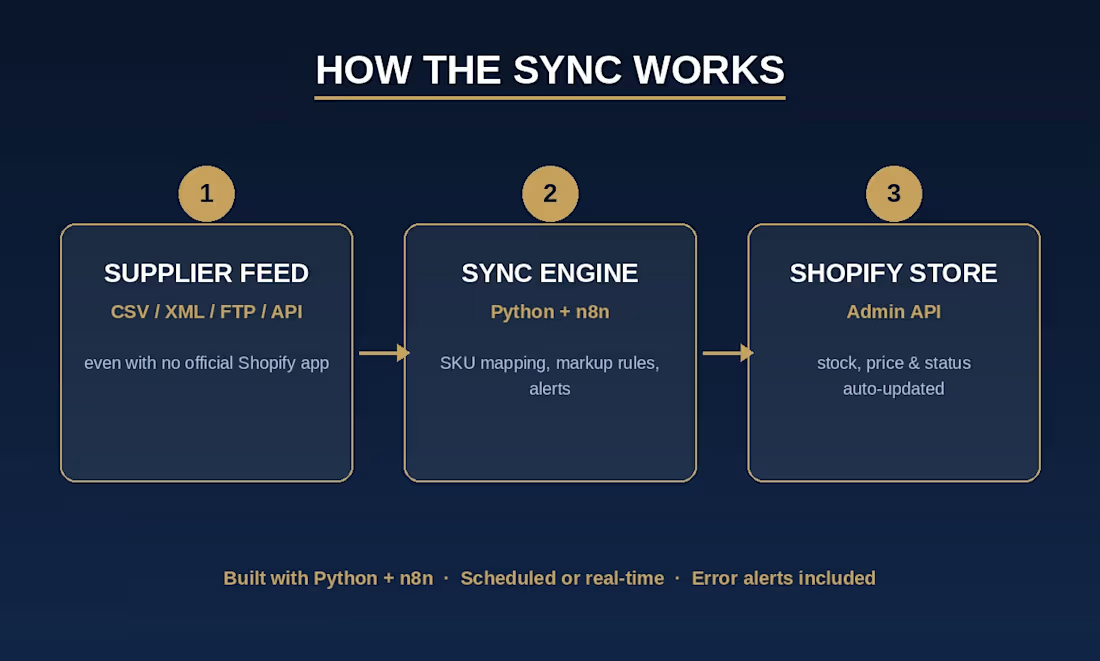
I build an automated sync that connects your supplier's data to your Shopify store, so stock, prices and listings stay up to date without you touching anything. It works even when your supplier has no Shopify app, because I connect to whatever they do provide: a CSV or XML file, an FTP server, or an API. I've run this across catalogs of 20,000+ SKUs.
What the sync does
Reads your supplier's feed on a schedule and picks up only what changed
Creates new products and sets their stock
Updates stock levels and prices on existing products
Removes or hides sold-out items, [your choice: delete them, or set them to draft so they can return later]
Applies your rules: SKU mapping between supplier and store, and markup or pricing rules
Writes a detailed log of every run, with how many items were created, updated and removed
Alerts you by email if anything goes wrong
What you get
Supplier feed connection set up and tested
SKU mapping and markup rules configured to your business
Scheduled sync, for example every 2 hours [adjust to your offer]
Error alerts and run logs
A short handover guide so you know how to read the logs and what to do if the supplier changes their feed
How it works
Discovery: You share the supplier feed (or access to it) and your pricing rules. I check its format, size and quirks.
Mapping: We agree how supplier products and SKUs match your Shopify catalog, and what happens to sold-out and new items.
Build and test: I build the sync and test it on a small set of products before touching your full catalog.
Launch: I switch on the full sync and watch the first runs closely.
Handover: I walk you through the logs and alerts.
Typical delivery is [3 to 7 days] for a single supplier. Complex feeds or several suppliers take longer.
What I need from you
Access to the supplier feed (file, FTP details or API credentials)
Your Shopify store access (a staff account or custom app permission)
Your markup and pricing rules, and what to do with sold-out items
Proof
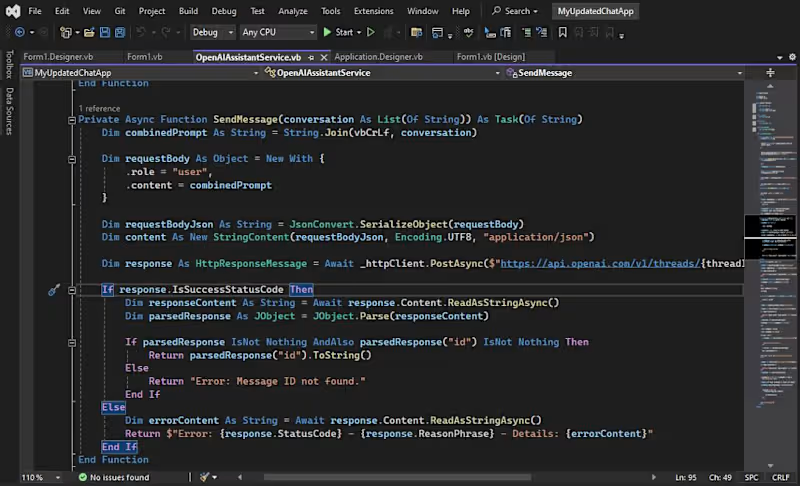
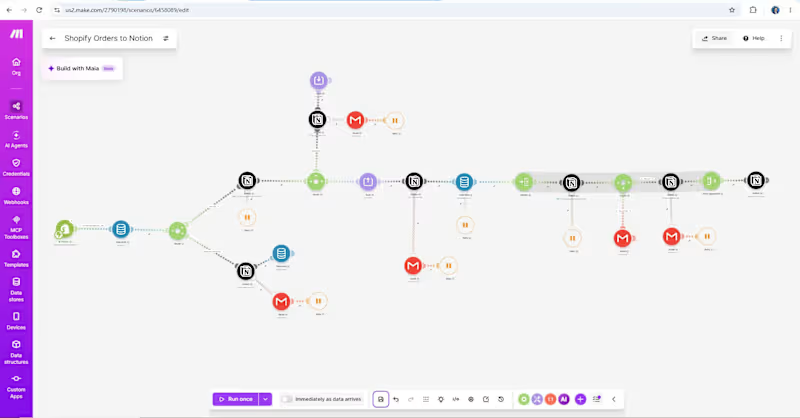
I built and run a production sync like this for a Shopify store. It handles 20,000+ SKUs on a schedule, creates and removes products automatically, and has replaced the owner's daily manual imports. See the linked project below.
Contact for pricing
Duration1 week
Tags
Python

Shopify

Automations
API integration
dropshipping
E-Commerce Developer
Service provided by
Abuzar Arif Lahore, Pakistan
- 10
- Followers
Shopify Supplier Inventory SyncAbuzar Arif
Contact for pricing
Duration1 week
Tags
Python
Shopify
Automations
API integration
dropshipping
E-Commerce Developer
If you sell products from a supplier, you know the problem: their stock changes all day, and your store doesn't know. You oversell items that are gone, leave sold-out products listed, and spend hours importing spreadsheets by hand.
I build an automated sync that connects your supplier's data to your Shopify store, so stock, prices and listings stay up to date without you touching anything. It works even when your supplier has no Shopify app, because I connect to whatever they do provide: a CSV or XML file, an FTP server, or an API. I've run this across catalogs of 20,000+ SKUs.
What the sync does
Reads your supplier's feed on a schedule and picks up only what changed
Creates new products and sets their stock
Updates stock levels and prices on existing products
Removes or hides sold-out items, [your choice: delete them, or set them to draft so they can return later]
Applies your rules: SKU mapping between supplier and store, and markup or pricing rules
Writes a detailed log of every run, with how many items were created, updated and removed
Alerts you by email if anything goes wrong
What you get
Supplier feed connection set up and tested
SKU mapping and markup rules configured to your business
Scheduled sync, for example every 2 hours [adjust to your offer]
Error alerts and run logs
A short handover guide so you know how to read the logs and what to do if the supplier changes their feed
How it works
Discovery: You share the supplier feed (or access to it) and your pricing rules. I check its format, size and quirks.
Mapping: We agree how supplier products and SKUs match your Shopify catalog, and what happens to sold-out and new items.
Build and test: I build the sync and test it on a small set of products before touching your full catalog.
Launch: I switch on the full sync and watch the first runs closely.
Handover: I walk you through the logs and alerts.
Typical delivery is [3 to 7 days] for a single supplier. Complex feeds or several suppliers take longer.
What I need from you
Access to the supplier feed (file, FTP details or API credentials)
Your Shopify store access (a staff account or custom app permission)
Your markup and pricing rules, and what to do with sold-out items
Proof
I built and run a production sync like this for a Shopify store. It handles 20,000+ SKUs on a schedule, creates and removes products automatically, and has replaced the owner's daily manual imports. See the linked project below.
Contact for pricing