
Workflow Automation & App Integration by Make, Zapier, HubspotMuhammad Tahir A
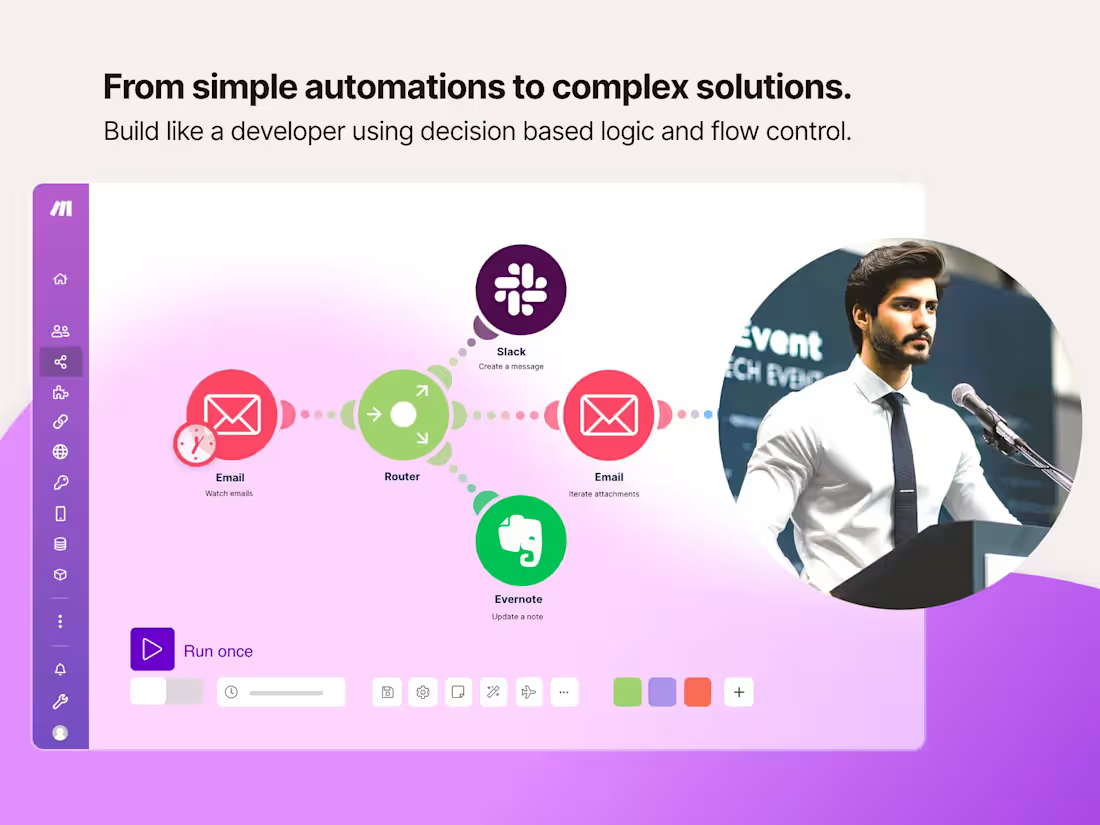
Offer automation solutions using Make.com to integrate and automate workflows across various apps and services. Help clients save time, reduce errors, and increase productivity by setting up custom scenarios that handle repetitive tasks efficiently.
Marketing Strategy
Website and Portfolio:
Create a professional website showcasing your services, case studies, and client testimonials.
Include a portfolio of successfully implemented scenarios.
Social Media and Content Marketing:
Share blog posts, tutorials, and success stories on platforms like LinkedIn, Twitter, and Medium.
Engage with potential clients on relevant forums and social media groups.
SEO and PPC Campaigns:
Optimize your website for search engines with relevant keywords.
Run targeted PPC campaigns to attract businesses looking for automation solutions.
Partnerships and Networking:
Partner with other service providers (e.g., digital marketing agencies, IT consultants) to offer bundled services.
Attend industry conferences and networking events to connect with potential clients.
Implementation Plan
Service Setup:
Set up your Make.com account and familiarize yourself with its features and capabilities.
Create templates for common scenarios to speed up the development process.
Client Onboarding:
Develop a standardized onboarding process to gather client requirements and understand their needs.
Use project management tools to track project progress and client communication.
Scenario Development:
Follow a structured approach to design, develop, and test automation scenarios.
Ensure thorough documentation of each scenario for future reference and troubleshooting.
Feedback and Improvement:
Collect feedback from clients to continuously improve your service offerings.
Stay updated with Make.com updates and new features to provide the best solutions to your clients.
Tools and Resources
Make.com: Primary tool for creating automation scenarios.
Project Management Tools: Trello, Asana, or Monday.com for managing client projects.
Communication Tools: Slack or Microsoft Teams for client communication.
By offering a comprehensive Make.com Workflow Automation service, you can help clients automate their workflows, reduce manual work, and improve overall efficiency.
What's included
Workflow Consultation
Analyze the client's current processes and identify areas for automation.
Provide recommendations on how to streamline workflows using Make.com.
Scenario Design and Development
Design custom automation scenarios based on the client's requirements.
Implement scenarios that connect multiple apps and services.
Test and optimize scenarios to ensure they run smoothly.
Integration with Popular Apps
Connect Make.com with popular apps like Google Workspace, Slack, Trello, Shopify, etc.
Set up triggers and actions that automate tasks between these apps.
Custom API Integrations
Develop custom API integrations for apps that are not natively supported by Make.com.
Ensure seamless data transfer and task automation between custom applications.
Ongoing Maintenance and Support
Monitor scenarios for performance and reliability.
Provide updates and adjustments as needed.
Offer troubleshooting and support services.

Contact for pricing
Tags
Blender

HubSpot

Make

Shopify

Zapier

Brand Ambassador
Business Development Specialist
Business Strategist
Service provided by
Muhammad Tahir A proSharjah - United Arab Emirates
- $5k+
- Earned
- 1
- Paid projects
- 33
- Followers
Workflow Automation & App Integration by Make, Zapier, HubspotMuhammad Tahir A
Contact for pricing
Tags
Blender
HubSpot
Make
Shopify
Zapier
Brand Ambassador
Business Development Specialist
Business Strategist
Offer automation solutions using Make.com to integrate and automate workflows across various apps and services. Help clients save time, reduce errors, and increase productivity by setting up custom scenarios that handle repetitive tasks efficiently.
Marketing Strategy
Website and Portfolio:
Create a professional website showcasing your services, case studies, and client testimonials.
Include a portfolio of successfully implemented scenarios.
Social Media and Content Marketing:
Share blog posts, tutorials, and success stories on platforms like LinkedIn, Twitter, and Medium.
Engage with potential clients on relevant forums and social media groups.
SEO and PPC Campaigns:
Optimize your website for search engines with relevant keywords.
Run targeted PPC campaigns to attract businesses looking for automation solutions.
Partnerships and Networking:
Partner with other service providers (e.g., digital marketing agencies, IT consultants) to offer bundled services.
Attend industry conferences and networking events to connect with potential clients.
Implementation Plan
Service Setup:
Set up your Make.com account and familiarize yourself with its features and capabilities.
Create templates for common scenarios to speed up the development process.
Client Onboarding:
Develop a standardized onboarding process to gather client requirements and understand their needs.
Use project management tools to track project progress and client communication.
Scenario Development:
Follow a structured approach to design, develop, and test automation scenarios.
Ensure thorough documentation of each scenario for future reference and troubleshooting.
Feedback and Improvement:
Collect feedback from clients to continuously improve your service offerings.
Stay updated with Make.com updates and new features to provide the best solutions to your clients.
Tools and Resources
Make.com: Primary tool for creating automation scenarios.
Project Management Tools: Trello, Asana, or Monday.com for managing client projects.
Communication Tools: Slack or Microsoft Teams for client communication.
By offering a comprehensive Make.com Workflow Automation service, you can help clients automate their workflows, reduce manual work, and improve overall efficiency.
What's included
Workflow Consultation
Analyze the client's current processes and identify areas for automation.
Provide recommendations on how to streamline workflows using Make.com.
Scenario Design and Development
Design custom automation scenarios based on the client's requirements.
Implement scenarios that connect multiple apps and services.
Test and optimize scenarios to ensure they run smoothly.
Integration with Popular Apps
Connect Make.com with popular apps like Google Workspace, Slack, Trello, Shopify, etc.
Set up triggers and actions that automate tasks between these apps.
Custom API Integrations
Develop custom API integrations for apps that are not natively supported by Make.com.
Ensure seamless data transfer and task automation between custom applications.
Ongoing Maintenance and Support
Monitor scenarios for performance and reliability.
Provide updates and adjustments as needed.
Offer troubleshooting and support services.
Contact for pricing