
Move your events into or out of Swoogo, with a script, not by handMd Salim Rana
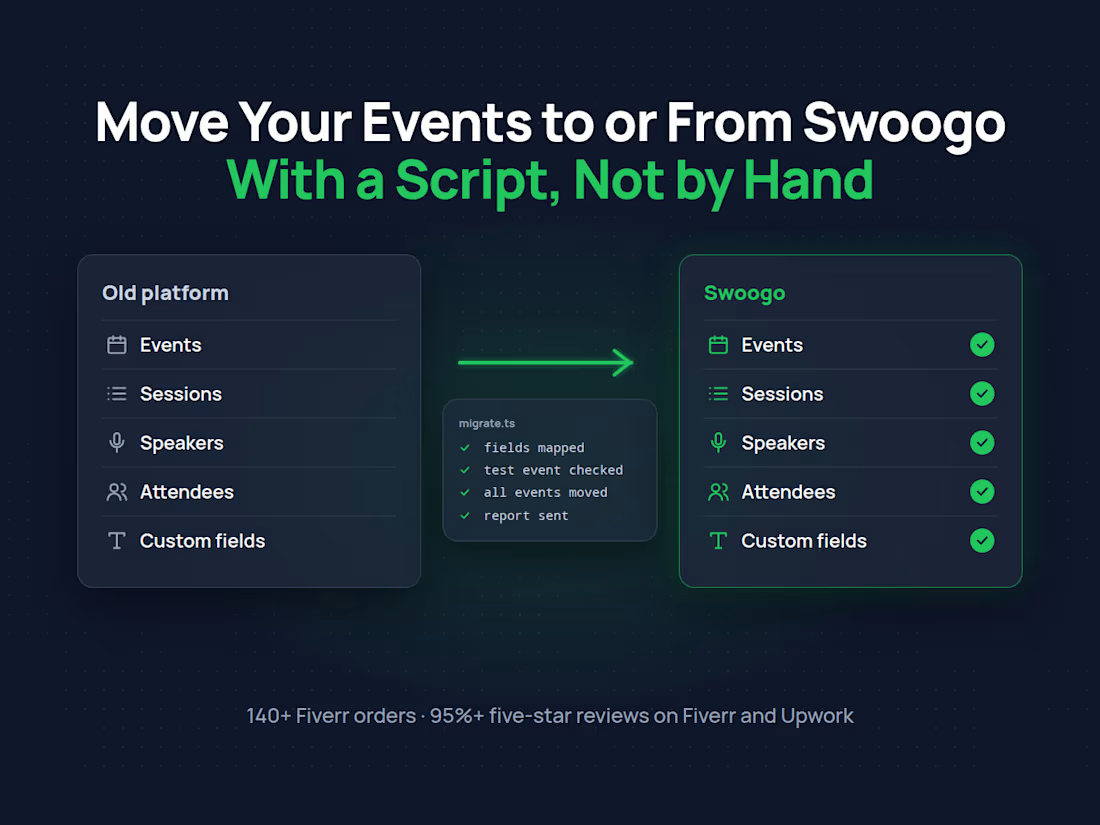
Moving to Swoogo from Cvent, Eventbrite or another platform, or moving off Swoogo? Copying sessions, speakers and attendees by hand takes days, and mistakes are easy to miss. I move them with a script, through the APIs on both sides, and check the result before anything goes live.
I've built on Swoogo almost every day for the last few years, including its API and webhooks, so I know where its data lives and where it differs from other platforms.
What I can move
Events with their details, dates, venues and settings
Sessions and agendas, including tracks and times
Speakers and sponsors, with bios and images
Attendees and registrations, with their answers and ticket types
Custom fields, mapped between the two platforms
How it works
Look first. You tell me where the data is now and where it should go. I check what both APIs allow and tell you honestly what will move cleanly and what needs a decision.
Map the fields. We agree how each field in the old platform maps to the new one, in a simple sheet you can read.
Test with one event. I move one event first, and you check it in the new platform.
Move the rest. When you're happy, I run the script for everything else and send a report of what moved, with counts per event.
Typical scopes
One event, from $500 (about a week): field mapping, a test run and the full move of one event with its sessions, speakers and attendees.
Several events or a full account: quoted after the first look, since it depends on the number of events and how much custom data they have.
What I need from you
API access or an admin user on both platforms (an invite, not your own password)
Which events to move, and anything that must not change, like registration links already sent out
Who you work with
I write the migration scripts myself, and you talk to me from the first message to the last. Your data stays in your accounts and is only used for the move.
FAQs
Starting at$500
Duration7 days
Tags
Eventbrite
Integrations
Node.js

API Integration
Cvent
Data Migration
Event Management
Event Technology
Scripting
Swoogo
Service provided by
Md Salim Rana proDhaka, Bangladesh
Move your events into or out of Swoogo, with a script, not by handMd Salim Rana
Starting at$500
Duration7 days
Tags
Eventbrite
Integrations
Node.js
API Integration
Cvent
Data Migration
Event Management
Event Technology
Scripting
Swoogo
Moving to Swoogo from Cvent, Eventbrite or another platform, or moving off Swoogo? Copying sessions, speakers and attendees by hand takes days, and mistakes are easy to miss. I move them with a script, through the APIs on both sides, and check the result before anything goes live.
I've built on Swoogo almost every day for the last few years, including its API and webhooks, so I know where its data lives and where it differs from other platforms.
What I can move
Events with their details, dates, venues and settings
Sessions and agendas, including tracks and times
Speakers and sponsors, with bios and images
Attendees and registrations, with their answers and ticket types
Custom fields, mapped between the two platforms
How it works
Look first. You tell me where the data is now and where it should go. I check what both APIs allow and tell you honestly what will move cleanly and what needs a decision.
Map the fields. We agree how each field in the old platform maps to the new one, in a simple sheet you can read.
Test with one event. I move one event first, and you check it in the new platform.
Move the rest. When you're happy, I run the script for everything else and send a report of what moved, with counts per event.
Typical scopes
One event, from $500 (about a week): field mapping, a test run and the full move of one event with its sessions, speakers and attendees.
Several events or a full account: quoted after the first look, since it depends on the number of events and how much custom data they have.
What I need from you
API access or an admin user on both platforms (an invite, not your own password)
Which events to move, and anything that must not change, like registration links already sent out
Who you work with
I write the migration scripts myself, and you talk to me from the first message to the last. Your data stays in your accounts and is only used for the move.
FAQs
$500