
UI/Product Design for Early-Stage Startups: Website & Appsprashanth yadav
Create Useful, Usable, and Desirable Products
My Goal is to create visually engaging and user-friendly Web & Mobile Products based on the Figma. I understand the importance of attention to detail and aim to deliver design files that cover every aspect of the project, leaving no room for developer interpretation.
The scope covers full length Product Design Process. Starting from:
1. Exploration/Discovery ->
2. Concepts exploration using Low-Fidelity Mocks with user Journeys Mapped ->
3. Finalising UI, Interactions ->
4. Clickable Prototypes in Figma for Feedback and Revisions ->
5. Handoff- Preparation for Devs
Timeline of completion and success depends upon
- lot of precise feedback and
- Multiple Iterations and
- Quick product decisions.
What's included
Wireframes: Early Design Stage
Basic, low-fidelity visual representations of the layout and structure of a user interface with focus on the arrangement of elements, content, and functionality.
High-fidelity Clickable Prototypes
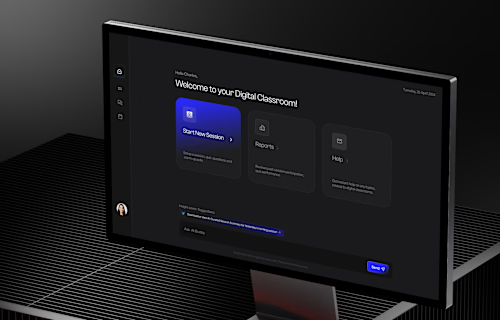
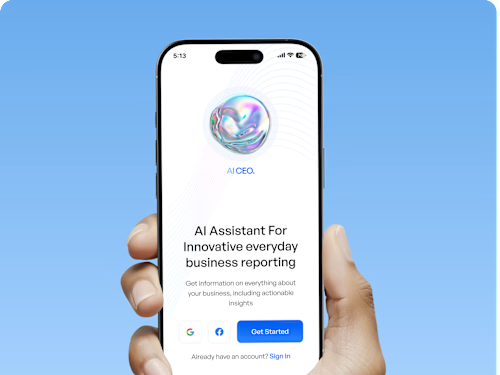
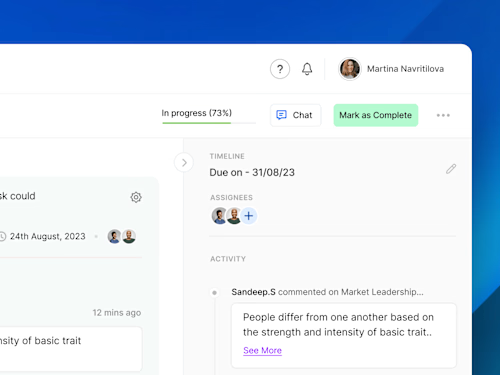
Interactive prototypes showing the final design, providing a in-browser experience of your product with detailed visual representations of the user interface.
Design Specifications and Guidelines
- A comprehensive document for how the UI should adapt to various screen sizes and devices, ensuring a consistent user experience on desktop, tablet, and mobile.
- Detailed documentation of how user interface elements should behave, including animations, transitions, and micro-interactions.
Developer-Ready Assets and Files
- Files and assets that are prepared for developers to use when implementing the UI, often including design files, assets, and export settings.
- Icon Sets, Typography Guidelines, Grid Systems and Source files for images, illustrations, and graphics used in the UI design.
-User Flow Diagrams or charts that illustrate the paths users will take through the product, helping to visualize user journeys
Final Design Assets and Standy
A package of all necessary design files and assets for production and development. Extra design support required during development.
Example work
prashanth's other services

Contact for pricing
Tags
ClickUp

Figma

Miro

Whimsical Wireframes

Zoom

Product Designer
Product Design Consultant
UX Designer
Service provided by
prashanth yadav India
- 6
- Followers
UI/Product Design for Early-Stage Startups: Website & Appsprashanth yadav
Contact for pricing
Tags
ClickUp
Figma
Miro
Whimsical Wireframes
Zoom
Product Designer
Product Design Consultant
UX Designer
Create Useful, Usable, and Desirable Products
My Goal is to create visually engaging and user-friendly Web & Mobile Products based on the Figma. I understand the importance of attention to detail and aim to deliver design files that cover every aspect of the project, leaving no room for developer interpretation.
The scope covers full length Product Design Process. Starting from:
1. Exploration/Discovery ->
2. Concepts exploration using Low-Fidelity Mocks with user Journeys Mapped ->
3. Finalising UI, Interactions ->
4. Clickable Prototypes in Figma for Feedback and Revisions ->
5. Handoff- Preparation for Devs
Timeline of completion and success depends upon
- lot of precise feedback and
- Multiple Iterations and
- Quick product decisions.
What's included
Wireframes: Early Design Stage
Basic, low-fidelity visual representations of the layout and structure of a user interface with focus on the arrangement of elements, content, and functionality.
High-fidelity Clickable Prototypes
Interactive prototypes showing the final design, providing a in-browser experience of your product with detailed visual representations of the user interface.
Design Specifications and Guidelines
- A comprehensive document for how the UI should adapt to various screen sizes and devices, ensuring a consistent user experience on desktop, tablet, and mobile.
- Detailed documentation of how user interface elements should behave, including animations, transitions, and micro-interactions.
Developer-Ready Assets and Files
- Files and assets that are prepared for developers to use when implementing the UI, often including design files, assets, and export settings.
- Icon Sets, Typography Guidelines, Grid Systems and Source files for images, illustrations, and graphics used in the UI design.
-User Flow Diagrams or charts that illustrate the paths users will take through the product, helping to visualize user journeys
Final Design Assets and Standy
A package of all necessary design files and assets for production and development. Extra design support required during development.
Example work
prashanth's other services
Contact for pricing