
Figma to Production-Ready CodeTaimoor Khan
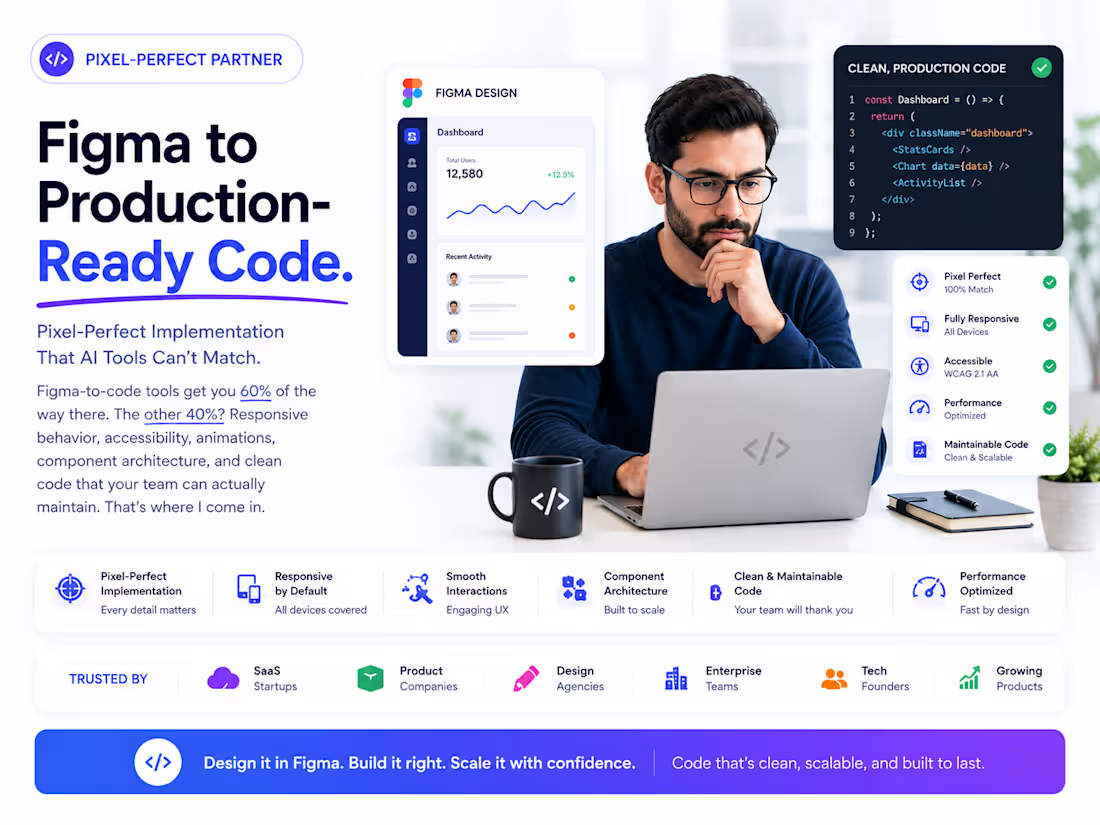
Pixel-Perfect Implementation That AI Tools Can't Match
Figma-to-code tools get you 60% of the way there. The other 40%? Responsive behavior, accessibility, animations, component architecture, and clean code that your team can actually maintain. That's where I come in.
I convert Figma designs into production-ready, optimized frontend code that matches your mockups exactly. Not auto-generated spaghetti. Hand-crafted components built with proper architecture, responsive breakpoints, and performance optimization.
What I Deliver
Pixel-perfect implementation — your Figma designs reproduced exactly in code, down to spacing, typography, and micro-interactions
Responsive across all devices — mobile, tablet, and desktop breakpoints that look intentional, not squeezed
Component architecture — reusable, composable React components with proper props, types, and documentation
Animations & interactions — hover states, transitions, scroll animations, and micro-interactions from your design specs
Performance optimized — lazy loading, image optimization, code splitting, and Core Web Vitals compliance
Accessibility built in — semantic HTML, ARIA labels, keyboard navigation, and screen reader support
Tech Stack
React, Next.js, TypeScript, Tailwind CSS, Framer Motion, CSS Modules, Radix UI, Shadcn/ui.
How I Work
Design review — I walk through your Figma file, flag any gaps or ambiguities, and confirm responsive behavior
Component mapping — break the design into a component tree with clear naming and reuse patterns
Build — implement page by page with daily progress updates
QA — cross-browser testing, responsive testing, and pixel comparison against the original designs
Who This Is For
Design teams that need a developer who respects their work and implements it faithfully
Startups with polished Figma designs ready to become a real product
Agencies that need reliable frontend implementation for client projects
FAQs
Example work


Taimoor's other services
Starting at$2,500
Duration3 weeks
Tags
Next.js

Tailwind CSS

TypeScript

Frontend Engineer
React Developer
Responsive Design
UI Development
Figma to Code
Pixel Perfect
Service provided by
Taimoor Khan proKarachi, Pakistan
- 1
- Paid projects
- 5.00
- Rating
- 14
- Followers
Figma to Production-Ready CodeTaimoor Khan
Starting at$2,500
Duration3 weeks
Tags
Next.js
Tailwind CSS
TypeScript
Frontend Engineer
React Developer
Responsive Design
UI Development
Figma to Code
Pixel Perfect
Pixel-Perfect Implementation That AI Tools Can't Match
Figma-to-code tools get you 60% of the way there. The other 40%? Responsive behavior, accessibility, animations, component architecture, and clean code that your team can actually maintain. That's where I come in.
I convert Figma designs into production-ready, optimized frontend code that matches your mockups exactly. Not auto-generated spaghetti. Hand-crafted components built with proper architecture, responsive breakpoints, and performance optimization.
What I Deliver
Pixel-perfect implementation — your Figma designs reproduced exactly in code, down to spacing, typography, and micro-interactions
Responsive across all devices — mobile, tablet, and desktop breakpoints that look intentional, not squeezed
Component architecture — reusable, composable React components with proper props, types, and documentation
Animations & interactions — hover states, transitions, scroll animations, and micro-interactions from your design specs
Performance optimized — lazy loading, image optimization, code splitting, and Core Web Vitals compliance
Accessibility built in — semantic HTML, ARIA labels, keyboard navigation, and screen reader support
Tech Stack
React, Next.js, TypeScript, Tailwind CSS, Framer Motion, CSS Modules, Radix UI, Shadcn/ui.
How I Work
Design review — I walk through your Figma file, flag any gaps or ambiguities, and confirm responsive behavior
Component mapping — break the design into a component tree with clear naming and reuse patterns
Build — implement page by page with daily progress updates
QA — cross-browser testing, responsive testing, and pixel comparison against the original designs
Who This Is For
Design teams that need a developer who respects their work and implements it faithfully
Startups with polished Figma designs ready to become a real product
Agencies that need reliable frontend implementation for client projects
FAQs
Example work
Taimoor's other services
$2,500