
Spreadsheet AutomationVarghese C
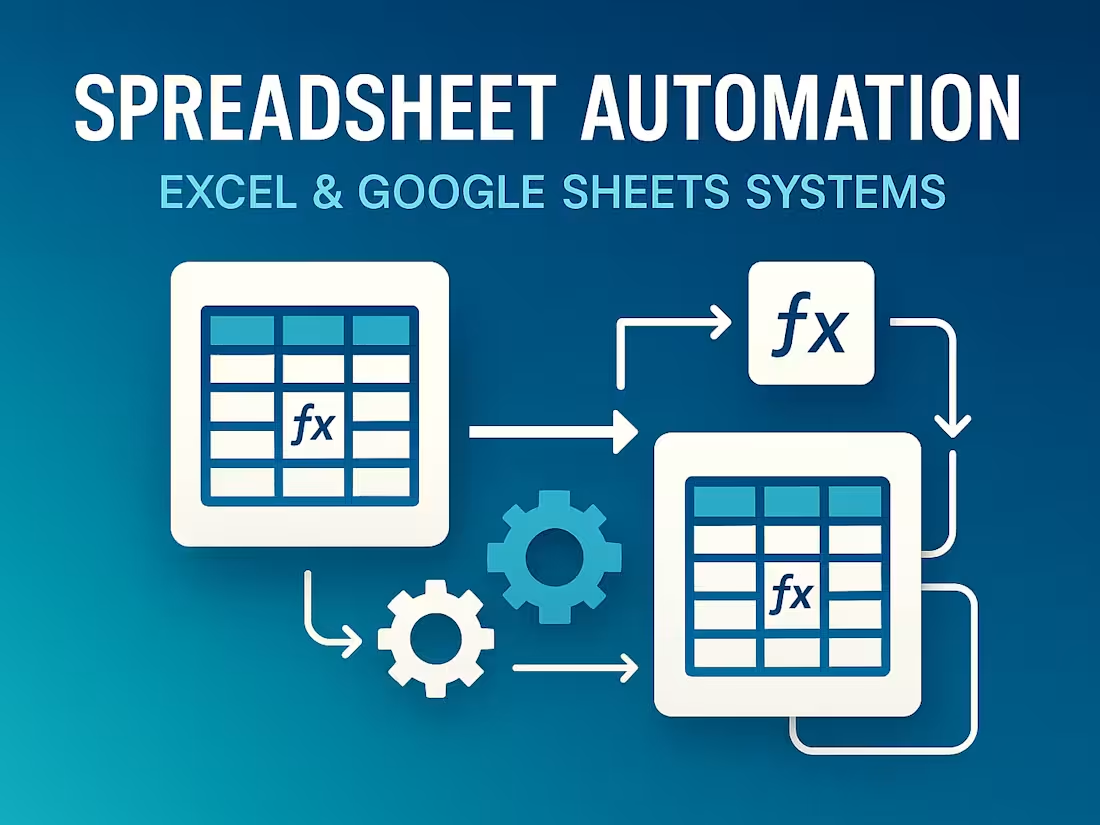
Enterprise-grade spreadsheet automation solutions designed for businesses that want to eliminate manual work, improve data accuracy, and streamline reporting. I build scalable, automated systems in Microsoft Excel and Google Sheets that turn complex, repetitive tasks into fast, reliable workflows aligned with your business operations.
My automation solutions combine advanced formula engineering, structured workflow logic, and script-based automation (Excel VBA / Google Apps Script) to deliver high-performance systems that are accurate, audit-ready, and KPI-driven. These automated tools help teams work faster, reduce human error, and maintain consistent reporting standards across the organization.
What I deliver includes automated workflows, dynamic formulas, KPI-ready summaries, error-control systems, macros, data transformations, and structured layouts optimized for business use. Every system is built to be user-friendly, maintainable, and scalable as your business grows. I also offer weekly data maintenance retainers (4 updates/month) for clients who need recurring updates and ongoing system support.
Key capabilities include: workflow automation, advanced formulas (XLOOKUP, INDEX/MATCH, ARRAYFORMULA), automated reports, data validation frameworks, VBA macros, Google Apps Script functions, scheduled updates, KPI automation, and integration-ready structures for dashboards and external tools. These systems help sales teams automate targets, finance teams automate reconciliations, operations teams automate status updates, and agencies automate recurring client reports.
My deliverables include automated spreadsheet workflows, formula logic frameworks, macro/App Script automation, data validation and error-check systems, KPI-ready calculations, business-optimized layouts, and workflow documentation for smooth handover. I also ensure clean structuring, professional formatting, protected sheets, and reliability standards suited for business reporting.
Typical outcomes include faster reporting cycles, reduced human errors, stronger decision-making insights, cost savings through process efficiency, and scalable spreadsheet systems built to support growth. Every project undergoes testing, validation, and structured delivery, including optional video walkthroughs and process documentation.
Whether you need a single automated file, a complete business reporting workflow, or an ongoing maintenance partnership, I can build a professional, reliable, and fully automated spreadsheet solution tailored to your business needs. Share your file or describe your workflow, and I will provide a clear automation plan with timeline and scope.
What's included
1. Automated Spreadsheet Workflows
I will design automated workflows in Excel/Google Sheets that replace manual tasks with structured, rule-based operations for consistent and efficient business processes.
2. Advanced Formula Logic Framework
I will implement optimized formulas, dynamic lookup systems, and calculation logic to ensure fast, accurate, and scalable data processing for your daily operations.
3. Macro / App Script Automation
I will create custom Excel VBA macros or Google App Script functions to automate multi-step routines, periodic updates, and reporting processes with precision.
4. Data Validation & Error-Control System
I will set up comprehensive validation rules and automated error checks to maintain clean, reliable, and audit-ready data throughout your spreadsheet workflows.
5. KPI-Ready Automated Calculations
I will configure automated KPI metrics, performance indicators, and summary calculations designed for decision-making and dashboard integration.
6. Structured Business-Optimized Layout
I will organize your spreadsheet into a clean, intuitive, and professionally formatted layout that enhances usability and supports streamlined business operations.
7. Workflow Documentation Guide
I will provide a clear reference guide explaining the automated components, workflows, and update procedures, ensuring easy long-term maintenance.
FAQs
Varghese's other services
Starting at$60
Duration2 days
Tags
Excel VBA

Google App Script

Google Sheets
Microsoft Excel

Zapier

Data Analyst
Data Scientist
Data Visualizer
Service provided by
Varghese C Kochi, India
- 7
- Followers
Spreadsheet AutomationVarghese C
Starting at$60
Duration2 days
Tags
Excel VBA
Google App Script
Google Sheets
Microsoft Excel
Zapier
Data Analyst
Data Scientist
Data Visualizer
Enterprise-grade spreadsheet automation solutions designed for businesses that want to eliminate manual work, improve data accuracy, and streamline reporting. I build scalable, automated systems in Microsoft Excel and Google Sheets that turn complex, repetitive tasks into fast, reliable workflows aligned with your business operations.
My automation solutions combine advanced formula engineering, structured workflow logic, and script-based automation (Excel VBA / Google Apps Script) to deliver high-performance systems that are accurate, audit-ready, and KPI-driven. These automated tools help teams work faster, reduce human error, and maintain consistent reporting standards across the organization.
What I deliver includes automated workflows, dynamic formulas, KPI-ready summaries, error-control systems, macros, data transformations, and structured layouts optimized for business use. Every system is built to be user-friendly, maintainable, and scalable as your business grows. I also offer weekly data maintenance retainers (4 updates/month) for clients who need recurring updates and ongoing system support.
Key capabilities include: workflow automation, advanced formulas (XLOOKUP, INDEX/MATCH, ARRAYFORMULA), automated reports, data validation frameworks, VBA macros, Google Apps Script functions, scheduled updates, KPI automation, and integration-ready structures for dashboards and external tools. These systems help sales teams automate targets, finance teams automate reconciliations, operations teams automate status updates, and agencies automate recurring client reports.
My deliverables include automated spreadsheet workflows, formula logic frameworks, macro/App Script automation, data validation and error-check systems, KPI-ready calculations, business-optimized layouts, and workflow documentation for smooth handover. I also ensure clean structuring, professional formatting, protected sheets, and reliability standards suited for business reporting.
Typical outcomes include faster reporting cycles, reduced human errors, stronger decision-making insights, cost savings through process efficiency, and scalable spreadsheet systems built to support growth. Every project undergoes testing, validation, and structured delivery, including optional video walkthroughs and process documentation.
Whether you need a single automated file, a complete business reporting workflow, or an ongoing maintenance partnership, I can build a professional, reliable, and fully automated spreadsheet solution tailored to your business needs. Share your file or describe your workflow, and I will provide a clear automation plan with timeline and scope.
What's included
1. Automated Spreadsheet Workflows
I will design automated workflows in Excel/Google Sheets that replace manual tasks with structured, rule-based operations for consistent and efficient business processes.
2. Advanced Formula Logic Framework
I will implement optimized formulas, dynamic lookup systems, and calculation logic to ensure fast, accurate, and scalable data processing for your daily operations.
3. Macro / App Script Automation
I will create custom Excel VBA macros or Google App Script functions to automate multi-step routines, periodic updates, and reporting processes with precision.
4. Data Validation & Error-Control System
I will set up comprehensive validation rules and automated error checks to maintain clean, reliable, and audit-ready data throughout your spreadsheet workflows.
5. KPI-Ready Automated Calculations
I will configure automated KPI metrics, performance indicators, and summary calculations designed for decision-making and dashboard integration.
6. Structured Business-Optimized Layout
I will organize your spreadsheet into a clean, intuitive, and professionally formatted layout that enhances usability and supports streamlined business operations.
7. Workflow Documentation Guide
I will provide a clear reference guide explaining the automated components, workflows, and update procedures, ensuring easy long-term maintenance.
FAQs
Varghese's other services
$60