
Mobile App UI/UX Design (Figma)Tangent Tech
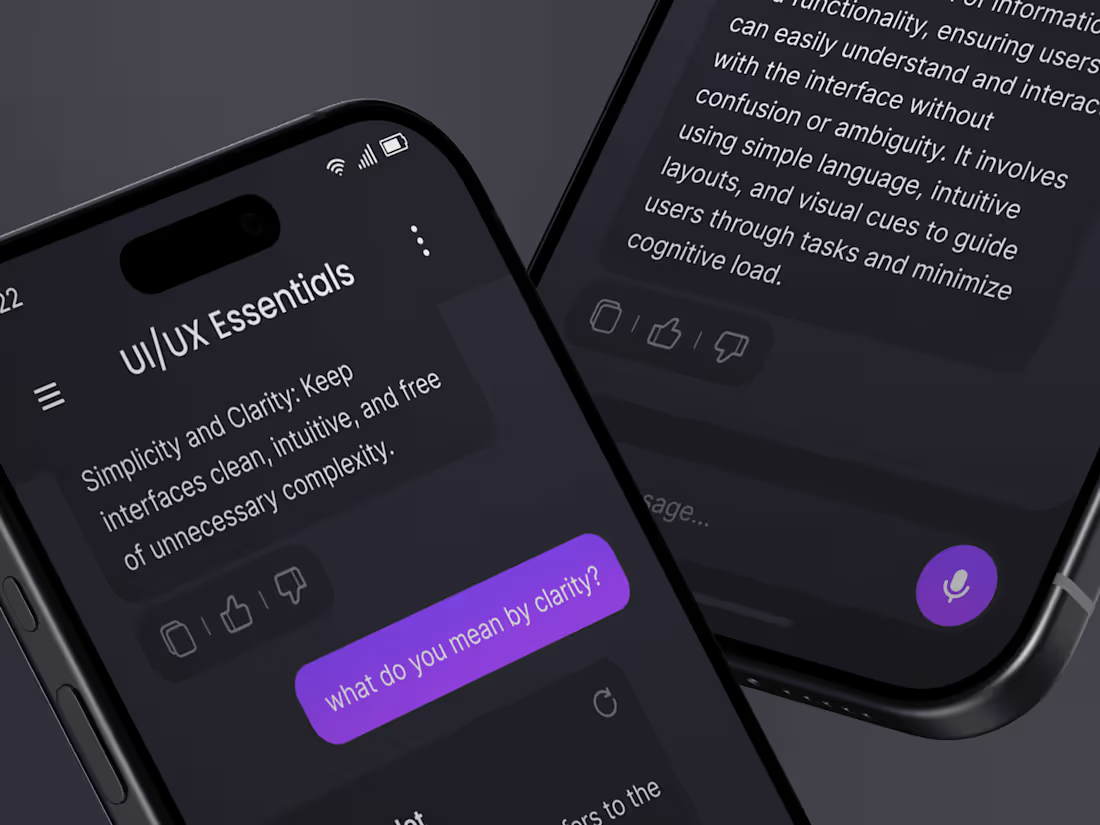
Treat your users with the UI and UX that they deserve! Our service goes through all the necessary steps for you to come to final deliverable that YOU are satisfied with. While we put huge efforts in making your app ideas come to life and for it to look good, we also make sure to keep the end design functional, clutter free and as easy to use as possible.
What's included
Research & Analysis
This varies project to project. But usually it may include researching the target customer of the app, main goals of the app, strengths and weaknesses of competitors through competitive analysis and so on.
Sitemap
The sitemap of the app shows the connectivity of the individual screens. It helps both the client and the designers to create basic interaction before fully diving in the high fidelity UI design of the app
User Flow
User flows are all about minimizing the unnecessary steps between an action that the user wants to perform. While this is good for simplifying the app and getting rid of unnecessary features that waste time, it is also proven to improve conversion rates
Wireframes
Barebones wireframe of the app helps the client and the designer to come to agreements quickly in terms of actions and the looks. It wastes minimal time and vastly improves the end result. Wireframes are excellent to point out the misunderstandings between clients and designers, figuring out what the client actually wants.
Design Systems
This usually includes typography styles, color palette, Images (free), Figma Components (ex. buttons, checkboxes etc. with their variants) etc. If anything else used in the final design, you can rest assured that it will be provided to you
High Fidelity UI in Figma
This is the most important deliverable for the clients. This helps convey the final look and feel to them and the developers before starting to code which saves a lot of time in the long run. The Figma file is provided to the client at handoff which can be changed, manipulated, extended to their will. We do not charge extra for Figma Dev Mode.
FAQs
Example work
Tangent's other services
Starting at$500
Duration20 days
Tags
Figma

Mobile Designer
UI Designer
UX Designer
Service provided by
Tangent Tech Dhaka, Bangladesh
Mobile App UI/UX Design (Figma)Tangent Tech
Treat your users with the UI and UX that they deserve! Our service goes through all the necessary steps for you to come to final deliverable that YOU are satisfied with. While we put huge efforts in making your app ideas come to life and for it to look good, we also make sure to keep the end design functional, clutter free and as easy to use as possible.
What's included
Research & Analysis
This varies project to project. But usually it may include researching the target customer of the app, main goals of the app, strengths and weaknesses of competitors through competitive analysis and so on.
Sitemap
The sitemap of the app shows the connectivity of the individual screens. It helps both the client and the designers to create basic interaction before fully diving in the high fidelity UI design of the app
User Flow
User flows are all about minimizing the unnecessary steps between an action that the user wants to perform. While this is good for simplifying the app and getting rid of unnecessary features that waste time, it is also proven to improve conversion rates
Wireframes
Barebones wireframe of the app helps the client and the designer to come to agreements quickly in terms of actions and the looks. It wastes minimal time and vastly improves the end result. Wireframes are excellent to point out the misunderstandings between clients and designers, figuring out what the client actually wants.
Design Systems
This usually includes typography styles, color palette, Images (free), Figma Components (ex. buttons, checkboxes etc. with their variants) etc. If anything else used in the final design, you can rest assured that it will be provided to you
High Fidelity UI in Figma
This is the most important deliverable for the clients. This helps convey the final look and feel to them and the developers before starting to code which saves a lot of time in the long run. The Figma file is provided to the client at handoff which can be changed, manipulated, extended to their will. We do not charge extra for Figma Dev Mode.
FAQs
Example work
Tangent's other services
$500