
Automated Lead Capture – Gmail to Google SheetsMuseb Aman
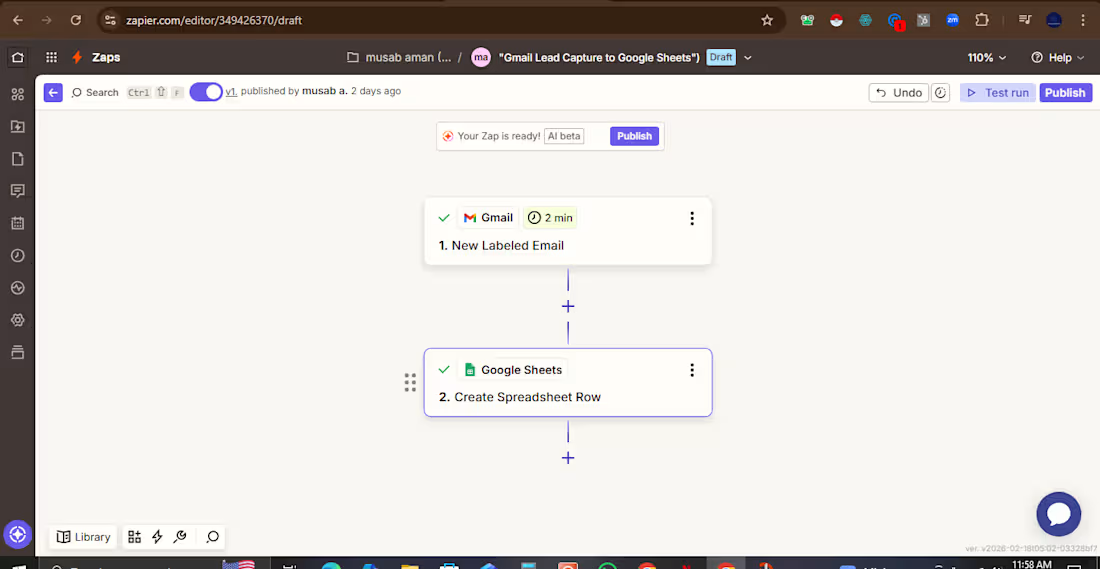
Never lose a lead again. Automatically save every important email to Google Sheets.
I build a simple but powerful automation that captures leads from Gmail and saves them instantly to Google Sheets — eliminating manual data entry and ensuring no inquiry gets missed.
How it works:
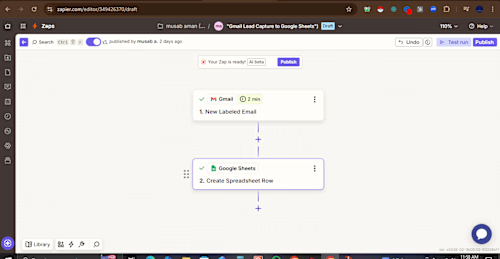
Trigger: When an email with a specific label arrives in Gmail (e.g., "Lead," "Inquiry," "Sales")
Action: Automatically creates a new row in Google Sheets with all key details
Data Captured:
Sender name and email address
Email subject line
Date and time received
Direct link to the original email
Any other custom fields you need
Business Impact:
✅ Saves 5–10 hours of manual data entry per week
✅ 100% lead capture — never miss an opportunity
✅ Creates searchable, sortable lead database
✅ Enables easy reporting and follow-up tracking
Perfect For:
Sales teams tracking inbound leads
Recruiters managing candidate applications
Support teams logging customer inquiries
Any business that receives important emails
Tools Used: Zapier, Gmail, Google Sheets
Includes: Full setup, testing, documentation, and 30-day support.portfolio
FAQs
Example work
Starting at$150
Duration3 days
Tags
CRM
Google Sheets

Zapier

Automations
Data Entry Specialist
Sales
Lead Capture
Productivity
Service provided by
Museb Aman Karachi, Pakistan
Automated Lead Capture – Gmail to Google SheetsMuseb Aman
Starting at$150
Duration3 days
Tags
CRM
Google Sheets
Zapier
Automations
Data Entry Specialist
Sales
Lead Capture
Productivity
Never lose a lead again. Automatically save every important email to Google Sheets.
I build a simple but powerful automation that captures leads from Gmail and saves them instantly to Google Sheets — eliminating manual data entry and ensuring no inquiry gets missed.
How it works:
Trigger: When an email with a specific label arrives in Gmail (e.g., "Lead," "Inquiry," "Sales")
Action: Automatically creates a new row in Google Sheets with all key details
Data Captured:
Sender name and email address
Email subject line
Date and time received
Direct link to the original email
Any other custom fields you need
Business Impact:
✅ Saves 5–10 hours of manual data entry per week
✅ 100% lead capture — never miss an opportunity
✅ Creates searchable, sortable lead database
✅ Enables easy reporting and follow-up tracking
Perfect For:
Sales teams tracking inbound leads
Recruiters managing candidate applications
Support teams logging customer inquiries
Any business that receives important emails
Tools Used: Zapier, Gmail, Google Sheets
Includes: Full setup, testing, documentation, and 30-day support.portfolio
FAQs
Example work
$150