
Service-job tracker setup for Google Sheets importBright Slate Studios
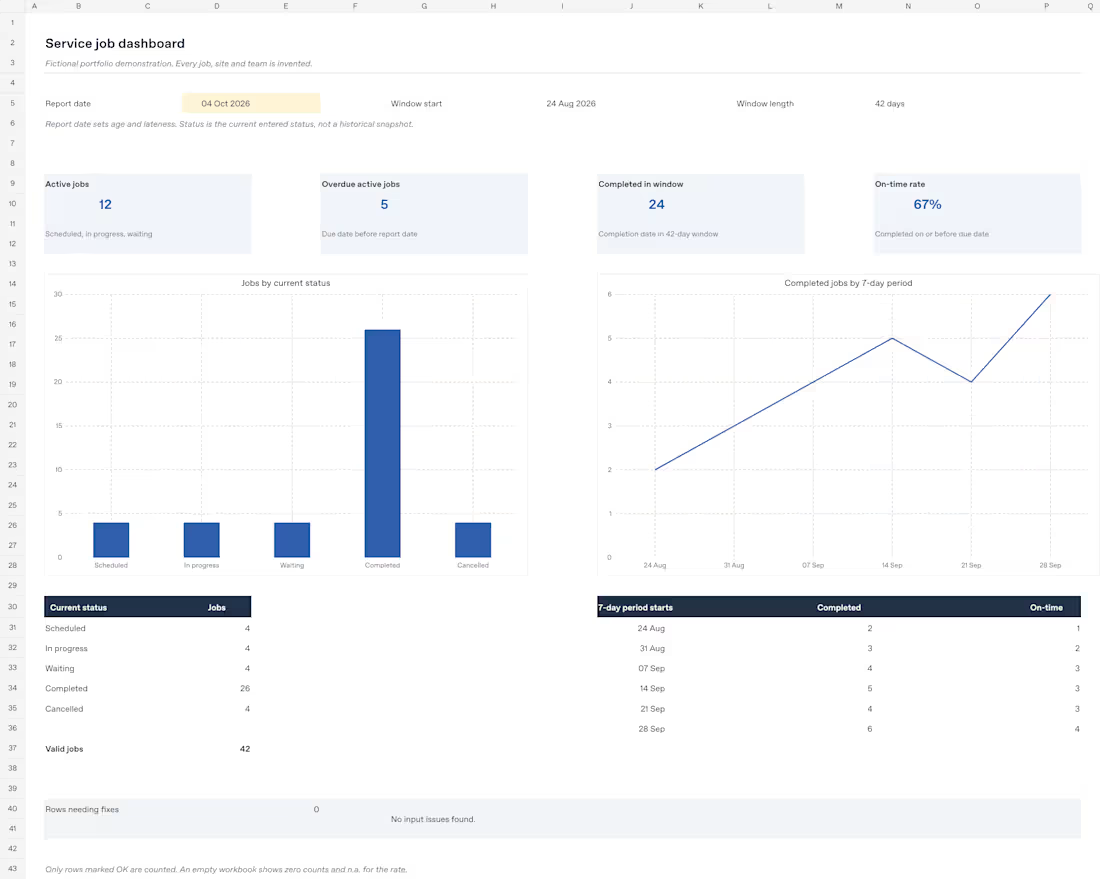
Keep one small service or maintenance workflow in a clear, editable job tracker. I will configure the existing workbook for your labels and brand, then check the agreed setup after Google Sheets import.
FIXED SCOPE · $95 ONE-TIME
• One workflow with eight input fields: Job ID, site label, service, owner/team, requested date, due date, status and completed date.
• Up to 500 prepared job rows; import of one clean, non-sensitive supplied file containing up to 100 records.
• Four fixed KPIs: active jobs, overdue active jobs, completions in a 42-day reporting window, and on-time completion rate for that window.
• Two editable charts, service-label options, light brand/label changes and one consolidated revision within this scope.
DELIVERY
Editable blank and fictional-example XLSX workbooks plus a short setup guide, delivered through the project attachment channel. Delivery is five calendar days after complete inputs have been received and accepted. Please confirm fit before ordering; the agreed scope stays $95.
TESTING & COMPATIBILITY
The source workbooks were imported into native Google Sheets. Saved edits, recalculation, validation checks, chart sources and XLSX export were tested; the example dashboard charts were visually checked in desktop Google Sheets. Your configured version receives the same core calculation checks. You import the files into your own Google account. No access to a public template or my private QA sheets is included. Native Microsoft Excel, mobile use and an external buyer's browser-import flow have not been separately tested.
INTAKE & PRIVACY
Send the workflow summary, desired service labels, brand colors/logo you have rights to use, report date, and optionally one clean file of up to 100 records. Use non-sensitive site labels and team aliases. Do not send customer contact details, health/financial records, credentials or other sensitive information. I will confirm whether your inputs fit before work begins.
BOUNDARIES
No new fields or KPI definitions, financial models, APIs, automatic sync, reminders, historical status reconstruction or unlimited data cleanup. Status is the current entered state; changing the report date cannot recreate past statuses. Work beyond the agreed scope needs a separate quote.
DEMONSTRATION DISCLOSURE
The cover and example workbook are an original fictional demonstration. Jobs, sites, team names and figures are invented, not client results, testimonials or proof of sales.
FAQs
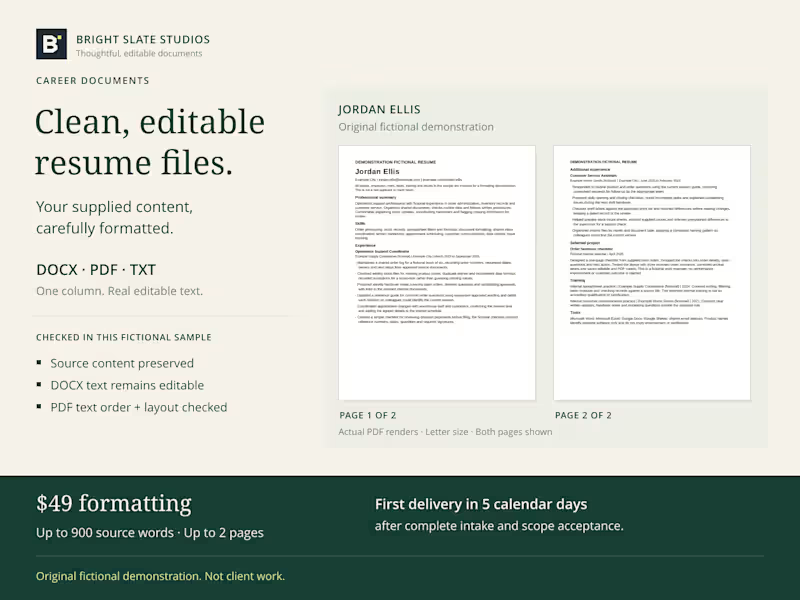
Starting at$95
Duration5 days
Tags
Google Sheets

Service provided by
Bright Slate Studios Altamonte Springs, USA
Service-job tracker setup for Google Sheets importBright Slate Studios
Starting at$95
Duration5 days
Tags
Google Sheets
Keep one small service or maintenance workflow in a clear, editable job tracker. I will configure the existing workbook for your labels and brand, then check the agreed setup after Google Sheets import.
FIXED SCOPE · $95 ONE-TIME
• One workflow with eight input fields: Job ID, site label, service, owner/team, requested date, due date, status and completed date.
• Up to 500 prepared job rows; import of one clean, non-sensitive supplied file containing up to 100 records.
• Four fixed KPIs: active jobs, overdue active jobs, completions in a 42-day reporting window, and on-time completion rate for that window.
• Two editable charts, service-label options, light brand/label changes and one consolidated revision within this scope.
DELIVERY
Editable blank and fictional-example XLSX workbooks plus a short setup guide, delivered through the project attachment channel. Delivery is five calendar days after complete inputs have been received and accepted. Please confirm fit before ordering; the agreed scope stays $95.
TESTING & COMPATIBILITY
The source workbooks were imported into native Google Sheets. Saved edits, recalculation, validation checks, chart sources and XLSX export were tested; the example dashboard charts were visually checked in desktop Google Sheets. Your configured version receives the same core calculation checks. You import the files into your own Google account. No access to a public template or my private QA sheets is included. Native Microsoft Excel, mobile use and an external buyer's browser-import flow have not been separately tested.
INTAKE & PRIVACY
Send the workflow summary, desired service labels, brand colors/logo you have rights to use, report date, and optionally one clean file of up to 100 records. Use non-sensitive site labels and team aliases. Do not send customer contact details, health/financial records, credentials or other sensitive information. I will confirm whether your inputs fit before work begins.
BOUNDARIES
No new fields or KPI definitions, financial models, APIs, automatic sync, reminders, historical status reconstruction or unlimited data cleanup. Status is the current entered state; changing the report date cannot recreate past statuses. Work beyond the agreed scope needs a separate quote.
DEMONSTRATION DISCLOSURE
The cover and example workbook are an original fictional demonstration. Jobs, sites, team names and figures are invented, not client results, testimonials or proof of sales.
FAQs
$95