
Aura 3D Globe Pro : Arcs, Aurora & City Pins
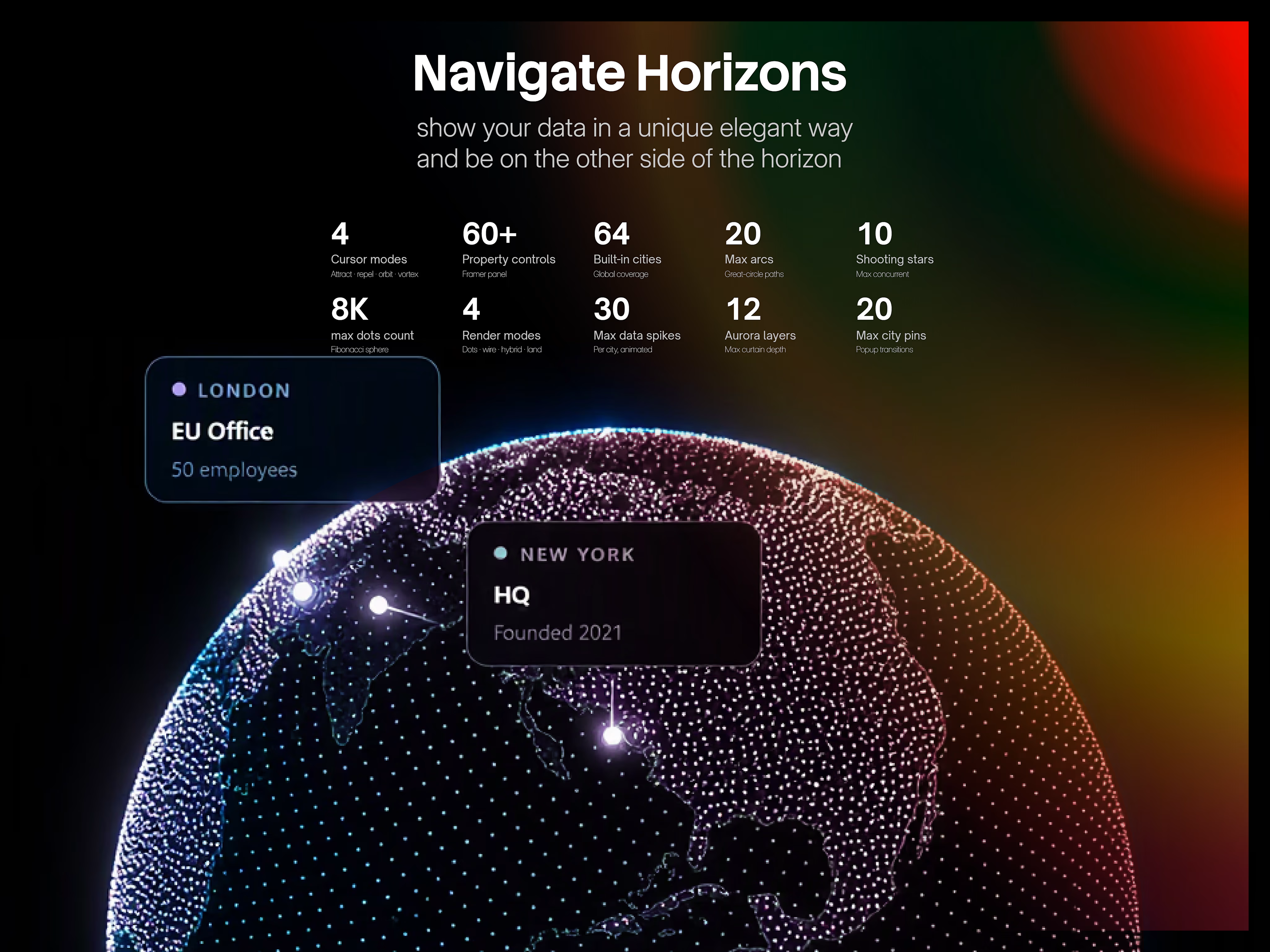
The most configurable 3D globe component for Framer. Dot sphere, aurora borealis, spring-physics magnetic cursor, great-circle arcs, city pin popups, shooting stars, and data spikes — all from the property panel. No WebGL. No dependencies. No code.
Why Aura 3D Globe is Different :
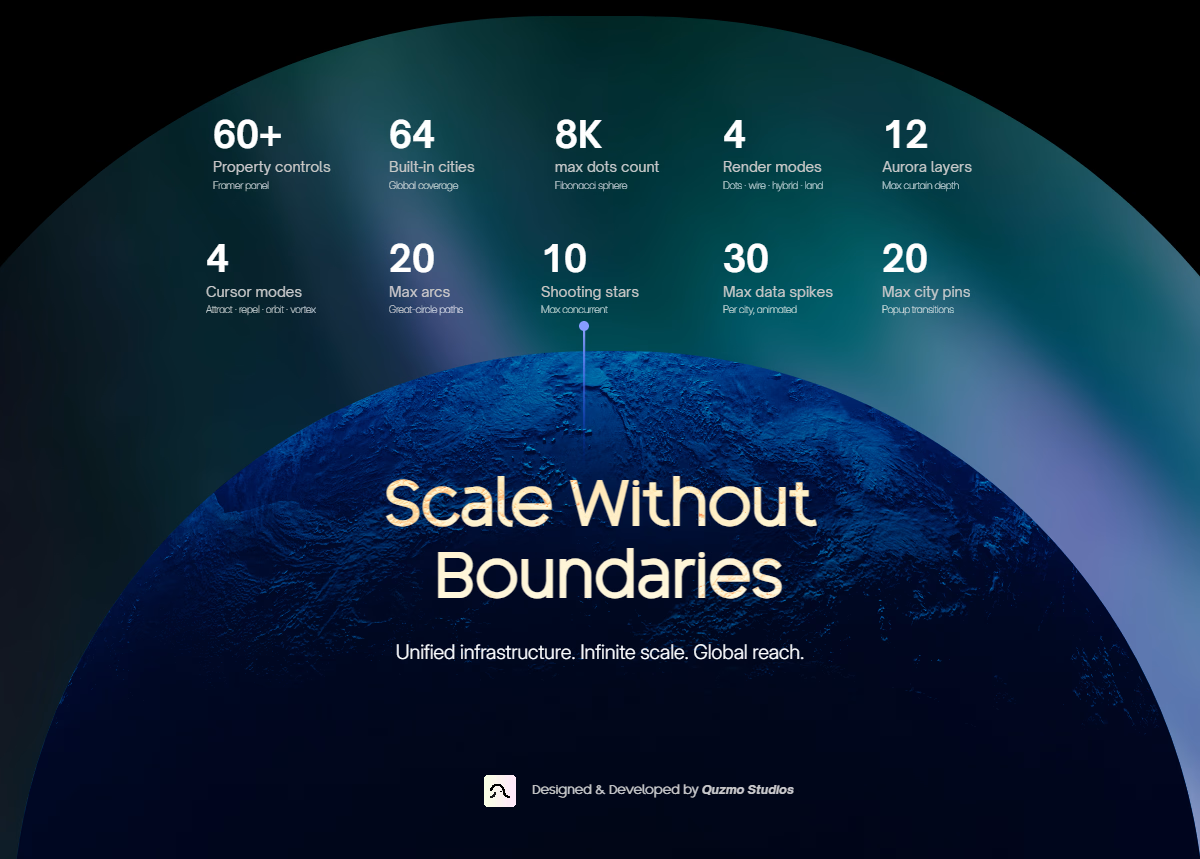
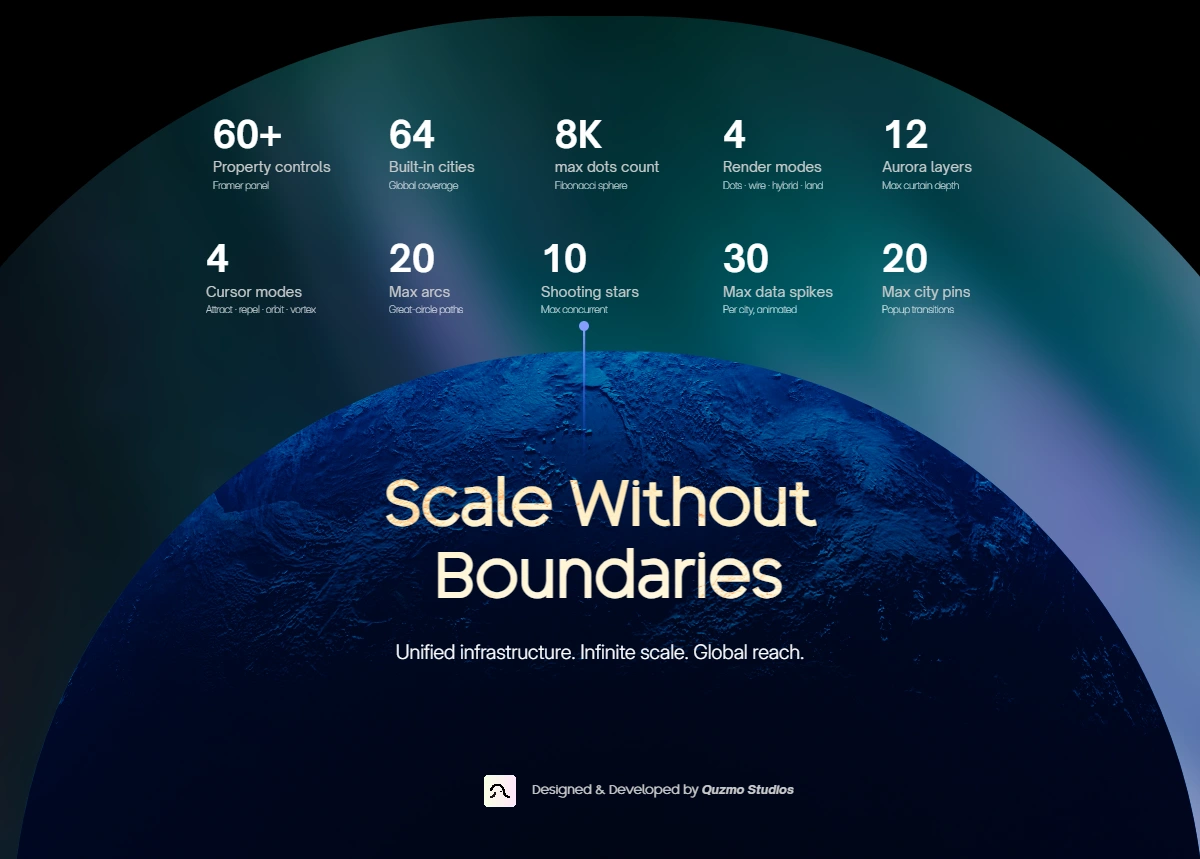
Most globe components give you one look and a handful of color controls. Aura Globe is a full visual system. Every layer — dots, land, arcs, aurora, cursor, labels, spikes — is independently configurable. You're not tweaking a preset. You're composing a scene.
It renders entirely on Canvas 2D. No WebGL requirement, no Three.js, no external libraries. It loads fast, works on every modern device, and publishes without optimization errors.
Getting Started :
Copy the component into your Framer project
Drop it onto any frame or section
Open the properties panel on the right
Adjust colors, features, and cities — everything updates live on canvas
Publish. Done.
No setup. No API keys. No configuration files.
The dot globe
The globe renders up to 8,000 dots distributed across the sphere using a Fibonacci algorithm — the same method used to achieve perfectly uniform coverage with no clustering at the poles. Dots are depth-sorted in real time across 12 buckets for a natural 3D parallax feel.
Dot area — Choose where dots appear:
Everywhere (full sphere)
Ocean only (land-masked)
Land only (land-masked)
Dot motion — Four modes to bring the surface alive:
Static (default, crisp)
Noise (organic drift)
Fluid (slow liquid movement)
Pulse (rhythmic breathing)
Dot breathing — A separate sine-wave size oscillation, independent from motion, adds a subtle ambient pulse to the whole sphere.
Color depth — Dots transition from a pole color to an equator color based on latitude, with an optional rim lighting effect at the silhouette edge.
Land & geography
Aura Globe loads real-world land polygon data and renders it directly onto the sphere. No static image maps. The borders rotate accurately with the globe.
Solid land fill — Fill color + edge color, both with independent opacity controls. Edge line weight is adjustable.
Dotted land — Replace the filled land with a dot-matrix style layer. Fully independent from the background dot sphere:
Separate dot size range, density, color, opacity, and glow
Depth gradient toggle
Independent dot motion (static / noise / fluid / pulse)
Magnetic cursor interaction toggle
Pulse animation toggle
Land fill + dots — Enable both simultaneously for a layered look.
Magnetic Cursor :
The most distinctive feature. When a visitor hovers over the globe, nearby dots respond to their cursor with spring physics — not a simple linear offset, but a proper spring-damper system with configurable stiffness and friction.
Four cursor modes:
Attract — dots pull toward the cursor
Repel — dots push away
Orbit — dots rotate around the cursor position
Vortex — attract + orbit combined
Fine controls: field radius, strength, max shift distance, spring constant, friction, falloff curve (linear / quadratic / cubic / inverse), size boost on affected dots, brightness boost, and color tint shift.
Cursor aura — A visual ring system follows the cursor on the globe surface in true 3D (projected onto the sphere geometry, not flat on the screen). Configurable rings, speed, opacity, dash pattern, glow, and center dot shape (circle / cross / diamond / pulse).
Aurora borealis
A multi-layer aurora renderer composited over the globe with screen blend mode. Organic curtain motion is driven by compound sine waves across three frequencies per layer — no looping textures, no pre-rendered video.
Up to 12 simultaneous layers
Three fully customizable colors with smooth cycling between them
Polar caps mode or full-globe coverage
Both poles option
Mouse-reactive: the aurora shifts subtly toward the cursor position
Adjustable flow speed and opacity
Great-circle arcs
Connections between cities follow great-circle paths — the geometrically correct shortest route across a sphere, the same paths real flight routes take. Each arc lifts off the surface with a configurable height.
Up to 20 arcs simultaneously
Animated dashed line traveling along the arc
Arc color, opacity, speed, and lift height controls
Arcs connect cities from your active city list automatically
Shooting stars
City-to-city shooting stars travel along great-circle routes with a glowing head and a gradient tail that fades in the direction of travel.
Up to 10 concurrent shooting stars
Define separate "from" and "to" city lists
Random route mode or sequential
Controls for speed, duration, tail length, arc height, glow blur, trail width, and spawn interval
Head color and tail color set independently
City hotspots
Every city in your active list renders a pulsing ring beacon — the classic "radar ping" effect used on SaaS dashboards and network maps.
Adjustable dot size, pulse ring count, glow blur, and speed
Color controlled independently from the dot sphere
City pin popups
Place labeled pins anywhere on the globe. Each pin has a stem line, a glowing dot, and a popup card that appears on hover (or auto-shows when the city faces forward).
Up to 20 pins
Each pin has: city, label, sublabel, and color
Four popup transition styles: spring, fade, slide, instant
Auto-show mode: popups appear and disappear automatically as the globe rotates
Data spikes
Vertical bars rise from city locations like a 3D bar chart on the globe surface. Each spike animates with a sine-wave oscillation.
Up to 30 spikes
Per-spike controls: city, height, color, width, label, animate toggle, animation speed
Gradient stroke from base to tip
Glow blur effect
Spotlight rings
Expanding pulse rings centered on a city — ideal for highlighting key locations or live status indicators.
Up to 20 spotlights
Per-spot controls: city, label, color, radius, ring count, pulse speed, glow intensity
Optional radial fill gradient
Render modes
Switch the entire globe rendering style without changing any other settings:
Dots — pure dot sphere (default)
Wireframe — latitude and longitude grid lines only
Hybrid — dots and wireframe combined
Wireframe mode includes: grid line count (lat/lng), line color, opacity, line weight, glow blur, equator highlight with separate color and weight, and a horizontal scan line that sweeps across the globe.
Active city list
Choose which cities are active for hotspots and arc connections from a built-in database of 64 global cities across every continent — no coordinates to enter manually.
Constellation lines
Connect nearby front-facing dots with faint lines, creating a star map aesthetic. Configurable connection distance, line color, and opacity.
Shockwave click effect
A circular shockwave expands from wherever the user clicks on the globe. Color and duration are configurable.
Performance & compatibility
Canvas 2D rendering — no WebGL requirement
Zero external dependencies — no libraries, no API keys, no CDN calls at runtime
SSR-safe — publishes without Framer optimization errors
Responsive — fills any container, respects device pixel ratio (capped at 2×)
60fps target — depth bucket rendering system pre-allocates all buffers, zero garbage collection per frame
Land mask — built asynchronously off the main thread, globe renders immediately while geography loads
All property controls at a glance
Globe — background color, rotation speed, initial tilt, drag damping, hover slow, enable drag
Dots — count (up to 8K), min/max size, pole color, equator color, rim lighting, dot area, dot motion, back-face visibility
Land — show/hide, fill color + opacity, edge color + opacity, edge width, dotted land mode + all sub-controls
Aurora — on/off, 3 colors, opacity, speed, layers, full globe / polar caps / both poles, mouse reactive
Magnetic cursor — on/off, mode, radius, strength, max shift, spring, friction, falloff, size boost, brightness, color tint
Cursor aura — on/off, mode (3D surface / flat screen), shape, color, opacity, rings, size, line width, glow, dash, speed, center dot
Arcs — on/off, count, color, opacity, speed, lift height, arc steps
Shooting stars — on/off, max concurrent, from cities, to cities, random/sequential, head color, tail color, width, glow, tail length, speed, duration, arc height, interval
Hotspots — on/off, color, dot size, glow, pulse speed
City pins — up to 20, per-pin city/label/sublabel/color, auto-show, popup transition
Data spikes — on/off, up to 30, per-spike
city/height/color/width/label/animate/speed, default glow
Spotlights — on/off, up to 20, per-spot city/label/color/radius/rings/pulse speed/glow, fill gradient
Wireframe grid — lat lines, lng lines, color, opacity, line width, glow, equator highlight, scan line
Dot motion — motion type, amount, breathing speed, breathing amount
Constellation — on/off, connect distance, line color, opacity
Shockwave — on/off, color, duration
Active cities — select any combination of 64 built-in global cities
Performance — max device pixel ratio
Ideal for
SaaS and startup hero sections showing global presence
Company location and office maps
Network, logistics, and infrastructure visualizations
Investor decks and pitch pages
Agency and portfolio hero sections
Data dashboards with geographic context
Any page that needs to feel global, premium, and alive
Support
Questions? Reach out via the contact button on this listing. Updates are included with your purchase.
Get it for$14.00
Tags
Canvas

Performance
3D
Agency
Animations
B2B Dashboard
Cursor Effect
Data
Data Visualization
Effects
Enterprise
Globe
Hotspots
Infinite Scale
Interactive
Map
Particles
SaaS
Startup
Startup Hero Section
UI Element
Web3 Ecosystem
Product created by
Quzmo Studios Algiers, Algeria
- 2
- Followers
Quzmo's other products
Fluid Action Button
$0.00
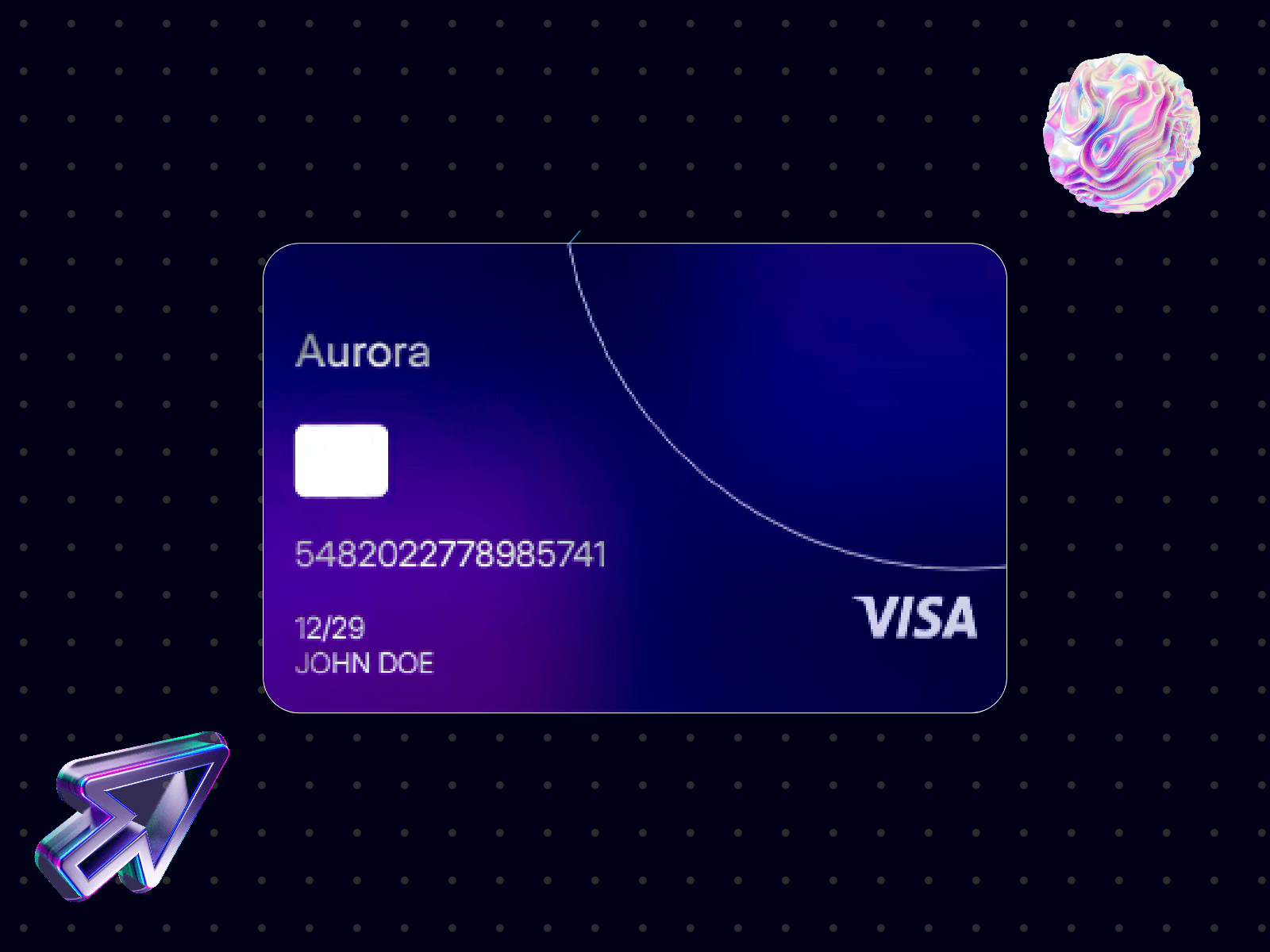
Aurora 3D Credit Card – Interactive Fintech UI
$12.00
Get it for$14.00
Tags
Canvas
Performance
3D
Agency
Animations
B2B Dashboard
Cursor Effect
Data
Data Visualization
Effects
Enterprise
Globe
Hotspots
Infinite Scale
Interactive
Map
Particles
SaaS
Startup
Startup Hero Section
UI Element
Web3 Ecosystem
Aura 3D Globe Pro : Arcs, Aurora & City Pins
The most configurable 3D globe component for Framer. Dot sphere, aurora borealis, spring-physics magnetic cursor, great-circle arcs, city pin popups, shooting stars, and data spikes — all from the property panel. No WebGL. No dependencies. No code.
Why Aura 3D Globe is Different :
Most globe components give you one look and a handful of color controls. Aura Globe is a full visual system. Every layer — dots, land, arcs, aurora, cursor, labels, spikes — is independently configurable. You're not tweaking a preset. You're composing a scene.
It renders entirely on Canvas 2D. No WebGL requirement, no Three.js, no external libraries. It loads fast, works on every modern device, and publishes without optimization errors.
Getting Started :
Copy the component into your Framer project
Drop it onto any frame or section
Open the properties panel on the right
Adjust colors, features, and cities — everything updates live on canvas
Publish. Done.
No setup. No API keys. No configuration files.
The dot globe
The globe renders up to 8,000 dots distributed across the sphere using a Fibonacci algorithm — the same method used to achieve perfectly uniform coverage with no clustering at the poles. Dots are depth-sorted in real time across 12 buckets for a natural 3D parallax feel.
Dot area — Choose where dots appear:
Everywhere (full sphere)
Ocean only (land-masked)
Land only (land-masked)
Dot motion — Four modes to bring the surface alive:
Static (default, crisp)
Noise (organic drift)
Fluid (slow liquid movement)
Pulse (rhythmic breathing)
Dot breathing — A separate sine-wave size oscillation, independent from motion, adds a subtle ambient pulse to the whole sphere.
Color depth — Dots transition from a pole color to an equator color based on latitude, with an optional rim lighting effect at the silhouette edge.
Land & geography
Aura Globe loads real-world land polygon data and renders it directly onto the sphere. No static image maps. The borders rotate accurately with the globe.
Solid land fill — Fill color + edge color, both with independent opacity controls. Edge line weight is adjustable.
Dotted land — Replace the filled land with a dot-matrix style layer. Fully independent from the background dot sphere:
Separate dot size range, density, color, opacity, and glow
Depth gradient toggle
Independent dot motion (static / noise / fluid / pulse)
Magnetic cursor interaction toggle
Pulse animation toggle
Land fill + dots — Enable both simultaneously for a layered look.
Magnetic Cursor :
The most distinctive feature. When a visitor hovers over the globe, nearby dots respond to their cursor with spring physics — not a simple linear offset, but a proper spring-damper system with configurable stiffness and friction.
Four cursor modes:
Attract — dots pull toward the cursor
Repel — dots push away
Orbit — dots rotate around the cursor position
Vortex — attract + orbit combined
Fine controls: field radius, strength, max shift distance, spring constant, friction, falloff curve (linear / quadratic / cubic / inverse), size boost on affected dots, brightness boost, and color tint shift.
Cursor aura — A visual ring system follows the cursor on the globe surface in true 3D (projected onto the sphere geometry, not flat on the screen). Configurable rings, speed, opacity, dash pattern, glow, and center dot shape (circle / cross / diamond / pulse).
Aurora borealis
A multi-layer aurora renderer composited over the globe with screen blend mode. Organic curtain motion is driven by compound sine waves across three frequencies per layer — no looping textures, no pre-rendered video.
Up to 12 simultaneous layers
Three fully customizable colors with smooth cycling between them
Polar caps mode or full-globe coverage
Both poles option
Mouse-reactive: the aurora shifts subtly toward the cursor position
Adjustable flow speed and opacity
Great-circle arcs
Connections between cities follow great-circle paths — the geometrically correct shortest route across a sphere, the same paths real flight routes take. Each arc lifts off the surface with a configurable height.
Up to 20 arcs simultaneously
Animated dashed line traveling along the arc
Arc color, opacity, speed, and lift height controls
Arcs connect cities from your active city list automatically
Shooting stars
City-to-city shooting stars travel along great-circle routes with a glowing head and a gradient tail that fades in the direction of travel.
Up to 10 concurrent shooting stars
Define separate "from" and "to" city lists
Random route mode or sequential
Controls for speed, duration, tail length, arc height, glow blur, trail width, and spawn interval
Head color and tail color set independently
City hotspots
Every city in your active list renders a pulsing ring beacon — the classic "radar ping" effect used on SaaS dashboards and network maps.
Adjustable dot size, pulse ring count, glow blur, and speed
Color controlled independently from the dot sphere
City pin popups
Place labeled pins anywhere on the globe. Each pin has a stem line, a glowing dot, and a popup card that appears on hover (or auto-shows when the city faces forward).
Up to 20 pins
Each pin has: city, label, sublabel, and color
Four popup transition styles: spring, fade, slide, instant
Auto-show mode: popups appear and disappear automatically as the globe rotates
Data spikes
Vertical bars rise from city locations like a 3D bar chart on the globe surface. Each spike animates with a sine-wave oscillation.
Up to 30 spikes
Per-spike controls: city, height, color, width, label, animate toggle, animation speed
Gradient stroke from base to tip
Glow blur effect
Spotlight rings
Expanding pulse rings centered on a city — ideal for highlighting key locations or live status indicators.
Up to 20 spotlights
Per-spot controls: city, label, color, radius, ring count, pulse speed, glow intensity
Optional radial fill gradient
Render modes
Switch the entire globe rendering style without changing any other settings:
Dots — pure dot sphere (default)
Wireframe — latitude and longitude grid lines only
Hybrid — dots and wireframe combined
Wireframe mode includes: grid line count (lat/lng), line color, opacity, line weight, glow blur, equator highlight with separate color and weight, and a horizontal scan line that sweeps across the globe.
Active city list
Choose which cities are active for hotspots and arc connections from a built-in database of 64 global cities across every continent — no coordinates to enter manually.
Constellation lines
Connect nearby front-facing dots with faint lines, creating a star map aesthetic. Configurable connection distance, line color, and opacity.
Shockwave click effect
A circular shockwave expands from wherever the user clicks on the globe. Color and duration are configurable.
Performance & compatibility
Canvas 2D rendering — no WebGL requirement
Zero external dependencies — no libraries, no API keys, no CDN calls at runtime
SSR-safe — publishes without Framer optimization errors
Responsive — fills any container, respects device pixel ratio (capped at 2×)
60fps target — depth bucket rendering system pre-allocates all buffers, zero garbage collection per frame
Land mask — built asynchronously off the main thread, globe renders immediately while geography loads
All property controls at a glance
Globe — background color, rotation speed, initial tilt, drag damping, hover slow, enable drag
Dots — count (up to 8K), min/max size, pole color, equator color, rim lighting, dot area, dot motion, back-face visibility
Land — show/hide, fill color + opacity, edge color + opacity, edge width, dotted land mode + all sub-controls
Aurora — on/off, 3 colors, opacity, speed, layers, full globe / polar caps / both poles, mouse reactive
Magnetic cursor — on/off, mode, radius, strength, max shift, spring, friction, falloff, size boost, brightness, color tint
Cursor aura — on/off, mode (3D surface / flat screen), shape, color, opacity, rings, size, line width, glow, dash, speed, center dot
Arcs — on/off, count, color, opacity, speed, lift height, arc steps
Shooting stars — on/off, max concurrent, from cities, to cities, random/sequential, head color, tail color, width, glow, tail length, speed, duration, arc height, interval
Hotspots — on/off, color, dot size, glow, pulse speed
City pins — up to 20, per-pin city/label/sublabel/color, auto-show, popup transition
Data spikes — on/off, up to 30, per-spike
city/height/color/width/label/animate/speed, default glow
Spotlights — on/off, up to 20, per-spot city/label/color/radius/rings/pulse speed/glow, fill gradient
Wireframe grid — lat lines, lng lines, color, opacity, line width, glow, equator highlight, scan line
Dot motion — motion type, amount, breathing speed, breathing amount
Constellation — on/off, connect distance, line color, opacity
Shockwave — on/off, color, duration
Active cities — select any combination of 64 built-in global cities
Performance — max device pixel ratio
Ideal for
SaaS and startup hero sections showing global presence
Company location and office maps
Network, logistics, and infrastructure visualizations
Investor decks and pitch pages
Agency and portfolio hero sections
Data dashboards with geographic context
Any page that needs to feel global, premium, and alive
Support
Questions? Reach out via the contact button on this listing. Updates are included with your purchase.
Quzmo's other products
Fluid Action Button
$0.00
Aurora 3D Credit Card – Interactive Fintech UI
$12.00
$14.00