Projects using Canva in St. LouisProjects using Canva in St. LouisI build a lot of things to solve a problem I have first. The offer usually comes after, almost as a by-product — if I have this problem, maybe others do too. Body of Knowledge followed the same pattern.
It evolved out of several other offers I'd already built, and it started because I wanted to be interviewed. I find casually talking about my work helpful because I reach for the things in the back of the cabinet of my mind. The interview itself isn't something I run — Claude conducted it, one question at a time, following whatever thread flows instead of working down a fixed script. I designed how that whole process works.
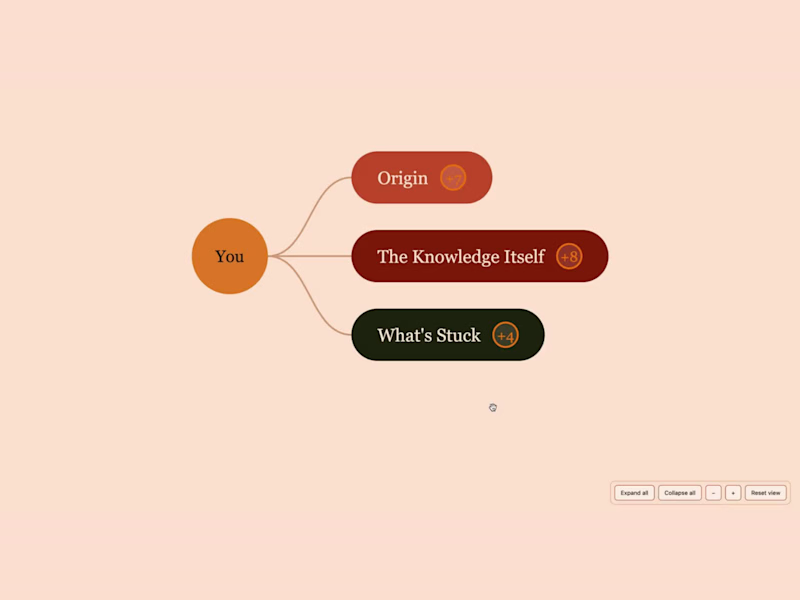
I knew from the start I wanted the output to be a mindmap because I find this type of visual layout super helpful. A written version seemed worth including too, for anyone who might get more out of reading it, so that's part of the deliverable as well.
From there it was mostly solving smaller problems one at a time. Audio intake needed guardrails: a time range so people aren't guessing how long to talk, permission for the first take to be the only take, and a concrete first line for each prompt so nobody has to sit there trying to figure out where to start. The interview needed to skip the kind of questions that assume someone's expertise has already been noticed by a room, because a lot of real expertise never gets that kind of audience. And the review step needed a clear line between "this needs one more question" and "this needs to be reopened entirely."
Before I offered any of this to someone else, I ran myself through it. Twice so far, and I'll probably do it again. The first time, I dug into what musicians call "the pocket" — how a group locks into a shared feel together. The second time was about production, and that's the map you're looking at here. Running it twice, on two completely different pieces of my own experience, is the clearest way I know to show this actually works.
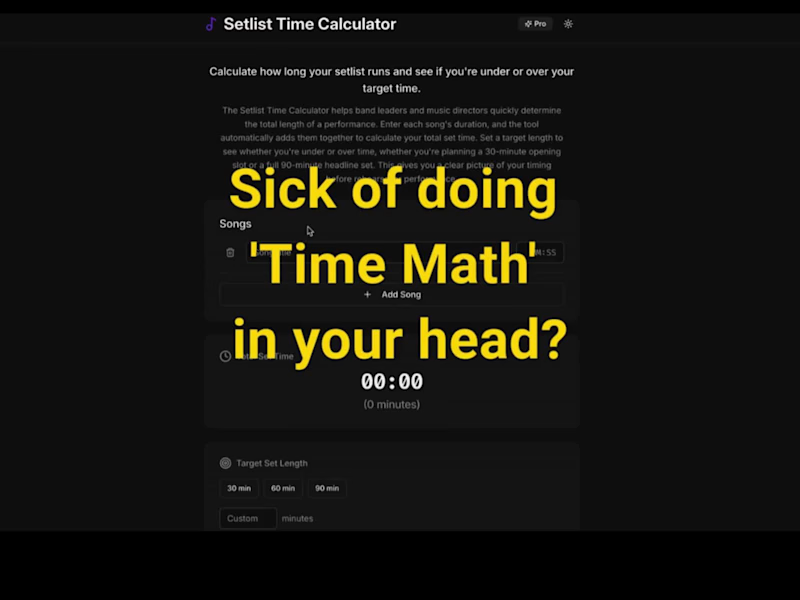
I have the MVP up and available, but the interview version is still being built — coming soon! I don't recall ever playing a gig without a setlist, and I know how tedious they can be to put together. Some gigs are casual, but others require much more precise timing — especially when you need to fit a specific number of songs into a set, account for breaks or make sure the entire show stays within its allotted time.
I originally built the Setlist Time Calculator with musicians in mind, but it’s useful for any performer who needs to organize and time a set.
Instead of adding up song lengths manually, you enter each song or performance segment and the calculator keeps track of the running time for you. You can adjust the order, build the complete set and see how the timing changes as you work.
Once the setlist is finished, it can be saved and exported as a PDF in just a few clicks, making it easy to send copies to bandmates, performers, crew or anyone else who needs the final running order.
It’s a simple tool built around a very familiar production problem: making setlist planning faster, clearer and a lot less tedious. 
![Cover image for [Café & Bakery Visual Branding Series] Café & Bakery Visual ...](https://media.contra.com/image/upload/q_auto:good,w_800/ygxchi6ftfxj8j5x2alg.avif)



![Cover image for [Airbnb: 2 Listings] Designing Stays That Guests Actually Wa...](https://media.contra.com/image/upload/q_auto:good,w_800/tx4zjnvefqxuziypilkd.avif)