

Building Software for People who like Fast!



View more →

The trusted name in no-code Software Development





Full-stack developer
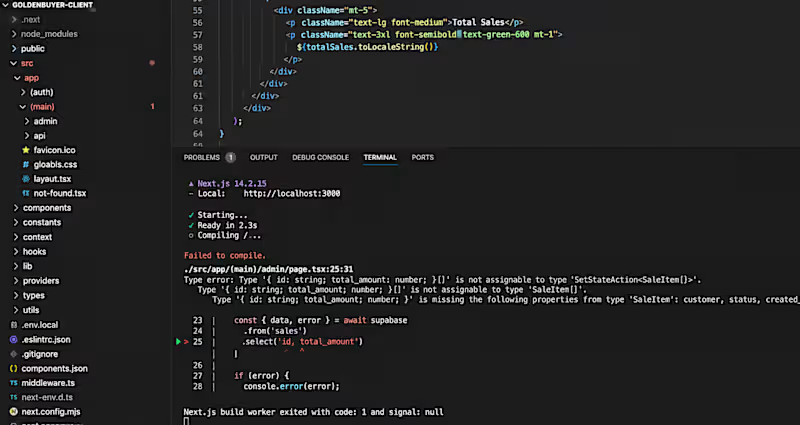
Getting this error in Next.js? You’re not alone.
Hydration failed because the initial UI does not match what was rendered on the server.
This usually happens when your server-rendered HTML doesn't match what React renders in the browser.
Common causes:
• Using window or localStorage during server rendering
• Rendering different content based on browser-only values
• Incorrect date/time rendering
• Invalid HTML nesting
My first fix:
Move browser-only logic into useEffect, or make the component client-side when necessary.
💡 Tip: Don't just hide the error. Find out why the server and client are rendering different UI.
Have you encountered this error before? 👇
2
18
598

🚨 Your database query works… but it’s taking 3 seconds?
Before rewriting the whole backend, check your database indexes.
One missing index can turn a fast query into a slow one as your data grows.
Optimize the query before optimizing everything else. ⚡
Have you checked your database indexes recently? 👇
5
407

Found a bug that only happened in production.
The code looked fine locally. The real problem? A missing environment variable.
Lesson: Always check your production environment variables before rewriting working code. 😅
Have you ever spent hours debugging something that turned out to be a simple configuration issue?
7
550

🚨 A bug that looks like a frontend problem might actually be your backend.
I once spent time checking UI code, only to find the real issue was an API returning the wrong data.
When debugging, I always check the full data flow:
Frontend → API → Backend → Database
Debug the source, not just the symptom. 🔍
Have you ever found a backend bug while fixing a frontend issue?
9
11
764