Projects using SAP in KarachiProjects using SAP in KarachiWhy ERP systems like SAP, Oracle, and Odoo won't save your business — and what will
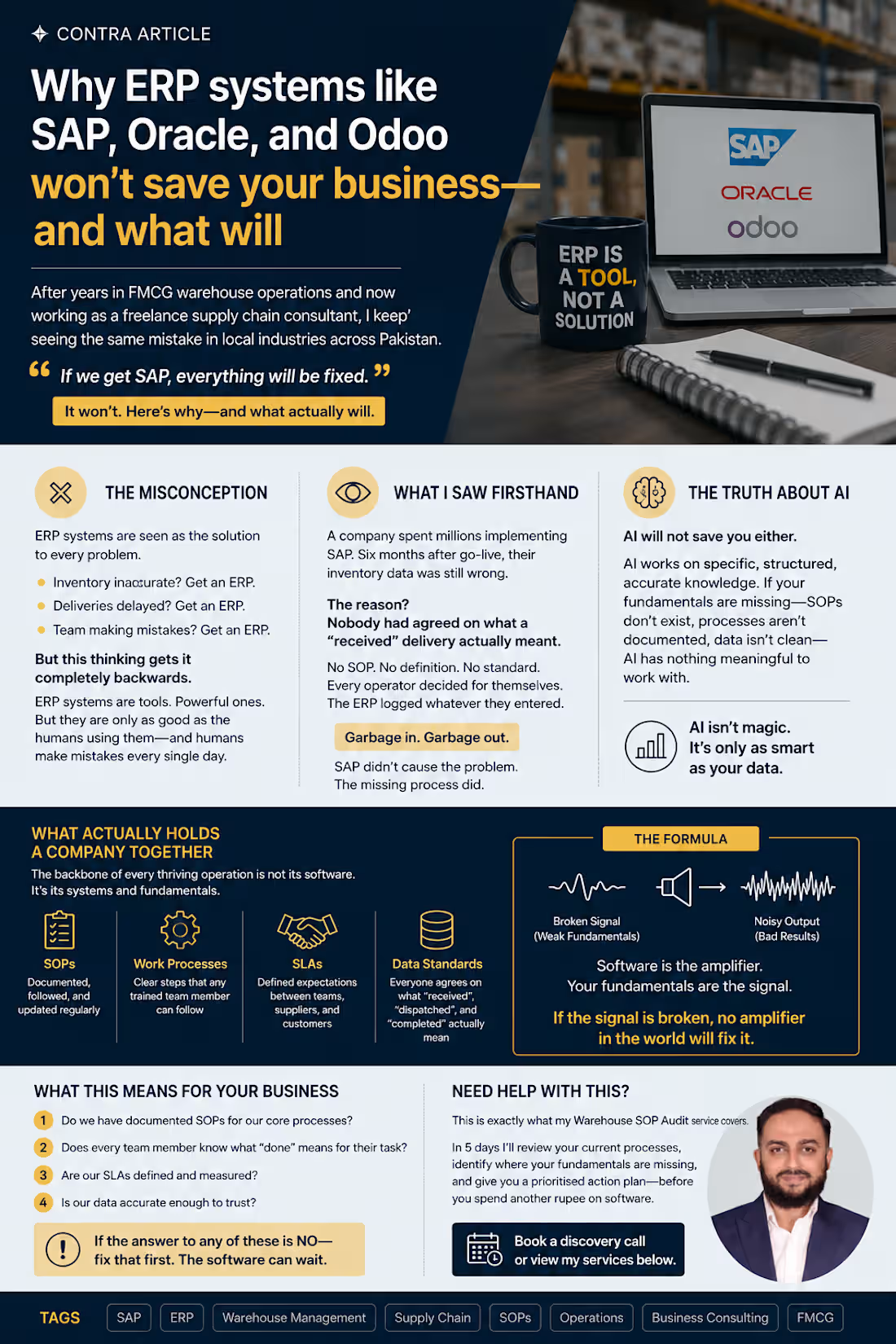
After years in FMCG warehouse operations and now working as a freelance supply chain consultant, I keep seeing the same mistake in local industries across Pakistan.
Every business owner, every operations manager, every CEO believes the same thing:
"If we get SAP, everything will be fixed."
It won't. Here's why — and what actually will.
The misconception
ERP systems — SAP, Oracle, Odoo, Microsoft Dynamics — are seen as the solution to every operational problem. Inventory inaccurate? Get an ERP. Deliveries delayed? Get an ERP. Team making mistakes? Get an ERP.
But this thinking gets it completely backwards.
ERP systems are tools. Powerful ones. But they are only as good as the humans using them — and humans, trained or untrained, make mistakes every single day in every single company.
What I saw firsthand
I consulted with a company that had spent millions implementing SAP.
Six months after go-live, their inventory data was still wrong.
The reason? Nobody had agreed on what a "received" delivery actually meant.
Was it received when the truck arrived? When the goods were scanned? When they were inspected? When they were put away in the correct location?
No SOP. No definition. No standard.
Every operator decided for themselves. The ERP logged whatever they entered.
Garbage in. Garbage out.
SAP didn't cause the problem. The missing process did. SAP just made it faster and more expensive.
The truth about AI
Now everyone is talking about AI as the next fix.
AI will not save you either.
AI works on specific, structured, accurate knowledge. If your fundamentals are missing — if your SOPs don't exist, your processes aren't documented, your data isn't clean — AI has nothing meaningful to work with.
I've seen this firsthand too. A business tried to use AI-powered demand forecasting on inventory data that hadn't been accurately recorded for 18 months. The AI produced confident, detailed forecasts. Every single one was wrong — because the underlying data was wrong.
The AI wasn't the problem. The missing process was.
What actually holds a company together
The backbone of every thriving operation is not its software. It's its systems and fundamentals:
→ SOPs — documented, followed, and updated regularly
→ Work processes — clear steps that any trained team member can follow
→ SLAs — defined expectations between teams, suppliers, and customers
→ Data standards — everyone agrees on what "received", "dispatched", and "completed" actually mean
Get these right first.
Then your ERP becomes powerful — because it's recording accurate, consistent data.
Then your AI becomes useful — because it has clean data to learn from.
Then your team stops making the same mistakes every quarter — because there's a standard to follow.
The formula
Software is the amplifier. Your fundamentals are the signal.
If the signal is broken, no amplifier in the world will fix it.
What this means for your business
Before your next software investment, ask these questions:
Do we have documented SOPs for our core processes?
Does every team member know what "done" means for their task?
Are our SLAs defined and measured?
Is our data accurate enough to trust?
If the answer to any of these is no — fix that first. The software can wait.
Need help with this?
This is exactly what my Warehouse SOP Audit service covers. In 5 days I'll review your current processes, identify where your fundamentals are missing, and give you a prioritised action plan — before you spend another rupee on software.
👉 Book a discovery call or view my services below.
https://contra.com/tabish_khan_r5d8g4t1/services?r=tabish_khan_r5d8g4t1 Most warehouse audits I've seen focus on the wrong things first. Neat labels, clean floors, a binder full of SOPs nobody's opened in months — all of it can look great and still sit on top of a warehouse that's quietly bleeding money.
And the SOP binder is usually worse than just outdated. Somewhere along the way, the actual process changed — someone found a faster way to do something, or worked around a problem — and that change lived in their head, not in the document. Everyone just adapts and moves on. Then that person leaves, and suddenly nobody can explain why the process works the way it does, because the only place it was ever really "written down" walked out the door.
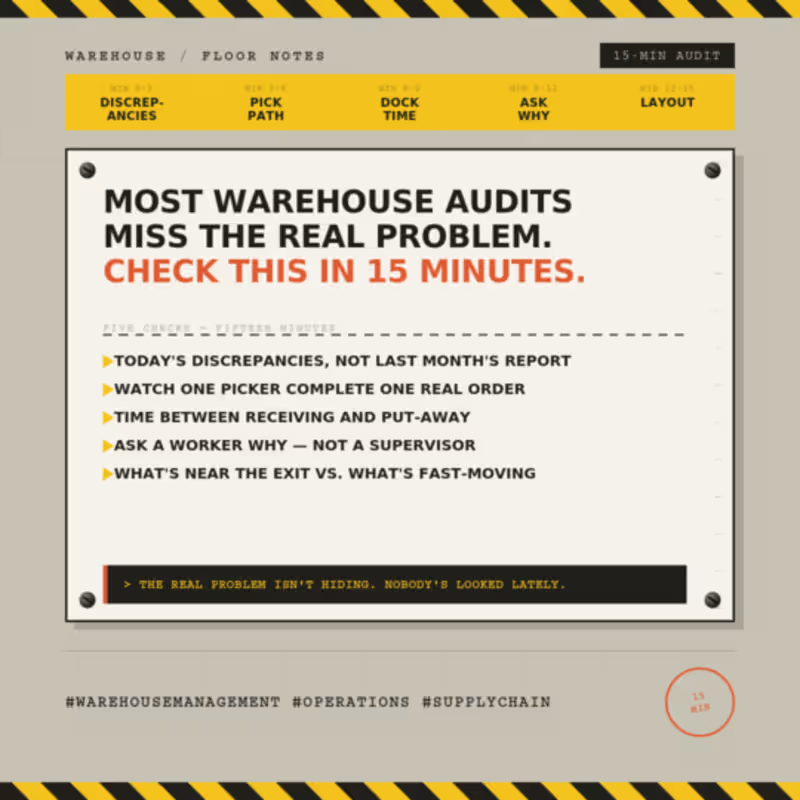
If I only had fifteen minutes to walk a warehouse, here's honestly what I'd check.
I'd skip the month-end accuracy report and ask what's mismatched right now, today. A clean number at month-end really just tells you how good someone is at patching things up before a deadline. Asking about today tells you whether the process actually holds up when nobody's paying special attention to it.
Then I'd go find one picker and just watch them complete one real order, start to finish — not a demo, an actual order in the middle of a shift. You learn more in five minutes of watching someone walk a pick path than you do in an hour of reading reports. How far they're walking, how often they double back, how many times they have to stop and ask someone where something actually is.
I'd also want to know how long stock sits between receiving and put-away. Not how fast it gets scanned in — how long it physically sits on the dock before it's properly stored. That gap, more than almost anything else, is where damage, shrinkage, and "we can't find it" problems quietly start.
And I'd ask a warehouse worker why something's done a certain way — not a supervisor. If the answer is "that's just how we've always done it," that's usually a process nobody's questioned in years, or worse, a workaround that only exists in that one person's head.
Last thing, I'd look at what's actually sitting near the exit versus what's actually fast-moving. Layouts get set once and almost never revisited. More often than you'd think, the stuff people grab constantly is buried in the back, and something nobody's touched in months is sitting right up front for reasons nobody remembers anymore.
None of this needs a clipboard or a formal audit template. It just needs fifteen minutes and being willing to ask "why" one more time than feels comfortable — because the answer might only exist in one person's head, and that's the real audit finding. Why your SAP data is inaccurate — and it's not SAP's fault.
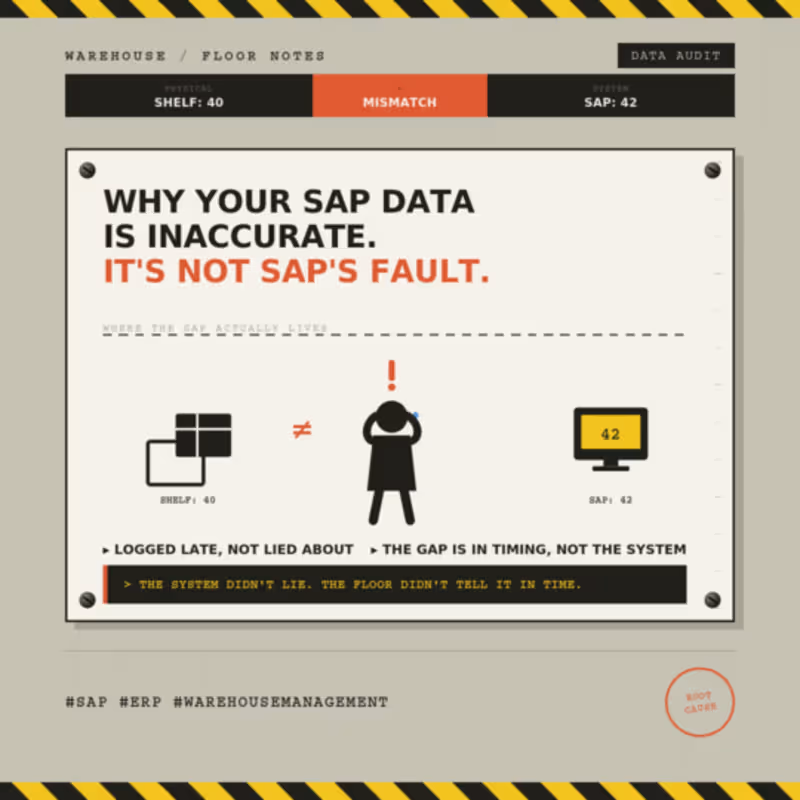
Every time someone tells me "our SAP data is a mess," I ask a few questions, and almost every single time, the answer has nothing to do with SAP. The system did exactly what it was told, exactly when it was told. If the number on screen doesn't match what's actually on the shelf, something happened on the floor that never made it into the system — or it made it in late, or someone found a shortcut because doing it properly during a busy shift felt like a luxury nobody had time for.
Picture this: the shelf says 40. SAP says 42. Nobody's lying — the count on screen is just repeating something that was entered wrong, or late, or never corrected.
I've seen the same handful of patterns show up again and again, at different sites, with completely different teams.
Someone unloads a truck, and the goods receipt doesn't get posted until hours later because paperwork felt like it could wait until things calmed down. By the time it's finally entered, nobody actually remembers if it was 40 units or 42 — so whatever gets typed in is really just a best guess dressed up as data.
Or transactions get batched at the end of a shift instead of logged as they happen. The timestamps look fine, but the actual sequence of events is gone, which means when something doesn't match later, there's no way to trace back what caused it.
Or someone just overrides the number to make it "correct" for now, without asking why it was wrong in the first place. That fixes the symptom for exactly one day. The actual cause is still sitting there, waiting to cause the same problem next week.
And honestly, a lot of training doesn't help either — people get taught which buttons to press, but nobody explains why the timing or the order of steps actually matters. So they follow the steps, but they have no idea what breaks the moment one gets skipped.
None of this ever shows up as a system error. It just shows up as "SAP's wrong again," which is usually the one explanation that isn't actually true.
The fix is almost never a system change. It's a behavior change — closing the gap between the moment something physically happens and the moment it gets recorded, and making the right way to log it the easy way instead of the slow one.
If your numbers keep drifting from reality, the system isn't lying to you. It's just repeating exactly what it was told. I spent the first couple of years treating inventory accuracy like a fire drill. Count everything the week before month-end, patch whatever didn't match, submit the report, forget about it until next month.
It worked, technically. Once. Then the small gaps started piling up faster than I could explain them.
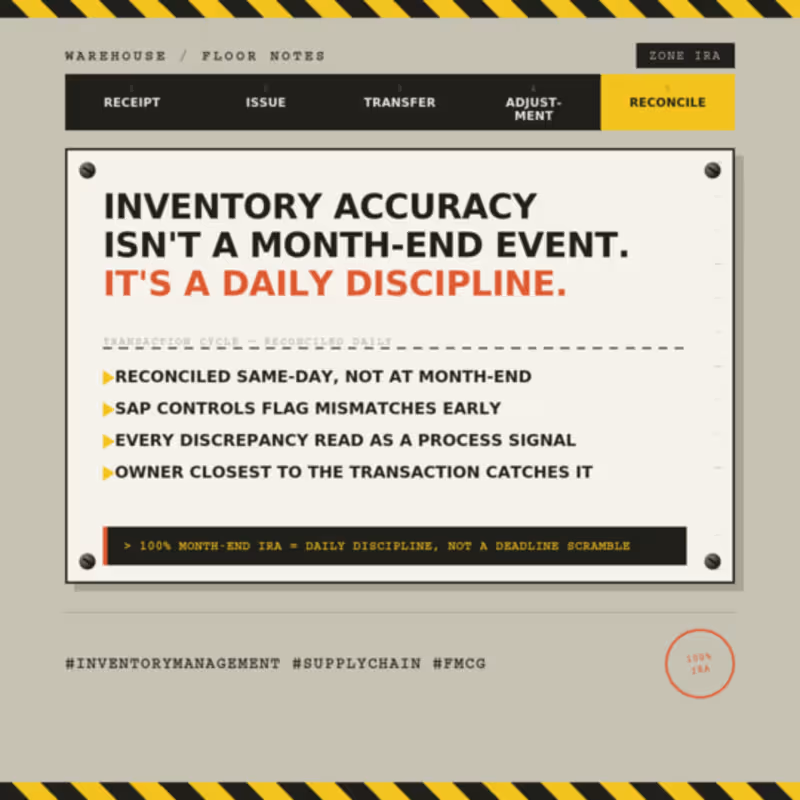
What actually changed things wasn't a new tool or a new SOP. It was realizing IRA isn't something you report on — it's something you either protect every day or you don't. Every goods receipt, every issue, every transfer is a moment where the system and the actual shelf can quietly drift apart. Catch that drift the same day and it's a two-minute fix. Let it sit for three weeks and it turns into a full investigation, and usually nobody remembers what actually happened.
A few things I've genuinely stuck to since then:
Reconcile the same day, not at month-end. I know it sounds obvious written down, but most warehouses don't actually do this — batching corrections is just easier in the moment.
Let SAP flag mismatches early instead of waiting for someone to physically count and notice. The system usually knows before the floor does.
Ask what kind of discrepancy it is before writing it off — receiving error, system delay, handling mistake. They all look the same on a report and none of them are fixed the same way.
Whoever touched the transaction is the one who catches the error. Not an audit team three weeks later going through paperwork.
None of this is glamorous. It's mostly just refusing to let small things wait. But it's the reason we held 100% month-end IRA consistently, and it's also the reason the number actually meant something when auditors came through — not just a figure that looked clean on a slide.
If there's one thing 7 years taught me, it's that inventory accuracy was never really about the count. It was about how disciplined the process stayed on the days nobody was watching.
#InventoryManagement #SupplyChain #FMCG 5S is not a one-time project. It's a daily standard.
When I first got involved in 5S implementation, I thought of it as a launch event — clean the area, label the bins, take a few before/after photos, done.
I was wrong.
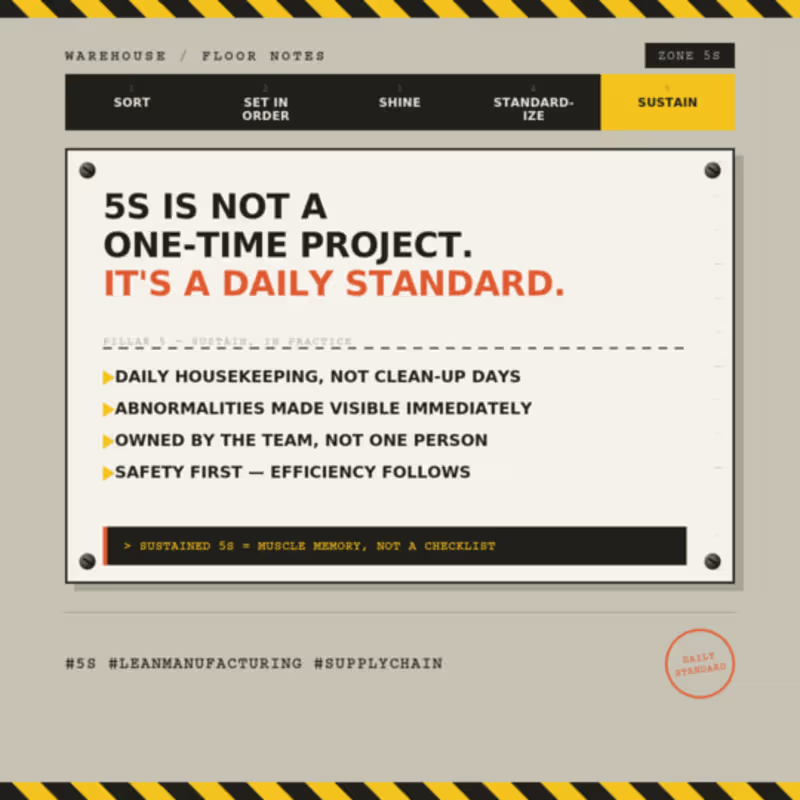
The real work starts after the launch. 5S only holds if it's checked, audited, and corrected every single day — not once a quarter, not when an audit is scheduled.
A few things that made the difference for us:
→ Daily housekeeping checks, not scheduled "clean-up days"
→ Making abnormalities visible immediately, not filed away for later
→ Treating 5S as a discipline the team owns, not a task assigned to one person
→ Tying it directly to safety — a disorganized warehouse is a safety risk before it's an efficiency one
The warehouses that sustain 5S long-term are the ones where it stops being "a project" and becomes muscle memory — something the team does without being told.
It's not glamorous. But it's one of the few things that quietly improves safety, accuracy, and efficiency all at once — every single day. 📦 Service Spotlight: Warehouse SOP Audit
Warehouse problems rarely start on the warehouse floor—they start with inconsistent processes.
Poorly documented or outdated SOPs can lead to inventory inaccuracies, production delays, audit findings, and unnecessary operational costs.
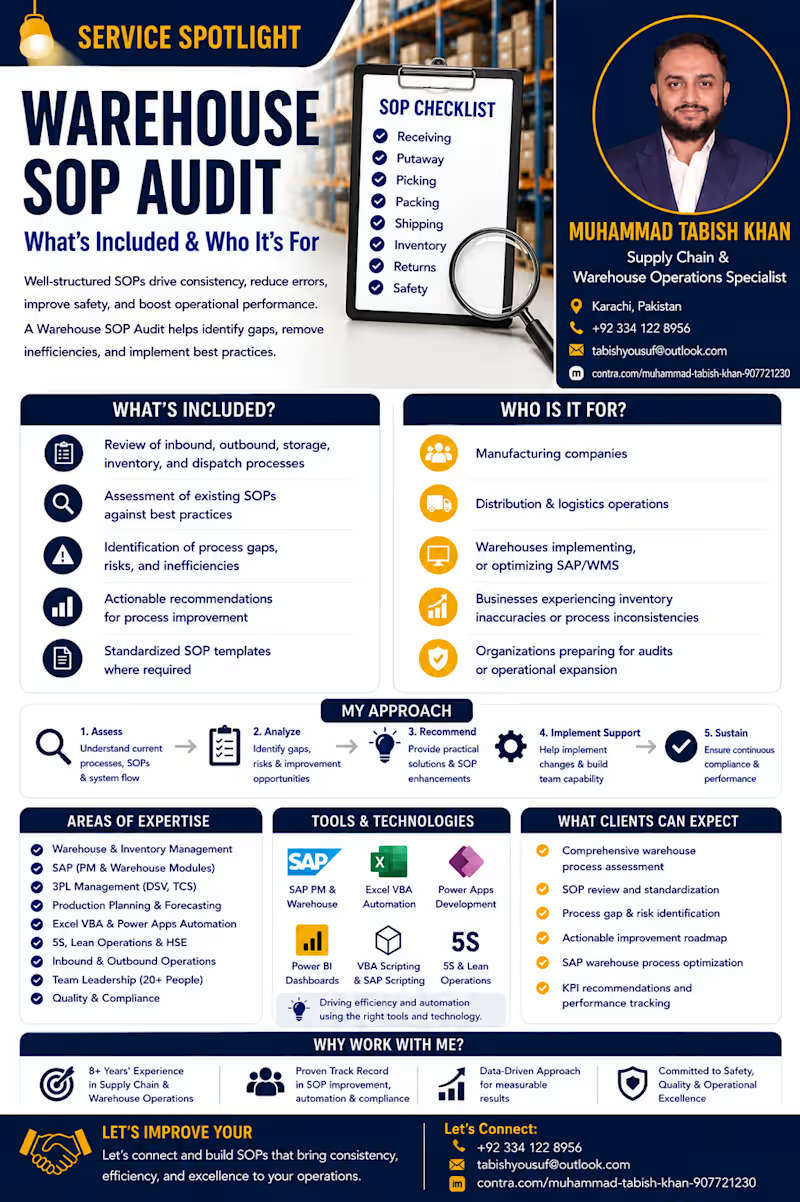
I help manufacturing and distribution businesses identify these gaps through a Warehouse SOP Audit.
What you'll get:
✔ Comprehensive warehouse process assessment
✔ SOP review and standardization
✔ Process gap & risk identification
✔ Actionable improvement roadmap
✔ SAP warehouse process optimization
✔ KPI recommendations for continuous improvement
Whether you're implementing SAP, scaling operations, or preparing for an audit, my goal is to help you build efficient, standardized warehouse processes that support long-term operational excellence.
With 8+ years of experience in Supply Chain & Warehouse Operations, I've worked extensively with warehouse management, inventory control, SAP, automation, and continuous improvement in a fast-paced manufacturing environment.
If you're looking to improve your warehouse operations, I'd be happy to help.
👉 Check out my Warehouse SOP Audit service on Contra or send me a message to discuss your requirements.
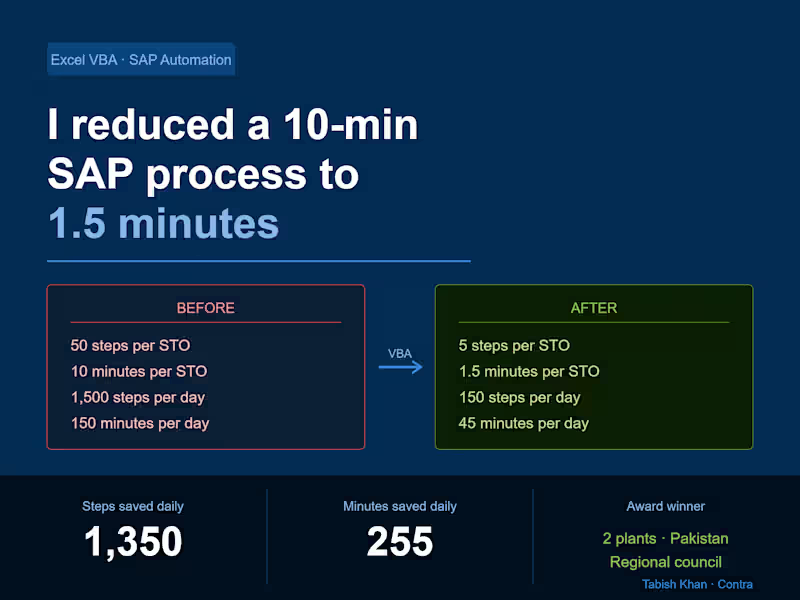
Helping manufacturers and distribution businesses build efficient, standardized warehouse operations through SOP audits and process improvement. How I reduced a 10-minute SAP process to 1.5 minutes using Excel VBA — and saved 255 minutes every day
This isn't a theory post. This is something I built, tested, and deployed across 2 manufacturing plants in Pakistan.
If your team is running repetitive SAP transactions manually every day, this will show you exactly what's possible — and how I did it with nothing but Excel VBA.
The problem
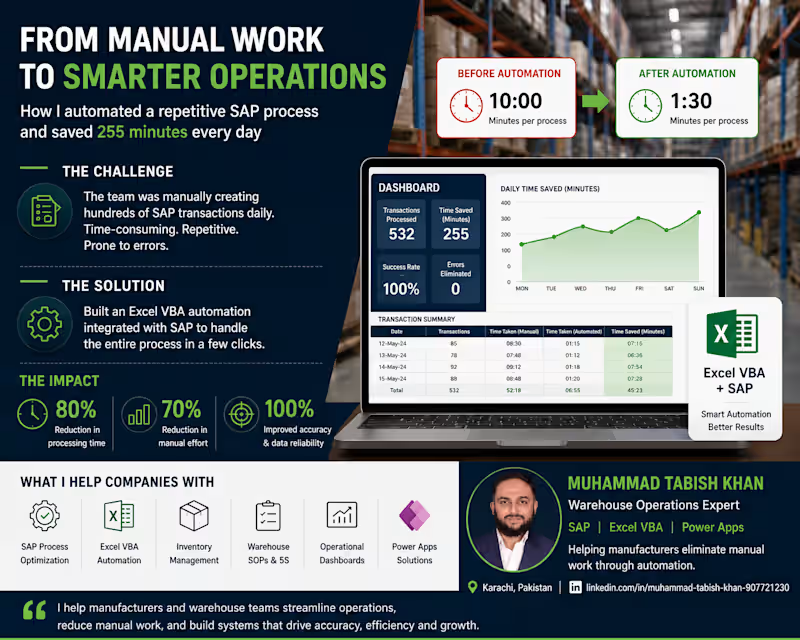
In my last FMCG role we ran STOs (Stock Transfer Orders) daily. An STO is a stock movement between two plants or warehouses in SAP — and it requires 3 separate transactions to complete:
→ PO Creation — run NME21N, select PO type, enter shipping code, item codes, quantities, receiving plant, SLOC for each SKU
→ Delivery Creation — run NVL10B, go to purchase order, paste PO number, execute, click line item, save
→ Shipment Creation — run NVT01N, enter FK02, Z004, select P&G Interplant, click delivery tab, paste delivery number, execute, set shipping point, select date, click planning, check in, select date, click shipment start, save
50 manual steps per STO.
10 STOs per shift.
3 shifts per day.
That's 1,500 manual steps every 24 hours — and 2.5 hours of pure manual work daily across all shifts.
The errors
The process wasn't just slow — it was a trap.
The most common error: copying an 8-digit PO number and missing one digit. You wouldn't catch it until the next transaction failed — then you'd go back, find the correct PO, and restart.
SAP also disconnected occasionally mid-process. When it did, you started from scratch.
30 STOs a day meant 30 chances to make a mistake. And mistakes had real consequences — wrong stock movements, delayed shipments, production line stoppages.
The solution
I mapped every single step across all 3 transactions. Every click, every field, every copy-paste, every keyboard shortcut.
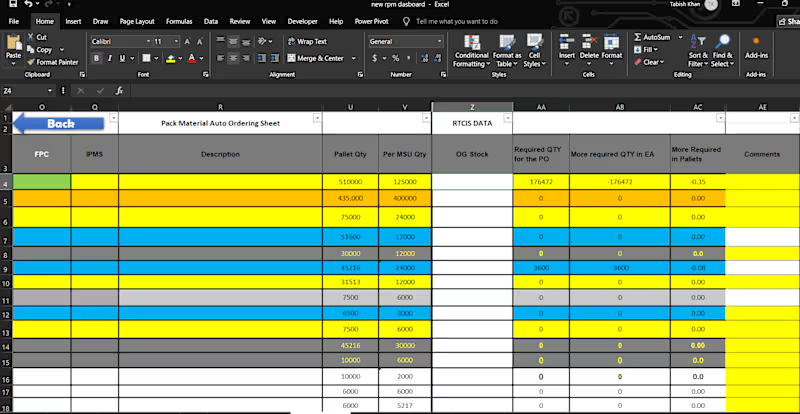
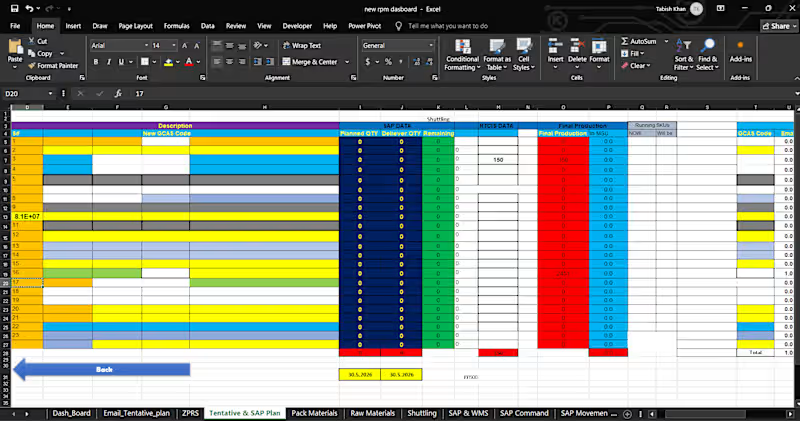
Then I built an Excel VBA tool that automated the entire flow.
The tool:
→ Opens SAP automatically
→ Copies all item codes across 6 SKUs in one action
→ Pastes all quantities across 6 SKUs in one action
→ Clicks create STO — completing all 3 transactions automatically
The new process:
Open tool
Open SAP
Copy item codes
Paste quantities
Click create
5 steps. That's it.
The results
Before After Steps per STO 50 Time per STO 10 min 1.5 min Steps per day 1,500 150 Time per day 150 min 45 min Steps saved daily 1,350 Minutes saved daily 255
The impact
It took me 3 months to build. Nights, weekends, failed scripts, late fixes.
When it worked — it really worked.
The tool was rolled out across 2 plants in Pakistan. I shared it with the regional council and they couldn't believe it was built in Excel — not by an SAP consultant, not with an IT budget, not through a formal project.
I received a company award for it.
What this means for your operation
If your team is running repetitive SAP transactions manually, you almost certainly have the same opportunity.
The tool doesn't require SAP customization. It doesn't require an IT team. It works alongside your existing SAP setup — not instead of it.
Every warehouse or production operation running SAP has at least one process like this. A task done 20, 30, 50 times a day that nobody has ever stopped to question.
That's where the biggest wins are hiding.
Want this built for your operation?
I offer SAP & Excel process consulting for warehouse and production teams. If you're running repetitive SAP transactions manually and want to explore what automation could look like for your specific setup, book a free discovery call below.
👉 [View my SAP Consulting Service]https://contra.com/s/7lbgEqRc-sap-and-erp-process-consulting-for-warehouse-operations
👉 [Schedule a Call]https://appointment.briskcloudware.com/book.html?r=lLixzwVO 5 Excel formulas every inventory planner must know
You don't need a fancy WMS to manage inventory well. You need Excel and the right formulas.
After years of managing inventory in FMCG operations, these are the 5 formulas I use constantly — and the ones I build into every custom Excel system I deliver for clients.
1. SUMIFS — your most powerful counting tool
Instead of filtering manually, SUMIFS lets you sum quantities based on multiple conditions at once.
=SUMIFS(quantity_column, SKU_column, "SKU001", warehouse_column, "WH-A")
Use it for: total stock by SKU and location, total dispatched by date range, production output by shift.
2. IFERROR — stop broken formulas from crashing your sheet
When a formula can't find a value it returns an error. IFERROR catches it and shows something cleaner.
=IFERROR(VLOOKUP(A2,data_range,2,0),"Not found")
Use it for: wrapping any VLOOKUP or INDEX/MATCH so your sheet doesn't fill with #N/A errors.
3. INDEX/MATCH — better than VLOOKUP
VLOOKUP breaks when you add columns. INDEX/MATCH never does.
=INDEX(return_column,MATCH(lookup_value,lookup_column,0))
Use it for: pulling SAP data into your planning sheet, matching SKU codes to descriptions, linking sheets without breaking.
4. COUNTIFS — find gaps instantly
COUNTIFS counts rows that meet multiple conditions. Use it to spot where data is missing or incomplete.
=COUNTIFS(status_column,"Pending",date_column,"<"&TODAY())
Use it for: overdue orders, pending GRs, items with zero stock, SKUs not yet received.
5. TODAY() and date logic — automate your daily planning
Stop manually updating dates. TODAY() always returns the current date — build your planning triggers around it.
=IF(reorder_date<=TODAY(),"Order Now","OK")
Use it for: reorder alerts, overdue shipment flags, days-since-last-receipt calculations.
These 5 formulas are the foundation of every inventory Excel system I build. Master them and you can automate 80% of your daily planning without spending a rupee on software.
Need a custom Excel system built around your operation? Check out my services below. 3 signs your warehouse is bleeding money — and you don't even realize it.
Most warehouse problems don't show up on your P&L statement.
They hide in plain sight. Quietly draining cash, time, and customers — until one day everything breaks at once.
After 8 years in warehouse and inventory management at P&G, I've seen the same 3 warning signs over and over again:
Sign #1 — Your stockouts are "unexpected"
If you're constantly surprised by empty shelves or unfulfilled orders, your demand forecasting is broken. Stockouts are never random. They are always a system failure. A missed reorder point. A forecast that wasn't updated. A supplier lead time that nobody tracked.
Every stockout is a customer you just handed to your competitor.
Sign #2 — You have "plenty of stock" but can't find what you need
Full warehouse. Zero visibility. This is the deadliest combination in logistics. If your team is spending more than 10 minutes locating an SKU, your WMS and physical layout are not aligned. You're paying for space, labor, and time — and getting chaos in return.
Sign #3 — Your ERP says one thing, your warehouse shows another
This is the most common one I see. When your system data and physical reality don't match, every decision you make is based on a lie. Procurement orders wrong quantities. Planning creates inaccurate forecasts. And the whole supply chain suffers.
The good news?
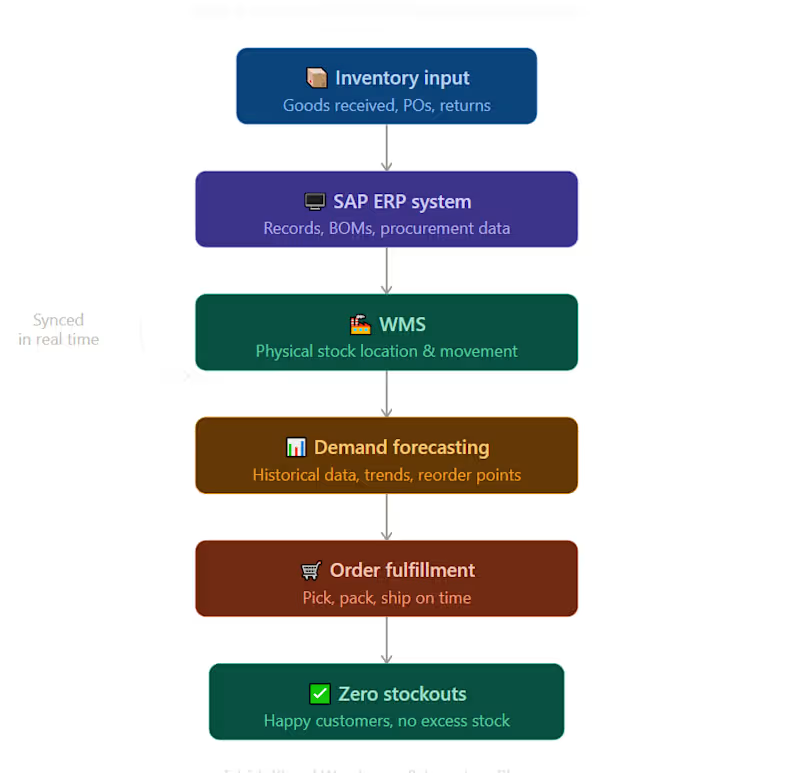
All 3 of these are fixable — with the right SOPs, proper ERP/WMS synchronization, and a clean inventory planning system.
That's exactly what I help businesses build.
📩 If any of these signs sound familiar, DM me. Let's fix it before it gets worse.