Projects using Gmail in Karachi
Projects using Gmail in Karachi
Sign Up
Post a job
Sign Up
Log In
Filters
2
Projects
People
Message
1
Hamza Naeem
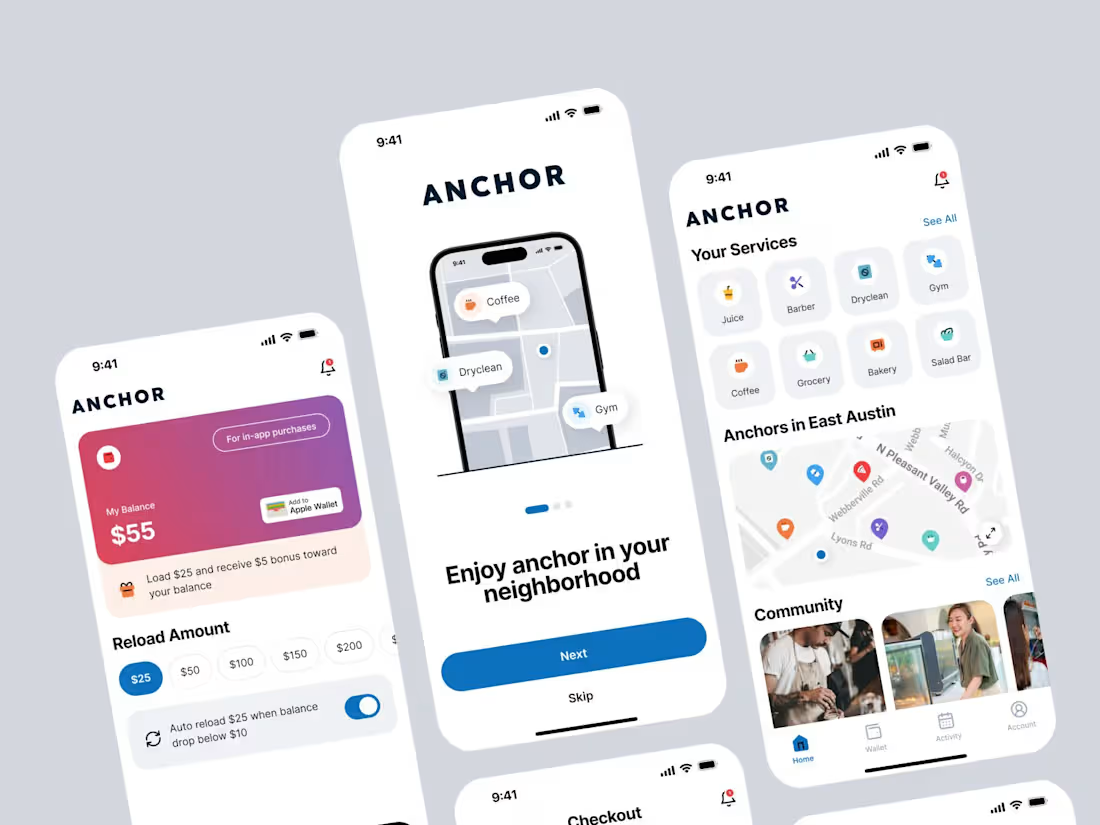
Anchor - UI/UX Case Study
1
53
Message
0
Museb Aman
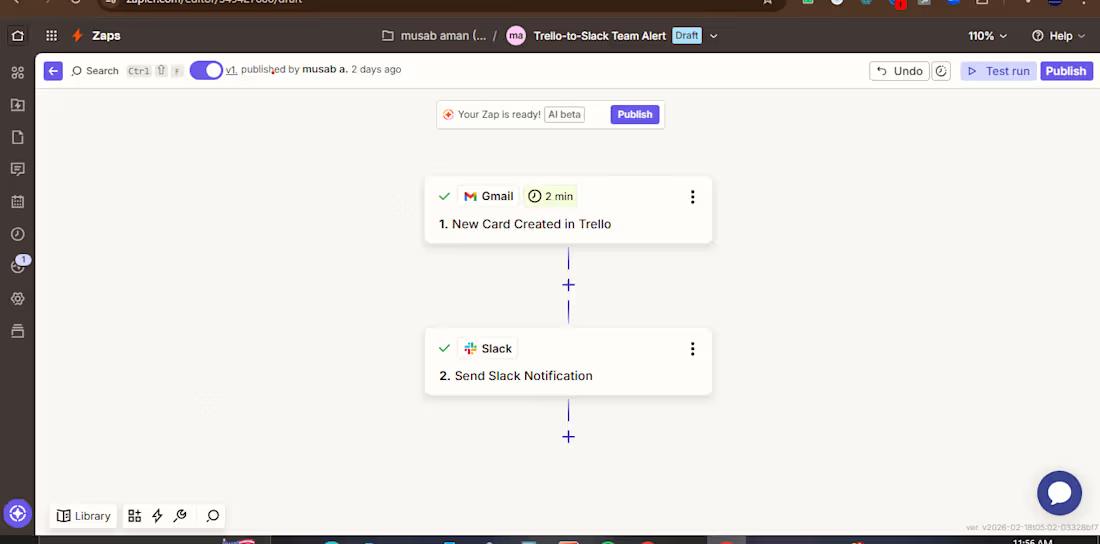
Gmail-to-Slack Instant Alert When an important email arrives in Gmail (with specific label or criteria), this automation instantly sends a formatted alert to Slack. Includes sender, subject, and a direct link to the email. No more constantly checking inbox. Keeps your team instantly notified of leads, client requests, or urgent messages. Tools: Zapier, Gmail, Slack
0
66
Message
0
Urooj Fatima
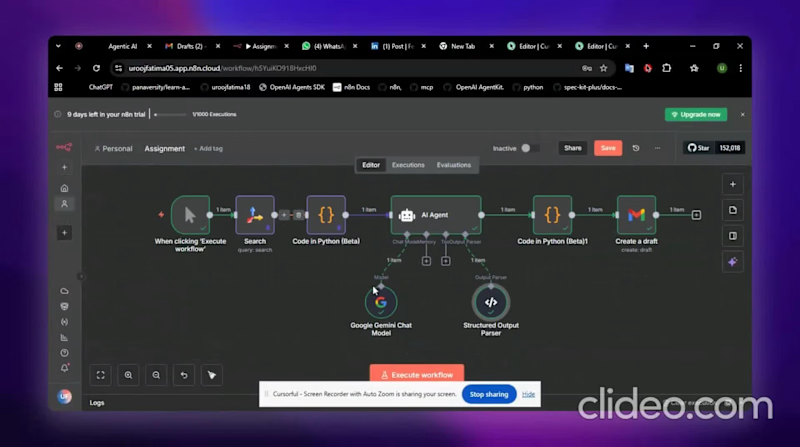
I built 𝗔𝗜 𝗔𝗴𝗲𝗻𝘁 using 𝗻𝟴𝗻. I used the Tavily API for web search (you can also try the Wikipedia API or any other source you like). The agent automatically finds: Company name Problem faced AI agent solution Results achieved Gives Source link as well My query: “𝘚𝘦𝘢𝘳𝘤𝘩 𝘳𝘦𝘢𝘭 𝘗𝘢𝘬𝘪𝘴𝘵𝘢𝘯𝘪 𝘤𝘰𝘮𝘱𝘢𝘯𝘪𝘦𝘴 𝘵𝘩𝘢𝘵 𝘧𝘢𝘤𝘦𝘥 𝘣𝘶𝘴𝘪𝘯𝘦𝘴𝘴 𝘱𝘳𝘰𝘣𝘭𝘦𝘮𝘴 𝘢𝘯𝘥 𝘶𝘴𝘦𝘥 𝘈𝘐 𝘵𝘰 𝘴𝘰𝘭𝘷𝘦 𝘵𝘩𝘦𝘮.” The agent found 𝗟𝘂𝗹𝘂𝘀𝗮𝗿,a Pakistani clothing brand that used an AI-powered analytics solution called 𝗗𝗮𝘁𝗮 𝗽𝗶𝗹𝗼𝘁(a step toward agentic automation) to transform its marketing and business performance. After that, I automated the process to draft all the data into an email — but you can easily send it to Docs, PDF, or any other platform.
0
91
Message
0
Mohammad zeshan
Zeshan Ali (@zeshan_zes) • Instagram profile
0
4
Message
0
Haris Khan
Customer Service and B2B Collaboration Enhancement
0
16
Message
0
Muhammad Faisal
Lead Generation
0
17
Message
0
Shykh Muhammad Hamzah
AI-Powered Customer Support Workflow
0
5
Message
0
Syed Mujtaba Hussain
Virtual Assistant for Recruiting and Administrative Support
0
14
Message
0
Ali Shah
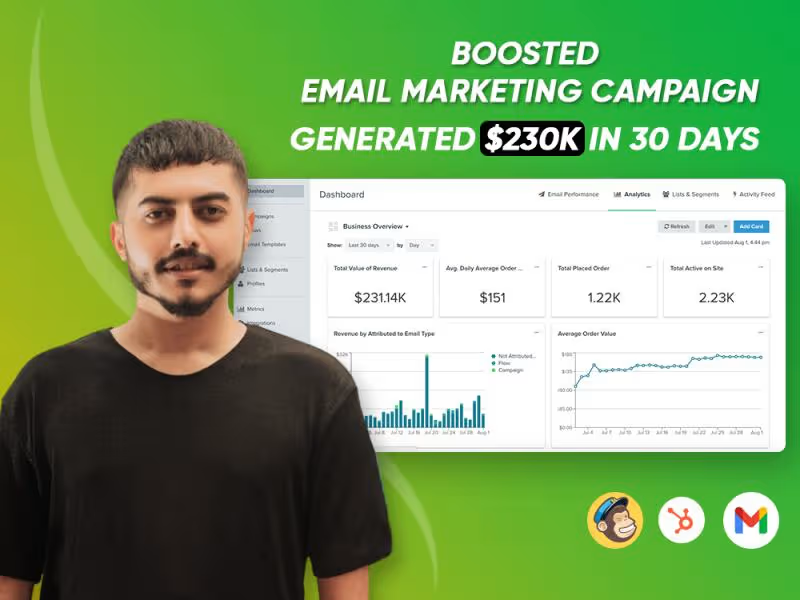
Boosted Email Marketing Campaign and Generated $230K in 30 Days
0
18
Message
0
Museb Aman
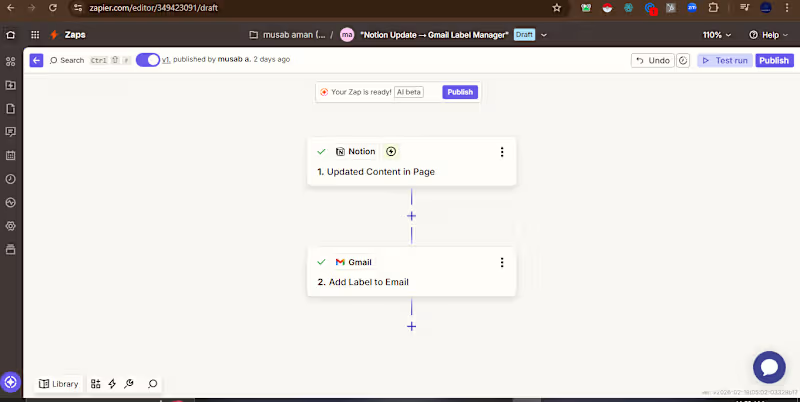
Notion-to-Gmail Label Manager – Auto-Organize Emails from Content Updates I built an intelligent automation that connects Notion content updates to Gmail labeling, keeping emails perfectly organized based on your projects and tasks. How it works: Trigger: When content is updated in a specific Notion page (e.g., project status changes, task updates, new notes added) Action: Automatically applies a corresponding label in Gmail to organize related emails Example Use Cases: Update a project status in Notion → All project-related emails get labeled "Project X - Active" Add a client note in Notion → Client emails automatically labeled with client name Complete a task in Notion → Follow-up emails get labeled "Awaiting Response Business Impact: Keeps email inbox perfectly organized without manual effort Tools Used: Zapier, Notion, Gmail
0
54
Message
0
Haris Khan
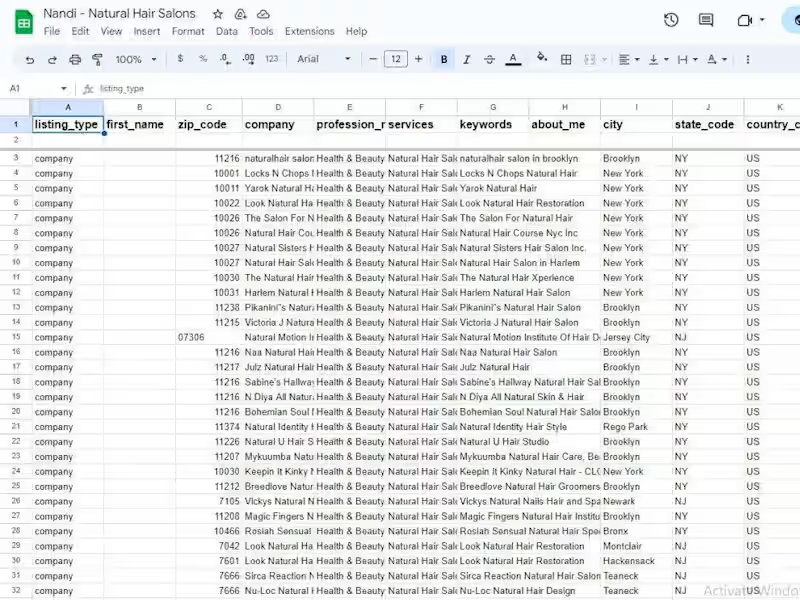
Business Enlistment on the yellow pages directory
0
14
Message
0
Museb Aman
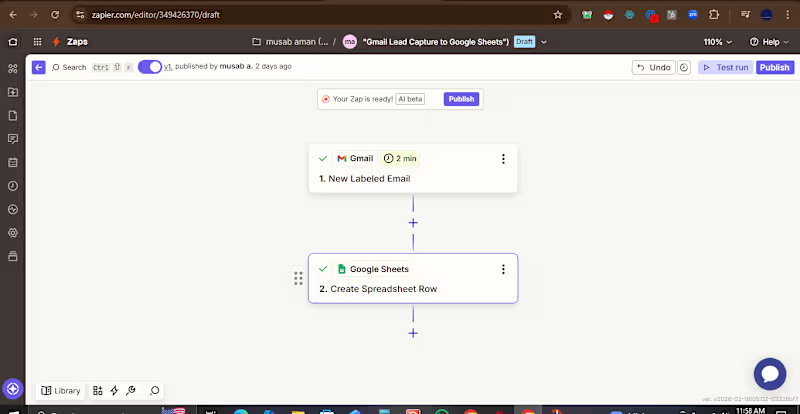
Email-to-Sheet Lead Tracker – Automate Gmail Data Capture I built an automated lead capture system that instantly saves important emails to Google Sheets, eliminating manual data entry and ensuring no lead ever gets missed. How it works: Trigger: When an email with a specific label (e.g., "Lead," "Inquiry," "Sales") arrives in Gmail Action: Automatically creates a new row in Google Sheets with key email details Data Captured: Sender name and email address Email subject line Date and time received Link to the original email Business Impact: Saves 5-10 hours per week of manual data entry Never lose track of potential leads or important client communications Creates a searchable, sortable database of all inquiries Enables easy reporting and follow-up tracking Tools Used: Zapier, Gmail, Google Sheets
0
66
Message
0
Haris Khan
Professional email writing
0
13
Message
0
Museb Aman
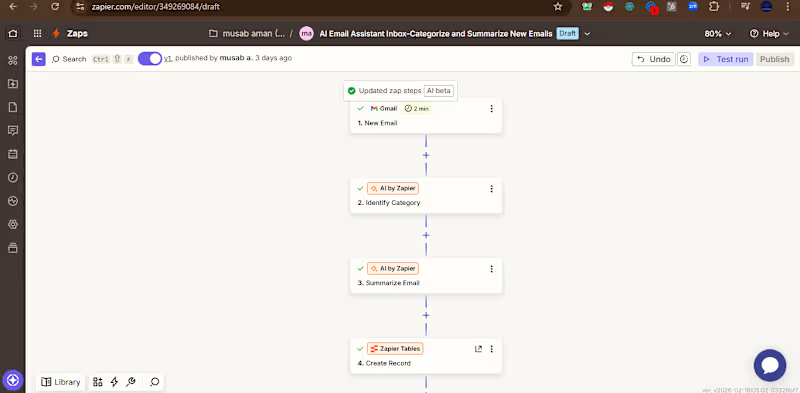
AI Email Assistant – Smart Inbox Categorization & Summaries I built an intelligent AI-powered email assistant using Zapier and AI that automatically processes incoming emails to save hours of manual work. How it works: Trigger: New email arrives in Gmail AI Categorization: AI identifies the email type (Action Required, Sales, Newsletter, Support, Personal) AI Summarization: AI generates a concise 1-2 sentence summary of the email content Data Storage: All results are saved to Zapier Tables for easy searching and reference Business Impact: Reduces email processing time by 70% Ensures important emails never get missed Creates searchable archive of all communications Frees up 5-10 hours per week for high-value work Perfect for busy executives, founders, and support teams Tools Used: Zapier, Gmail, AI by Zapier (ChatGPT), Zapier
0
69
Explore projects