
Web Designer & Developer | Figma to Next.js | UI/UX
- $•••••
- Earned
- 3x
- Hired
- 5.0
- Rating
- 54
- Followers
Web Designer & Developer | Figma to Next.js | UI/UX


Full-stack developer building high-impact web products.
- $25k+
- Earned
- 3x
- Hired
- 5.0
- Rating
- 52
- Followers
Full-stack developer building high-impact web products.


Web Developer – Turning designs into responsive websites
New to Contra
Web Developer – Turning designs into responsive websites

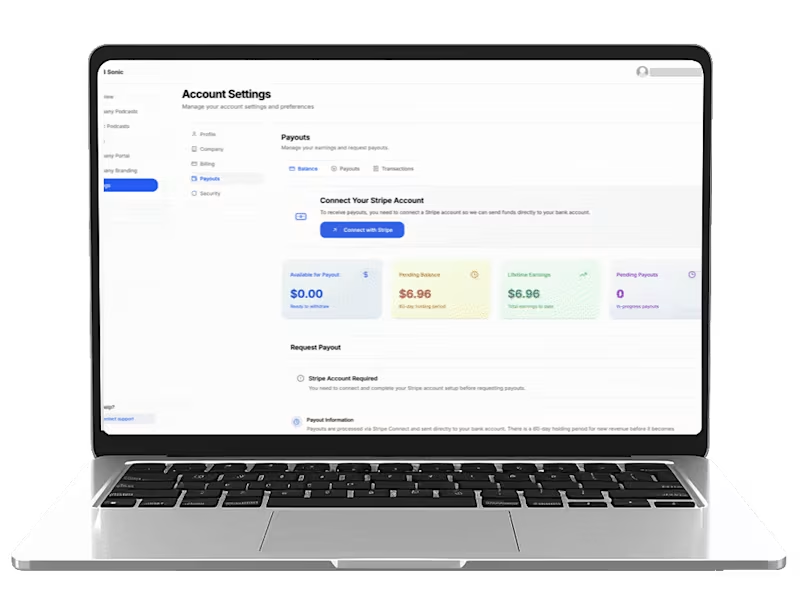
Custom Harmony Cost Calculator Plugin
To help potential enterprise clients better understand their needs and get instant pricing estimates, I built a bespoke calculator from the ground up. Instead of using a generic tool, I developed a custom WordPress plugin that allows for better scalability, easier updates, and seamless integration with the client's existing CRM.
Built a Multi-Step User Experience: I designed a guided, step-by-step flow that collects detailed business information, current technical infrastructure (including PBX, gateways, and middleware), and specific license requirements.
Custom Calculation Logic: I implemented dynamic math logic that calculates both monthly and annual costs in AED based on the quantities and licenses selected by the user.
Advanced Lead Integration: The plugin doesn't just display numbers; it automates the sales process by sending automated notifications to the EMW sales team, emailing confirmations to the customer, and pushing all lead data directly into Zoho CRM.
User-Centric Design: As seen in 563shots_so.jpg, I ensured the interface is clean, mobile-responsive, and matches the EMW corporate branding, providing a modern experience that builds trust with enterprise buyers.
Complex Data Handling: I created a system to handle a wide range of technical inputs—from current phone brands and analog ports to middleware solutions—ensuring that every estimate is based on the client's actual environment.
This tool acts as a 24/7 digital sales consultant. It removes the friction of waiting for a quote, qualifies leads by capturing deep technical data, and provides potential clients with an immediate, transparent view of what the Harmony solution costs for their specific business.
0
125


Interactive Education Management Platform (MERN)
I built the user interface for this educational platform to make learning feel simple and organized. My goal was to create a clean, responsive space where students could easily find their courses, track their progress, and interact with the site without getting lost in technical complexity.
What I Did:
Built the "Face" of the Site: Using React, I created the visual layout that users see and interact with every day.
Made Learning Easy to Follow: I organized the dashboard so that everything a student needs—like their course list, quiz scores, and payment info—is right where they expect it to be.
Designed for Both Sides: I created clear, separate views for students and teachers, making sure that each person can easily access the specific tools they need to succeed.
Responsive Design: I made sure the platform works perfectly whether a student is checking their grades on a phone or studying on a laptop.
By focusing on how the site feels to use, I helped turn a complex backend system into a friendly, reliable tool that actually helps students learn and teachers manage their classes.
0
115

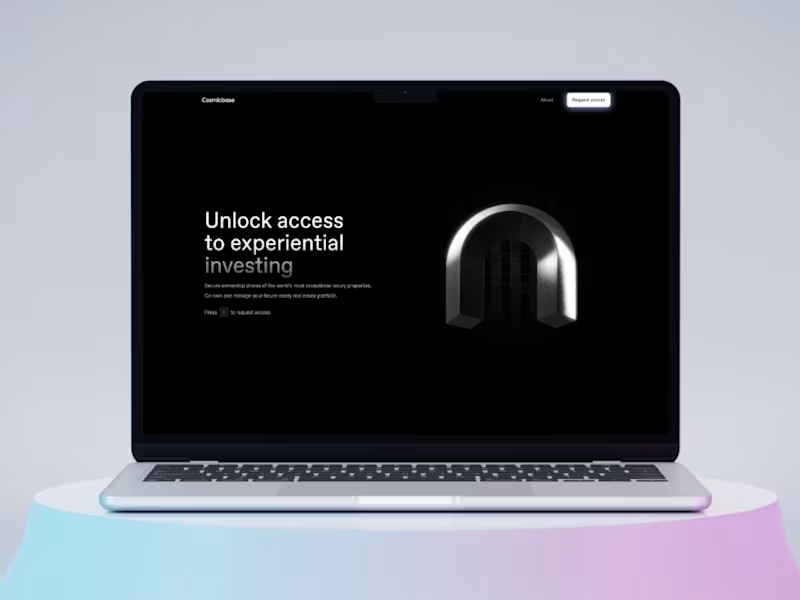
Website landing page for Cooperate Business
Just wrapped a high-end corporate landing page concept for a strategic consulting firm. Built entirely in React.
What's inside:
→ Dark navy + gold design system with Playfair Display & Inter typography
→ Animated CSS geometric hero visual (zero images)
→ Scroll-reveal animations on every section
→ Services grid, process timeline, testimonials, and email CTA
→ Fully responsive with glassmorphism nav
This is the kind of work I bring to every project — intentional design, clean code, and attention to detail that makes a brand feel premium.
💼 Available for web design & development projects.
1
138

Full-Stack Engineer · Real-Time Systems & 3D Web
Full-Stack Engineer · Real-Time Systems & 3D Web

Most off-the-shelf POS software charges monthly fees, locks you into their hardware, and still doesn't fit your exact workflow.
I build custom POS systems. You own the code. No subscriptions, no vendor lock-in.
Video: https://youtu.be/iWXqQ44Gc94
The Setup: A standard build includes a 3-screen ecosystem (customer kiosk, kitchen display, and waiter app) with instant real-time sync, smart inventory logic, and an admin dashboard. Deployed on Vercel and handed off with a clear written guide.
Pricing: Based on scope. A setup similar to my demo project runs $900–$1,200. Smaller builds cost less, while larger projects are quoted by milestone.
How I Work: Fully async. Requirements, feedback, and approvals are handled entirely in writing. No unnecessary meetings.
The service is listed on my profile. Send over your requirements and I will put together a custom breakdown.
https://contra.com/s/YlBXPZLm-real-time-pos-kiosk-and-kitchen-display-system-kds
0
169

Restaurants still taking orders on paper is wild to me.
I built a custom, real-time ordering system that syncs instantly across 3 screens (customer kiosk, kitchen display, and waiter app). No refresh buttons or delays.
Stack: Next.js, Supabase Realtime, WebSockets, Zustand, and Tailwind.
Smart Inventory: When stock hits zero, the item automatically flips to "Sold Out" across every screen. No one has to remember to do it manually.
Admin Dashboard: Manage the full menu, toggle items, adjust prices, and check daily sales—no code needed.
Watch it in action here: https://youtu.be/iWXqQ44Gc94
If you run a café, restaurant, or food spot and want a setup like this, you can check the link in my profile or message me directly.
Check it out (https://contra.com/p/WW7NYNEo-real-time-kiosk-pos-system)
0
96


In this project, I made "Straw Struck," a high-performance interactive 3D configurator built for B2B ordering. This web app allows users to customize every aspect of a product in real-time—from dimensions and colors to material wrappers—and instantly generates a downloadable PDF quote with a screenshot of their custom design.
🚀 Key Features:
- Real-Time 3D Visualization: Built with React Three Fiber, featuring dynamic scaling and geometry swapping (Straight vs. Flexible).
- Procedural Textures: Zero image assets loaded! All textures (Paper, Film, Concrete) are generated programmatically via the Canvas API for infinite resolution and fast loading.
- Smart Validation: Enforces manufacturing constraints (MOQ, Length limits) automatically.
- Instant PDF Quotes: Uses jsPDF to capture the 3D scene and generate a professional order summary on the fly.
- Responsive Design: Fully optimized split-screen UI using Tailwind CSS that works seamlessly on mobile and desktop.
🛠️ Tech Stack:
- Framework: React 18 & Vite
- 3D Engine: React Three Fiber (Three.js / Drei)
- Styling: Tailwind CSS & Framer Motion
- State Management: Zustand / React Hooks
- PDF Generation: jsPDF
0
81

End-to-End IoT, AI & Web3 Solutions | REPLA Tech
- 5.0
- Rating
- 28
- Followers
End-to-End IoT, AI & Web3 Solutions | REPLA Tech


AI & Full-Stack Engineer | Product Design & Development
- $10k+
- Earned
- 5x
- Hired
- 5.0
- Rating
- 35
- Followers
AI & Full-Stack Engineer | Product Design & Development


Software & Blockchain Engineer | AI, Web & Mobile Apps
- 5.0
- Rating
- 10
- Followers
Software & Blockchain Engineer | AI, Web & Mobile Apps


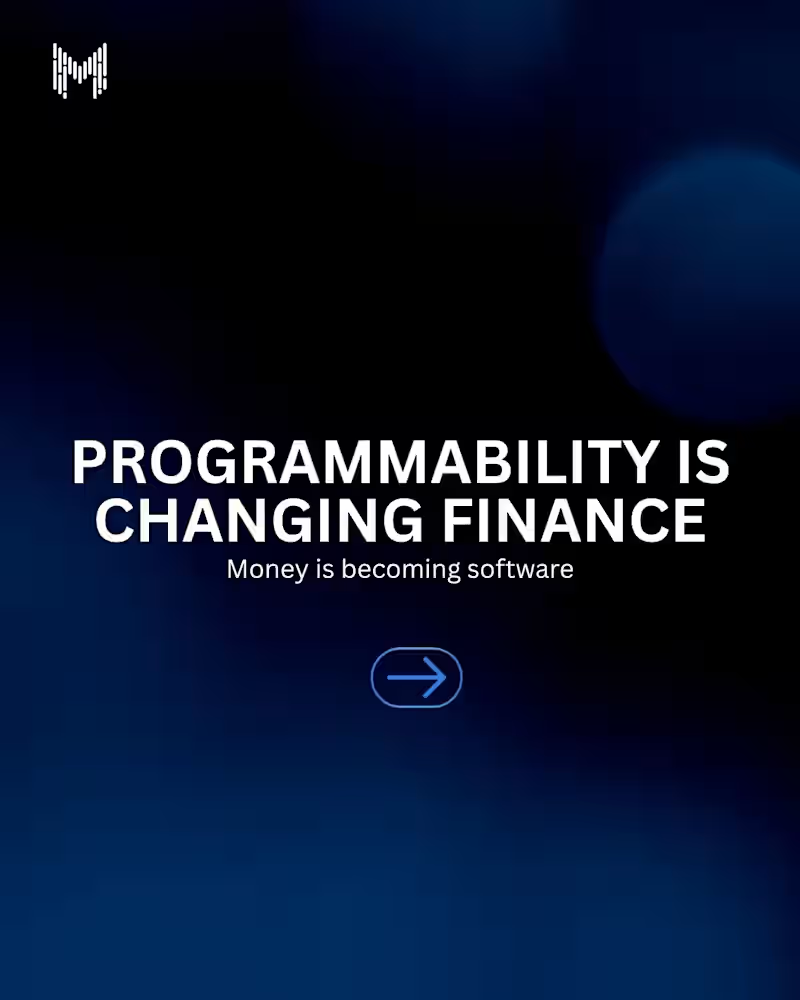
For decades, finance has relied on paperwork, intermediaries, and manual processes.
Today, programmable finance is changing the equation.
Through smart contracts and blockchain technology, financial products can execute automatically, enforce rules transparently, and interact with other systems in real time.
The future of finance isn't just digital.
It's programmable.
#ProgrammableFinance #Blockchain #Web3 #DeFi #SmartContracts #Fintech #DigitalAssets #BlockchainTechnology #FutureOfFinance #MkaitsTechnologies
3
454

AI-Native Full-Stack Developer
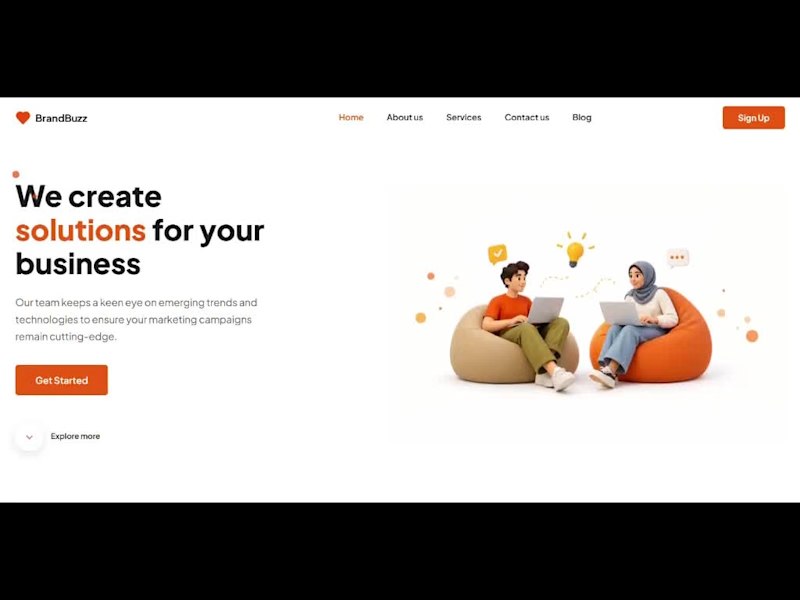
🚀 Just shipped a project: BrandBuzz, a fully interactive digital marketing agency landing page built with React + Vite!
As a Computer Science student, I wanted to move beyond tutorials and recreate a real UI design in code, so I took a design mockup and turned it into a working, responsive site.
What I built:
⚡ Sticky navbar with smooth scrolling and scroll-based active link highlighting
🎠 Auto-playing testimonials carousel that pauses on hover
🧩 Modal forms for Sign Up, Get Started and Contact Us, with keyboard support (Esc to close)
✨ Scroll-reveal animations using the Intersection Observer API
📱 A mobile-first responsive layout with a hamburger menu
♿ Accessibility basics: focus states, aria labels and reduced-motion support
What I learned:
🔹 Managing UI state with React hooks (useState, useEffect) and writing a custom useReveal hook
🔹 Building layouts with CSS Grid and Flexbox
🔹 Cleaning up event listeners and intervals properly to avoid memory leaks
🔹 Optimizing images (WebP) for faster load times
The biggest takeaway is that the small details, like hover states, transitions and spacing, are what make a website feel polished and professional.
I’m actively looking for internship and entry-level opportunities in frontend and web development, so I’d love to connect with developers, designers and recruiters. Any feedback on the project is welcome. 🙌
0
23

⚖️ Just finished building a law firm landing page from scratch, and I’m pretty proud of how it turned out!
I took a UI design and created it in React + Vite as a project for a law firm. My goal was to match the design as closely as I could, down to the spacing, typography and colors.
Here’s what I worked on:
✅ A responsive layout that works on desktop, tablet and mobile
✅ Practice area cards, a testimonials section and a contact form
✅ A clean navy and gold palette for a professional, trustworthy feel
✅ Reusable components, so the code stays organized
The hardest part was getting the small details right, like the card dividers, the font sizes and the hero image positioning.
I spent more time on these than I expected, but it taught me how much small design choices matter. I’m still learning and improving every day, so I’d love your feedback! What would you add or change?
🙌 If you’re hiring for frontend or web development roles, or just want to connect, feel free to message me!
#ReactJS (https://www.linkedin.com/search/results/all/?keywords=%23reactjs&origin=HASH_TAG_FROM_FEED) #Vite (https://www.linkedin.com/search/results/all/?keywords=%23vite&origin=HASH_TAG_FROM_FEED) #FrontendDevelopment (https://www.linkedin.com/search/results/all/?keywords=%23frontenddevelopment&origin=HASH_TAG_FROM_FEED) #WebDevelopment (https://www.linkedin.com/search/results/all/?keywords=%23webdevelopment&origin=HASH_TAG_FROM_FEED) #JavaScript (https://www.linkedin.com/search/results/all/?keywords=%23javascript&origin=HASH_TAG_FROM_FEED) #UIDesign (https://www.linkedin.com/search/results/all/?keywords=%23uidesign&origin=HASH_TAG_FROM_FEED) #ResponsiveDesign (https://www.linkedin.com/search/results/all/?keywords=%23responsivedesign&origin=HASH_TAG_FROM_FEED) #LandingPage (https://www.linkedin.com/search/results/all/?keywords=%23landingpage&origin=HASH_TAG_FROM_FEED) #LawFirmWebsite (https://www.linkedin.com/search/results/all/?keywords=%23lawfirmwebsite&origin=HASH_TAG_FROM_FEED) #StudentDeveloper (https://www.linkedin.com/search/results/all/?keywords=%23studentdeveloper&origin=HASH_TAG_FROM_FEED) #LearningInPublic (https://www.linkedin.com/search/results/all/?keywords=%23learninginpublic&origin=HASH_TAG_FROM_FEED) #BuildInPublic (https://www.linkedin.com/search/results/all/?keywords=%23buildinpublic&origin=HASH_TAG_FROM_FEED) #WebDesign (https://www.linkedin.com/search/results/all/?keywords=%23webdesign&origin=HASH_TAG_FROM_FEED) #OpenToWork (https://www.linkedin.com/search/results/all/?keywords=%23opentowork&origin=HASH_TAG_FROM_FEED) #100DaysOfCode (https://www.linkedin.com/search/results/all/?keywords=%23100daysofcode&origin=HASH_TAG_FROM_FEED)
0
29

UGC ads usually mean finding a creator, sending a brief, waiting a week, then paying per video. I wanted to see how much of that an n8n workflow could handle.
The video in this post was not filmed. It was generated end to end by a workflow I built.
How it works:
I drop in a product, a short brief and a target audience
An LLM writes the UGC-style script with a hook, the body and a call to action
Veo generates the video in a natural, creator-style look
The workflow publishes it to TikTok, Reels and Shorts [and schedules it for the best time]
So the whole path from brief to published video runs without me touching an editor.
What I learned:
The prompt matters more than the model. Specific lighting, camera and tone details made the difference between “obvious AI” and “believable creator”.
Hooks decide everything. I generate several hooks per product and test them.
Always label AI-generated content where the platform requires it. It’s the right thing to do and it avoids trouble later.
If you run a brand, an e-commerce store or an agency and want a steady stream of short-form content without the cost of manual production, I build these workflows. Message me and I’ll show you how it would work for your product.
Would you trust an AI-generated UGC ad for your brand? Curious where people stand on this.
#n8n #Veo #AIVideo #UGC #AIAutomation #ContentCreation #ShortFormVideo #Ecommerce #MarketingAutomation #GenerativeAI #NoCode #SocialMediaMarketing
1
1
211
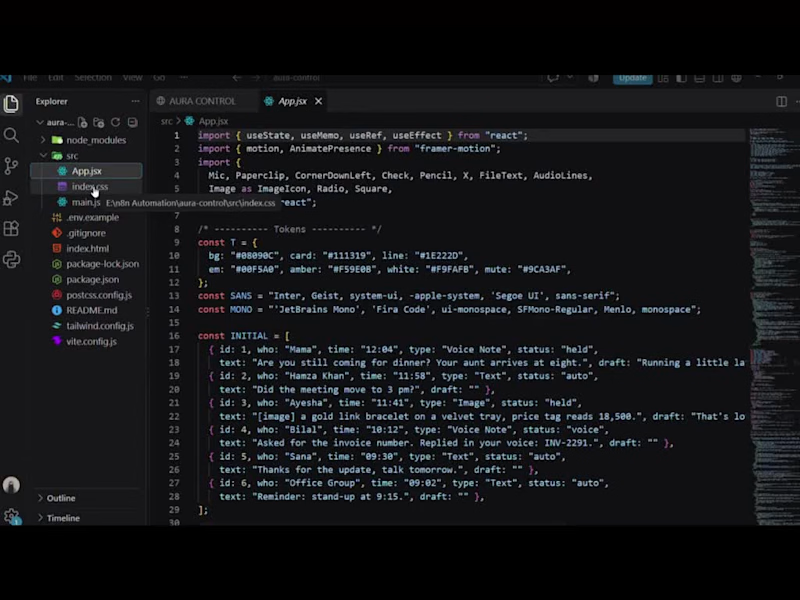
Replying to WhatsApp all day is draining, but letting an AI answer everything is risky. I wanted a system where routine messages are handled automatically and sensitive ones wait for human approval.
A control dashboard connected to a zero-cost n8n backend. Incoming text, voice notes and images are transcribed or described by AI. The assistant either replies automatically or holds the message for review.
How it works:
Voice notes are transcribed with Groq Whisper, and images are described with Gemini 2.0 Flash.
A Gemini-powered agent decides between “auto-send” and “held for review”.
Replies can go out as native WhatsApp voice notes using Google Text-to-Speech.
The dashboard shows the live message stream, an approval queue, switches for Auto-Pilot, Voice Synthesis and Intervention Mode, and an animated voice visualizer.
Stack: React, Tailwind CSS, Framer Motion, n8n, WhatsApp Cloud API, Groq, Gemini, Google TTS.
What I learned: Designing the approval flow mattered more than the AI itself. Deciding what the assistant is not allowed to send on its own shaped the whole design.
0
48