Projects using React Native in IslamabadProjects using React Native in IslamabadSocial Food Discovery & Restaurant Platform
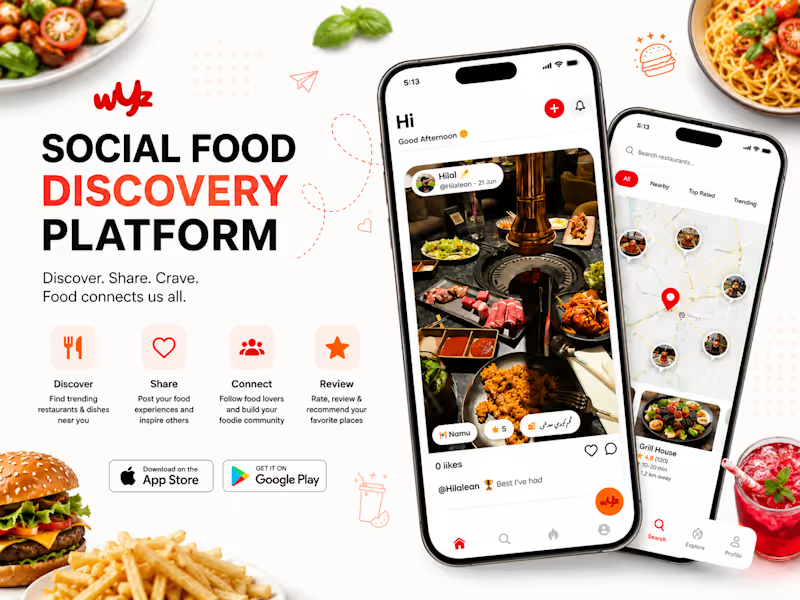
Developed a modern social food discovery and restaurant platform that enables users to discover trending restaurants, share dining experiences, post food content, and connect with fellow food enthusiasts through an engaging mobile application.
The platform combines social networking with restaurant discovery, allowing users to explore nearby restaurants, upload food experiences, rate dishes, follow other users, and receive personalized recommendations. Designed with scalability and performance in mind, the application delivers a smooth, responsive experience while helping restaurants increase visibility and customer engagement.
Key Features
Restaurant Discovery
Social Feed & Food Sharing
User Profiles & Follow System
Reviews & Ratings
Restaurant Search & Filters
Personalized Recommendations
Like, Comment & Share
Push Notifications
Location-Based Discovery
Admin Dashboard
Secure Authentication
Responsive Mobile Application Mary Brown’s Chicken
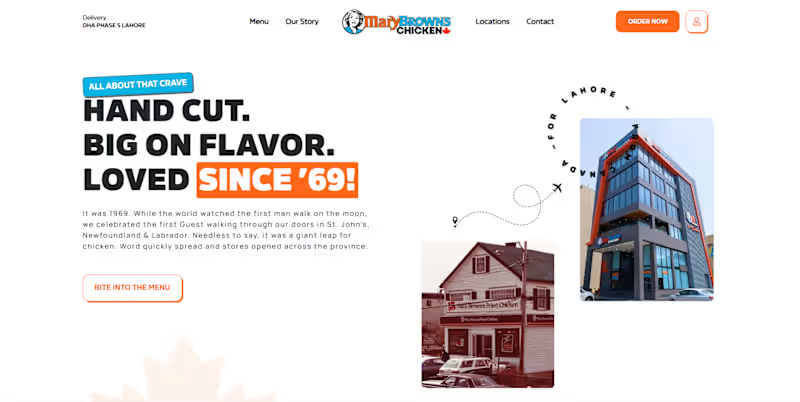
Developed a dedicated web platform for Mary Brown’s Chicken – Lahore branch, designed to enhance their digital presence and streamline customer engagement. The website features a modern, branded interface showcasing their full menu, deals, and promotions, with an easy-to-use ordering flow tailored for the local market. We implemented a robust backend for menu management, order handling, and customer communication, ensuring fast performance and mobile responsiveness. The platform allows the Lahore branch to independently manage updates, highlight offers, and deliver a smooth online experience aligned with the Mary Brown’s global brand standards. I made an AS FOOD ORDERING MOBILE APP using Reactive Native and Firebase.
Bellow is Complete Guide😊
🛠️ Architecture & Tech Stack
Frontend Framework: React Native (via Expo or React Native CLI)
UI & Styling: NativeWind (Tailwind CSS) or React Native StyleSheet with custom dark/light theme tokens.
Icons & Components: react-native-vector-icons (Lucide / Ionicons) & React Native Paper or custom components.
Database & Auth: Firebase Firebase Authentication, Cloud Firestore (NoSQL Database), and Firebase Storage (for uploading food/category images).
Navigation: @react-navigation/native with Bottom Tab Navigator (@react-navigation/bottom-tabs) and Stack Navigator.
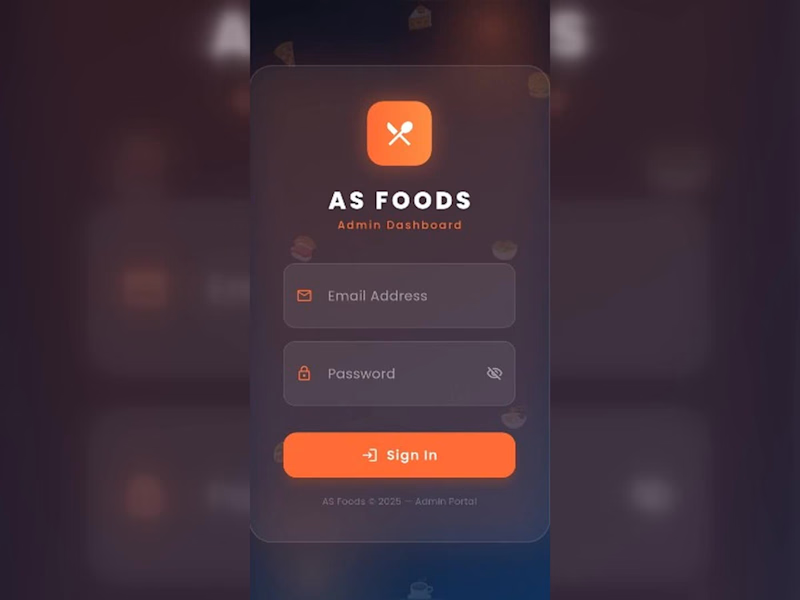
🔐 1. Login Screen (Admin Authentication)
Features & UI Components
Fields: Email address and Password input fields with visibility toggle (eye icon).
CTA: Gradient / Orange styled Sign In button.
Footer: Copyright and portal title ("AS Foods © 2025 – Admin Portal").
Technical Implementation & Firebase Setup
Firebase Auth Integration: Use signInWithEmailAndPassword(auth, email, password).
Role-Based Security: Store admin UID/roles in a users collection in Firestore. Verify if role === 'admin' before allowing dashboard entry.
State & Validation: React Hook Form or useState with validation (e.g., standard email regex and non-empty password checks).
📊 2. Dashboard Screen
Features & UI Components
Header Bar: Admin welcome banner ("Good Morning, Admin! 👋"), Live clock/timer badge, and Sign Out action button.
Analytics Cards:
Total Revenue (e.g., Rs 20171)
Total Orders Count (12 Orders)
Total Registered Users (4 Users)
Total Food Menu Items (26 Foods)
Visual Data: Weekly Orders Bar Chart showing day-by-day order trends (Mon–Sun).
Technical Implementation & Firebase Setup
Real-time Analytics Listener: Set up onSnapshot listeners on Firestore collections:
orders collection: Sum up total price of completed/confirmed status orders for Revenue and total order counts.
users collection: Read total count of registered clients.
foods collection: Read total menu item count.
Chart Integration: Use react-native-chart-kit or victory-native to render the weekly order dynamic bar graph linked to real-time order timestamps.
🍕 3. Foods Screen (Menu Management)
Features & UI Components
Search Bar & Quick Filters: Search food by name; filter tabs for All, Available, and Unavailable items.
Action Header: Quick stats counters (Total, Active, Hidden) and an + Add button to create new menu items.
Food Cards Grid: Image, title, price (PKR Rs 500.0), discount status, and quick action buttons (+ Add, - Remove, or toggle availability).
Technical Implementation & Firebase Setup
Firestore Data Structure (foods collection):
JSON
Image Storage: Firebase Cloud Storage via ref(storage, 'foods/image.jpg') and uploadBytes() / getDownloadURL().
Search & Filter: Local client-side array filter on fetched foods array using .filter(item => item.name (http://item.name).toLowerCase().includes(query)).
🏷️ 4. Categories Screen
Features & UI Components
Category Grid: Cards for categories like Appetizers, Chicken, Rice & Biryani, Wraps, Sides, and Beverages.
Status Badges & Controls: Quick count of active vs inactive categories, toggle switches, and deletion/edit modal actions.
Technical Implementation & Firebase Setup
Firestore Data Structure (categories collection):
JSON
Category-Food Mapping: Link category IDs directly into the foods collection documents for relational querying.
📦 5. Orders Screen
Features & UI Components
Order Filter Pills: Filter by All, Pending, Confirmed, Delivered, or Cancelled.
Order List Cards: Order Hash ID, Customer/Delivery info address, total order amount, timestamp, and colored status pill badges (Yellow = Pending, Green = Confirmed, Red = Cancelled).
Sign Out Confirmation Dialog: Modal overlay asking to confirm user logout.
Technical Implementation & Firebase Setup
Firestore Data Structure (orders collection):
JSON
Status Updates: Admin tap actions update order state using updateDoc(doc(db, "orders", orderId), { status: "Confirmed" }).
Real-time Push Notifications: Firebase Cloud Messaging (FCM) trigger to notify delivery partners or users when an order status changes.
🚀 Step-by-Step Development Roadmap
Project Setup: Initialize React Native project with Expo/CLI & install dependencies (react-navigation, @react-native-firebase/app, @react-native-firebase/auth, @react-native-firebase/firestore).
Firebase Config: Initialize Firebase SDK in firebaseConfig.js with your Web/Android/iOS API keys.
Navigation & Theme: Configure BottomTabNavigator with custom icons and dark mode styling matched to the dark orange interface theme.
Auth Flow: Build sign-in screen and wrap main tab screens in an onAuthStateChanged auth gate listener.
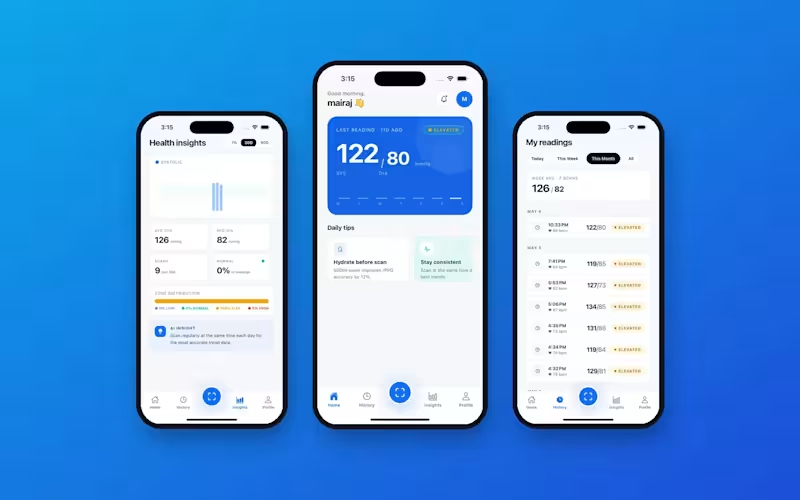
Firestore Realtime Hooks: Connect screens with real-time listeners (onSnapshot) to reflect live orders and menu management instantly. Built a mobile health app that measures blood pressure from a face scan, with no cuff or wearable needed. The home screen shows the latest reading (for example 122/80) with a status badge, along with daily tips like staying hydrated before a scan. The Health Insights screen breaks down average systolic and diastolic values, pulse, and a category distribution (normal, elevated, high), plus an AI insight on how to get a more accurate reading. The My Readings screen lists every scan by day and time, with filters for Today, This Week, This Month, and All. The result is a simple, clean way to track blood pressure over time from a single tap.