Projects using Quickbooks in Chattogram
Projects using Quickbooks in Chattogram
Sign Up
Post a job
Sign Up
Log In
Filters
2
Projects
People
Message
0
Priyanka Ganguly
audit work
0
0
Message
0
Priyanka Ganguly
This screen looks simple. Click “File VAT Now” and you’re done. But the real work happened before this button. Sales recorded correctly. Purchases categorized properly. VAT reconciled. Late claims checked. Numbers reviewed. That’s what good bookkeeping does. It makes the final step look easy. If filing feels stressful, the problem often started in the books months earlier. Clean books → Easier filing → Fewer surprises.
0
25
Message
0
Priyanka Ganguly
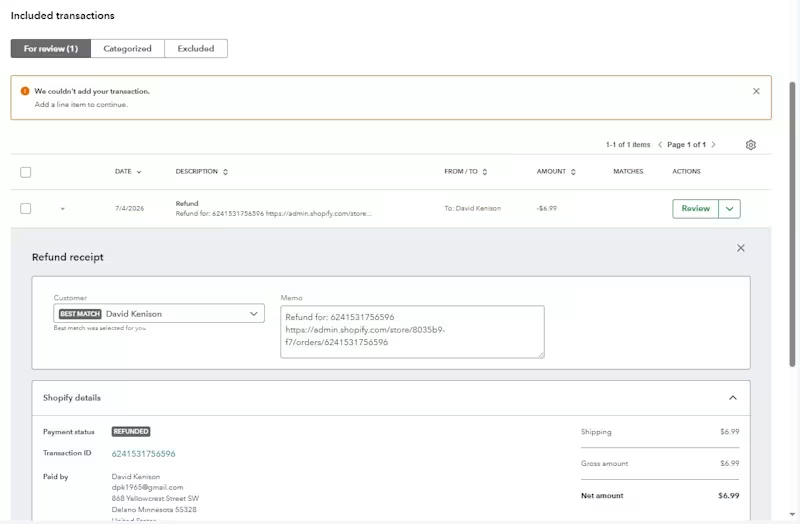
A $6.99 refund created a bookkeeping problem. Small amount. But the accounting impact still matters. While reviewing Shopify transactions, I found this refund sitting in For Review. QuickBooks wouldn’t let me add it and showed: “We couldn't add your transaction. Add a line item to continue.” Instead of forcing the transaction through, I traced the workflow. I checked: → The original Shopify transaction → Customer mapping → Refund amount and payment details → The account/product mapping → Whether the refund was linked to the correct sales activity → The missing line-item information causing QuickBooks to reject it After correcting the transaction structure and assigning the proper line item/account, the refund could be recorded correctly and the books stayed reconciled. The interesting part? It was only $6.99. But imagine the same issue happening across 50, 100, or 500 Shopify refunds. That’s how small bookkeeping errors quietly turn into: ❌ Incorrect revenue ❌ Unreconciled balances ❌ Wrong customer records ❌ Messy month-end reports Good bookkeeping isn't just clicking “Categorize.” It’s understanding why a transaction is behaving differently and fixing the accounting behind it. That’s the part automation still needs a knowledgeable human to review. #Bookkeeping #QuickBooksOnline #Shopify #EcommerceAccounting #QBO #Accounting #Reconciliation #RemoteBookkeeper
0
25
Message
0
Priyanka Ganguly
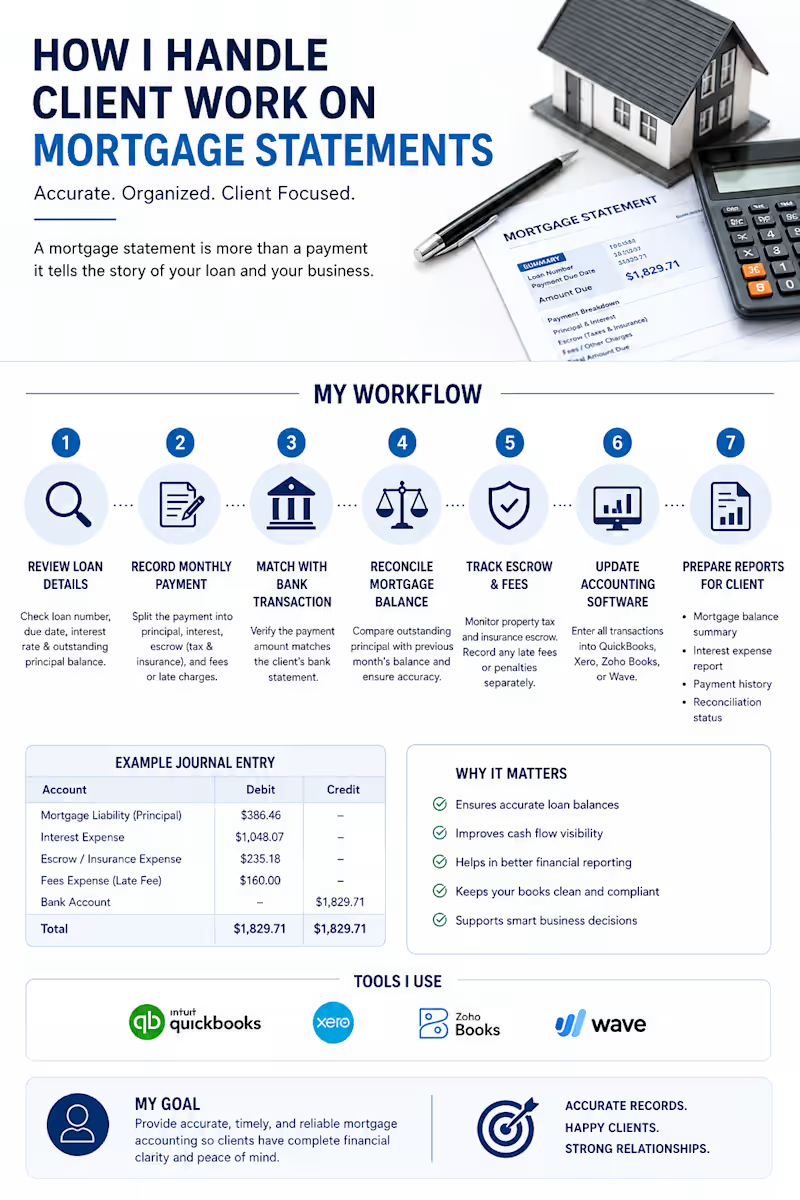
Your mortgage statement is lying to you. Not on purpose.But if it's being recorded wrong in your books — the damage is very real.Wrong loan balance. Wrong expenses. Wrong cash flow picture.And you won't notice until tax season. Or worse — until a lender asks for your financials.Here's what most people miss:A mortgage statement isn't just a payment document. It contains at least 6 pieces of financial data that need to be recorded separately and correctly:→ Principal payment → Interest payment → Escrow for property taxes → Escrow for insurance → Outstanding loan balance → Reconciliation with your actual bank transactionMiss any one of these? Your financial statements are already wrong.
0
69
Message
0
Priyanka Ganguly
In bookkeeping, clients want to see real work experience. Many bookkeepers learn from training courses where they are taught the process of bookkeeping work. But real client work is completely different. A professional bookkeeper needs more than accounting knowledge. You must know: • How to understand client files • How to manage financial data properly • How to review the full business activity • How to identify mistakes and missing entries • How to solve problems accurately Real bookkeeping is not only about entering numbers. It is about understanding the business and managing everything correctly and professionally.
0
70
Message
0
Priyanka Ganguly
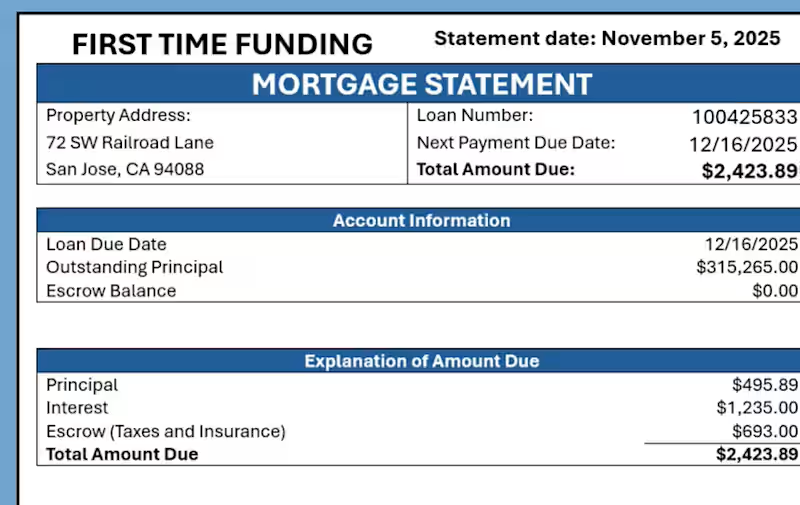
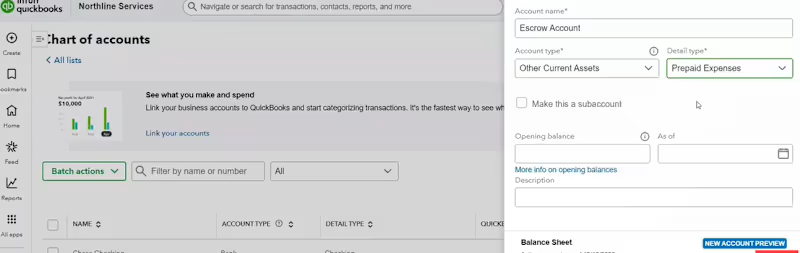
What is a mortgage? How does real estate work? Many people know this part. But the most important thing is recording it properly in QuickBooks Online. A mortgage payment includes: ✔ Principal ✔ Interest ✔ Escrow Without proper knowledge, everything can break in the financial reports.
0
67
Message
0
Priyanka Ganguly
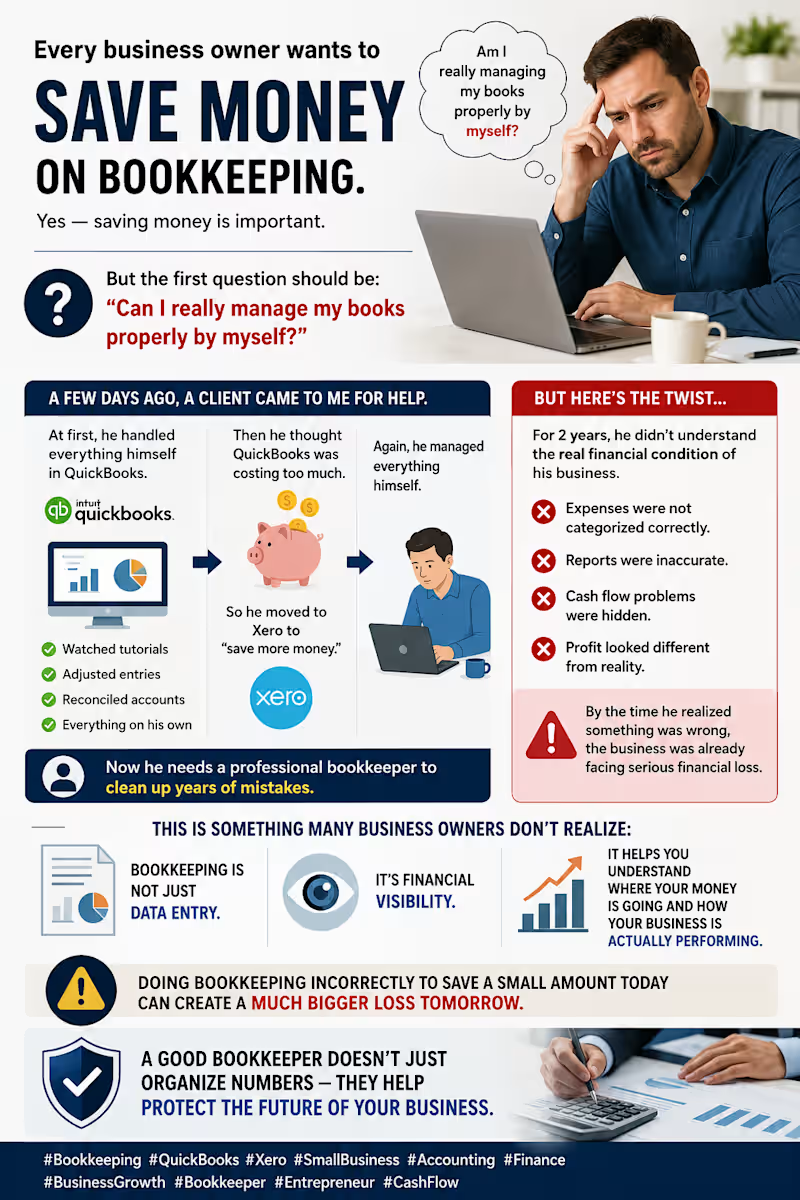
Every business owner wants to save money on bookkeeping. Yes — saving money is important. But the first question should be: “Can I really manage my books properly by myself?” A few days ago, a client came to me for help. At first, he handled everything himself in QuickBooks. He watched tutorials, adjusted entries, reconciled accounts — everything on his own. Then he thought QuickBooks was costing too much. So he moved to Xero to “save more money.” Again, he managed everything himself. But here’s the twist… For 2 years, he didn’t understand the real financial condition of his business. Expenses were not categorized correctly. Reports were inaccurate. Cash flow problems were hidden. Profit looked different from reality. By the time he realized something was wrong, the business was already facing serious financial loss. Now he needs a professional bookkeeper to clean up years of mistakes. This is something many business owners don’t realize: 👉 Bookkeeping is not just data entry. 👉 It’s financial visibility. 👉 It helps you understand where your money is going and how your business is actually performing. Doing bookkeeping incorrectly to save a small amount today can create a much bigger loss tomorrow. A good bookkeeper doesn’t just organize numbers — they help protect the future of your business. #Bookkeeping #QuickBooks #Xero #SmallBusiness #Accounting #Finance #BusinessGrowth #Bookkeeper #Entrepreneur #CashFlow
0
74
Message
0
Priyanka Ganguly
QuickBooks was not built specifically for real estate businesses. It was designed to handle many different industries. But real estate accounting works very differently. Why? Because real estate businesses deal with: • Multiple properties • Job costing for every project • Construction and renovation expenses • Loans and interest tracking • Investor contributions and distributions • Rental income management • Property-wise profitability • Depreciation and long-term assets This is where many real estate businesses struggle. They try to use QuickBooks like a normal business system — and their numbers become confusing very quickly. The software is powerful. But the setup matters more than the software itself.
0
58
Message
0
Priyanka Ganguly
client work
0
42
Message
0
Priyanka Ganguly
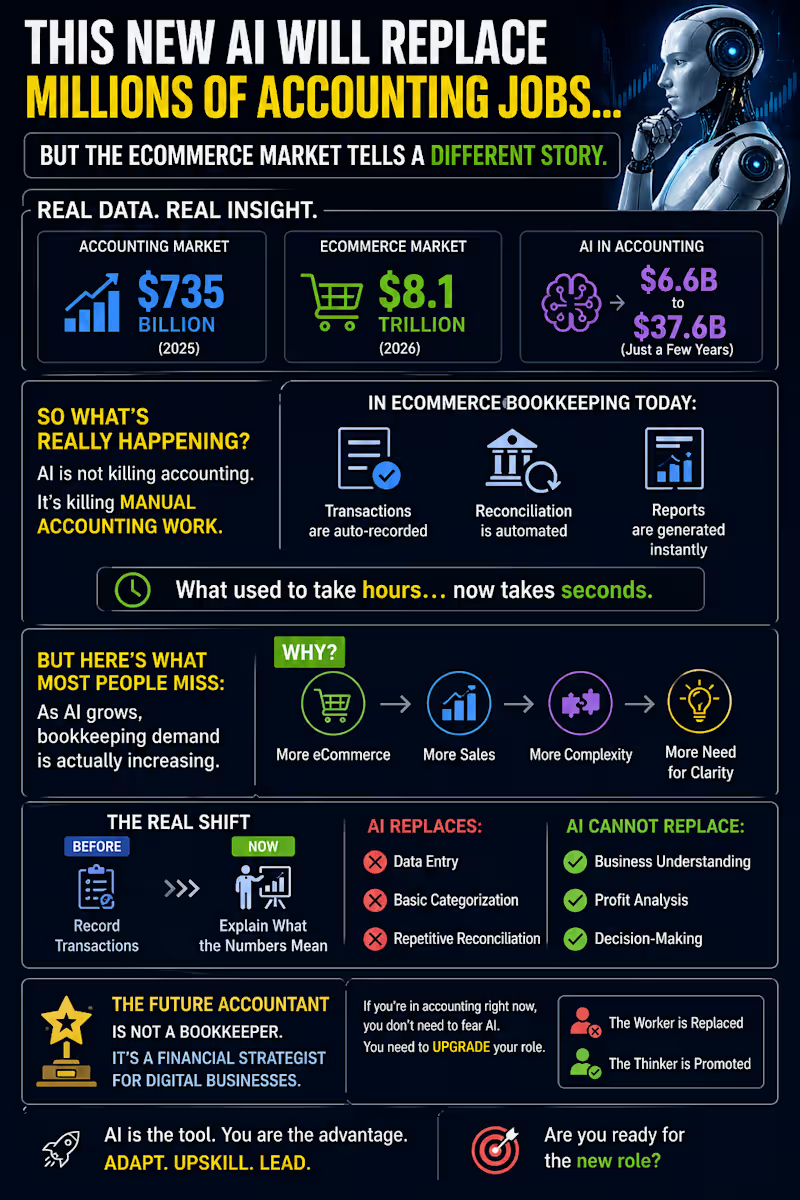
This New AI Will Replace Millions of Accounting Jobs… But eCommerce tells a different story 👇 Last month, I looked at real data — not opinions. 📊 Accounting market: $735B 🛒 E-commerce: $8.1T 🤖 AI in accounting: $6.6B → $37.6B So what’s happening? AI is not killing accounting. It’s killing manual work. Today in eCommerce bookkeeping: • Transactions → automated • Reconciliation → auto-matched • Reports → generated instantly What took hours… now takes seconds. But here’s what most people miss: As AI grows, bookkeeping demand is increasing. Why? More eCommerce → more transactions → more complexity → more need for clarity. The real shift: Before: Record data Now: Explain the business AI replaces: ❌ Data entry ❌ Basic tasks AI cannot replace: ✅ Insight ✅ Profit thinking ✅ Decision-making The future is not “bookkeeper” It’s financial strategist 👉 AI replaces workers 👉 But it promotes thinkers Question: Are you still doing work AI can already do
0
59
Message
0
Priyanka Ganguly
client work
0
63
Message
0
Priyanka Ganguly
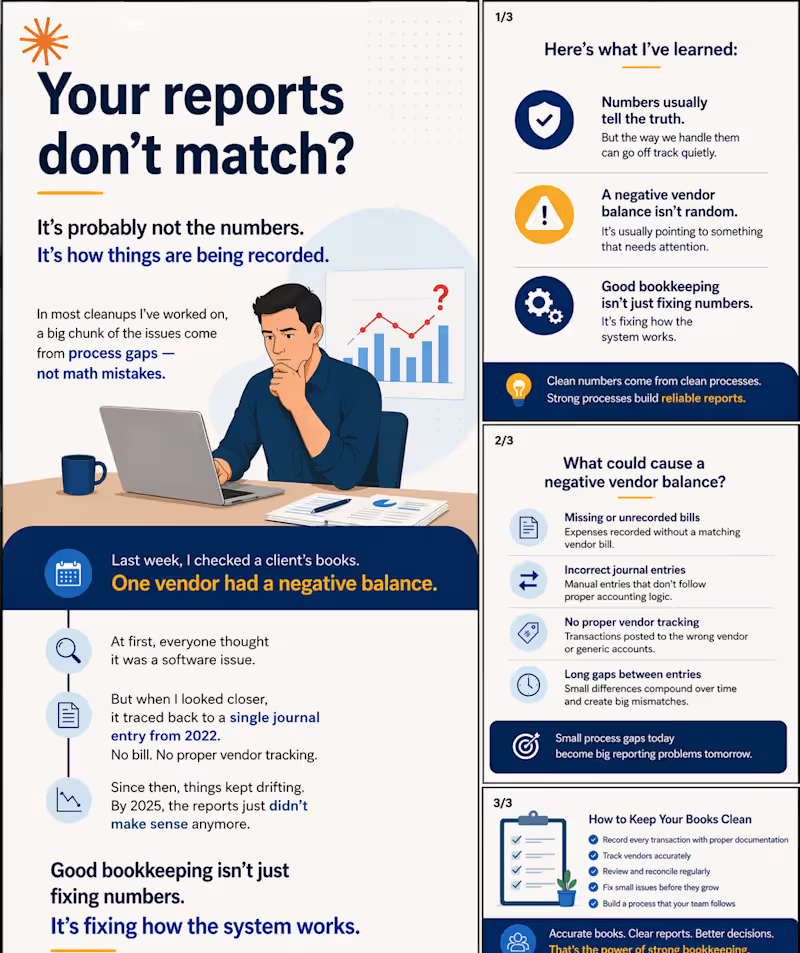
Your reports don’t match? It’s probably not the numbers. It’s how things are being recorded. In most cleanups I’ve worked on, a big chunk of the issues come from process gaps — not math mistakes. Last week, I checked a client’s books. One vendor had a negative balance. At first, everyone thought it was a software issue. But when I looked closer, it traced back to a single journal entry from 2022. No bill. No proper vendor tracking. Since then, things kept drifting. By 2025, the reports just didn’t make sense anymore. Here’s what I’ve learned: Numbers usually tell the truth. But the way we handle them can go off track quietly. A negative vendor balance isn’t random. It’s usually pointing to something that needs attention. Good bookkeeping isn’t just fixing numbers. It’s fixing how the system works. give a attractive title here
0
56
Message
0
Priyanka Ganguly
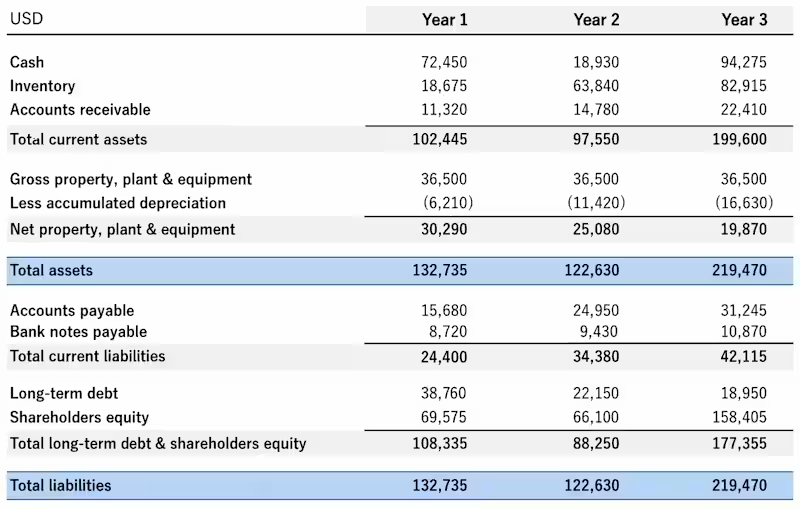
The Balance Sheet Was “Perfect.” Until we looked deeper. A client showed me a report just like this. Everything matched. Everything looked professional. Everything was “fine.” But within minutes, I knew something was wrong. Cash dropped almost to zero… then suddenly jumped. Inventory kept increasing… But there was no clear sales flow. Accounts receivable? Missing. Liabilities? Climbing fast. And still… The report balanced perfectly. The Reality The system was working. But the data wasn’t. What Was Actually Happening • Transactions were not properly tracked • Inventory was not aligned with sales • No reconciliation was being done • Financials were built on assumptions The Result The owner was making decisions based on numbers… That didn’t reflect reality. What We Fixed • Cleaned the data • Reconciled accounts • Corrected classifications • Rebuilt financial visibility Your reports don’t need to look good. They need to be true. Activate to view larger image,
0
73
Message
0
Priyanka Ganguly
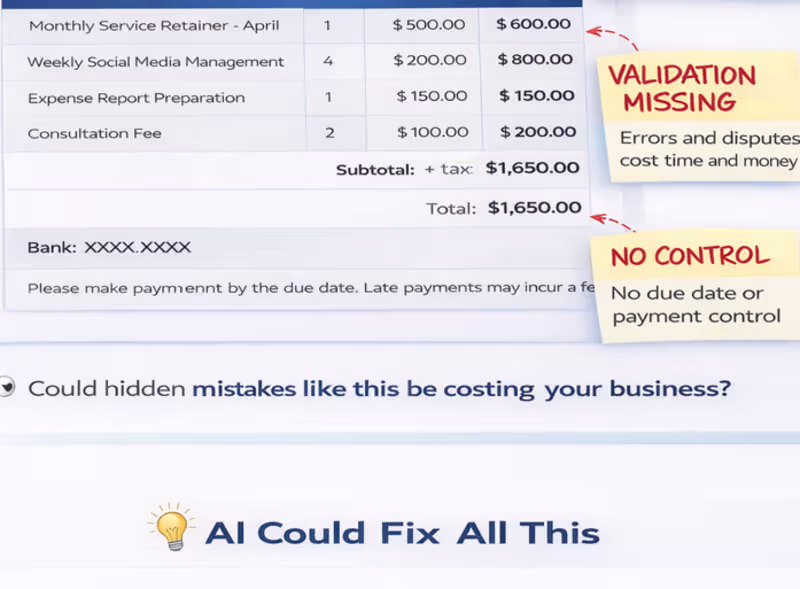
This invoice looks clean. Professional design. Clear layout. Everything “seems” fine. But as a bookkeeper… I see problems that can cost real money. Most business owners don’t notice these: ❌ No structured invoice numbering ❌ Weak or missing tax breakdown ❌ No clear payment terms ❌ No validation of pricing or quantities ❌ No control over duplicate or abnormal entries And here’s what happens next: • Payments get delayed because terms are unclear • Tax filing becomes risky or inaccurate • Duplicate invoices get paid without notice • Cash flow becomes unpredictable • Disputes with clients increase The biggest issue? Everything looks correct on the surface… But there is no control behind it. This is where AI changes everything. Not by “making invoices faster” But by making them smarter and safer Here’s how AI fixes this: 🔍 Detects duplicate invoices before payment 📊 Suggests optimal payment timing for cash flow 🧾 Extracts and validates invoice data automatically ⚠️ Flags unusual pricing or vendor changes 📈 Gives real insight into spending patterns AI doesn’t replace bookkeeping. It removes hidden financial risks that most businesses never see. Because the problem is not bad invoices. It’s invisible mistakes inside good-looking ones. 💬 When did you last check if your invoicing system is actually protecting your business?
0
68
Message
0
Priyanka Ganguly
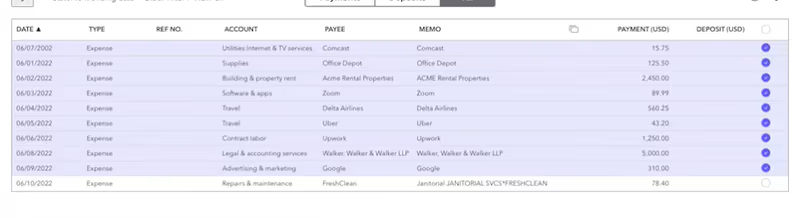
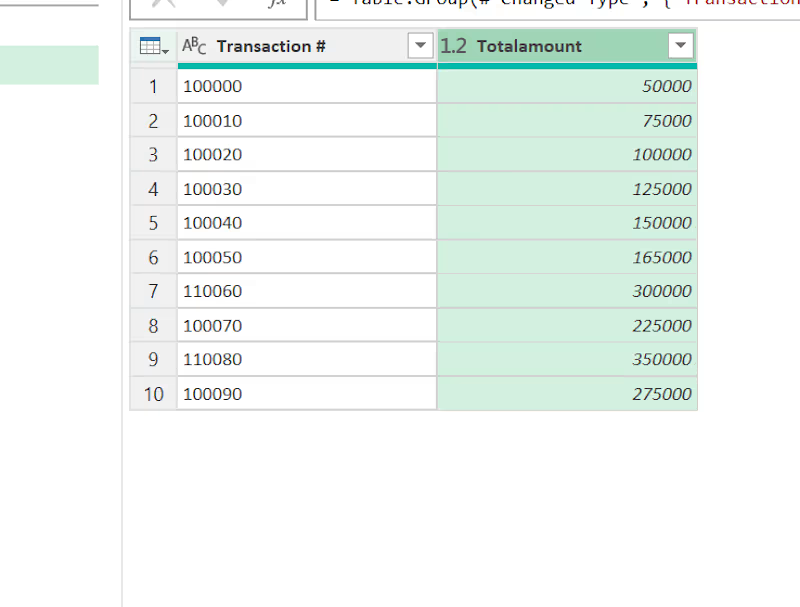
Most businesses lose thousands every month — not because of bad sales, but because nobody is reconciling their books properly. The Problem Your ERP says one thing. Your bank says something different. Which one is right? If you cannot answer that instantly — your books have a problem. And that problem gets bigger every single month you ignore it. What I do I specialize in Bank Reconciliation — matching every transaction between your ERP system and your bank statement, line by line, so nothing slips through the cracks. Here is my exact process: → Step 1 — Pull ERP data and Bank statement into Excel → Step 2 — Use SUMIFS to match every Transaction # automatically → Step 3 — Calculate the Difference (ERP minus Bank) for each line → Step 4 — Flag every mismatch instantly as "Check" → Step 5 — Use Power Query to group, merge and cross-verify both sources → Step 6 — Deliver a clean reconciliation report with full remarks What you get ✅ Every matched transaction confirmed ✅ Every discrepancy identified with exact difference ✅ Transactions only in ERP — flagged ✅ Transactions only in Bank — flagged ✅ A 100% clean, audit-ready reconciliation report Tools I use → Microsoft Excel (SUMIFS, IF, Conditional Formatting) → Power Query (Table.Group (http://Table.Group), Table.NestedJoin, Merge Queries) → QuickBooks / Xero / Any ERP system Call to Action If your books have not been reconciled properly — you are flying blind with your finances. Let me do a free initial review of your books and tell you exactly where the gaps are. 📩 DM me right now or drop a "YES" in the comments and I will reach out to you today. #BankReconciliation #Bookkeeping #Accounting #Excel #PowerQuery #Finance #SmallBusiness #ERPAccounting #FreelanceBookkeeper #HireMe #OpenToWork #RemoteWork
0
73
Explore projects