The network for creativity
Join 1.25M professional creatives like you
Connect with clients, get discovered, and run your business 100% commission-free
Creatives on Contra have earned over $150M and we are just getting started
Back to feedPost

Most WordPress to Framer moves lose Google traffic for one boring reason: the old URLs.
The new site looks great, launch goes fine, and two weeks later half the old product and blog links return 404.
When I moved MStudio Asia, a photo and video studio in Phuket, from WordPress and WooCommerce to Framer, I built the URL map before the first page:
1. Export every URL from the old sitemap, not the menu. There were 105, and 65 were shop products.
2. One rule per URL type: /product/ became /rental/, /portfolio/ became /studios/.
3. Keep the slug when the content stays the same.
4. Fix old typos now, the old address needs a redirect anyway.
5. Never send everything to the home page.
6. Permanent redirects only (301 or 308), then watch Search Console while Google recrawls.
Full write-up with the real map: pzhydkykh.com/work/mstudio
Planning a move to Framer? Send me your sitemap and I'll tell you what needs mapping.

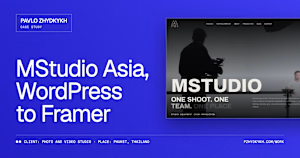
pzhydkykh.com
MStudio Asia: WordPress to Framer migration | Pavlo Zhydkykh
MStudio Asia case: Pavlo Zhydkykh moved a Phuket photo and video studio from WordPress and WooCommerce to Framer, all 105 old URLs mapped.


Mapping all 105 old URLs is the kind of boring detail that actually protects traffic. Nice case study on the Phuket studio move.
The network for creativity
Join 1.25M professional creatives like you
Connect with clients, get discovered, and run your business 100% commission-free
Creatives on Contra have earned over $150M and we are just getting started



Related posts


most restaurant sites open on a menu pdf.
candeia opens on the front door. scroll and you walk in.
new framer template
https://framer.link/GPlMJvV

Love this approach! Most sites show you a menu, this one makes you feel like you're already walking in. Beautiful work! 🔥


i like this 😂

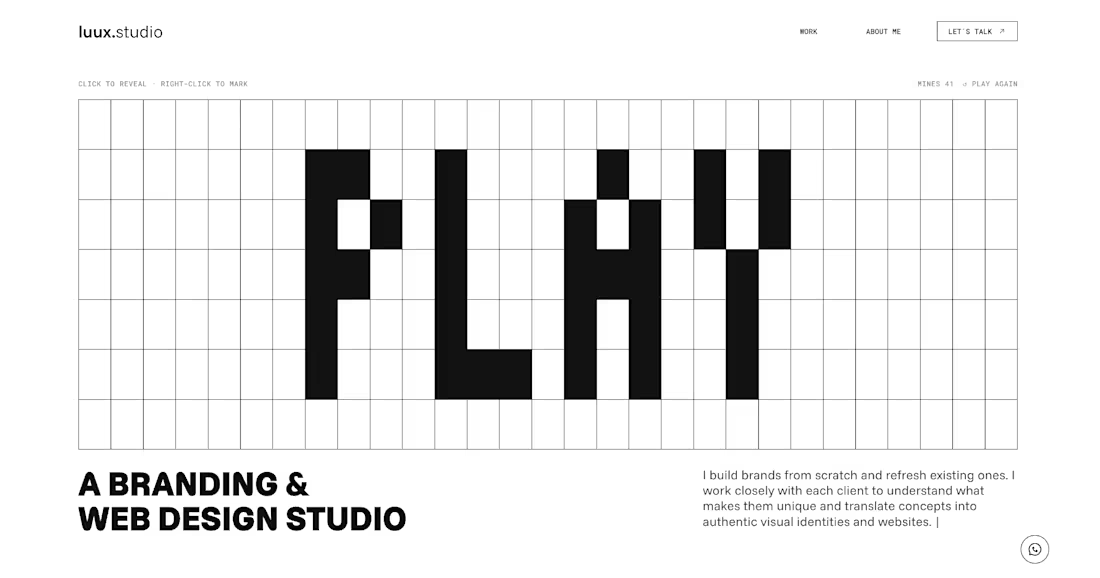
The new luux.studio website is live.
I rebuilt my site around one idea that guides how I work:
⚡️ every project starts by bringing light to what’s hidden ⚡️
So the homepage is a game.
A full-screen minesweeper where you explore the grid, read the clues and, eventually, find the spark. Hit a mine and it explodes, literally, into a “Start your project” button.
What else is new:
→ Three clear services: Brand Strategy, Visual Identity and Website & E-commerce
→ A work index where every project comes to life on hover
→ One person behind it all, from the first idea to launch
Designed and built in Framer, with a few custom code components for the game and the details.
Go play: luux.studio
How many clicks did it take you to find the spark?
Please, leave your feedback below 🫶🏻

Good work, very polished.