The network for creativity
Join 1.25M professional creatives like you
Connect with clients, get discovered, and run your business 100% commission-free
Creatives on Contra have earned over $150M and we are just getting started
Back to feedPost

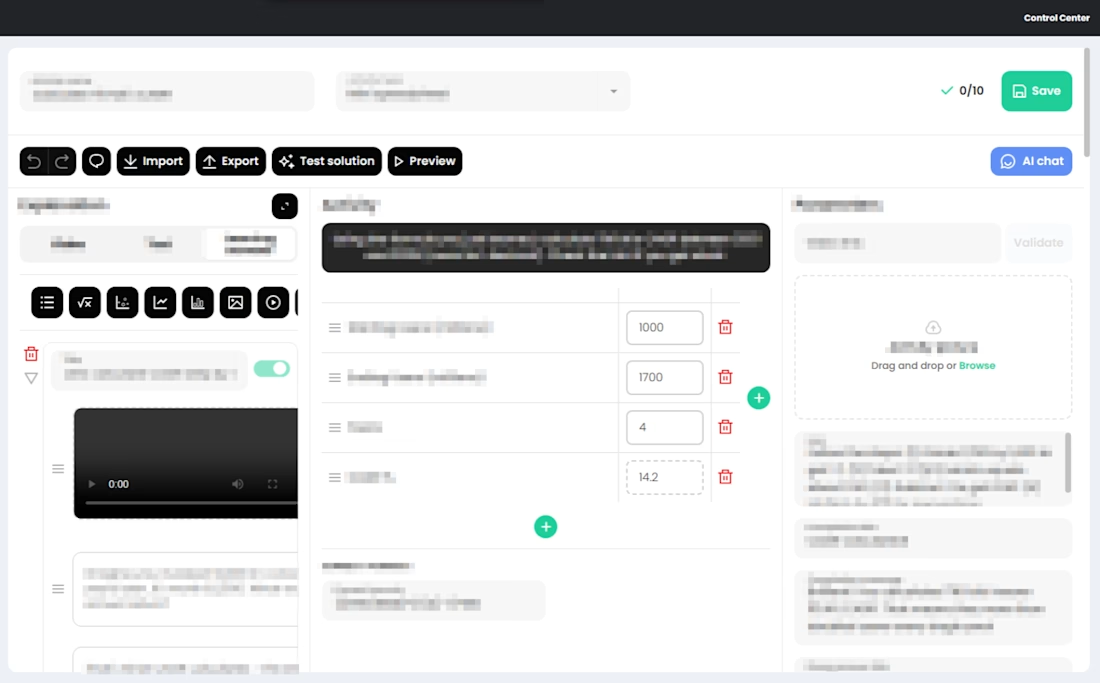
Built an internal learning platform with a custom course builder and complex data-driven UI.
Led development of scalable architecture and implemented AI-powered content generation and validation workflows.


The network for creativity
Join 1.25M professional creatives like you
Connect with clients, get discovered, and run your business 100% commission-free
Creatives on Contra have earned over $150M and we are just getting started



Related posts

Created a professional AI-powered explainer video introducing AI video creation and demonstrating how businesses and brands can use AI-generated content to communicate their ideas.
The project features a realistic AI-generated male presenter, futuristic technology environments, cinematic visuals, and engaging on-screen text.
The video highlights how AI video creation can help businesses promote products, grow their brands, create social media reels, produce explainer content, and develop engaging YouTube Shorts.


Awesome 👍🏻

I built my entire portfolio website with AI. This is what it feels like to use it.
In 77 seconds, I scroll through the homepage, open the Attack Map case study, and show how the gallery and hover states work. The last stop is the About page.
I design B2B SaaS and cybersecurity products. If you have a workflow that's hard to use or an idea you'd like to test in a working prototype, send me a message here on Contra.


Congrats on the new portfolio!

This is a quick look at how an MCP workflow handles a request from start to finish.
When a prompt comes in, the MCP host and client check the server for available tools and pass those options along to the LLM.
Once the model picks the right tool for the job, the client runs the call across your code repo, database, or API, pulls in the context, and sends it back so the LLM can generate the final output.
It makes connecting an AI model to multiple tools much simpler than setting up separate custom integrations for each one.

Clear walkthrough. One detail worth adding for anyone building the server side: the tool descriptions are basically the prompt. When I build MCP servers in Go, rewriting a vague description like "get data" into "get orders by status and date range, max 50" fixed more wrong tool...