The network for creativity
Join 1.25M professional creatives like you
Connect with clients, get discovered, and run your business 100% commission-free
Creatives on Contra have earned over $150M and we are just getting started
Back to feedPost

Arrays & Loops (Quick Guide)
An array is a way to store multiple values in a single variable—like a list. Instead of creating many variables, you group related data together.
A loop lets you go through each item in that array one by one. This is useful when you want to process, display, or modify all values without repeating code.
This loop goes through the array and prints each fruit.
In short:
Arrays store data.
Loops help you work through that data efficiently.
If you understand this... Drop a comment, 1 lolipop for you


The network for creativity
Join 1.25M professional creatives like you
Connect with clients, get discovered, and run your business 100% commission-free
Creatives on Contra have earned over $150M and we are just getting started






Related posts

Data Entry, Translation, Inventory record,


Something new is taking shape. 👣
Strategy, identity, type, system, and website are done. The last step is loading: 83% 🟦
Designed and shipped as code, the same way I build for clients. 🛠️
Follow along to see the launch first.

Strategy through to a coded site, all by yourself, is a nice way to show clients exactly how you work. Looking forward to seeing that last 17% land!

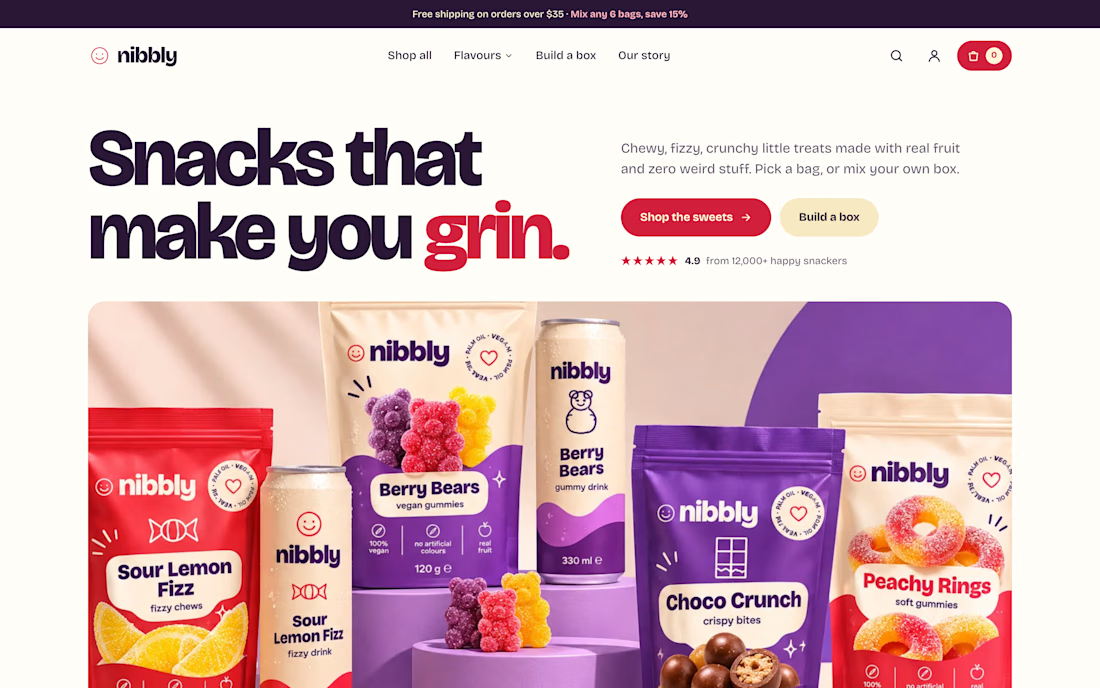
Nibbly — Custom Shopify Storefront
A playful, conversion-focused Shopify shopping experience built from scratch.
Nibbly is a fictional candy brand brought to life through bold visual identity, expressive typography, and a fully custom Shopify storefront.
The project explores how personality-driven design and thoughtful e-commerce functionality can come together to create an engaging shopping experience.
What I built:
Custom Shopify storefront design and development
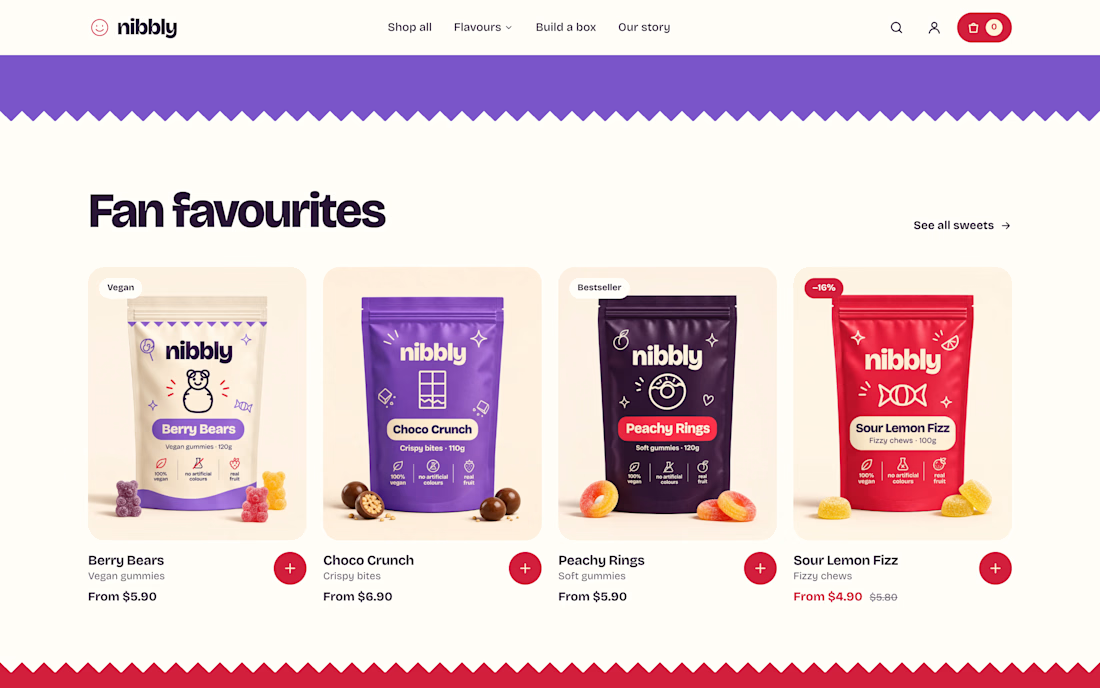
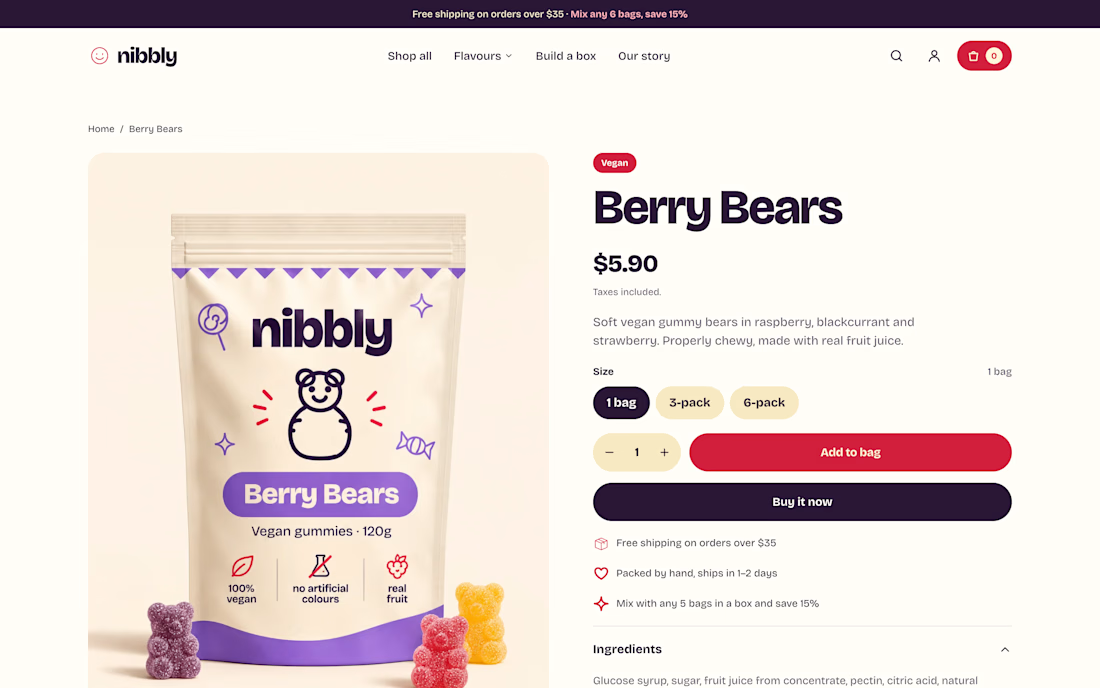
Responsive homepage and product pages
Collection pages with filtering and sorting
Interactive build-your-own-box experience
Custom mega menu and navigation
Product recommendations and promotional sections
Cohesive visual system across the shopping journey
Tools: Shopify, Liquid, Claude Code
From product discovery to creating a personalized candy box, every detail was designed to make shopping feel fun, intuitive, and memorable.
Independent concept project. Not affiliated with an existing candy brand.
The build-your-own-box flow is a smart touch for a candy brand, it turns browsing into play. Curious how you handled the box logic on the Shopify side, app or fully custom?