The network for creativity
Join 1.25M professional creatives like you
Connect with clients, get discovered, and run your business 100% commission-free
Creatives on Contra have earned over $150M and we are just getting started
Back to feedPost

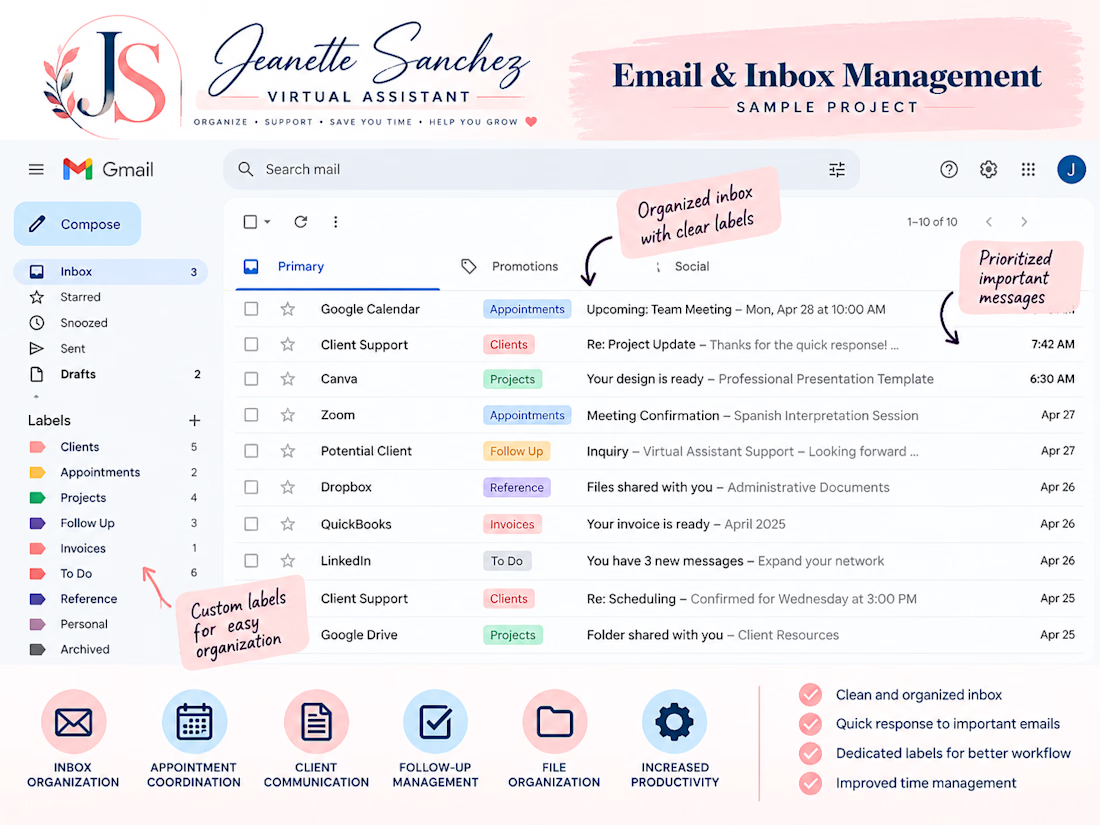
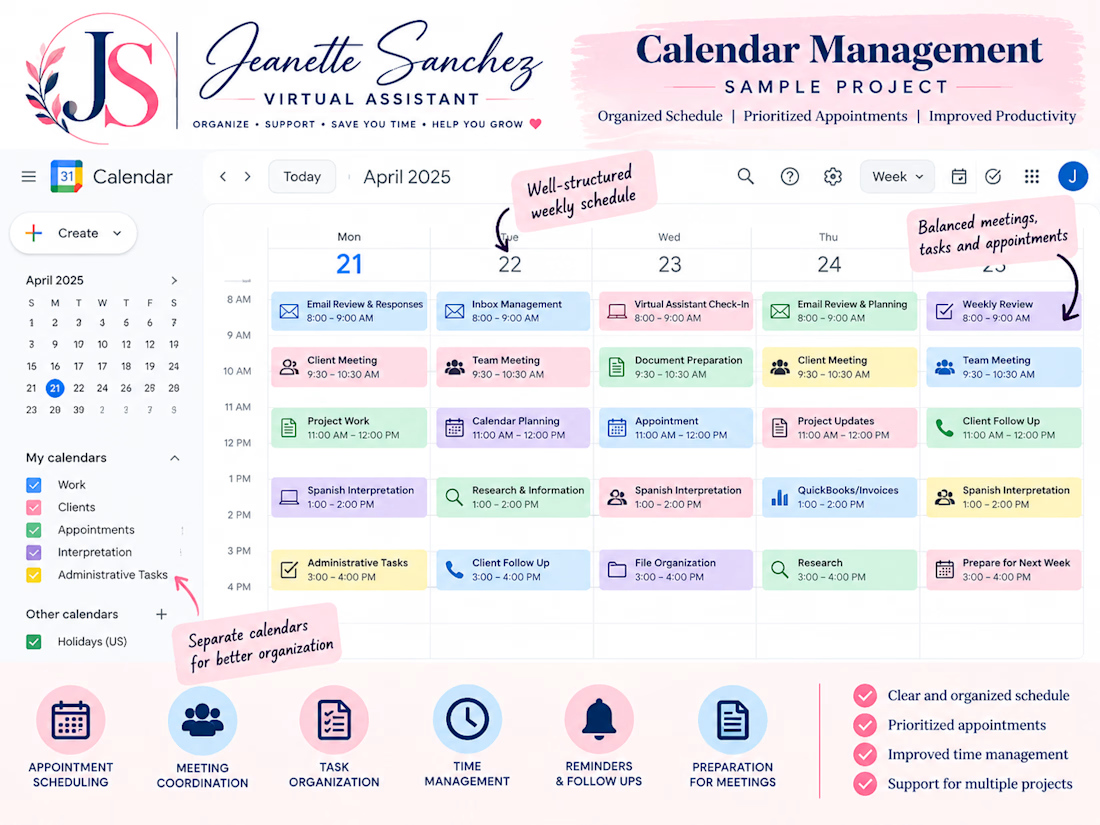
Virtual Assistant Practice Project – Email & Calendar Management
I completed hands-on practice using Gmail and Google Calendar to organize emails, create labels, manage appointments, schedule meetings, and track follow-ups.
This sample project demonstrates my organizational skills, attention to detail, and ability to provide reliable administrative support.


The network for creativity
Join 1.25M professional creatives like you
Connect with clients, get discovered, and run your business 100% commission-free
Creatives on Contra have earned over $150M and we are just getting started








Related posts

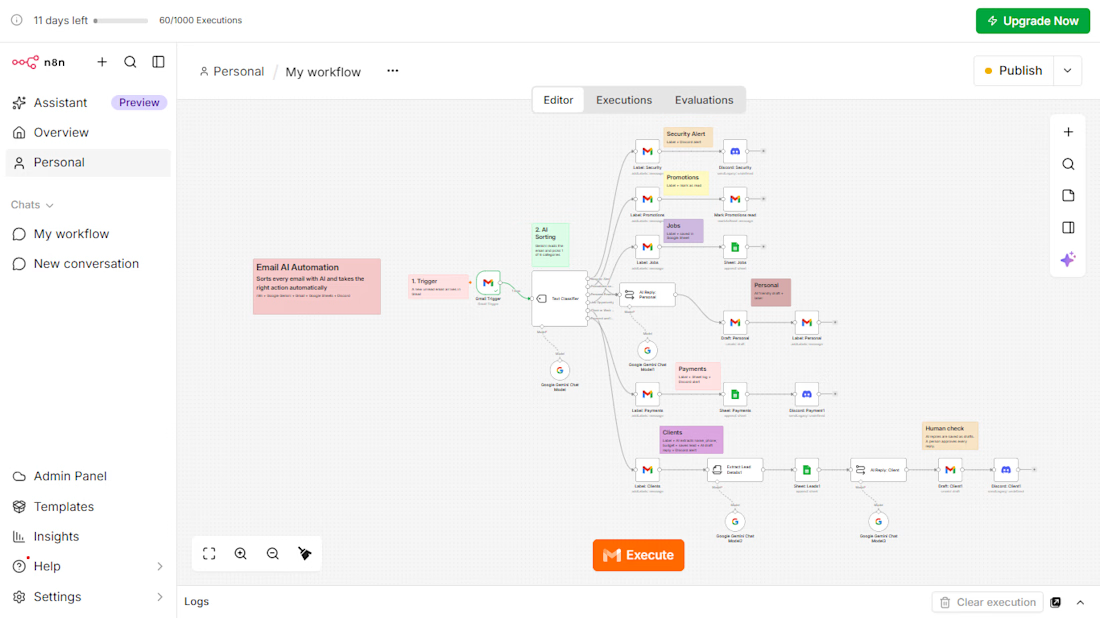
AI Email Automation with n8n and Google Gemini
An AI workflow that reads every incoming email, sorts it into 6 categories, and takes the right action automatically.
The problem: businesses lose time and leads because customer emails are mixed with promotions, job alerts, and security emails.
What I built:
Gmail Trigger that picks up each new email
AI Text Classifier (Google Gemini) with 6 categories: Security Alert, Promotions, Jobs, Personal, Payments, and Client Inquiries
Automatic Gmail labels for every category
Google Sheets log for jobs, leads, and payments
AI information extraction for client emails (name, phone, service, budget)
AI-written reply drafts for client emails, saved as drafts so a person approves every reply
Instant Discord alerts for security, payment, and client emails
Tools: n8n, Google Gemini, Gmail, Google Sheets, Discord
This project is a working demo built on my own inbox. The same system can be adapted to any business email, such as travel agencies, event venues, stores, recruiters, and consultants.


Excellent automation workflow! 👏 Great use of AI classification, smart data extraction, and human approval to make email management more efficient.

Just built something I'm excited about — a Make.com automation that logs every Gmail email into Google Sheets automatically (subject, sender, date), checked every 15 minutes. No more manual copying, ever.
The part I'm proudest of: the client connects their own accounts with one click each. I never see a password.
Now offering this as a service for small businesses drowning in inbox chaos. What boring repetitive task would YOU automate first? 👇


Great automation! 🙌 I'd automate lead follow-ups first to save time and avoid missing potential clients.