The network for creativity
Join 1.25M professional creatives like you
Connect with clients, get discovered, and run your business 100% commission-free
Creatives on Contra have earned over $150M and we are just getting started
Back to feedPost
Figma + ChatGPT = ❤️
Did you know you can tag Figma in ChatGPT chat and prompt it to do design work? In this article, I want to share my top 4 favorite use cases for using Figma right in the ChatGPT chat window.
1. Instant design critique for real screens
What to know what other people think about your design, but don’t have access to real users? No problem, you can use ChatGPT for that.
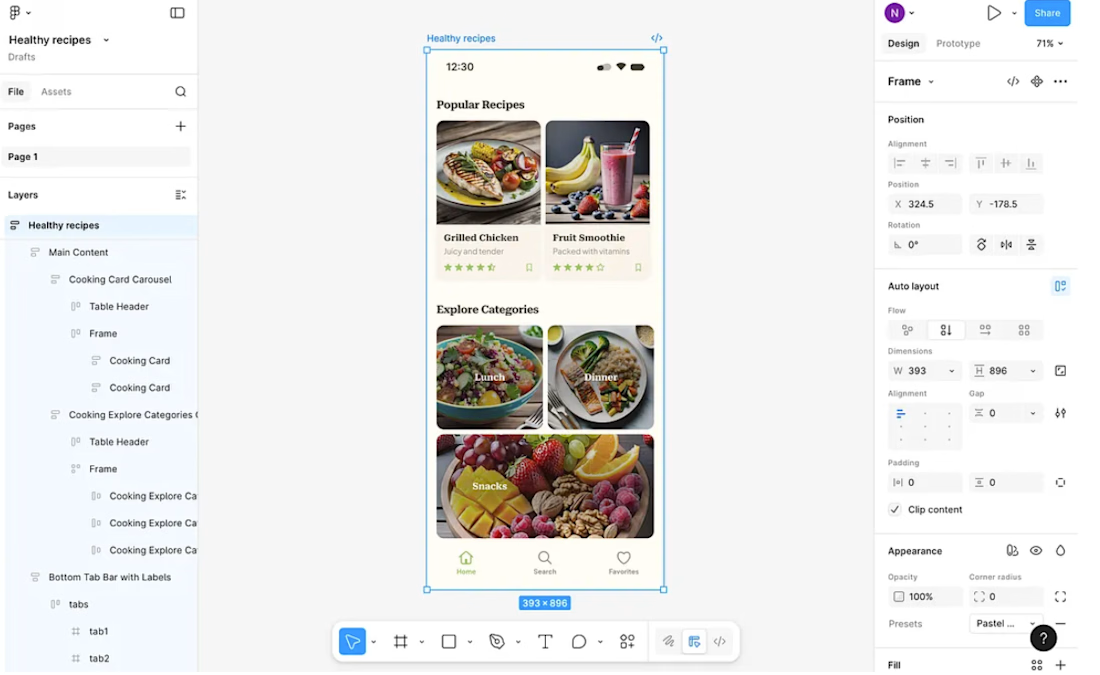
Suppose I have this design of a healthy food recipes mobile app and want to audit it (side note: this design was generated using Figma First Draft).
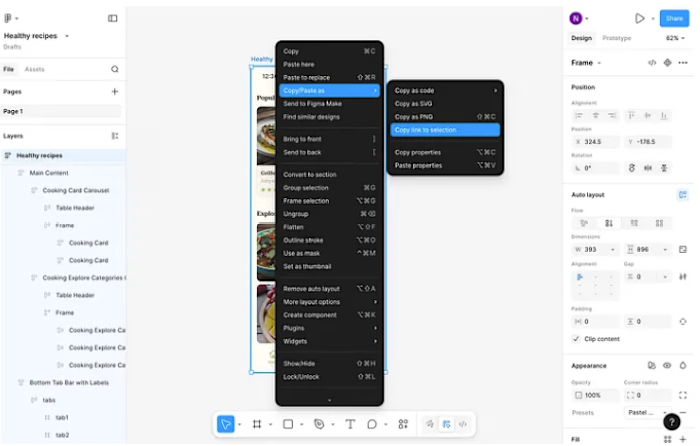
I will click on the frame and copy the link to a section (this will point ChatGPT to the exact screen on this canvas).
Now I jump to ChatGPT and in the prompt window type [tag]


Figma and choose Figma from the list of available options:
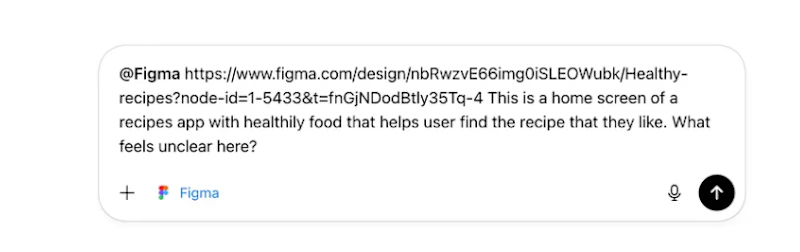
Next, I need to paste a link to the section and prompt ChatGPT to perform an audit. Before explaining the task at hand (visual & functional audit), I need to create a proper context for AI, so I will briefly explain the app’s purpose and key jobs to be done.
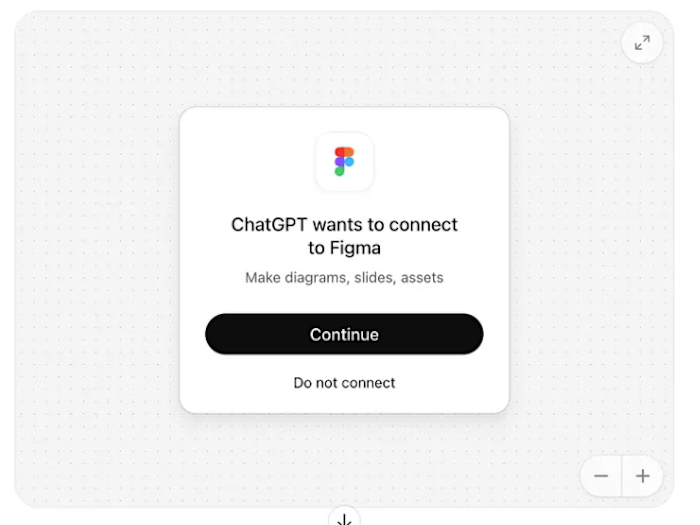
If you’re doing this for the first time, ChatGPT will ask you to connect to Figma. Don’t worry, it takes around a minute to establish a connection.
Press enter or click to view image in full size
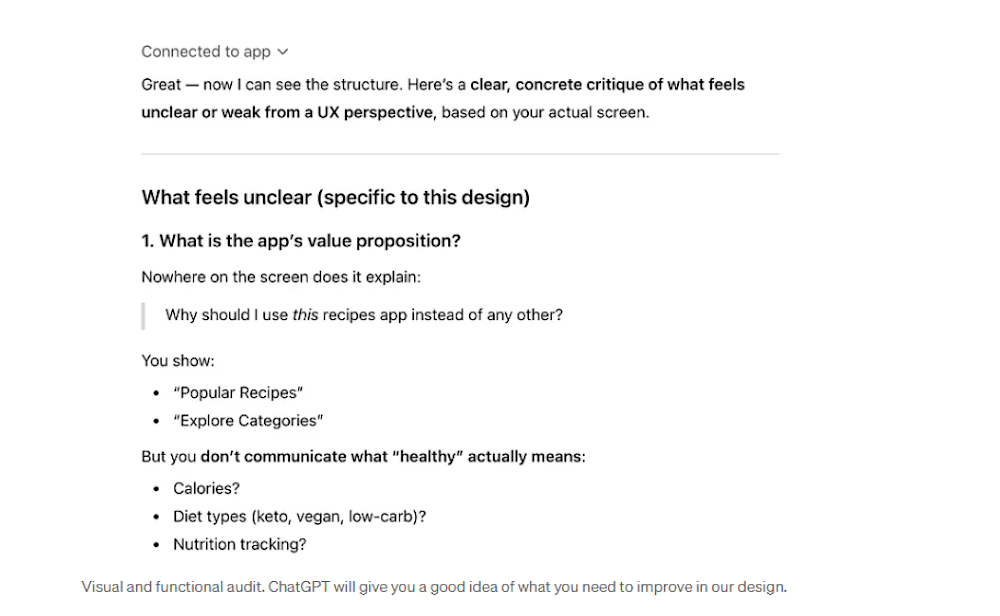
After that, you will ask ChatGPT to do the task. If the tool establishes a...
The network for creativity
Join 1.25M professional creatives like you
Connect with clients, get discovered, and run your business 100% commission-free
Creatives on Contra have earned over $150M and we are just getting started
Related posts



Healthcare Management Dashboard 👇
Check it out
Tools Used
• Figma
• Auto Layout
• Components & Variants
• Design System
• Prototyping
Services
• UI/UX Design
• Product Design
• Dashboard Design
• Web Design
• Mobile App Design
• SaaS Design
Let's create meaningful digital experiences that people love to use. 🚀


⚠️ SPOILER
This short film follows an older woman with Alzheimer’s as she relives a memory loop from her younger years, when she was preparing for an important exhibition at the height of her artistic career. 🎨
What first feels like a young artist’s present moment slowly reveals itself as a fragment of memory, seen through the mind of the woman she becomes. 🕰️
🎬 Created in Renoise
🎧 Music generated with Suno
✨ Built as a cinematic AI short with an emotional final twist
🗣️ Voices created with ElevenLabs
I’ll add my workflow video in the comments soon, showing how I built the scenes and the process behind the film. 🛠️
#RenoiseChallenge



Love it GREAT WORK! Would love to know your opinion on my submission as well.. Good luck!




Trending

Claude
Claude has entered the design space. How are you using Claude Design?

Contra University
Learn from expert creatives how to earn more using next-gen AI tools.

MagicPath
The canvas is infinite, and exploration is becoming the workflow. How are you using MagicPath?
creativeaiflow
Creative AI workflows are evolving. What tools do you use, and what are their strengths and weaknesses?
freelancerlife
Freelancer life is wins, pivots, and everything in between. What’s yours right now?