The network for creativity
Join 1.25M professional creatives like you
Connect with clients, get discovered, and run your business 100% commission-free
Creatives on Contra have earned over $150M and we are just getting started
Back to feedPost

How Restaurants Can Rank on Google Maps
Many restaurants struggle to appear on Google Maps, even when they offer a great menu or proficient customer services. The truth is that ranking locally is not just about having a business listing—it’s about optimizing it properly.
Here are 5 simple ways Restaurants can improve their Google Maps ranking:
Fully Optimize Your Google Business Profile
Complete every section of your profile—business description, categories, services, operating hours, and contact information. The more complete the profile is, the more trustworthy it appears to Google.
Collect More Customer Reviews
Reviews play a major role in local rankings. Encourage satisfied customers to leave honest feedback and always respond to reviews to show engagement.
Use High-Quality Photos
Businesses with regular photo uploads often receive more clicks and engagement. Add photos of your location, menu pictures, services, and team.
Post Updates Regularly
Posting updates, offers, the launch of new delicacies, or announcements keeps your profile active and signals to Google that your business is engaged with customers.
Ensure Consistent Business Information
Your business name, address, and phone number should be consistent across your website and online directories.
Ranking on Google Maps doesn’t happen overnight, but consistent optimization can significantly increase your local visibility and customer inquiries.
If you're a business owner, improving your local presence on Google could make a big difference in how customers find you.
#LocalSEO #GoogleBusinessProfile #SmallBusinessTips #GoogleMaps #DigitalMarketing

The network for creativity
Join 1.25M professional creatives like you
Connect with clients, get discovered, and run your business 100% commission-free
Creatives on Contra have earned over $150M and we are just getting started



Related posts

Your website is slow — and it's costing you customers before they even see your offer.
Google's own data says 53% of mobile visitors leave if a page takes more than 3 seconds to load. Portent found sites loading in 0–2 seconds convert far better than anything slower, and Akamai's research puts a 1-second delay at roughly 7% fewer conversions. For a small business website, that's not a technical detail — that's lost enquiries every single week.
The good news: most slow sites aren't slow because of hosting. They're slow because of five fixable things.
1. Images that were never resized. A 4MB photo uploaded straight from a camera becomes the whole page weight. Resize to the display size, compress it, and serve WebP — this alone often cuts load time in half.
2. Too many plugins doing the same job. I've opened WordPress sites running 40+ plugins — three slider plugins, two form plugins, four SEO tools. Audit ruthlessly: if a plugin isn't earning its place, remove it. One tool per job.
3. No caching or CDN. Without page caching, every visitor makes your server rebuild the page from scratch. A free Cloudflare setup plus a caching plugin is a 20-minute job that changes everything.
4. Fonts loading like it's 2015. Five font weights from Google Fonts, render-blocking. Use two weights max, font-display: swap, and host locally where you can.
5. JavaScript blocking the page. Chat widgets, tracking scripts, popups — all loading before your content. Defer what's below the fold and load scripts after the page renders.
Check your site against Google's Core Web Vitals: LCP under 2.5 seconds, interaction under 200ms, layout shift under 0.1. If LCP is over 4 seconds, start with images — that's the culprit in most sites I audit.
We've rebuilt and optimised 300+ WordPress and Shopify sites for small businesses in the UK, US and UAE, and the pattern is always the same: the slow sites aren't the cheap-hosting ones, they're the ones nobody ever audited.
Which of these five is slowing your site down right now? Drop a comment — or message me and I'll take a quick look.



Slow websites silently lose leads, so start with a technical SEO audit to identify speed bottlenecks, broken resources, and performance issues before they hurt conversions. Tools like SerpSpur can help uncover website issues and prioritize fixes before visitors leave.

Hi Contra, I'm Loke from Winslov Media in Copenhagen 👋
I help Shopify and DTC brands with Meta ads, from setup and testing to the creatives that stop the scroll.
I like ads that don't look like ads. A search bar, a sticky note, a bit of simple math. They feel like content, so people actually read them.
Here are 4 new concepts I made for fictional brands to show the style.
I'm taking on a few new brands in the UK and US. If your Meta ads feel stuck, send me a message.
Which one would make you stop scrolling?
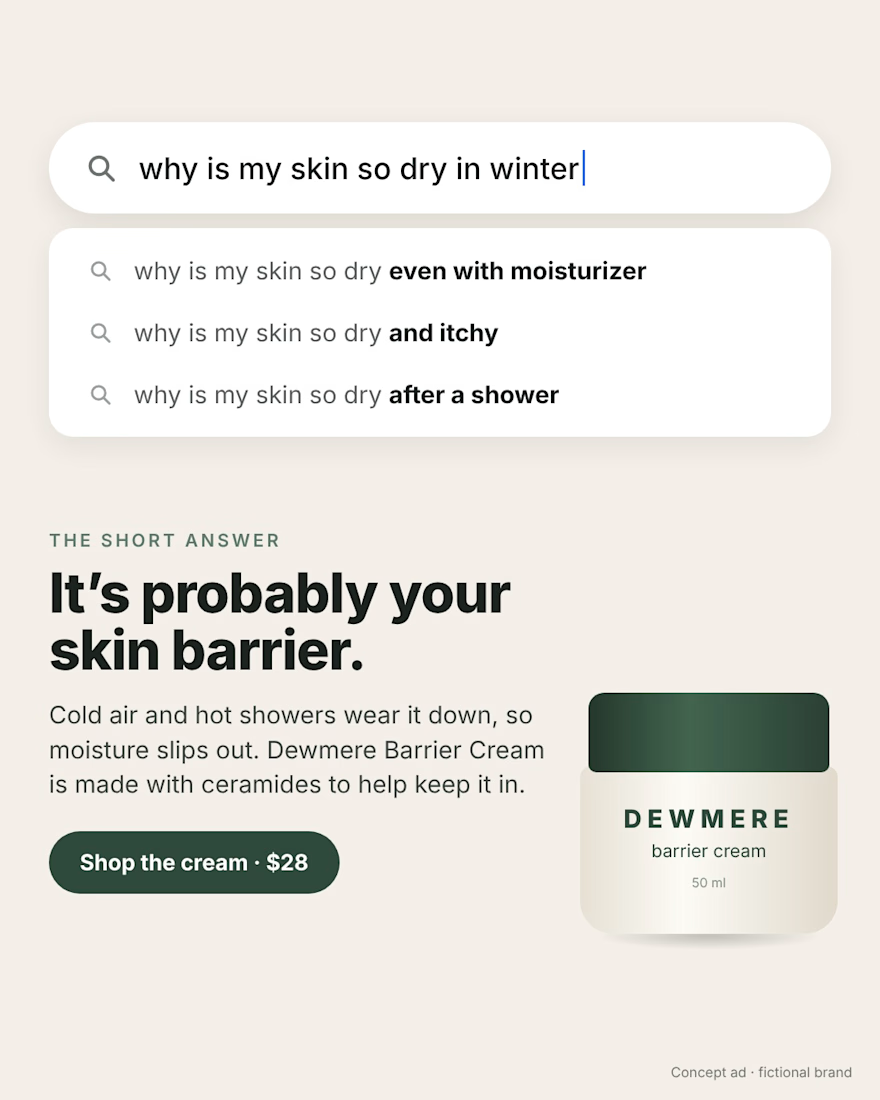
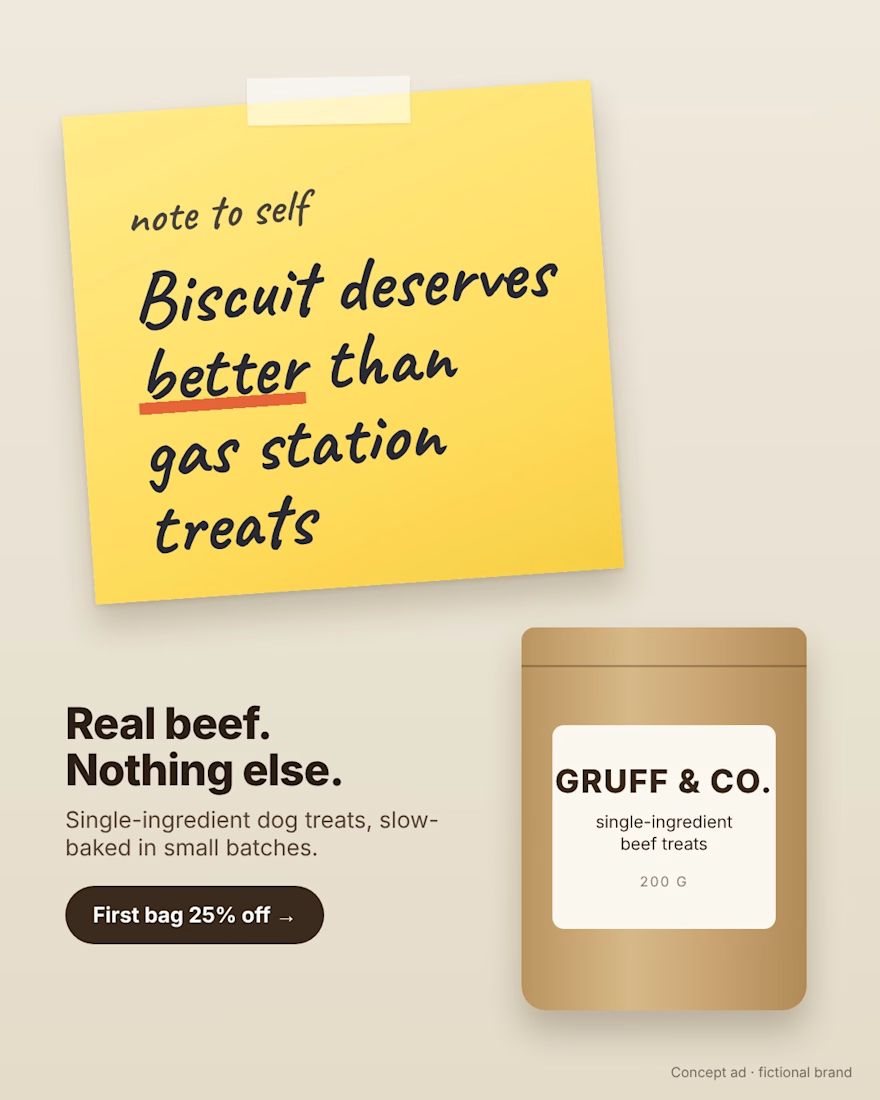
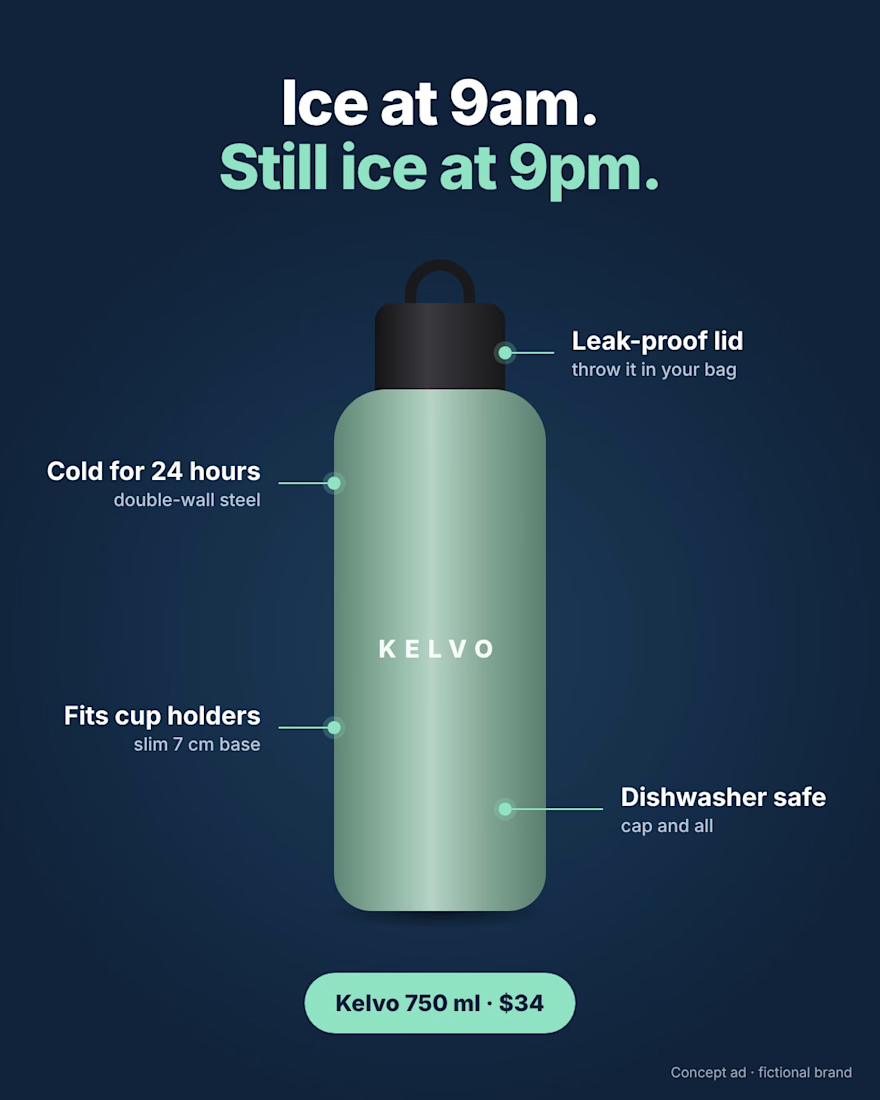
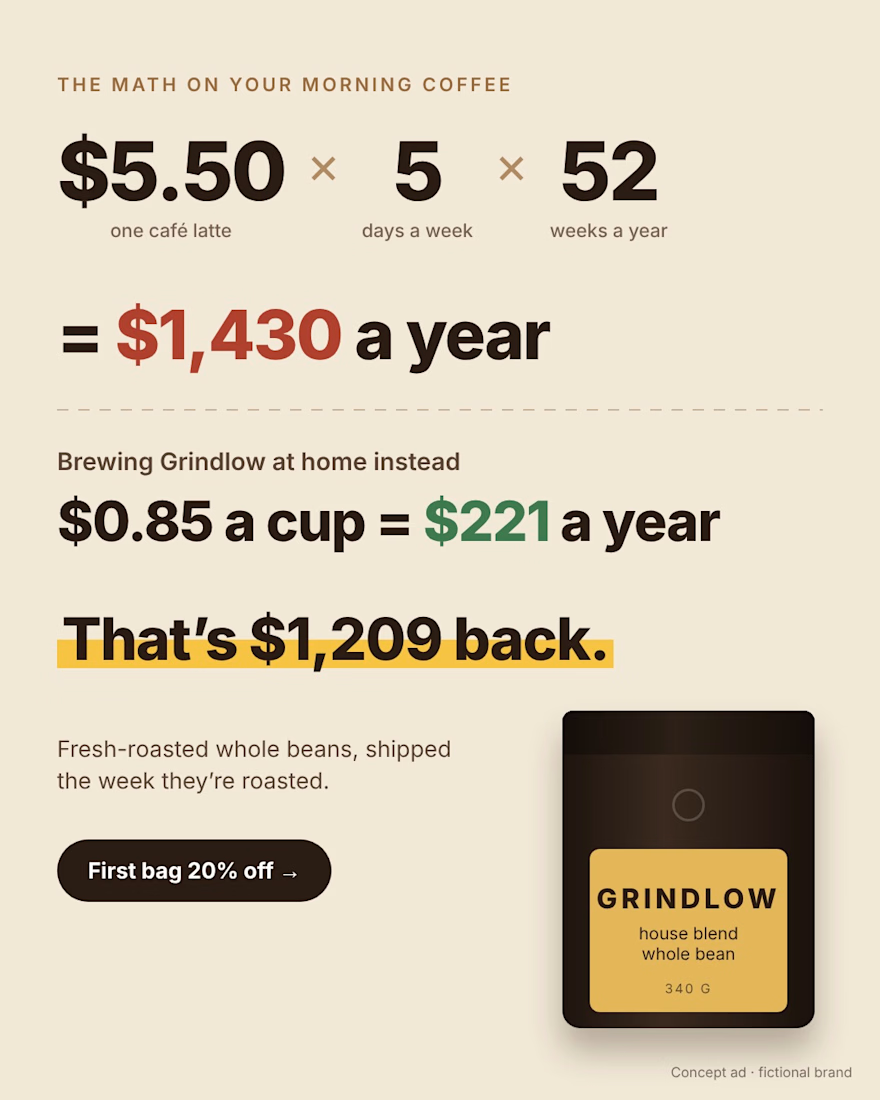

The yellow sticky note ("Biscuit deserves better than gas station treats") stops me first: a human voice and one colour pop on a quiet layout. The $1,209 back math ad is a close second, the number does the selling.

Hey! I just made a new Framer template for people in the fashion industry. It’s called Bold Editorial.
The homepage is your work, full screen, flashing from one picture to the next, so visitors see what you do the second they land. Around it is a clean editorial look with bold type that keeps the attention on the pictures.
Everything runs on the Framer CMS and it’s fully customizable, so you can add projects, swap the colours and fonts, and make it yours without touching code.
Available on the Framer Marketplace and here:
https://supercliche.com/products/bold-editorial
Comment 🖤 and I’ll send you a 25% discount code in your DMs.


