The network for creativity
Join 1.25M professional creatives like you
Connect with clients, get discovered, and run your business 100% commission-free
Creatives on Contra have earned over $150M and we are just getting started
Back to feedPost
🔥 Part 2: Most people choose the wrong tool (and realize it too late)
After my previous post (if you missed it, it’s right above 👇):
https://contra.com/community/AY33Lcxh-word-press-vs-framer-choose-the-best
One thing became obvious: people don’t choose between WordPress and Framer… They choose based on what feels easier right now.
Not what they’ll need in 6–12 months.
❗️And that’s where problems start.
Framer feels amazing at the beginning:
- fast to launch
- clean UI
- no complexity
But growth introduces friction:
- custom features
- integrations
- scalability limits
WordPress feels heavier upfront:
- setup
- structure
- decisions
But later?
- more control
- more flexibility
- fewer hard limits
👉 The real mistake isn’t choosing WordPress or Framer. It’s choosing without a time horizon.
So here’s a harder question:
👉 Are you building for:
- the next 2 weeks
or
- the next 2 years?
Because your answer already decides the tool.


I used Wordpress for 10 years and 1 day using Framer made me question them years.
I instantly switched.
The thought of going back to Wordpress makes me cringe to be honest.
With the design capabilities and speed Framer is advancing
I think Wordpress could easily end up like...


Totally get that reaction - Framer does feel like a breath of fresh air after years of WordPress.
The speed, the visual control, the lack of friction - it’s hard to ignore.
And you’re right: the fact that people even compare it to WordPress at this stage says a lot about where...
The network for creativity
Join 1.25M professional creatives like you
Connect with clients, get discovered, and run your business 100% commission-free
Creatives on Contra have earned over $150M and we are just getting started
Related posts


We’re choosing the motion for an AI analytics product demo, and I can’t decide.
Both clips show the same flow. Someone asks a question in plain English. The agent checks permissions, plans the query, runs it past guardrails and builds the dashboard.
1. A walks you through each step as it happens.
2. B skips the steps and drops you straight onto the result.
A shows the work. B shows the speed. For a landing page I keep going back and forth.
Which one would make you trust the product more? Comment A or B, and tell me why.
3 voted
100%
0 voted
0%
3 votes
Closed

I think according to your query the output should consist on a list of clients with late invoices rather then showing charts etc,

Mary Holt© is climbing again 📈
after a small dip over the past few days, it’s now sitting at #39 overall and #16 in the designer category on the framer marketplace.
still crazy to see!!
the template: https://www.framer.com/marketplace/templates/mary-holt/
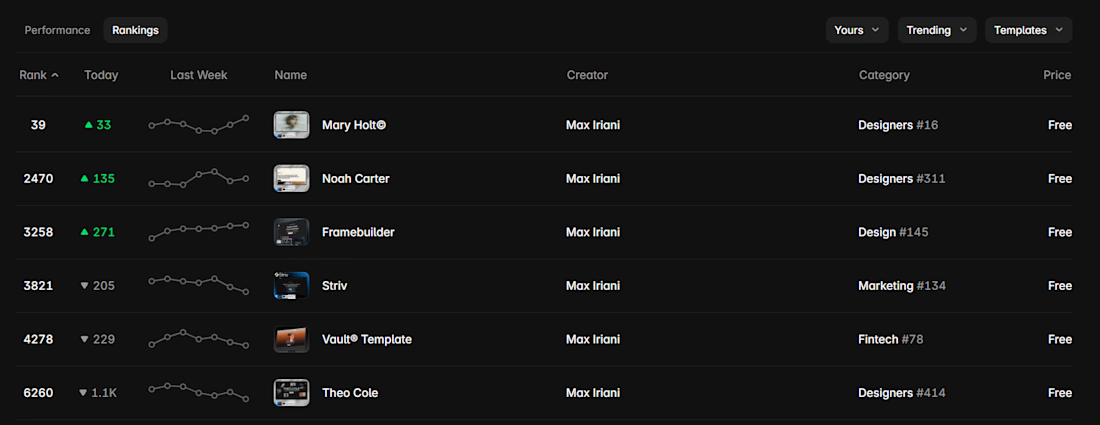


#16 in the designer category after a dip is still solid. what do you think pushed it back up?

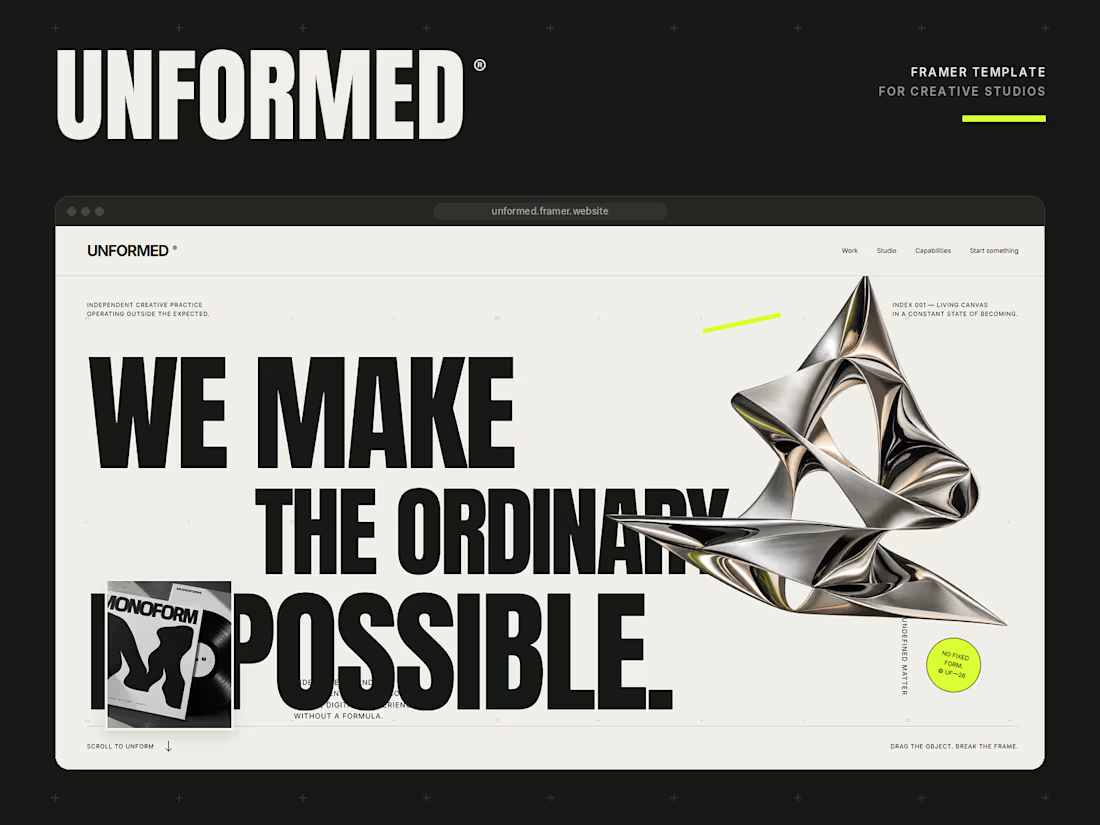
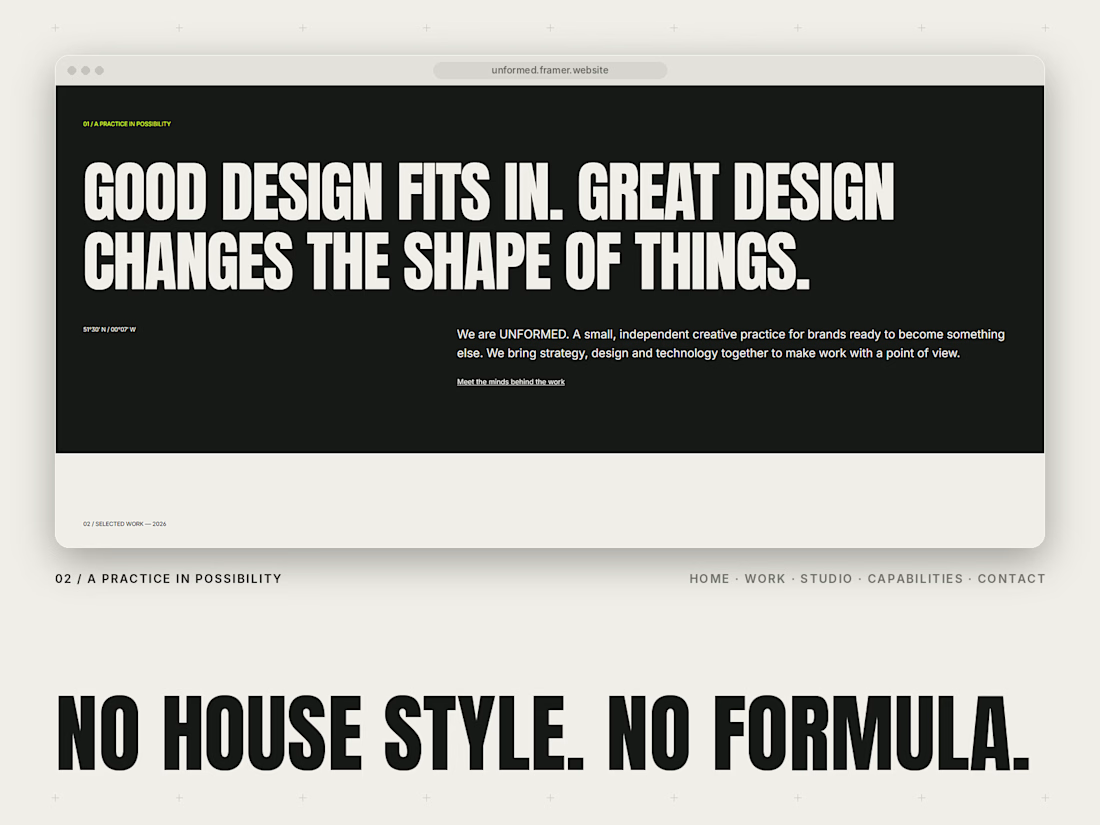
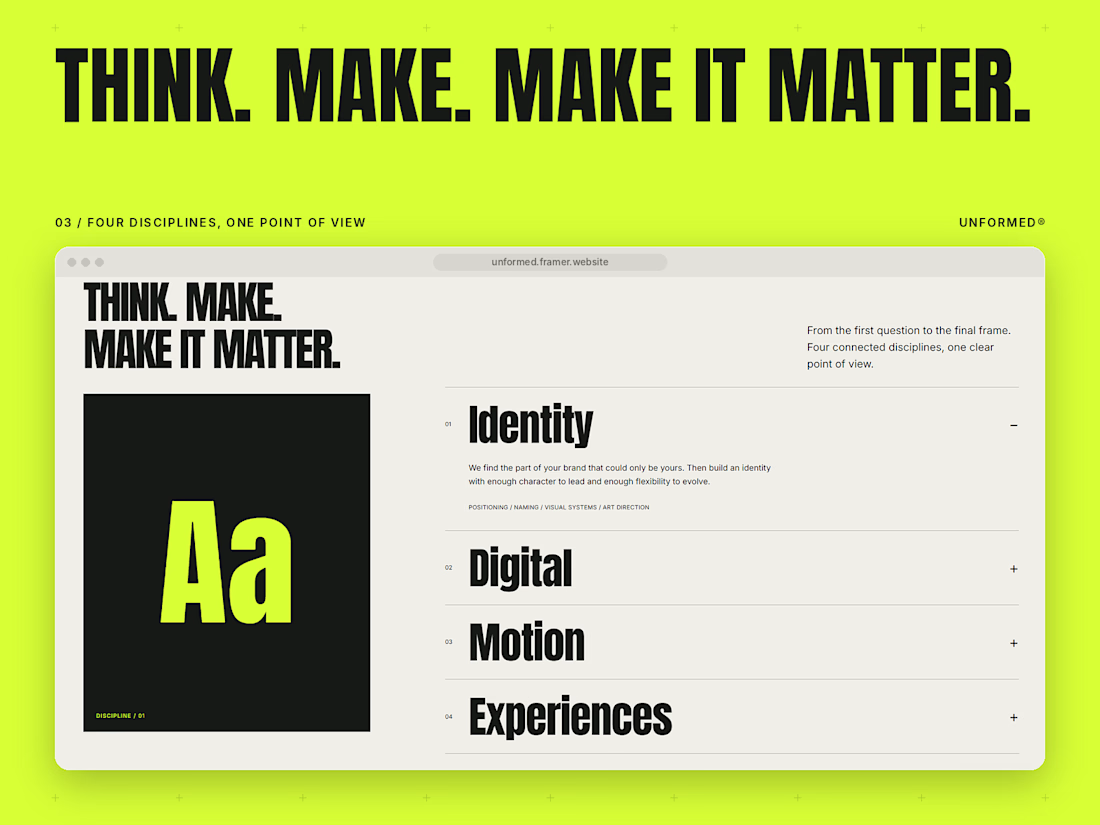
Meet UNFORMED, my new Framer template for independent creative studios and agencies. 🖤💚
I wanted to build something that doesn’t play it safe. Most studio sites look the same, so this one leans into huge condensed type, a warm off-white and black palette, and one loud lime accent.
A few things I’m proud of:
A draggable chrome object in the hero. Grab it and break the frame.
A type experiment where visitors drag the words to make their own composition, and it works by keyboard too.
CMS case studies, an accordion services section and a live local clock.
Fully responsive, with clean text and colour styles and a template guide to help you set it up.
Pages: Home, Work, Project, Studio, Capabilities, Contact and a Template guide.
Built for studios that want their site to have a point of view. Would love to hear what you think.