The network for creativity
Join 1.25M professional creatives like you
Connect with clients, get discovered, and run your business 100% commission-free
Creatives on Contra have earned over $150M and we are just getting started
Back to feedPost

The four-record check you can run on your own sending domain in five minutes
Before you send a single cold email from a new domain, four DNS records decide whether you land in the inbox or in spam. All four are public, so you can check any domain from outside, with no login.
MX: does the domain publish mail servers at all? No MX, no receiving mail, and replies go nowhere. Our example domain: PASS.
SPF: exactly one record starting v=spf1, naming the services allowed to send for the domain. Two SPF records is a fail. Example: PASS.
DKIM: a record holding a public key, so receivers can verify the sending service signed the mail. Example: PASS.
DMARC: a record starting v=DMARC1 with a policy. Stated plainly: the example domain's policy is p=none, monitor only. The record is valid and the check passes, but monitor-only means failing mail is reported, not blocked.
That is the whole self-check: MX, SPF, DKIM, DMARC, all readable from public DNS in about five minutes. The example domain here is getopenstateaccounts.com, and all four records pass.
FileCraft Desk offers cold email infrastructure setup as a service on Contra.
The network for creativity
Join 1.25M professional creatives like you
Connect with clients, get discovered, and run your business 100% commission-free
Creatives on Contra have earned over $150M and we are just getting started



Related posts


How far should a visitor scroll before they see proof?
On most course sites, proof lives five sections down, after the method, the bio and the pricing. Most visitors never get there.
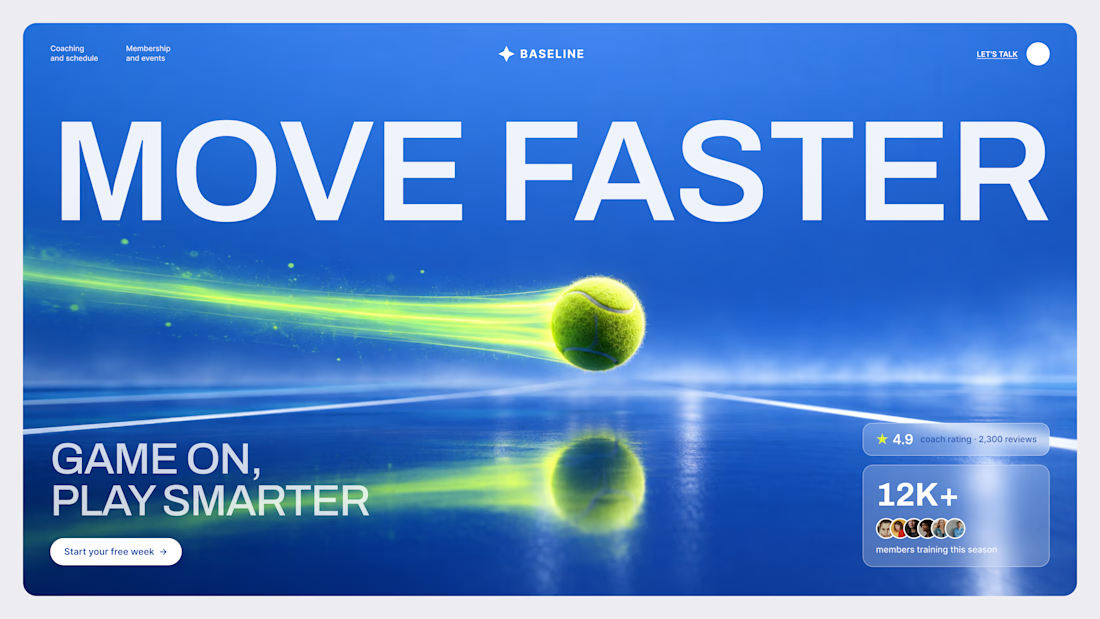
For a client’s tennis coaching membership, we moved a slice of proof into the hero itself:
Two numbers, not a wall. A 4.9 coach rating and “12K+ members” with a row of small faces. Not testimonials, just a signal.
Glass, not a banner. Both chips float over the image with a soft blur, so they read as part of the scene, not as an ad.
The full stories stay below. The hero gives the signal, the testimonials section gives the detail.
Proof works best before the first scroll.
Where does proof live on your homepage? 🎾

Agree, proof in the hero is underrated. I'd add one thing for coaching sites: a short real result next to the button ("from 3 to 5 sessions a week" style) beats a star rating, because it answers "will this work for me?" right where people decide.

Created a terminal-inspired website for AgentMail, presenting its agent-focused email features, use cases, and setup instructions.


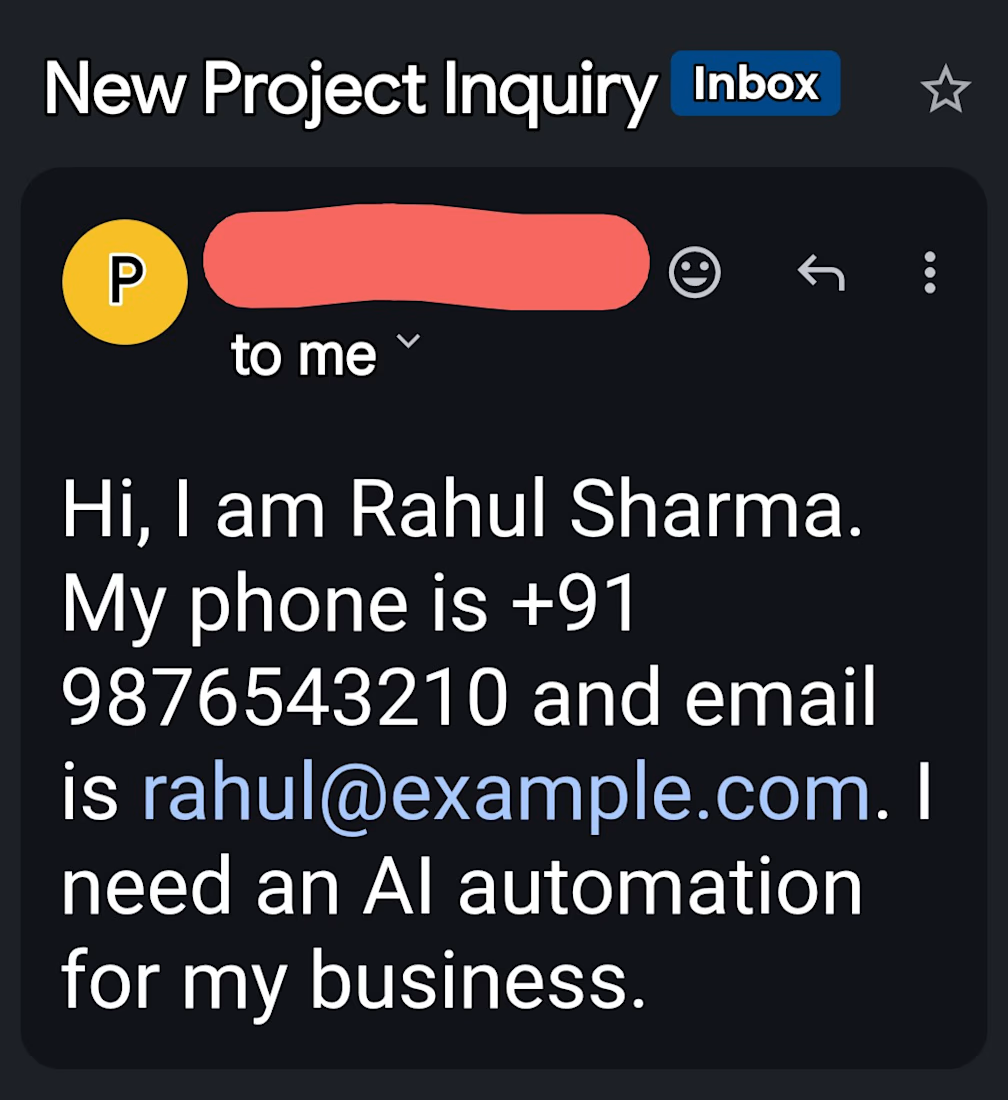
Stop wasting hours manually copying client details from emails into spreadsheets! 🛑
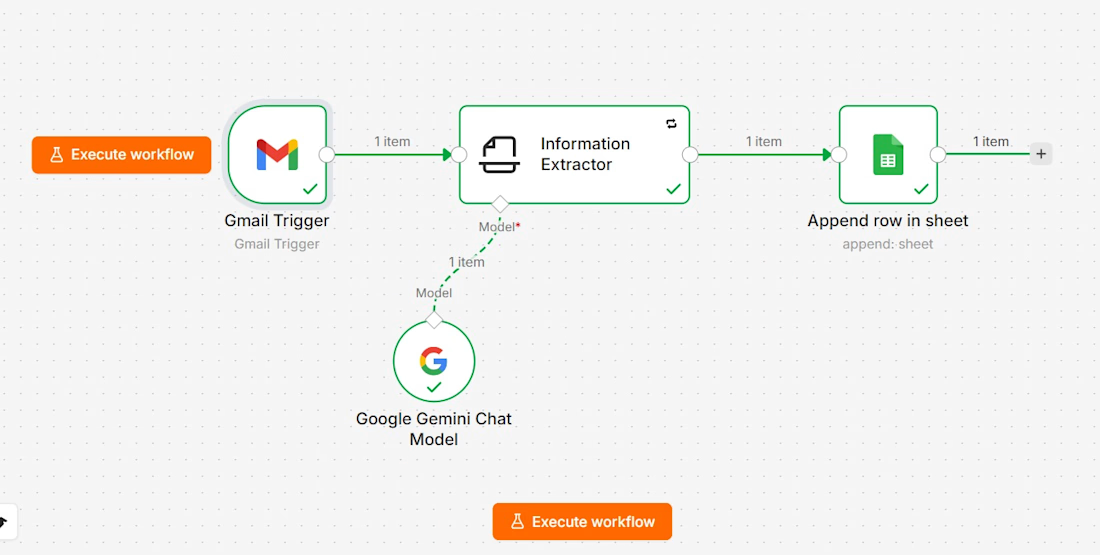
I built an AI-Powered Email-to-Sheets Lead Capture & Data Entry Automation using n8n and Google Gemini AI.
How It Works:
1️⃣ Auto-Trigger: Instantly detects every new inquiry email arriving in Gmail.
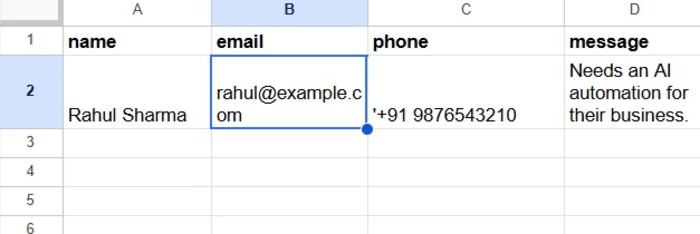
2️⃣ AI Data Extraction: Google Gemini AI reads the email body and accurately extracts the client's Name, Email, Phone Number, and Inquiry Summary.
3️⃣ Instant Logging: Automatically organizes and saves all structured data into a Google Sheet within seconds—no human intervention needed.
Key Business Benefits:
✅ Saves 5–10+ Hours Every Week: Eliminates repetitive manual data entry forever.
✅ 100% Accuracy: Removes human copy-paste errors and ensures no lead is ever missed.
✅ Faster Lead Follow-Up: Keeps your pipeline organized in real time so you can close deals faster.
✅ Works 24/7: Captures and logs leads automatically even while you sleep.
Ready to automate your repetitive business tasks and save valuable time?
📩 Send me a DM or comment "AUTOMATE", and let's build a custom automation system for your business!
#AIAutomation #n8n #WorkflowAutomation #LeadGeneration #DataEntry #BusinessGrowth #NoCode #Productivity