The network for creativity
Join 1.25M professional creatives like you
Connect with clients, get discovered, and run your business 100% commission-free
Creatives on Contra have earned over $150M and we are just getting started
Back to feedPost

Orbit: a Video.js 10 skin you steer with one thumb
Every player puts its controls in a bar along the bottom. I wanted to see what happens if you drop the bar and use a click wheel instead.
One round control floating over the video, inspired by the iPod media controls and game controllers. Play and pause sit in the middle, with the time under it. Around it are four separate buttons: options on top, skip back and forward on the sides, volume at the bottom. The seek bar wraps around the whole thing, flush with the buttons.
Three things to try
→ Drag your finger around the ring to scrub. A preview frame from the Mux storyboard follows you around the circle.
→ Press and hold the volume button, then circle clockwise. It turns up like an iPod wheel.
→ Hold the skip button. It keeps jumping 10 seconds at a time, faster the longer you hold, and shows the running total (+30s, +60s).
What else it does
• Tap the top button and five options fan out above the control: subtitles, settings, cast, picture-in-picture, and full screen. Each opens its own panel upwards, and the control slides down to make room.
• Settings lets you change speed and quality, loop the video, pick the control's size, position (centre, bottom, corner) and colour (six colours, white by default). It remembers your choices.
• Four films sit on a wheel. Spin the semicircle dial at the bottom of the page, and they swing round with it; then the player picks up the one where the wheel stops.
• Light, dark or match-your-system theme for the page. The player stays dark over video in both.
Built for everyone
• Every control works from the keyboard, with a visible focus ring (Space, J/L, arrows, M, C, F, P, 0–9, Esc).
• Screen readers hear real labels. The seek ring reads as a slider ("1:04 of 14:48"), and holding skip announces one summary: "Skipped forward 30 seconds".
• States never rely on colour alone: icons change shape and get a dot when something is on.
• Reduced-motion settings switch off the springs, fan-out and wheel animations.
• Large touch targets, plus tap and double-tap gestures on phones.
How it was built
Orbit is a custom element built on Video.js 10 (@videojs/html 10.3.0). It reads the player store through PlayerController and uses Video.js's own buttons, sliders, gestures, hotkeys, and thumbnails wherever they exist, so labels, keyboard support, and state come for free. The video streams from Mux through the Mux video element, which brings adaptive HLS, Mux posters and thumbnails, and storyboard seek previews. The page itself is built with Vite, Bun, and Tailwind.
The films are Blender open movies (Sintel, Tears of Steel, Big Buck Bunny, Elephants Dream), CC BY.
Mux public playback IDs
Sintel: 31iOy9KXbfCKMwObqF6pWRnFzzCWQ4CquJTuGn02rJFo
Tears of Steel: TjHvp7heA4GNlk9nQ0202yFE0052XKl5y015HANsmTWwn600
Big Buck Bunny: duBClVrzbiqDEv00X6UWW3cGy02vF9C02vwPHstZ6dV9v00
Elephants Dream: s6aWm001zQwJIq91cOjnDCo8fMQeHVSRteD5ylWk5RcQ
The network for creativity
Join 1.25M professional creatives like you
Connect with clients, get discovered, and run your business 100% commission-free
Creatives on Contra have earned over $150M and we are just getting started



Related posts

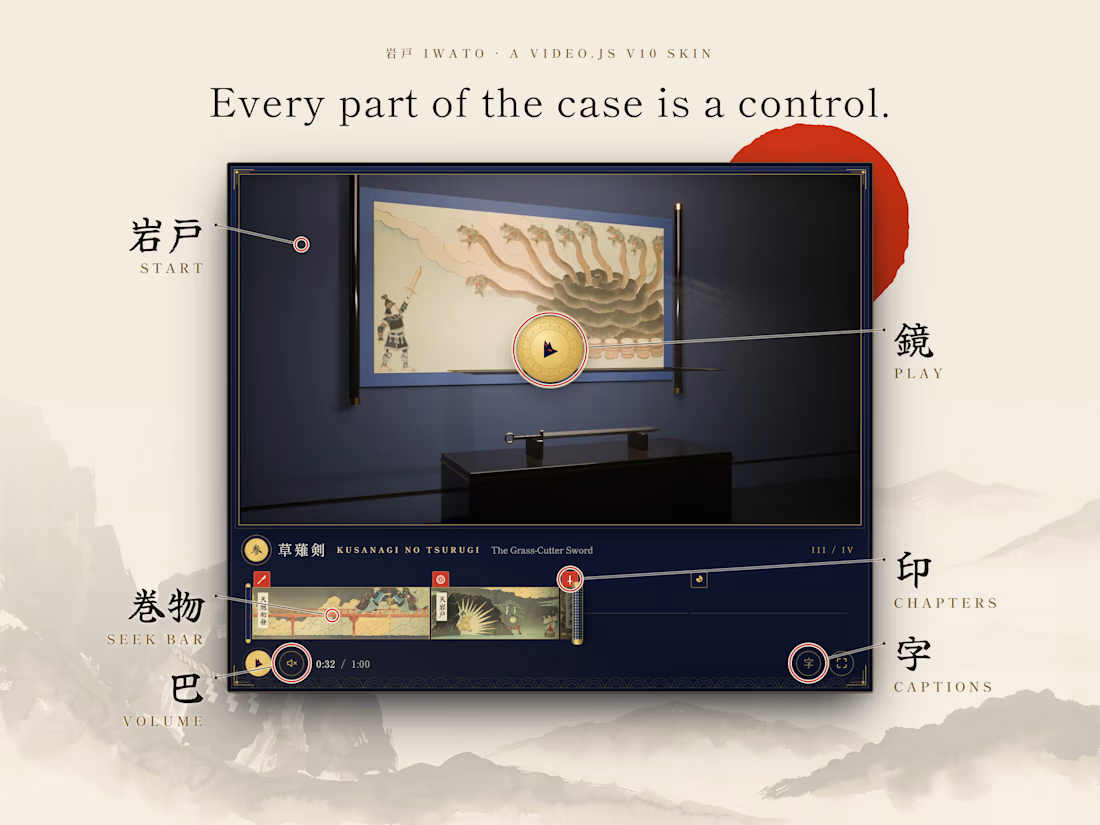
I wanted a video player that felt like it belonged in a museum, so I designed IWATO as a display case where every part of the case is a control.
It's part of a fictional Japanese game I came up with, built around the myth of Ama-no-Iwato, the rock door the sun goddess hid behind. So before the film plays, it waits behind that door. You press the bronze mirror and the door slides open.
The seek bar is a handscroll that unrolls as the film plays, with a painting for each chapter. The seals above it stamp red as you reach each chapter, and you can tap them to jump. The volume is a crest you turn like a dial, the captions button traces 字 in brushstrokes, and every press lets off a little fox-fire.
I made sure it works for everyone too: it's fully usable with a keyboard, passes accessibility checks, and tones down the animations if you have reduced motion on.
I painted the scrolls in Recraft, rendered the museum film manually in Blender, aided with Claude on Video.js v10.

The museum display idea is lovely.

WILDER — Nature in Motion
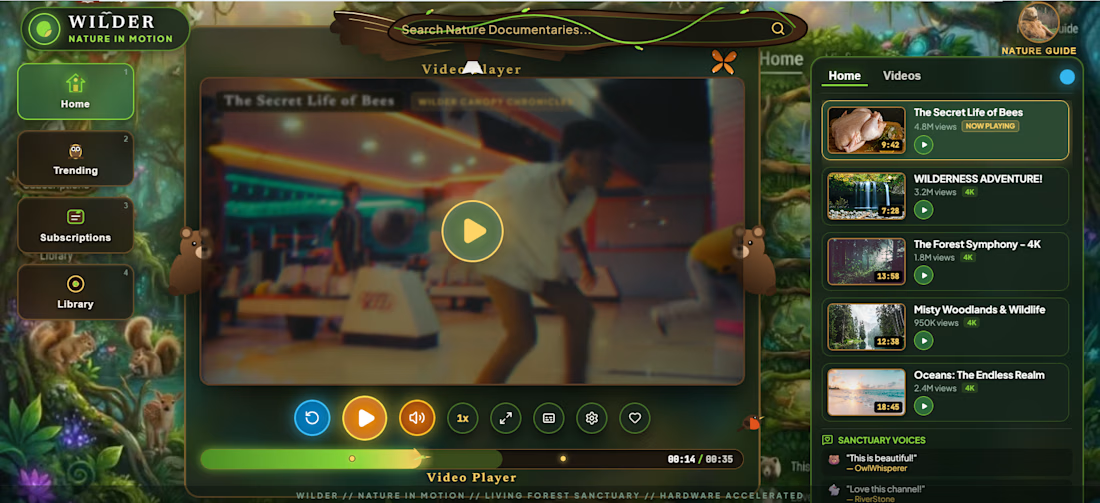
WILDER is an immersive, nature-inspired video player skin built for Video.js v10.
I wanted to move beyond the traditional video player experience and create something that feels like entering a living forest. Inspired by wildlife, birds, trees, waterfalls and natural landscapes, WILDER transforms the viewing interface into an interactive nature environment.
The design combines a richly illustrated forest world, custom nature-inspired controls, immersive visuals and smooth interactions while maintaining the essential functionality of a modern video player.
My focus was to bring together creativity, usability and accessibility in a unique viewing experience.
Built with: Video.js v10, HTML, CSS, JavaScript and custom interactive UI elements.
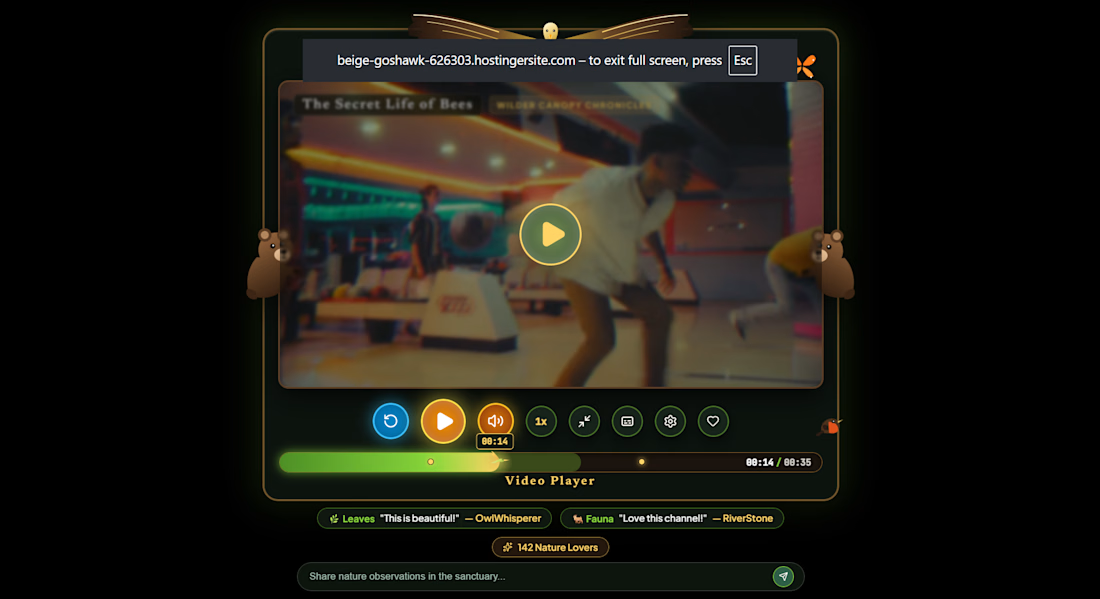

Entering a living forest instead of watching a video, nice mood.

I design Framer websites for B2B brands for a living... then a video player challenge showed up and I lost all self-control 😮💨
Most players on the web look the same: a black box, a thin bar, a play icon you've seen a thousand times. And when a team asks "can the player feel like OUR brand?", the answer is usually "sure, we'll change the colour".
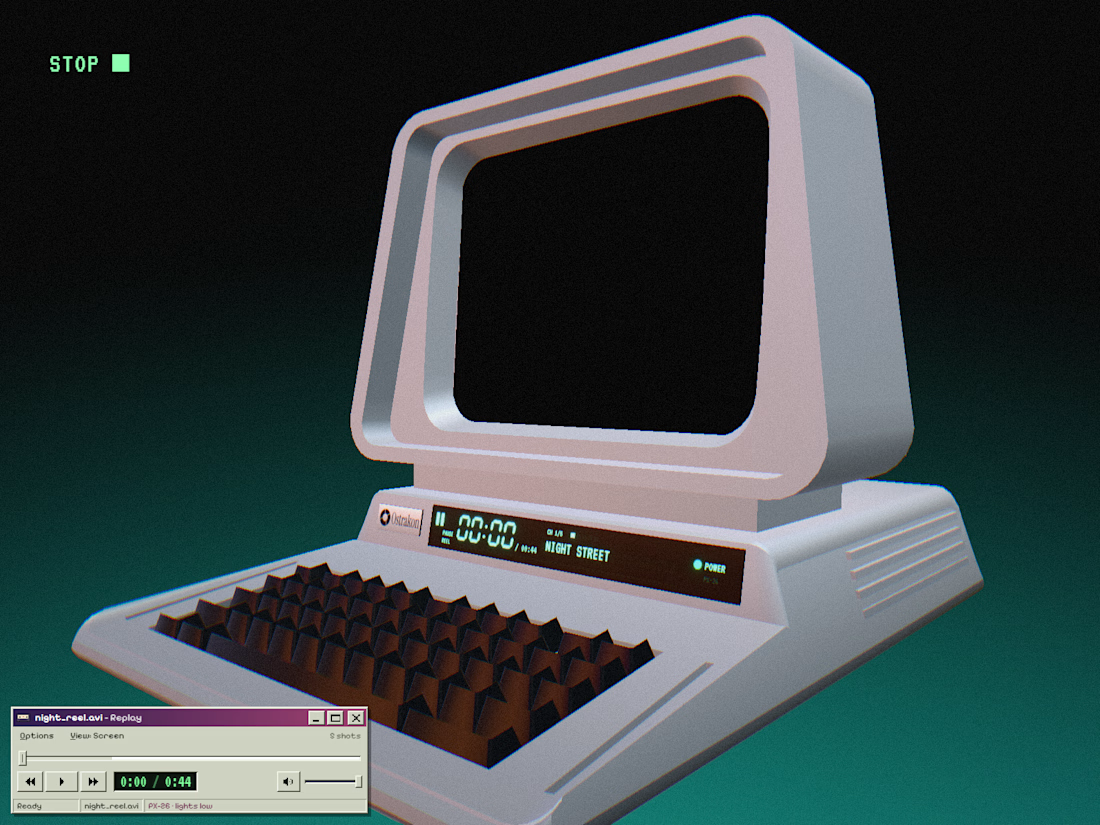
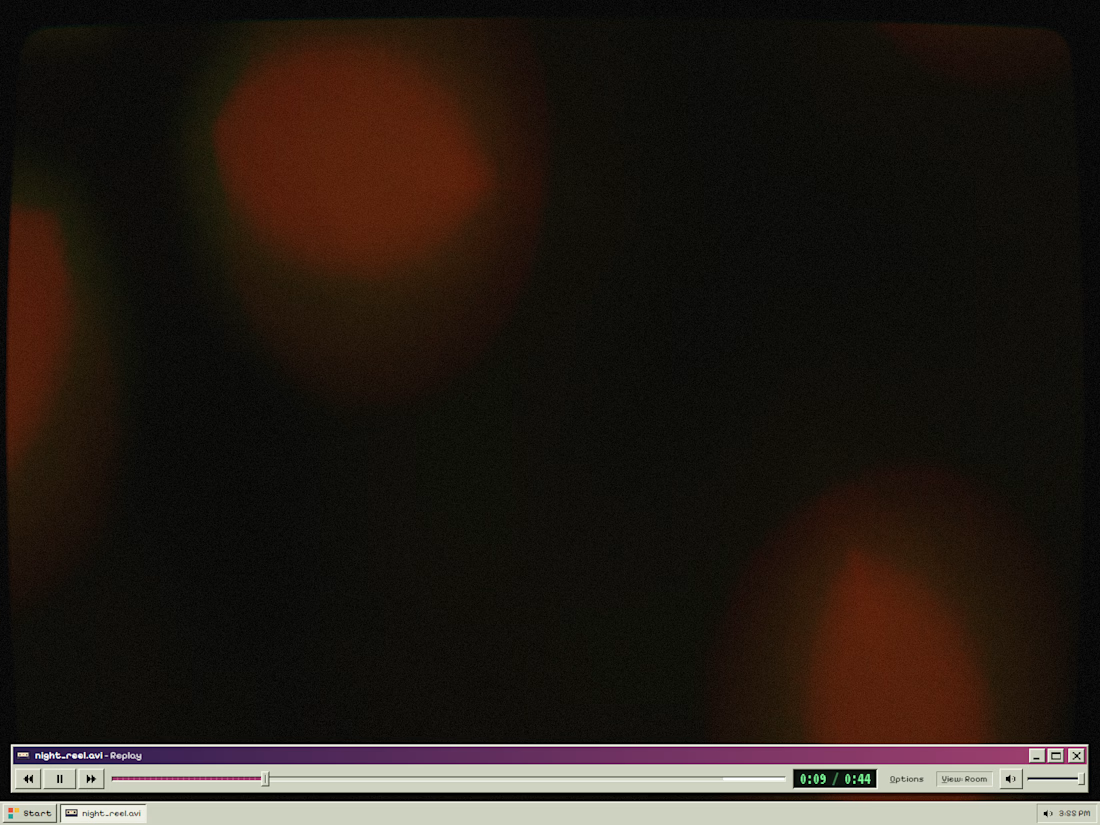
So for the Video.js Skins Design Challenge I built Afterglow 98. A late-90s player window that drives a 3D computer sitting in a dark room. Press play and the camera pushes into the tube while the window tucks away (move the mouse and it comes back). View flips between the screen and the whole room 📺
The look was the fun part. The real work was making it behave like a proper player: Space or K plays, the arrows seek and change volume, F goes full screen, C turns on captions. Chapters, hover thumbnails, a phone layout, and calmer motion for anyone whose device asks for less of it.
To be fair, nobody needs a CRT in their player (I'm aware 🤡). But a skin is the first thing people feel before the first frame... and a grey box never made anyone feel much.
It streams from Mux and it's live on my site's lab page, so you can play it right now 👇
Which one would you ship on your own website, the safe skin or the weird one? 👀
Built to be sent.
Framer design partner for B2B brands and AI startups. DM "site" if yours is next.
#framer #videojs #mux #webdesign