The network for creativity
Join 1.25M professional creatives like you
Connect with clients, get discovered, and run your business 100% commission-free
Creatives on Contra have earned over $150M and we are just getting started
Back to feedPost

Snipline - Save Time Building n8n Workflows with Reusable Snippets
Stop rebuilding the same node sequences from scratch. Snipline is a browser extension for n8n (and Make) that turns your best workflow patterns into a reusable snippet library, so you can build faster and keep your automations consistent.
Why it helps:
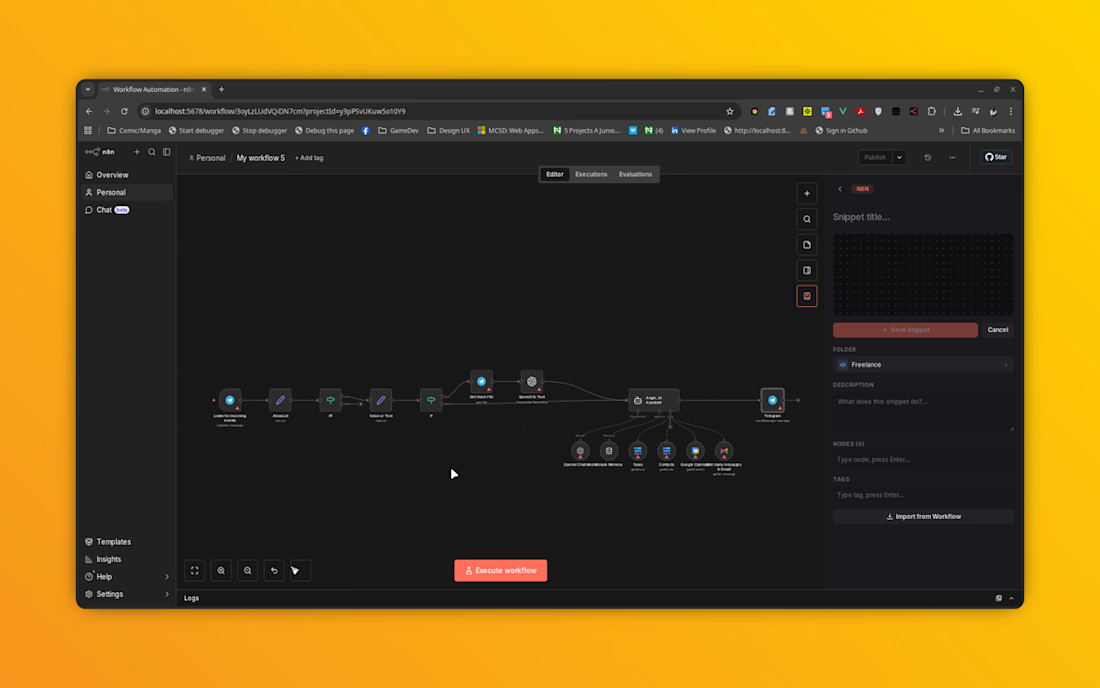
Build once, reuse forever. Select any nodes on the canvas and save them as a snippet in one click, right from the toolbar or a right-click menu. No more recreating the same logic across projects.
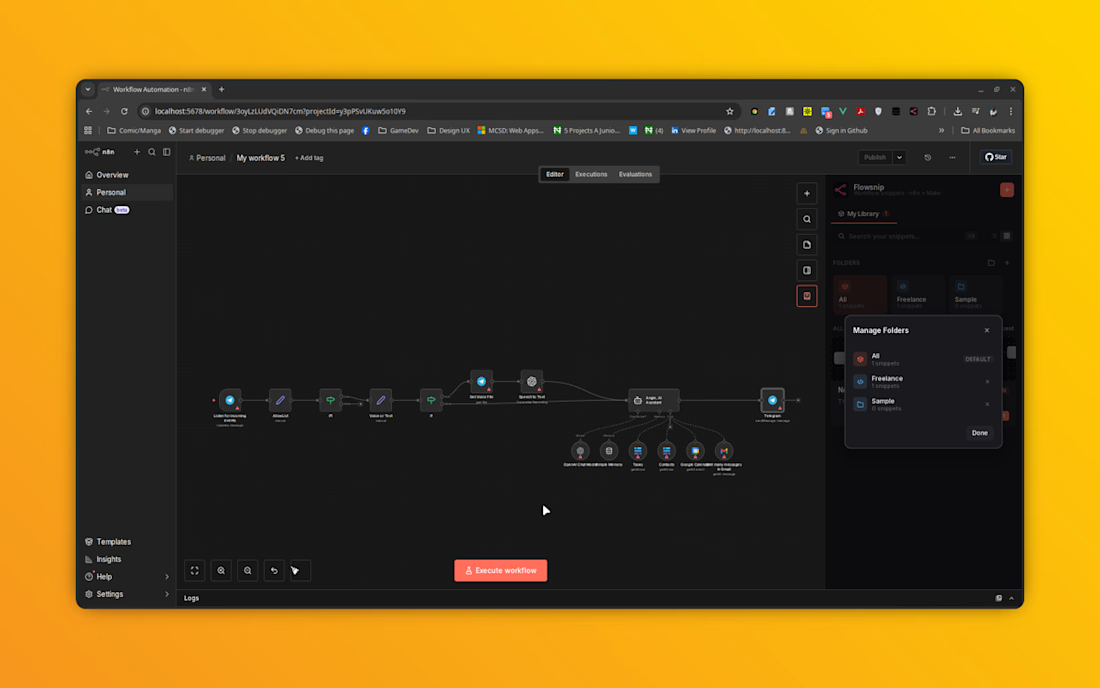
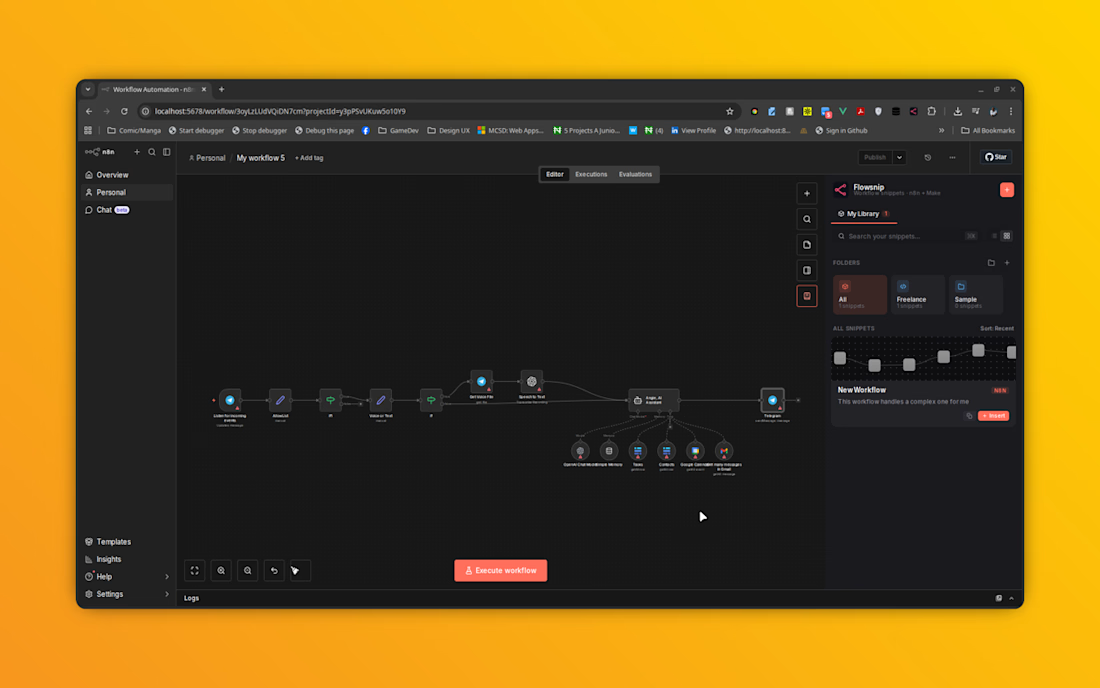
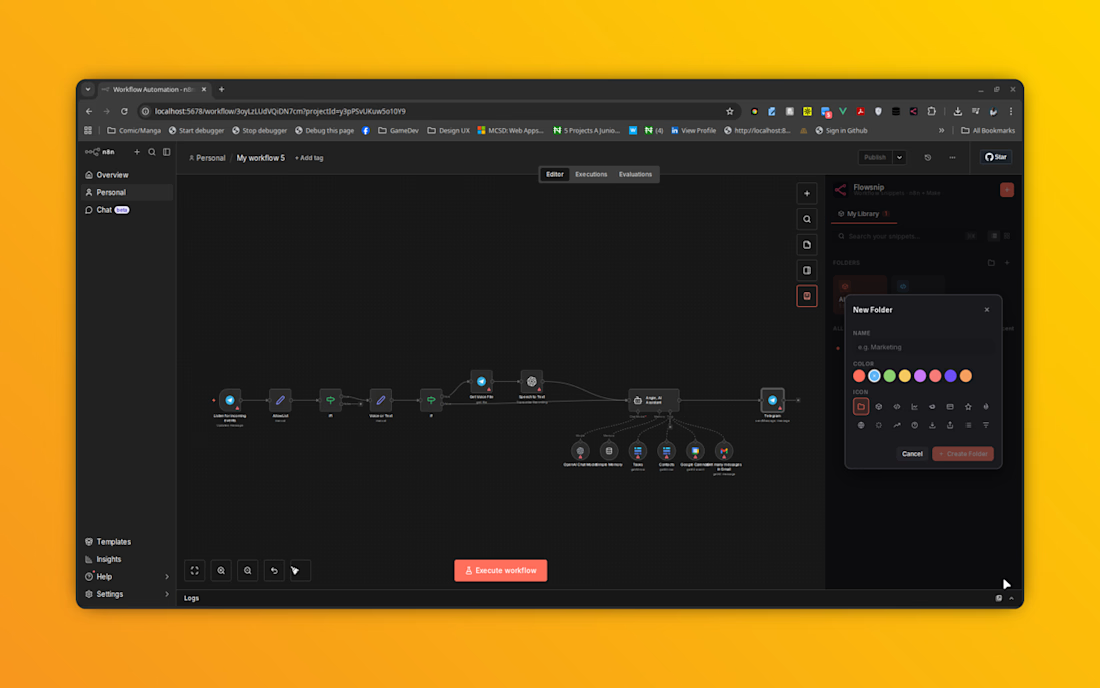
Your personal snippet library. Search, star, and organize snippets into folders by team, project, or function, so the pattern you need is always easy to find.
Drop snippets straight into your canvas. Insert a saved snippet directly into your active workflow with one button press. No copy-paste gymnastics, no context-switching.
Flexible enough for any workflow. Copy raw workflow JSON to your clipboard anytime you need to share or reuse it manually.
Stays organized as you scale. Create and manage folders, and clean up your library easily when snippets are no longer needed.
Works locally, works fast. Snippets are stored right in your browser, so your library is always fast and private to you.
Ideal for teams and freelancers building automations regularly in n8n who want to move faster without sacrificing consistency.

The network for creativity
Join 1.25M professional creatives like you
Connect with clients, get discovered, and run your business 100% commission-free
Creatives on Contra have earned over $150M and we are just getting started

Challenges
View all


Related posts

Designed a clean and modern AI-powered Project Management Dashboard for Oripio Ai.
This interface helps design teams organize UX/UI project kickoffs with clear status tracking (Not started, Started, In progress), project details, assigned members, budgets, and timelines — all in one simple and professional workspace.


the project cards look handy. nice job!


A client shouldn’t have to learn Webflow just to publish their next case study.
On a recent build, I spent a lot of time on the CMS: setting up reusable blocks and the logic that lets the team update content without rebuilding pages.
The tricky part is deciding how much control to give them. Too little, and every update becomes a request. Too much, and they’re suddenly responsible for the layout.
I want them to open the CMS, know what to do, and get on with their day. There’s a fair amount of work behind making that feel simple.


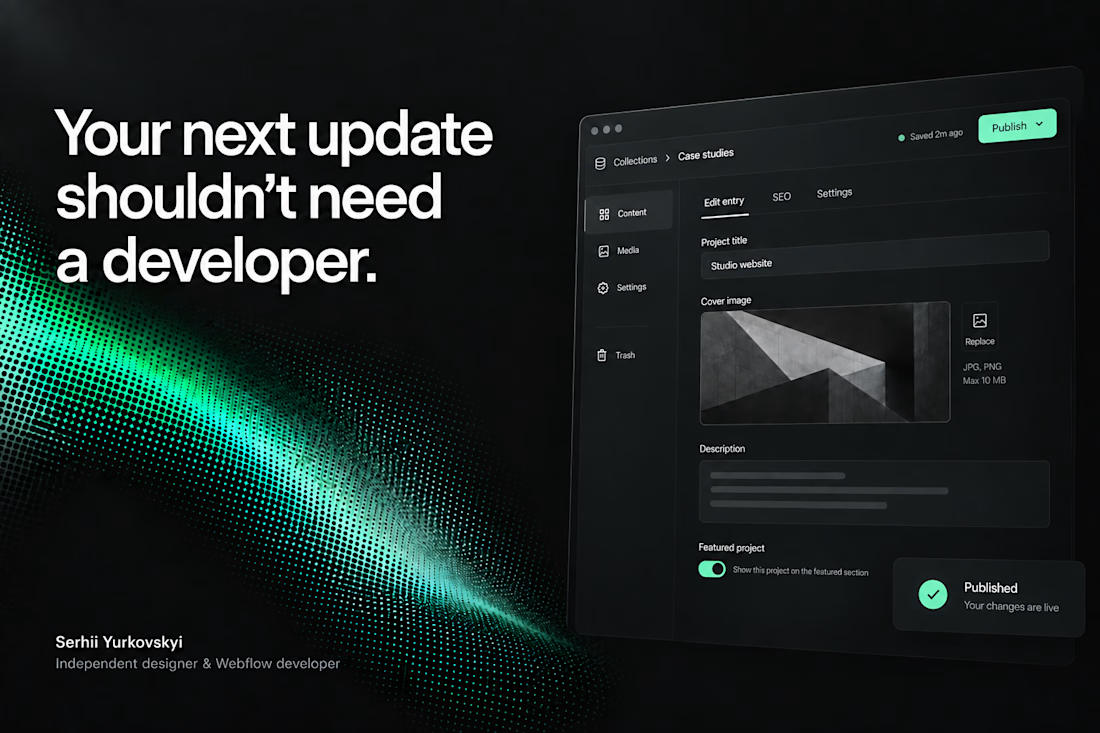

The CMS thinking here is spot on: the best handoff is the one that gives a client confidence without exposing all the complexity underneath.

Title: UtilForge — Client-Side Developer Tool Matrix
Summary: A suite of 20+ developer utilities that run entirely in
the browser. No uploads, no server, no data leaving your machine.
What I did: Built the full stack — Next.js frontend, Web Workers
for heavy processing (formatting tens of thousands of lines of JSON,
PDF manipulation, hashing) so the UI never blocks. Every tool works
offline after first load.
Tags: Next.js · React · TypeScript · Web Workers
Link: utilforge.dev


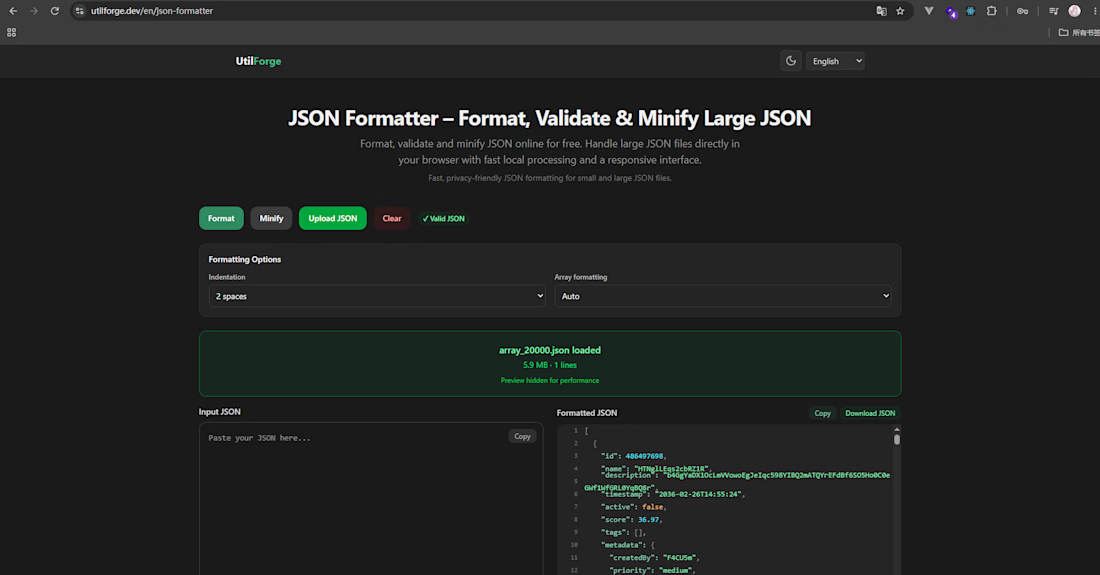

The no-upload promise is the strongest part. I'd make the offline state visible in the UI, so someone working with sensitive JSON or PDFs can see that the file stays on their machine before they drop it in.