The network for creativity
Join 1.25M professional creatives like you
Connect with clients, get discovered, and run your business 100% commission-free
Creatives on Contra have earned over $150M and we are just getting started
Back to feedPost
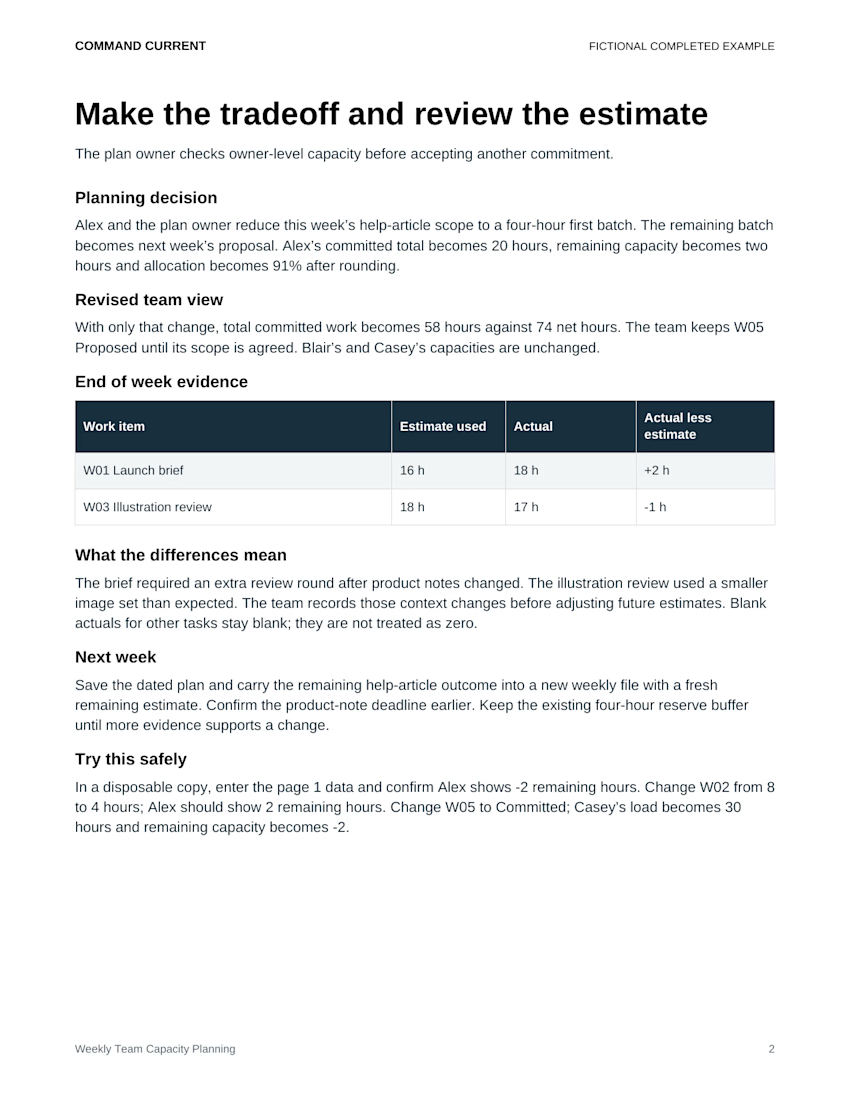
Check the capacity impact of a proposal before you accept it.
In the Weekly Team Capacity Planning Kit's fictional Juniper Design Studio example, Casey has:
• 28 net hours available for the week
• 20 hours of committed work
• 8 hours remaining
W05, a 10-hour landing-page exploration, is still marked Proposed. The tracker excludes Proposed and Deferred items from committed load.
If that task becomes Committed, Casey's load rises to 30 hours. Remaining capacity becomes 28 − 30 = −2 hours. The task was already on the list; accepting it changes what the weekly plan counts.
Try the status change in a disposable copy before promising the work. If it creates an overload, agree a scope, owner or timing change with the people involved. Keep the live plan's status aligned with the actual agreement.
Shown: page 2 of the kit's actual fictional completed example, including this test. The download includes an editable Word packet, Excel formula tracker, matching print PDF, fictional example and Quick Start. Designed for desktop Word and Excel; PDFs are static.
An estimate-based planning kit for one week, with no live project-system connection. Use the numbers to discuss work and constraints, not to rate people.
The network for creativity
Join 1.25M professional creatives like you
Connect with clients, get discovered, and run your business 100% commission-free
Creatives on Contra have earned over $150M and we are just getting started








Related posts

A shared-drive copy can become out of date before anyone switches to it.
A new fictional example, with all times on the same morning in UTC:
• 09:00: the project folder is copied to its destination
• 09:30: the copied proposal is checked against the source
• 10:15: a teammate edits the proposal in the source folder
• 11:00: the team is scheduled to start using the destination
The 09:30 check covered the earlier proposal. It cannot establish that the 10:15 revision reached the destination.
Before the switch, review the gap between the recorded source snapshot and the intended cutoff:
• Agree who can keep editing, any editing pause, and which location remains authoritative
• Identify changes made after the snapshot and record their file/version references
• Have the authorized owner reconcile those changes through the approved migration process
• Repeat the affected content, access and link checks, then record the evidence for signoff
• Delay the switch if the late changes or required checks remain unresolved
Keep precise times and timezone in the supporting notes. The kit's workbook uses date-only fields, so it cannot distinguish 09:30 from 10:15 on its own.
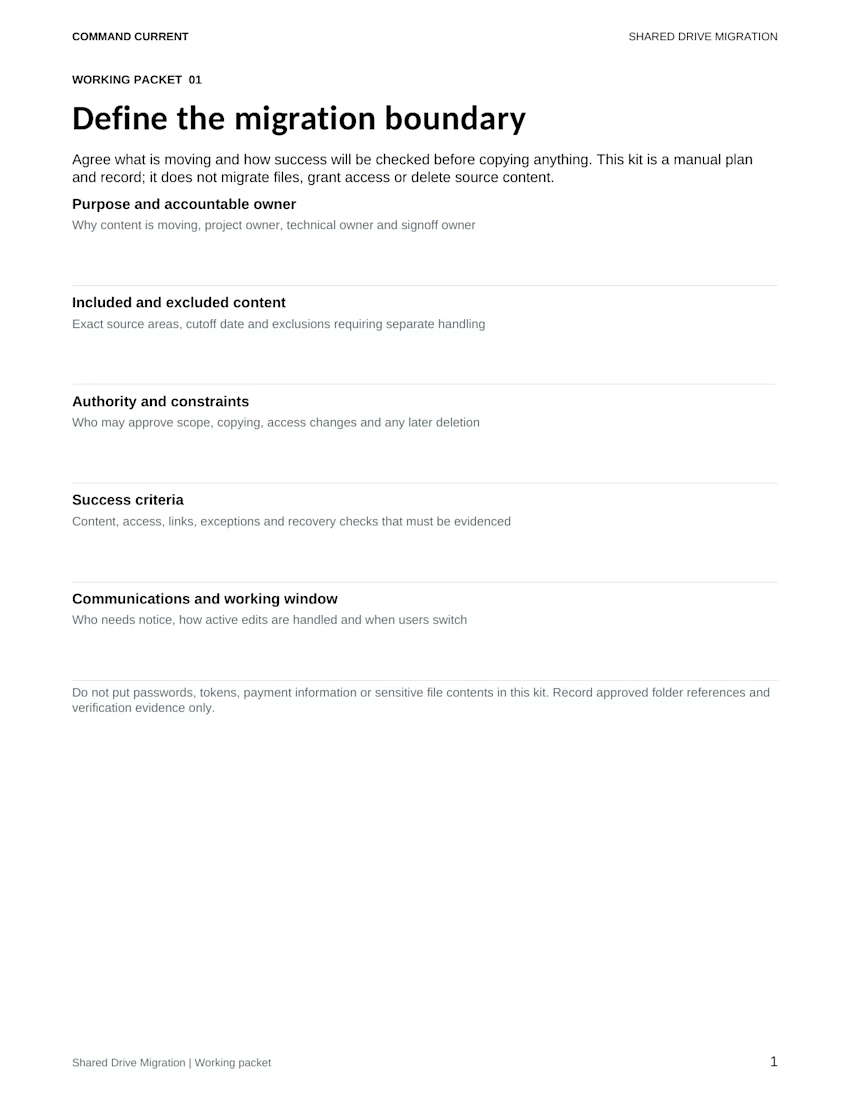
Shown: the complete, unchanged “Define the migration boundary” worksheet from the Shared Drive Migration Planning Kit. Its working-window prompt asks how active edits are handled and when users switch. The timeline above is an added illustration, separate from the included fictional example.
Five-file ZIP: six-page editable Word plan, Excel batch register, matching print PDF, fictional completed example and Quick Start. Designed for desktop Word and Excel; PDFs are static. These manual planning files don't monitor edits, synchronize files, change permissions or authorize source deletion.
Preparing a grant application? Check that the budget covers the same program the narrative describes.
A fictional example: the narrative proposes six community sessions, but the budget still includes room hire for four. Before changing the figures, ask the program owner to confirm the intended session count.
Then work through the mismatch:
• Check room hire, facilitator time and materials against the agreed activities and dates
• Separate costs that repeat per session from one-off costs; moving from four sessions to six does not mean every budget line rises by 50%
• Have the budget owner review the revised total and requested amount under the funder's current instructions and your organization's approval process
• Compare the final narrative, budget export and application fields against the same approved scope and versions
A one-time design fee might stay unchanged while room hire increases. Record that assumption and its source so the reviewer can follow the calculation. Keep any unresolved cost or scope question with its owner and next action.
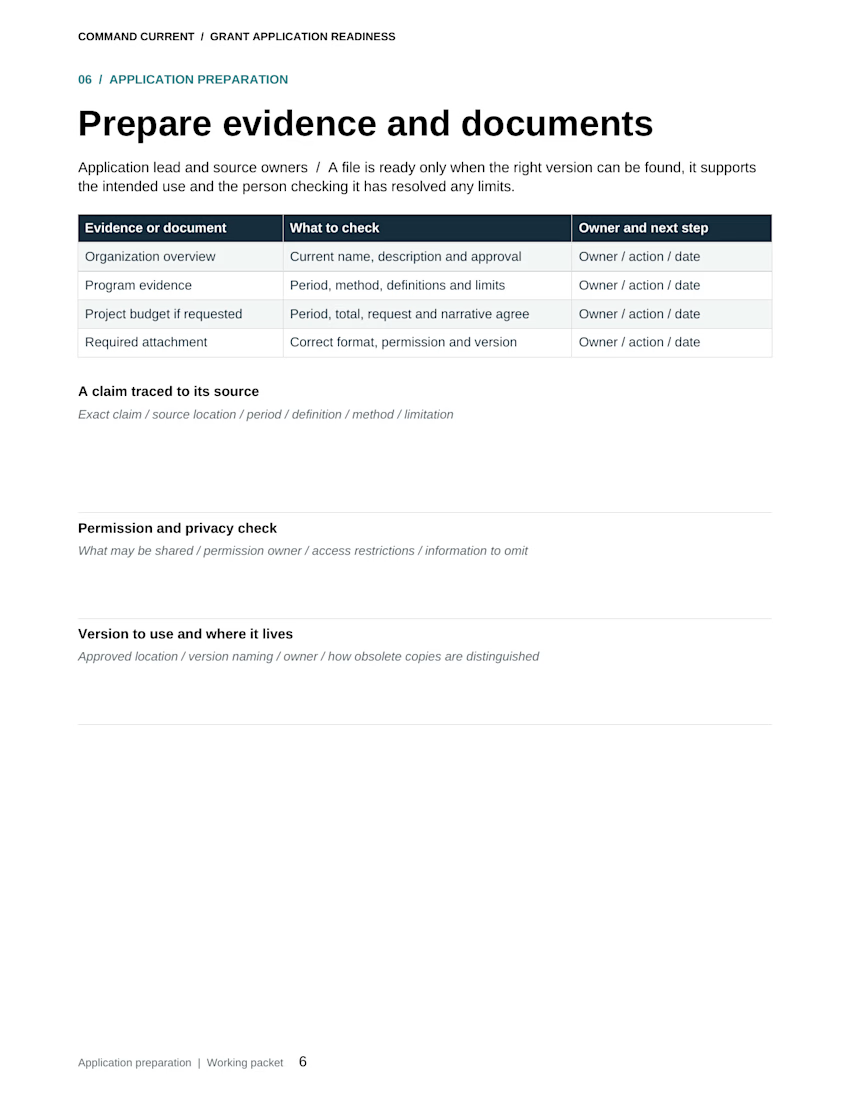
Shown: the actual “Prepare evidence and documents” worksheet from the Grant Application Readiness Bundle. Its budget check asks whether the period, total, request and narrative agree. The six-versus-four scenario above is a new fictional illustration.
The five-file digital bundle includes an eight-page editable Word packet, matching print PDF, Excel checklist and evidence register, fictional completed example and Quick Start. Designed for Microsoft Word and Excel; PDFs are static print copies.
A manual application-preparation tool. Use current official funder instructions; the bundle does not determine eligibility, submit applications or promise funding.

This single line made me more than $30K in 4 projects in contra
This might be cringe if everyone writes this kind of stuff in their applications, but I hope everyone just takes inspiration and doesn't just copy and paste it
"Let me know your worth of time, I will make it worth it by my research before our meeting"