The network for creativity
Join 1.25M professional creatives like you
Connect with clients, get discovered, and run your business 100% commission-free
Creatives on Contra have earned over $150M and we are just getting started
Back to feedPost

🥭 FruitHunter: A fun way to 'touch grass' (or fruit!)
I built this interactive game to get people to actually look at the weird and wonderful fruits we see around whether you're at home in the tropics (like myself), on holiday, or - why not - just wandering through your supermarket.
Figma Community File: https://www.figma.com/community/file/1649555610995663291
Live, working app: Try FruitHunter AR
The Idea: FruitHunter is basically an excuse to "touch grass" - or in this case, touch a Rambutan. It can turn a boring grocery run into a bit of a scavenger hunt. With some personalization I think this would be a fun game for small ecohotels, botanical gardens, cafés with a garden,... to offer to their guests too!
The Vibe: 8-bit nostalgia meets fresh fruit
It’s got a retro console vibe. On desktop, it sits inside a little phone frame - the best way to play this is of course on your phone as it uses your actual camera!
The "Fruitydex": There’s a definite wink to the original Pokédex here. You’ve got your own "Fruitydex" to track your collection, complete with those classic 8-bit silhouettes for the ones you’re still hunting for.
The Experience: You open the map, see where the "hidden" fruits might be (right the map is a mock-up but a botanical garden could easily add real fruit locations to a map) and then use the camera to scan them. If it’s a match, you catch the fruit and level up, e.g.:
Level 1: Novice Hunter: You start off just learning to spot the basics: common stuff like Mangos and Papayas.
Level 2: Exotic Tracker: Once you’ve caught a few, your tracker gets an upgrade to sense "Rare" species & you can catch more special fruits like cacao & durian.
Until you reach level 5: Fruit Hunter Queen (Mangosteen): The ultimate goal.
How I built it (The "Figma Fruit Salad" workflow)
This was a fun process of jumping between different tools to get it just right:
Figma Weave: I started here to design the actual fruit assets. We got a generous amount of credits so I could tweak my prompts when needed. The assets created in Weave turned out to be very important as Make by itself doesn't create such intricate images (neither does Antigravity, for that matter), so the little bit of extra work up front can make all the difference!
Figma Make: I moved those designs over to Figma Make to start thinking about the app structure. I prompted to create the fruity splash screen & to create an advanced level (I actually started designing level 12 first - but then reduced to 5 real levels) & an achievement screen.
Figma Design: Once I liked the screens we created, I copied everything into Figma Design. This was the "glue" that let me use the Figma MCP in Antigravity, as the Figma MCP was unable to work with the Figma Make link I had. This would be a nice feature to add to Figma Make!
Antigravity: This is where the actual coding happened & where I added more levels to the game. It handled all the reasoning for me. Being able to import the designs via the Figma MCP server made it very easy to create the different achievement screens & levels.
Powered by Gemini 2.5 for the fruit scanning to make it a working app!
Thanks for watching & happy fruit hunting!


The network for creativity
Join 1.25M professional creatives like you
Connect with clients, get discovered, and run your business 100% commission-free
Creatives on Contra have earned over $150M and we are just getting started

Challenges
View all


Related posts

Hi :) This is a journey through asteroids into the heart of a star. Built with Three.js, React Three Fiber, and custom GLSL shaders. Liquid images, interactive particle typography, and a core that opens under your cursor.


Man... this is cool. 😍


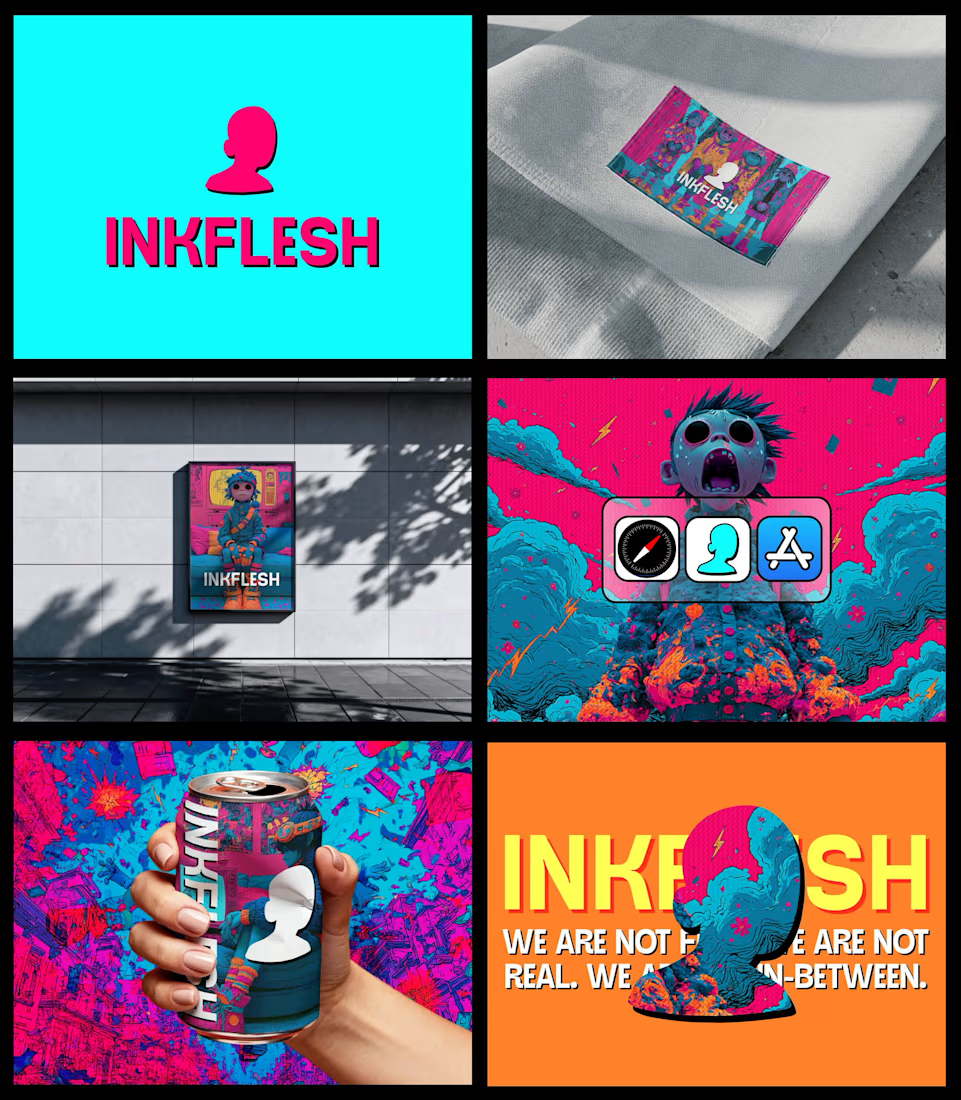
In my INKFLESH identity work, the wordmark runs off the can's curve and gets partly hidden behind artwork on posters. That crop asks the rest of the identity to carry more recognition. The mark has a job when the name is only partly there.

Hover animation made with Rive. Smooth, playful, and interactive.

