The network for creativity
Join 1.25M professional creatives like you
Connect with clients, get discovered, and run your business 100% commission-free
Creatives on Contra have earned over $150M and we are just getting started
Back to feedPost

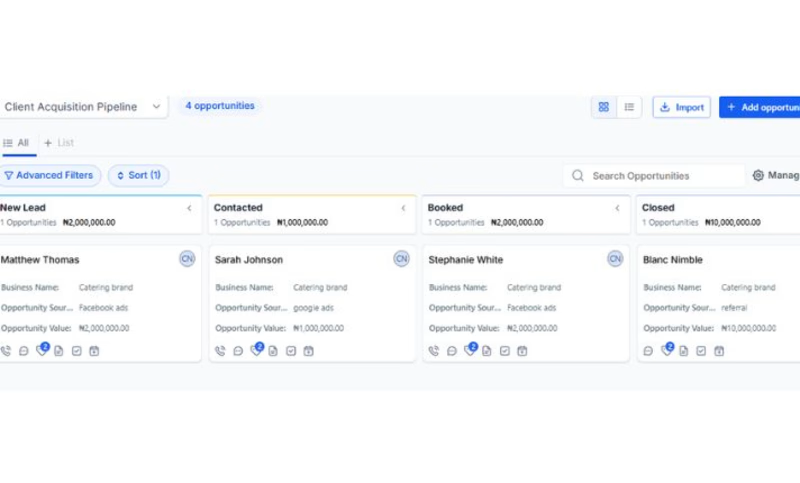
Designed a CRM pipeline system for tracking leads, opportunities, and client progress.

The network for creativity
Join 1.25M professional creatives like you
Connect with clients, get discovered, and run your business 100% commission-free
Creatives on Contra have earned over $150M and we are just getting started

Challenges
View all


Related posts

Pipely is an AI-powered sales platform designed to turn conversations into actionable outcomes. The experience brings together video calls, AI-generated insights, CRM updates, sales analytics, and follow-up drafts in one workspace.
View project on Dribble:
https://dribbble.com/shots/27795621-Dashboard-Sales-Call-Intelligence


🚀 Just Built an AI Lead Nurturing Agent for B2B Sales Teams!
The problem: Most B2B companies lose leads because follow-ups are slow. By the time a rep reaches out, the lead has already talked to competitors.
The solution: An AI agent that handles the entire lead nurturing workflow:
✅ Scores leads as HOT/WARM/COLD automatically
✅ Sends personalized follow-ups within 60 seconds
✅ Logs everything to Google Sheets/CRM
✅ Alerts reps only for serious buyers
✅ Books meetings directly into calendars
Tech Stack: n8n | OpenAI | Google Sheets | Gmail | Telegram
Result: 60% higher conversion rate, 15+ hours/week saved per rep.
This is like having an AI SDR that never sleeps — for $300/month.
Want this for your sales team? Let's talk.
#AIAutomation #LeadNurturing #B2BSales #SalesOps #n8n #PropTech


The bit about auto booking meetings into calendars looks like it will eliminate a lot of scheduling back and forth.

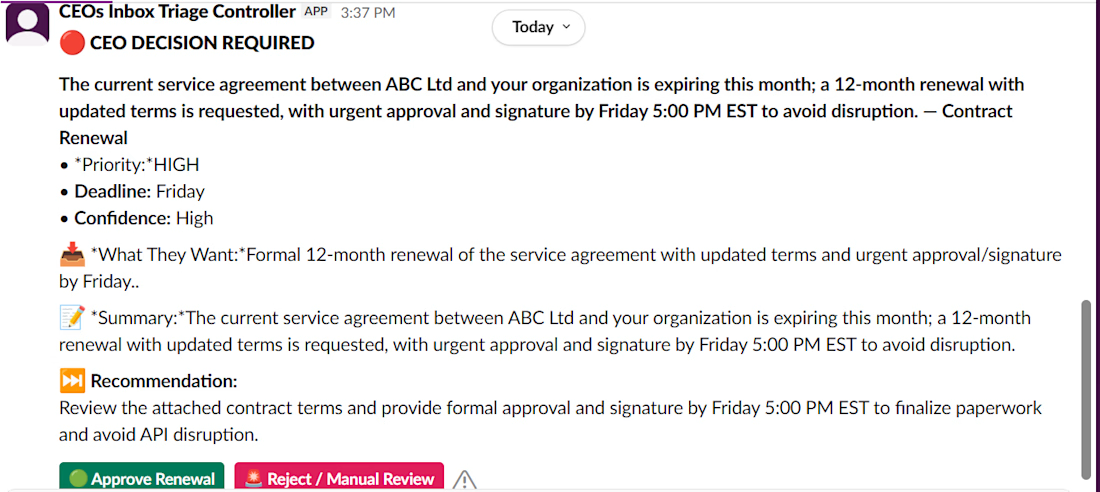
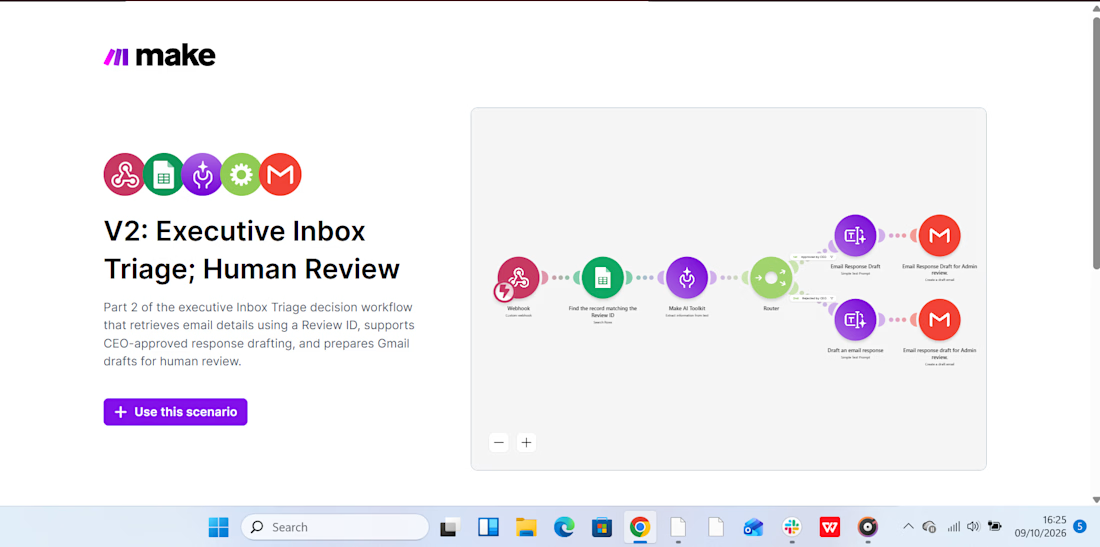
This week, I have been working on automating my boss's inbox management, delegating email triage to AI while I handle reviews and approvals that require sound judgment. Because one wrong response to a client can cost a business revenue, I wanted to build a system that saves time without handing over critical decisions to AI.
How I built it:
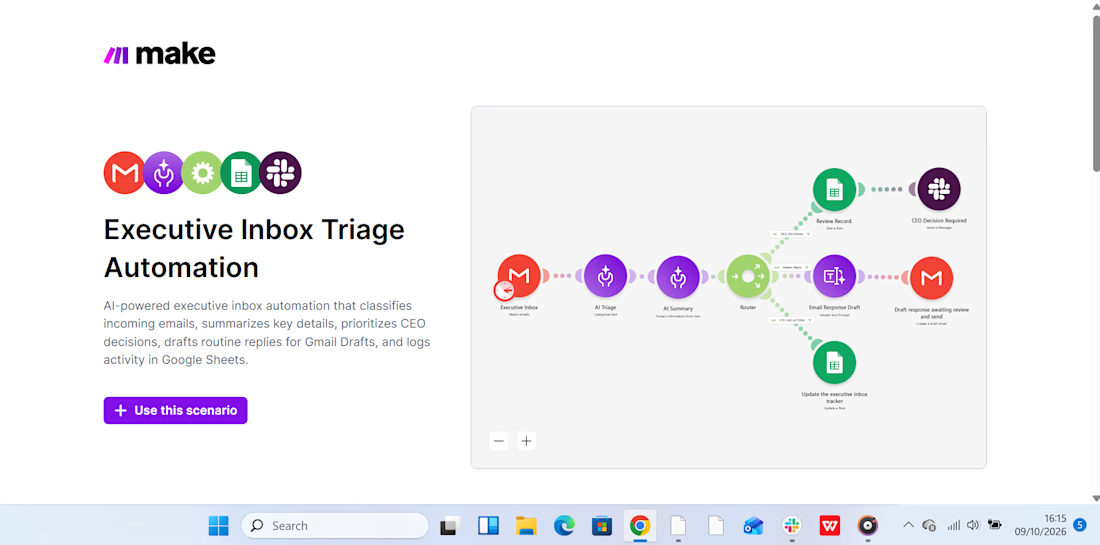
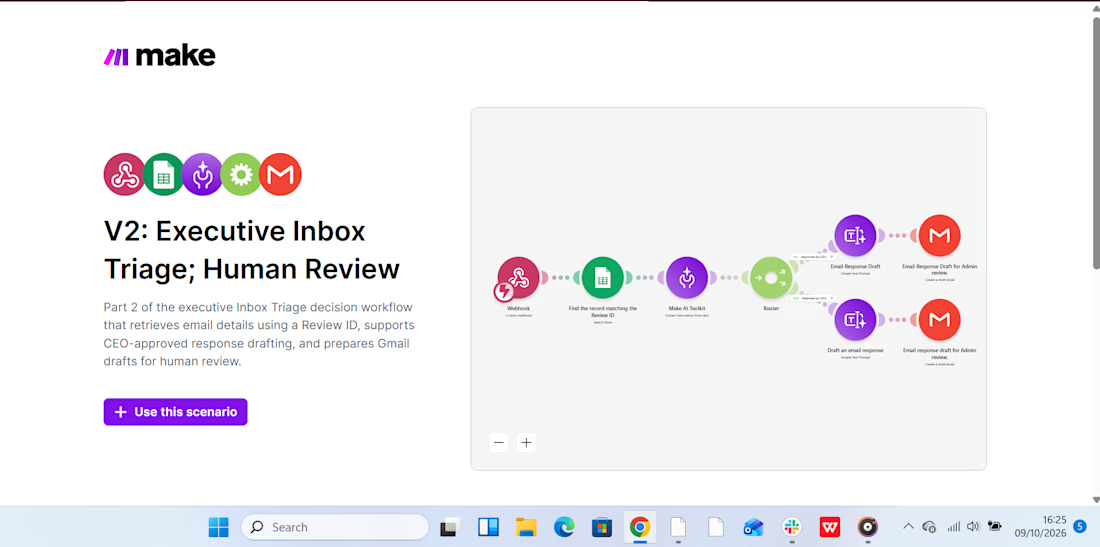
I created two connected automation scenarios in Make.com.
Scenario 1: Intelligent Inbox Triage:
AI analyzes incoming emails, categorizes them by priority, summarizes their content, and recommends the next action. This makes it easier to identify urgent messages and decide what needs attention first.
Scenario 2: Human Review & Approval:
The workflow supports the review and approval process before an email is sent. Slack notifications help bring relevant updates to my attention, so I can review the proposed action and approve the response before it goes out.
Below are snippets of the two scenarios, including a Slack notification, showing how the workflow operates.
My takeaway? AI can help manage the inbox, but when a response could affect revenue or a client relationship, the final decision should remain human.



I'd test the triage with urgent emails that sound casual, such as 'I still can't access the account.' Do you review a sample of low-priority messages to catch urgent ones the AI missed?