The network for creativity
Join 1.25M professional creatives like you
Connect with clients, get discovered, and run your business 100% commission-free
Creatives on Contra have earned over $150M and we are just getting started
Back to feedPost


The network for creativity
Join 1.25M professional creatives like you
Connect with clients, get discovered, and run your business 100% commission-free
Creatives on Contra have earned over $150M and we are just getting started





Related posts

I had built an n8n workflow that creates my biweekly contractor invoice.
But upon interviewing contractors for this prodocut, their feedback was blunt: where do my settings live? What happens at 100 users? Can I change my rate without emailing you?
So for the #Base44Challenge I rebuilt it as Fortnight, in a few days.
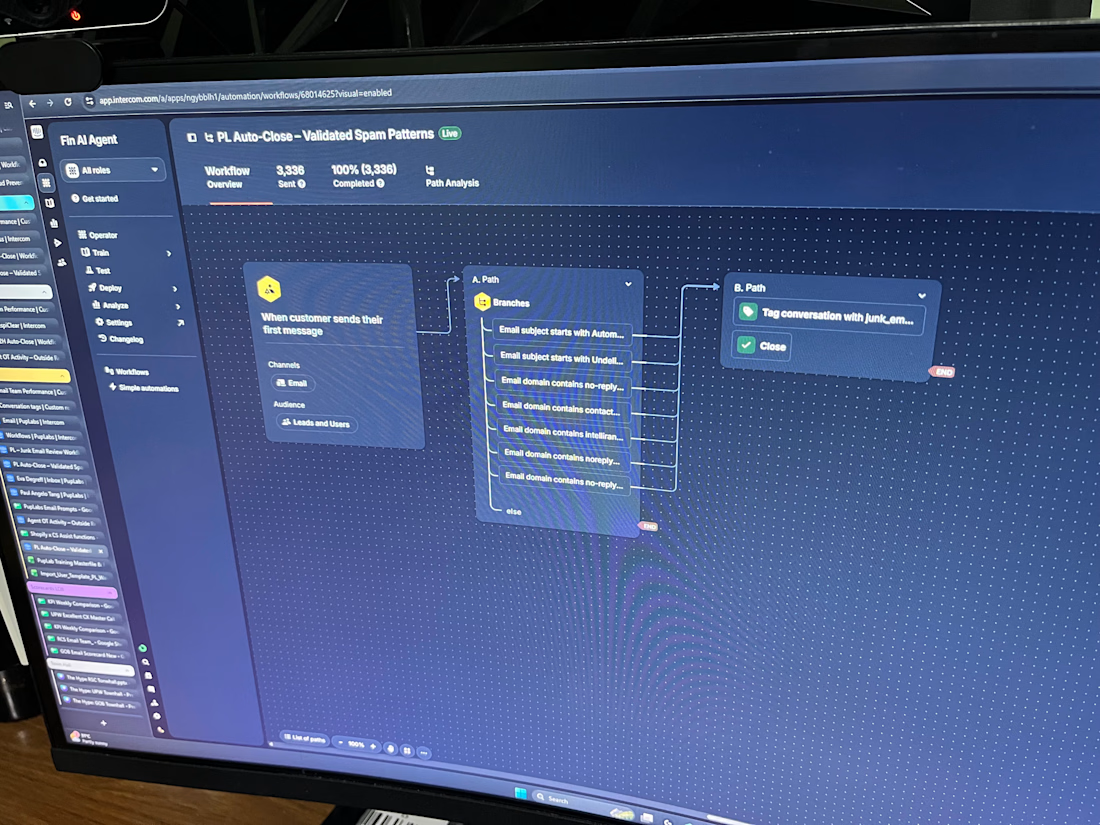
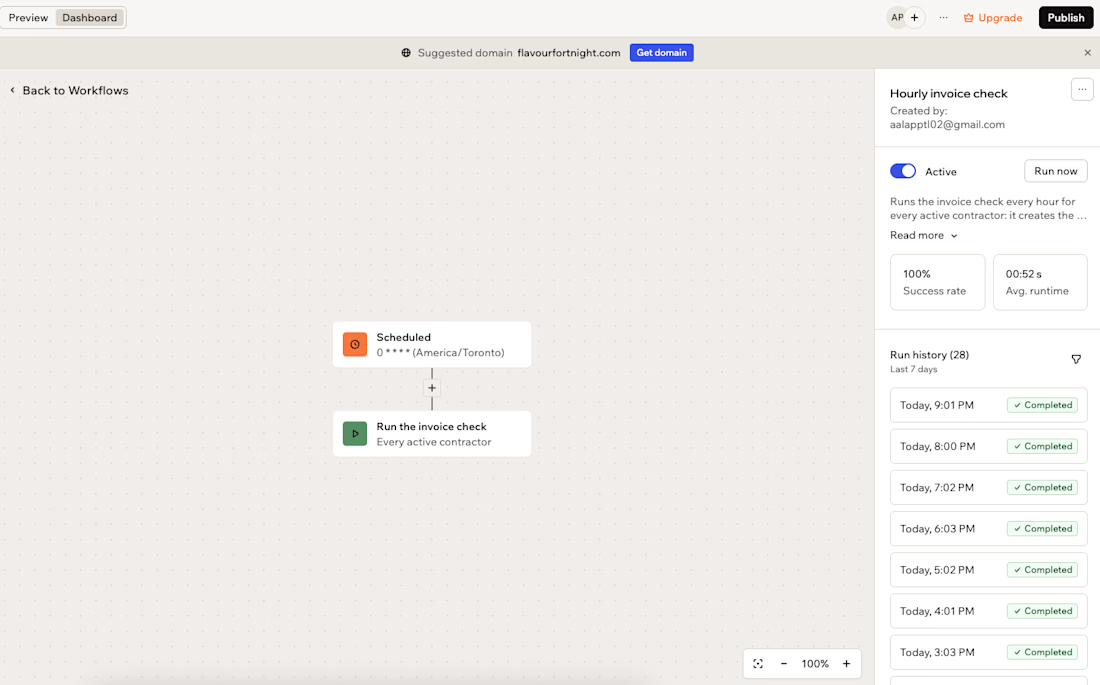
Every hour, a scheduled workflow checks each contractor's settings. If an invoice is due, it calculates the hours and GST/QST/HST, creates the invoice, emails it and tracks it through sent and paid. Everything is editable on one settings page, and the dashboard shows the tax collected so far this year.
What I took from it: Conversations with real users changed the product more than any feature idea I had.
And an AI app builder moves fastest when you decide the rules first.
Try it, no signup needed (click "Try the demo"): https://tasteful-fortnight-pay-flow.base44.app/
Walkthrough video below. All demo data is fictional.
Base44 #Base44Challenge #Base44


Your technicians are fixing problems. But who's keeping your customers updated?
Imagine a customer books an emergency HVAC repair.
They receive no confirmation. The technician is dispatched, but nobody sends an arrival update. The customer calls your office twice, and your receptionist has to manually check the job status.
The repair gets completed, but the follow-up message is forgotten.
This isn't just a communication problem. It's a disconnected workflow problem.
The Hidden Problems in Field Service Operations
Missed booking confirmations and appointment reminders.
Manual SMS messages consuming administrative time.
Customers repeatedly calling for technician updates.
Disconnected booking systems and customer databases.
Delayed responses to rescheduling requests.
Forgotten service completion messages and feedback requests.
The Solution: Twilio SMS Automation Powered by n8n
I can build a custom Twilio + n8n workflow automation system that connects your booking software, customer database, and SMS communications.
Instead of manually updating every customer, the system can send timely, event-based notifications throughout the service journey.
How the Automation Works
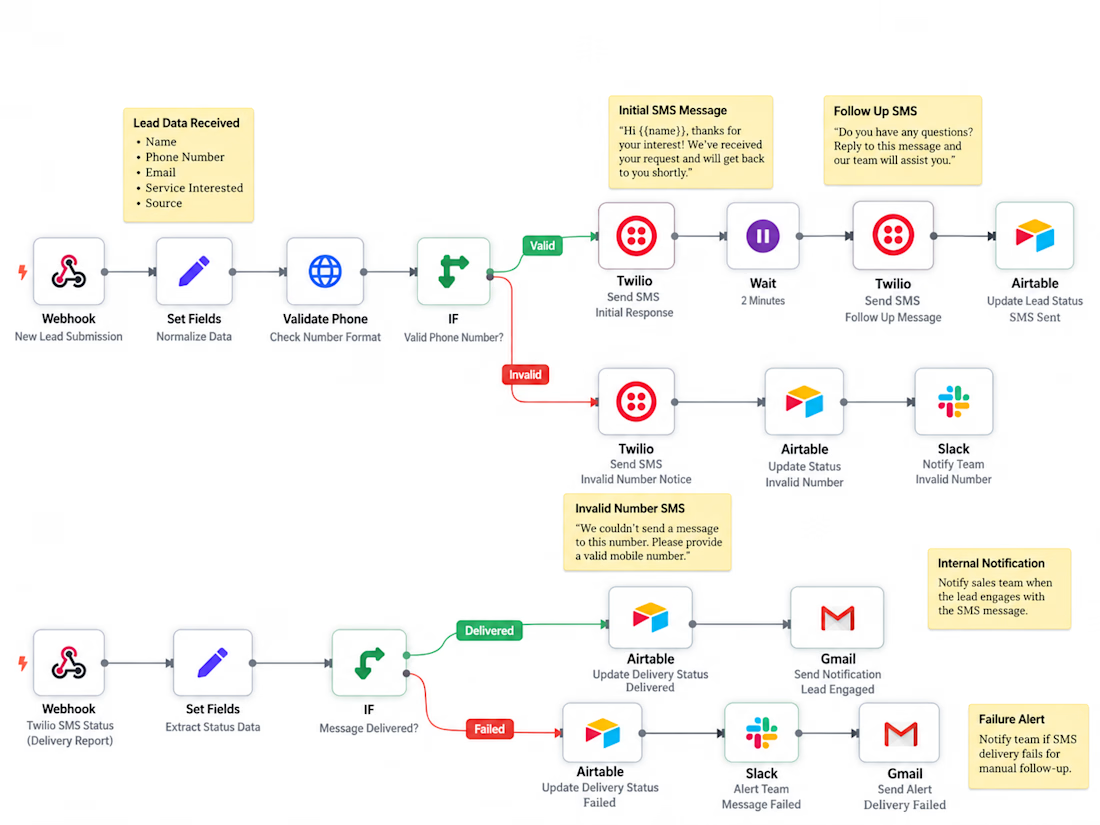
Booking System → n8n Webhook → Data Validation → CRM Lookup → Twilio SMS → Delivery Status Tracking
1. Booking Trigger: A new service appointment sends booking details to n8n through a webhook.
2. Data Validation: The workflow verifies the customer information, phone number, booking status, and messaging consent.
3. CRM Integration: The workflow retrieves customer and appointment details from HubSpot.
4. Twilio SMS: An automated confirmation is sent to the customer with relevant appointment information.
5. Conditional Logic: Invalid records are flagged for staff review instead of sending incorrect messages.
6. Delivery Tracking: Twilio status callbacks update message delivery records and flag failures for follow-up.
7. Technician Updates: Subsequent booking-status events can trigger arrival notifications, completion messages, or approved follow-ups.
What Your Business Gains
✓ Less repetitive communication work for office staff.
✓ More consistent customer appointment updates.
✓ Better visibility into messaging and delivery failures.
✓ Fewer manual steps between booking and customer notification.
✓ A scalable workflow that can integrate with existing business software.
This solution can be customized for HVAC companies, plumbing businesses, electrical contractors, appliance repair services, and other field service providers.
Let's Improve Your Customer Communication
Already know what you need? → Let's build your Twilio SMS automation and connect it to your existing booking or CRM system.
Not sure where to start? → Share how your business currently handles appointments and customer messages. I'll help identify which parts can be automated.
SEO Keywords
Twilio SMS Automation • Twilio API Integration • n8n Automation • SMS Workflow Automation • Field Service Automation • HVAC Automation • Appointment Reminder Automation • Customer Notification System • Automated SMS Notifications • CRM Integration • HubSpot Automation • Webhook Integration • Business Process Automation • Service Booking Automation • Technician Dispatch Notifications • Twilio Developer • n8n Developer • REST API Integration • Customer Communication Automation • SMS Delivery Tracking • Workflow Development • Low-Code Automation • Custom Business Automation • Field Service Management • Twilio Webhooks
Result: A proposed automated customer communication system designed to reduce manual messaging, improve appointment visibility, and keep field service customers informed throughout their service journey.
#Twilio #TwilioAPI #TwilioSMS #n8n #n8nAutomation #SMSAutomation #WorkflowAutomation #BusinessAutomation #HVACAutomation #FieldServiceAutomation #CRMIntegration #HubSpot #APIIntegration #WebhookAutomation #AppointmentAutomation #CustomerCommunication #ServiceBusiness #LowCodeAutomation #AutomationEngineer #CustomAutomation #SMSNotifications #BusinessProcessAutomation #FieldServiceManagement



Checking consent before the Twilio step is the part most SMS builds skip. One more case worth covering: booking systems often retry a webhook, so the same booking can arrive twice and the customer gets two confirmations. Do you dedupe on the booking ID before sending, or let the HubSpot lookup catch it?

Building MLOpsLab has taught me something interesting:
Most workflow problems aren't caused by missing automation.
They're caused by missing visibility.
A form gets submitted.
A webhook fires.
An API responds.
Everyone assumes the process worked.
Then days later someone discovers a missing lead, duplicate record, failed sync, or unexplained gap.
Lately I've been spending time building and testing workflow reliability scenarios around:
• Intake validation
• Duplicate event handling
• Failure detection
• API and database integrations
I'm documenting what works, what fails, and where assumptions break.
If you've ever spent hours tracking down a workflow issue that "should have worked", I'd be interested in hearing what the failure looked like.
#automation #n8n #api #workflow #supabase #buildinpublic
The hardest one to catch is the green run that did nothing. An API returns 200 with an empty list, every later step runs on zero items, and nothing errors. A cheap guard: count items in and items written at the end of the run, and alert when they differ. Are you testing that case in MLOpsLab, or mostly hard failures?