The network for creativity
Join 1.25M professional creatives like you
Connect with clients, get discovered, and run your business 100% commission-free
Creatives on Contra have earned over $150M and we are just getting started
Back to feedPost

Search boxes. Comment forms. Contact forms. Each one is a door into your website.
Door 1, the search box. An attacker types a few special characters instead of a product name. A badly built site runs them as a command and hands out its whole database: customer names, phone numbers, order history.
Door 2, the comment form. A friendly five-star review hides a small piece of code. A badly built site runs that code in the browser of everyone who opens the page, and quietly sends their logins to the attacker.
Both attacks are decades old, and they still work on many websites today.
Here's how I build it: whatever visitors type is always treated as plain text, never as a command. One rule closes both doors.
I tested it on my CRM project. The classic search attack on the live site finds nothing, while a normal search still finds orders and products. A team-feed message stuffed with code shows up as plain text in the browser, and nothing runs.
What this means for your business:
✅ Your customer data stays in your database
✅ Reviews and comments can't be turned into traps
✅ Protection built in from day one, not patched after a breach
Need an online store, a booking site or a client portal? I'll build it safe from day one. Message me and tell me about your project.
The network for creativity
Join 1.25M professional creatives like you
Connect with clients, get discovered, and run your business 100% commission-free
Creatives on Contra have earned over $150M and we are just getting started





Related posts

Rage Create: Bold Shopify Store for Affirmation Decks
Rage Create makes affirmation decks, notepads and calendars for creative people. I built their Shopify store with a bold look that fits the brand’s voice.
What I did:
• Shopify theme customization built around the brand
• Product, collection and cart pages that make buying easy
• Mobile-first layouts, since most shoppers buy on their phones
• Speed and on-page SEO basics
Stack: Shopify, Liquid, Figma
Live: ragecreate.com
Most shoppers buy on their phones. How do you design for thumbs first?
Planning a project like this? Message me with your goals and timeline.


Amazing
Behind the build: The Garden Recovery | WordPress Website for a NJ Rehab
The Garden provides drug and alcohol rehab in Cherry Hill, New Jersey. I built their WordPress site with clear levels of care and simple admissions paths.
Under the hood:
• Built the site in WordPress from the design, page by page
• Editable templates, so the team updates content without code
• Speed work: optimized images, caching and lean code
• Responsive layouts checked on desktop, tablet and mobile
What visitors get:
• Levels of care: detox, OP, IOP and partial care
• Mental health programs
• Team, facility tour, admissions and insurance pages
Stack: WordPress, Figma, PHP/CSS where needed
Live: thegardenrecovery.com
What's the first thing you check when a WordPress site feels slow?
Need something similar? Send me a message and I'll reply with a plan.


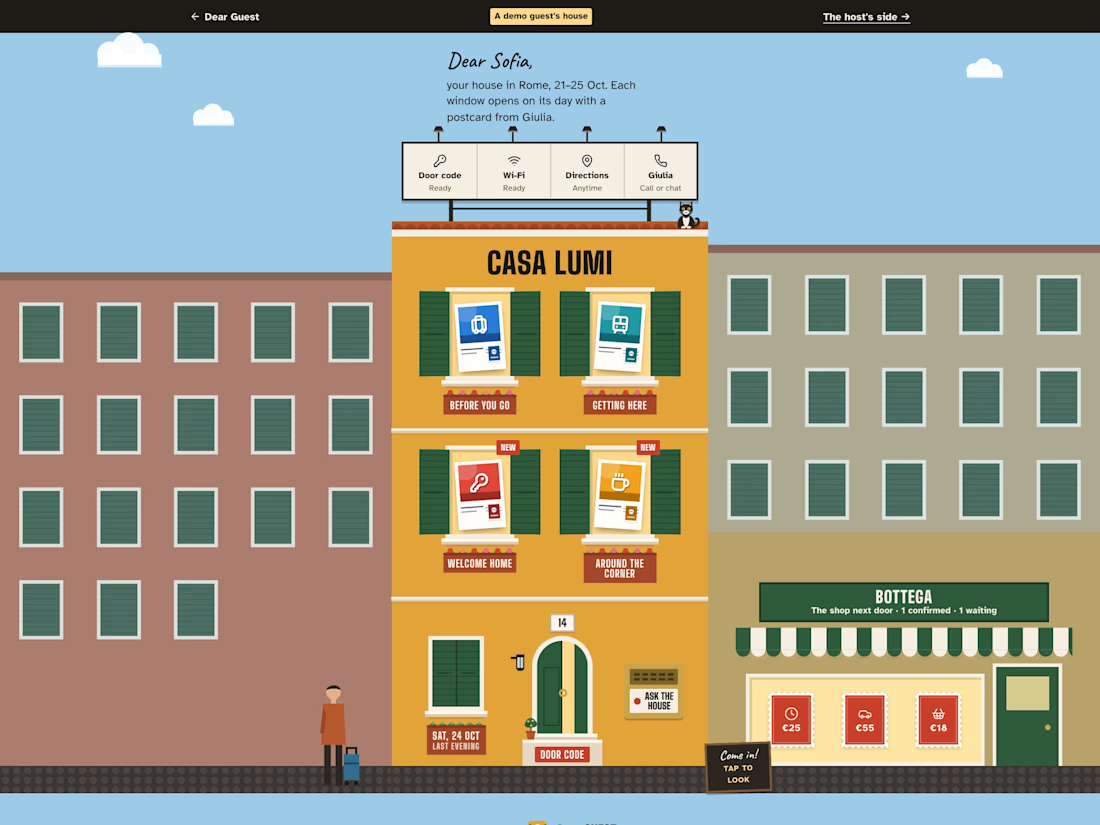
Dear Guest, Entry 2: the same little Roman house, one week of work later.
I build booking websites for short-term rental hosts in Rome, and they all answer the same questions for every guest. Dear Guest turns those answers into five postcards the host writes once. Each guest gets a house of their own: every window is a postcard behind shutters until its day, the intercom ("Ask the house") answers from the host's own manual, and the shop next door sells the extras.
What's new since Entry 1, after an outside audit:
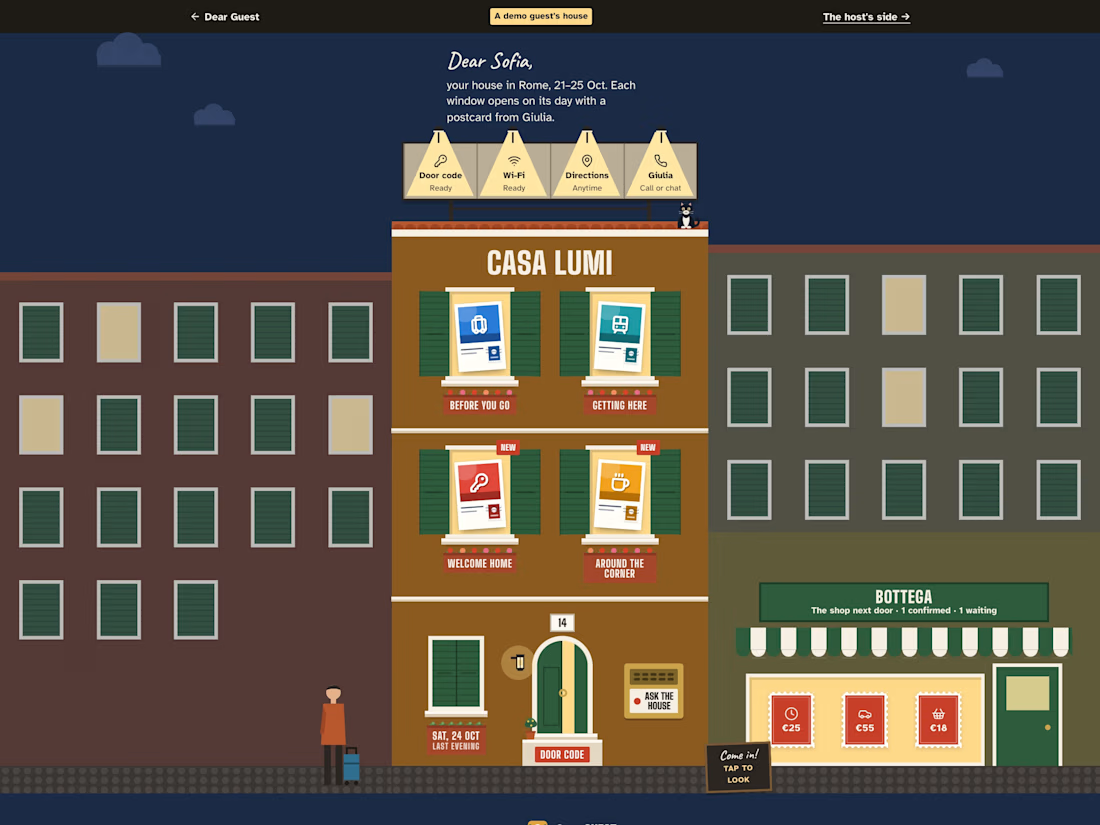
- The guest's essentials (door code, wifi, directions and a button to call the host) sit on an enamel sign on the roof. Each follows its postcard's rule: the code only appears on arrival day. After dark, a spotlight lights each compartment.
- The postcards got the most care: brighter colours, white icons, a perforated stamp, and a terracotta window box under each one that flowers once the guest has arrived.
- The front door has its number above the arch, a travertine step and a lantern that lights up at night.
- A real person is one tap away: call or WhatsApp the host, separate from the AI.
- When the house can't answer, the host replies to that guest on their own page; adding the answer to the manual for everyone is a separate choice.
- On wide screens the extras live in the bottega next door, a lit shop window with the extras on display.
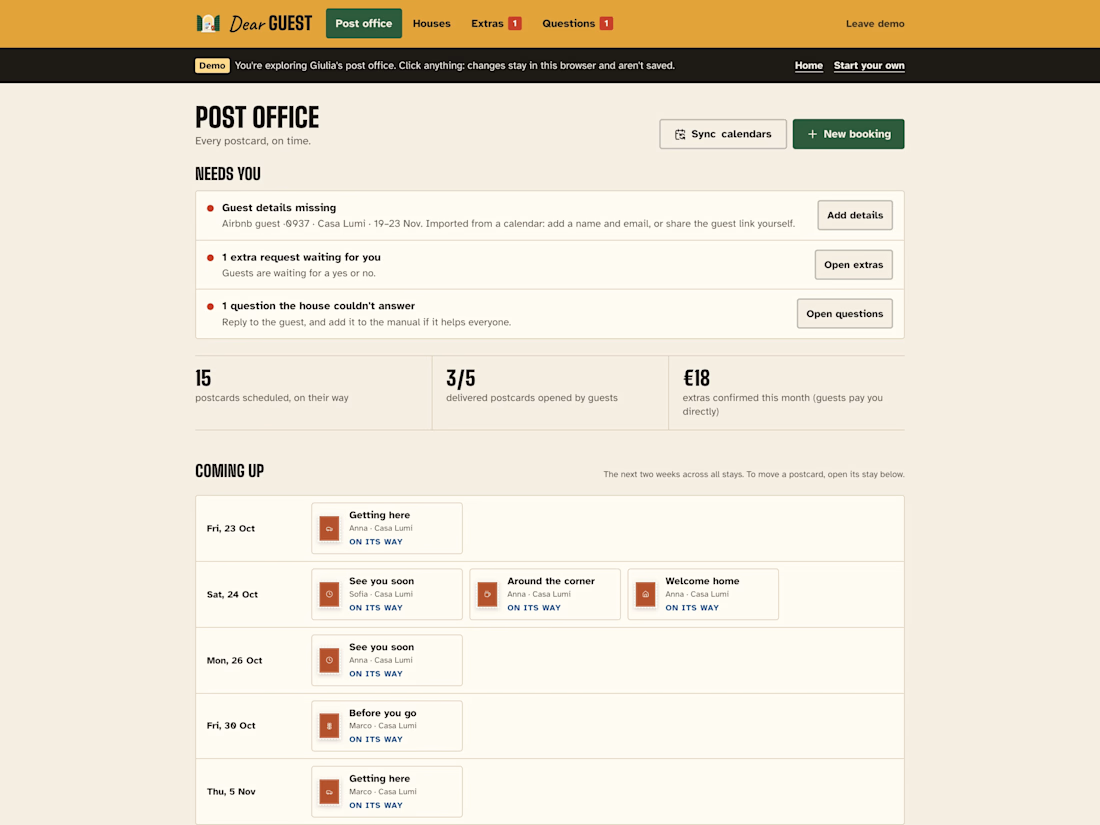
- The host's post office opens on what needs them, and every figure says exactly what it counts.
- The street came alive (paper clouds, a cat on the roof, neighbours), and all of it can be paused.
What runs by itself: bookings sync every hour from Airbnb, Booking.com and Vrbo calendars; every morning a postman delivers the postcards that are due; "Ask the house" answers with AI from the manual only and never gives away the door code; every night the public demo moves to fresh dates.
Built on Base44: entities with row-level security per host, backend functions for the guest page, calendar sync, postman, AI answers and the public demo, 3 scheduled workflows, and a React front end designed around one idea: the page is the house.
Host side, no sign-in: https://dearguest.bytelegion.site/host?demo


The postcards are such a lovely mechanic. The terracotta window box that flowers once the guest has arrived is the kind of detail that turns a utility into something people remember. The fallback design is really well thought out too, a real person one tap away while adding an...