The network for creativity
Join 1.25M professional creatives like you
Connect with clients, get discovered, and run your business 100% commission-free
Creatives on Contra have earned over $150M and we are just getting started
Back to feedPost
can i share my rive project without a paid plan?

Yes. Move your project to Shared Projects.
Then - Invite and Anyone can view.


future note, you can "share" a file on the rive freeplan by making a copy and putting it into the 'Shared Project',
then in the file using the invite button in the top right to get a link.
Be aware I say a copy because once you put a file in a shared project you can't move it...

thank you i couldnt share my project for the competition because i couldnt share my files link
The network for creativity
Join 1.25M professional creatives like you
Connect with clients, get discovered, and run your business 100% commission-free
Creatives on Contra have earned over $150M and we are just getting started
Related posts

Which one you guys prefer.
A or B
I used recraft.ai today, and I have to say it’s the best AI tool for cohesive, pleasing designs. From just a prompt, I got such clear visuals. I was amazed! Check this out- this is my creation for a collection I’m working on.
3 voted
38%
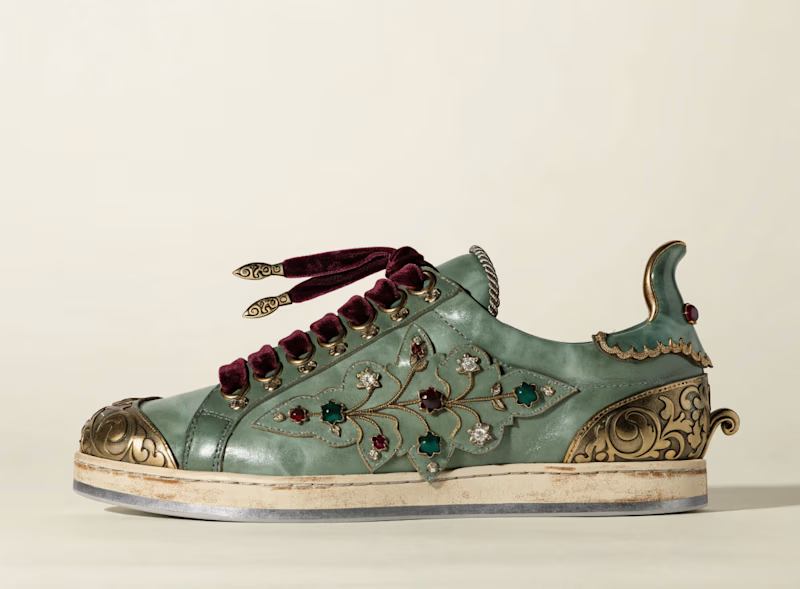
5 voted
62%
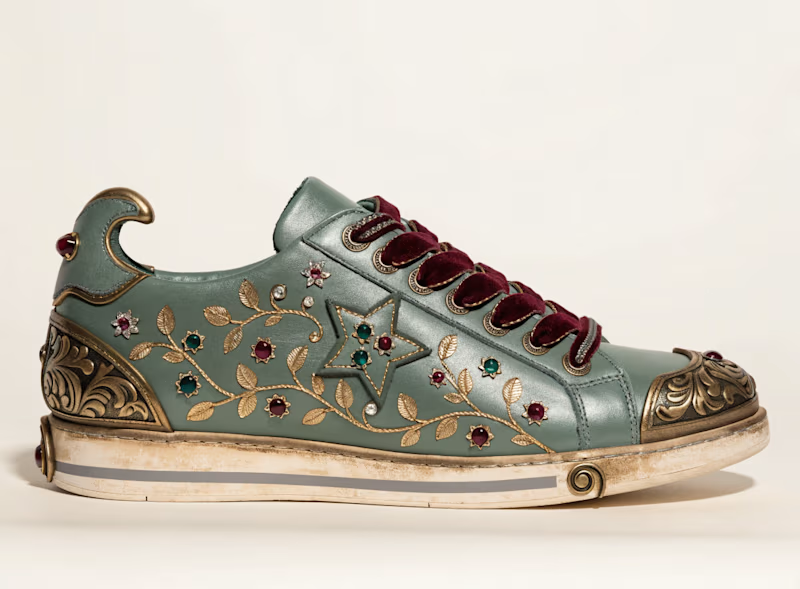
8 votes
Closed


Hey everyone! 👋 Quick update on the #1000WaysToCCW challenge.
We've been checking your submissions and noticed a lot of you missed a step when posting — like not adding #CapCutWorld #CapCutWorldLA, not tagging @capcutapp / @CapCut, or not linking your social post in your Contra submission.
👉 To make sure you get your credits and stay eligible for the $7,500 prize pool, please fill out this quick form (takes 1 min):
Just need your Contra post link + social media post link + CapCut UID.
🎬About your 8,000 credits:
After you submit the form, credits arrive in 1–3 business days
If you don't see them after 3 business days, it's usually one of these:
• wrong UID entered
• form didn't submit properly
• account / system issue
Just refill the form with the correct info and we'll follow up!
Thanks again for all the amazing work ✈️

Hi Suzy! I'm preparing my submission for the CapCut World LA Challenge, but I'm having trouble with the CapCut project link.
I created the video using Seedance 2.5 in CapCut Desktop, then added it to a CapCut Web project. I enabled "Anyone with the link," but the link works only...


Still experimenting... and I need your help!
Your taste and perspective will decide right direction for my entry.
While exploring the open collections mentioned in the contest brief, I found myself drawn to one particular aspect of history: the extraordinary artistry of fashion captured through brushstrokes.
That’s what sparked the idea of Her, a series where I use AI to revisit, revive, and reimagine iconic women from the past, bringing their timeless elegance into a contemporary visual language.
I want to explore how their fashion, presence, and individuality might translate through a modern lens while still honouring the artistry and spirit of the original works.
I’m excited to see where this exploration leads, and I’d love to know what resonates with you more.
3 voted
30%
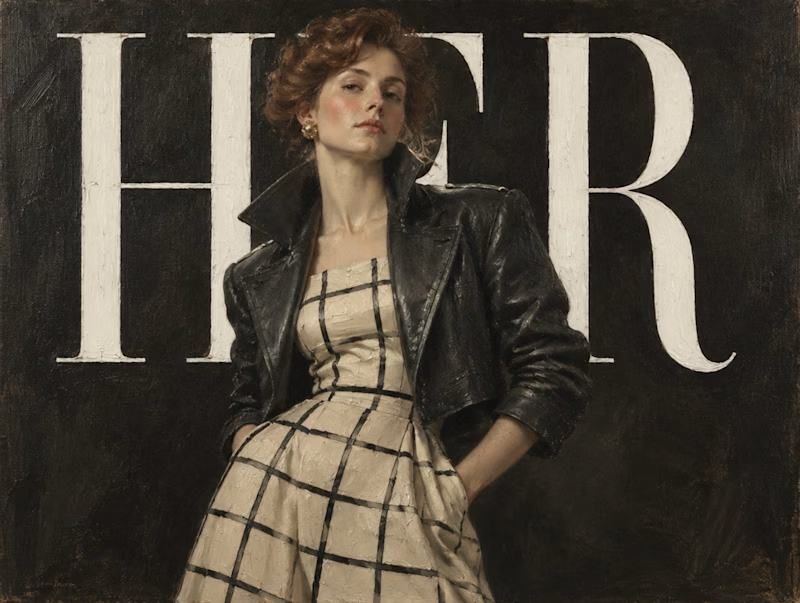
7 voted
70%
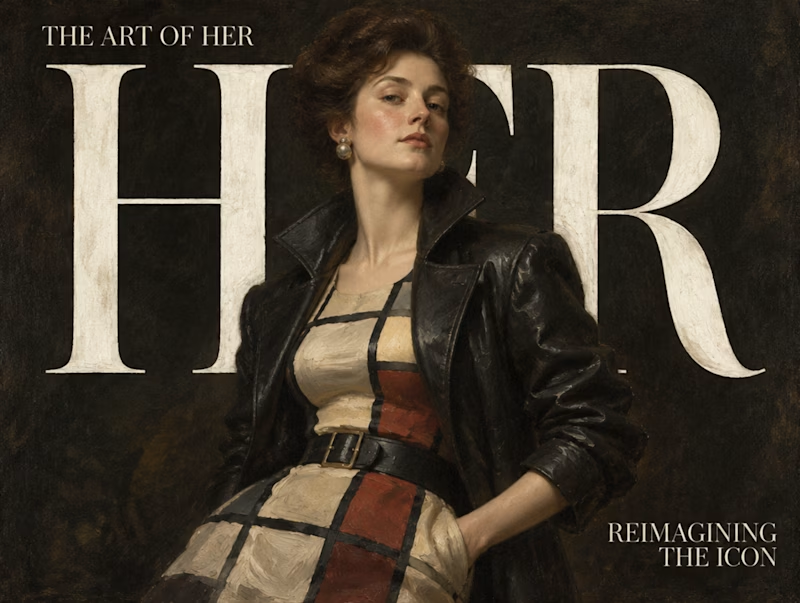
10 votes
Closed

Love that direction! Extraordinary artistry of fashion from open collections is such a rich pick - so much texture and history to play with! Recraft Styles Challenge mein yeh angle definitely stands out! Voted for this, excited to see where you take it!