The network for creativity
Join 1.25M professional creatives like you
Connect with clients, get discovered, and run your business 100% commission-free
Creatives on Contra have earned over $150M and we are just getting started
Back to feedPost

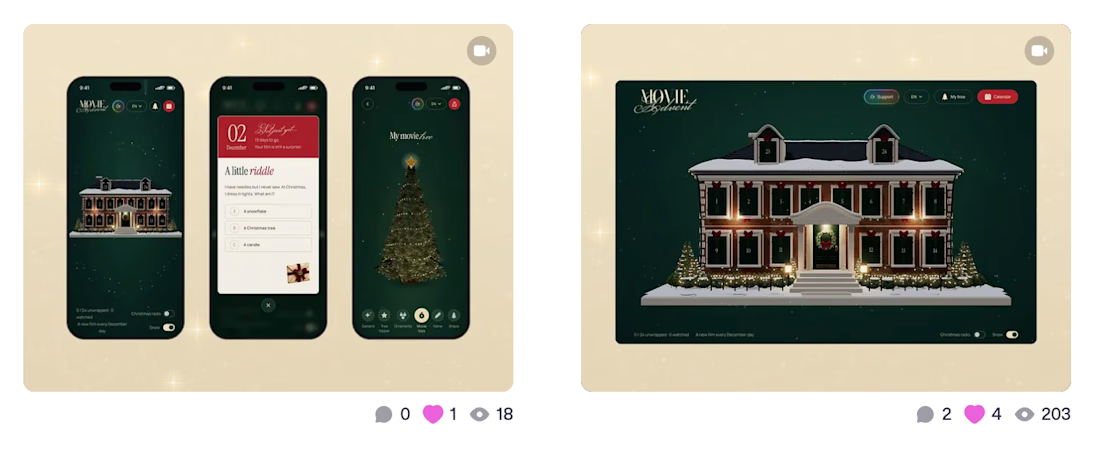
I keep noticing something with my Dribbble shots: when I include a link to the live project, visibility seems to drop. And as a non-Pro user, it’s starting to feel a little too familiar 🫠
These two shots are from the same project. Different formats and posting times, so it’s not a controlled comparison — but it’s not the first time I’ve wondered about this.
We’re encouraged to show real work, but linking to something people can actually use feels like a gamble 🌚🚬
Has anyone else noticed this? Especially other non-Pro designers 👀
The network for creativity
Join 1.25M professional creatives like you
Connect with clients, get discovered, and run your business 100% commission-free
Creatives on Contra have earned over $150M and we are just getting started


Related posts

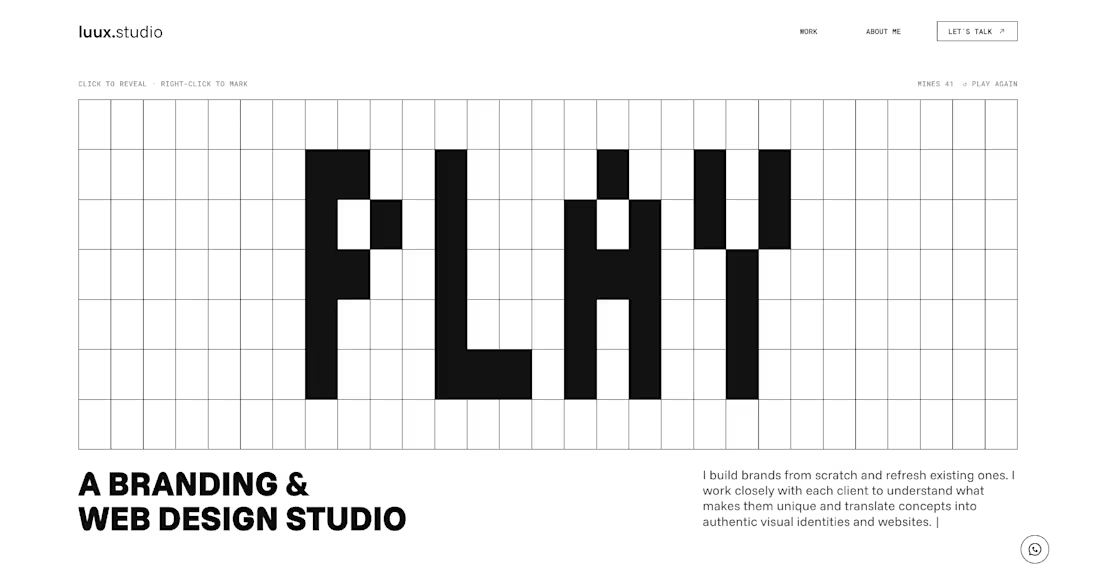
The new luux.studio website is live.
I rebuilt my site around one idea that guides how I work:
⚡️ every project starts by bringing light to what’s hidden ⚡️
So the homepage is a game.
A full-screen minesweeper where you explore the grid, read the clues and, eventually, find the spark. Hit a mine and it explodes, literally, into a “Start your project” button.
What else is new:
→ Three clear services: Brand Strategy, Visual Identity and Website & E-commerce
→ A work index where every project comes to life on hover
→ One person behind it all, from the first idea to launch
Designed and built in Framer, with a few custom code components for the game and the details.
Go play: luux.studio
How many clicks did it take you to find the spark?
Please, leave your feedback below 🫶🏻


Good work, very polished.


Hover Effects: Decoration or Function?
The same online course card can respond to hover in very different ways.
Version A - Visual Hover
The image slightly zooms in, the card lifts, and the CTA arrow moves to the right. It signals that the card is interactive and makes the interface feel more dynamic, but it doesn’t provide any new information.
Version B - Functional Hover
The unedited portrait smoothly transitions into the final retouched version. Users can immediately see the potential outcome of the course before opening its page.
Both options add motion, but they serve different purposes: one attracts attention, while the other supports decision-making.
Which hover would you choose for an online course library?
25 votes
Ends in 15h

Definitely Version B. For visual skills like Photoshop retouching, seeing the actual outcome on hover answers the learner's biggest question immediately.

Made a new showcase video for my profile 🎬
What are your best tips for videos like this? Drop them below, or share a link to yours 👇