The network for creativity
Join 1.25M professional creatives like you
Connect with clients, get discovered, and run your business 100% commission-free
Creatives on Contra have earned over $150M and we are just getting started
The network for creativity
Join 1.25M professional creatives like you
Connect with clients, get discovered, and run your business 100% commission-free
Creatives on Contra have earned over $150M and we are just getting started





Related posts

Hey, where can i find my Worskspace ID?

Go to the InVideo dashboard, then click your profile picture in the top-right corner. Select Profile, then click Workspace Settings from the left-side menu. There, you’ll find your Workspace Handle listed under the Workspace Name.

Let getting the challenge started ⭐⭐⭐⭐⭐


CRAZY MAN
A clip with no beginning and no end, no backstories and no context.
In a crazy guy's crazy world, this clip revolves around primarily a MINIMALIST effect with added touches of DISTORTION and SLICE SHIFT (barely).
Here's the link to the invideo editor timeline:- https://invideo.io/share/CRAZY-MAN-y4EvDkuqMnh
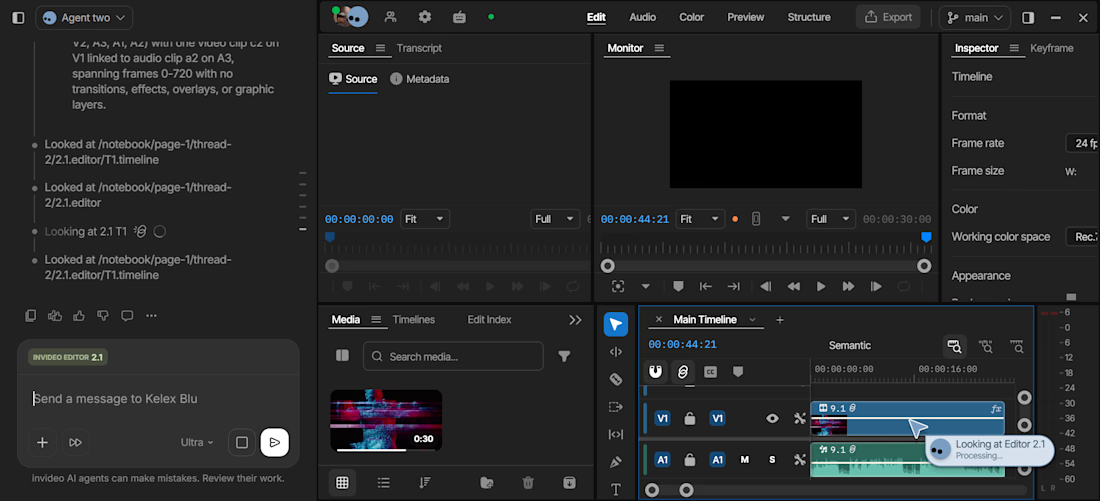
I used Seedance 2.5 to get me a clip that suited my vision , simple prompt based clip further rendered in 4k afterwards in the editor. I went on to work on it in the timeline where my personal agent Kelex Blu helped out. I did not add in the minimalist effect initially so he helped me place exactly that in the beginning, fed in suggestions for color grading and refinement and smartly explained what he saw and suggested what would work best. Smart guy !

Woww