The network for creativity
Join 1.25M professional creatives like you
Connect with clients, get discovered, and run your business 100% commission-free
Creatives on Contra have earned over $150M and we are just getting started
Back to feedPost

Copied something on Linux, closed the app, and the paste came up empty?
It's not a bug. On X11 the clipboard holds no data, only a promise. The app you copied from keeps the content and hands it over when you paste. Close the app and the promise goes with it.
A few xclip one-liners that help on X11 (Xfce, MATE, Cinnamon, any Xorg session)
1) Keep copied text alive after the app closes
`xclip -selection clipboard -o | xclip -selection clipboard`
2) The same line strips formatting, so it doubles as "paste as plain text" for rich text from a browser or office app.
3) See every format an app offered (HTML, PNG, file lists and more)
`xclip -selection clipboard -t TARGETS -o`
4) Linux has two clipboards. Selecting text fills PRIMARY (middle-click pastes it), Ctrl+C fills CLIPBOARD. Read the selection without touching your clipboard
`xclip -selection primary -o`
5) If you use a clipboard manager, make sure it respects x-kde-passwordManagerHint. KeePassXC sets it so passwords stay out of your history. Run the TARGETS command right after copying a password to see it.
On Wayland it works differently. Use wl-copy and wl-paste from wl-clipboard.
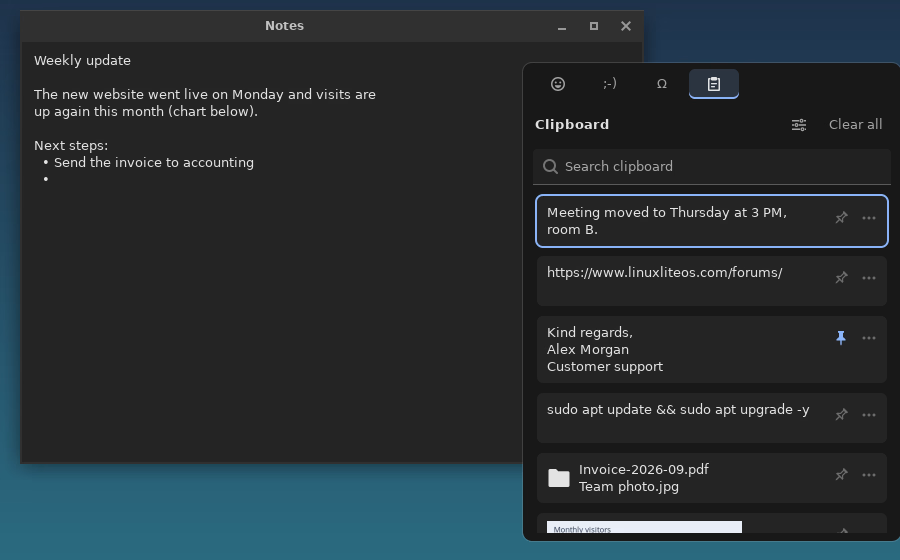
I got tired of doing this by hand, so I wrapped it into SuperV, a free, open-source Win+V-style clipboard history for X11. It does pins, images, paste as plain text, and skips passwords. github.com/MilanG-Ne/superv
What's your clipboard setup on Linux?


The network for creativity
Join 1.25M professional creatives like you
Connect with clients, get discovered, and run your business 100% commission-free
Creatives on Contra have earned over $150M and we are just getting started
Related posts

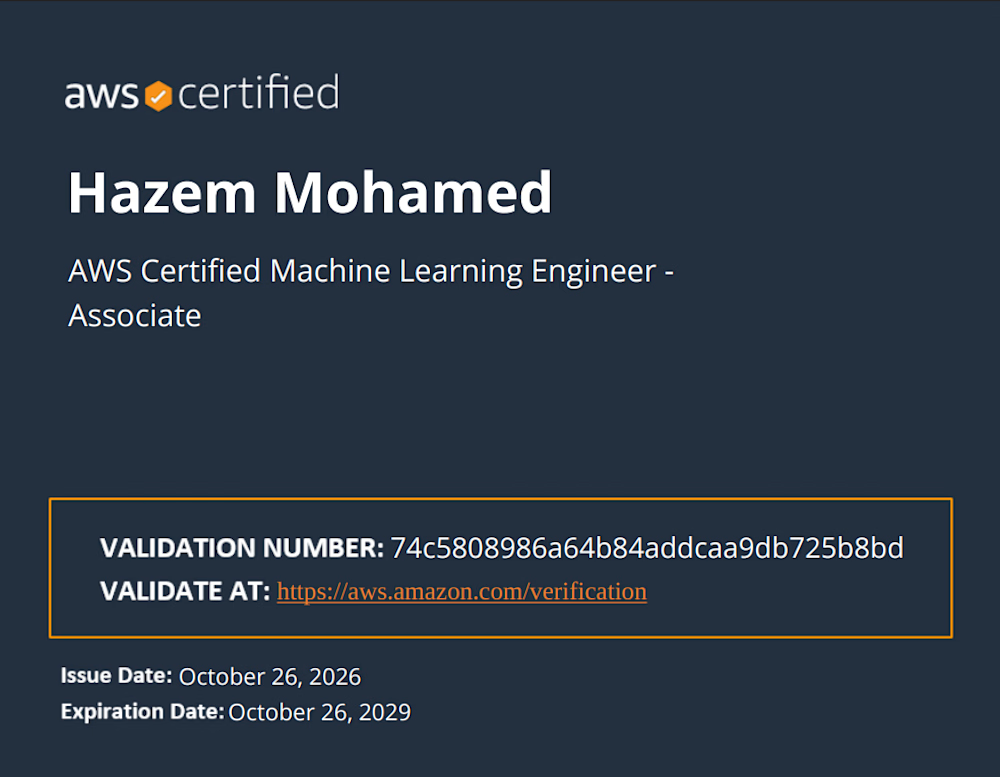
Proud to officially add the AWS Certified Machine Learning Engineer - Associate certification to my toolkit!
Building robust machine learning pipelines and scaling AI workloads securely on the cloud has always been a key focus of mine. Earning this certification has been a great deep-dive into mastering AWS ML infrastructure, MLOps best practices, and production-grade architectures.
Ready to bring these advanced capabilities to upcoming data science and engineering projects! Let's build something impactful. 💡💪
🔗 Verify Certificate:
Validation Number: 74c5808986a64b84addcaa9db725b8bd
Verification Link: https://aws.amazon.com/verification
#AWS #MachineLearning #AI #CloudComputing #DataAnalysis #MLOps


Congratulations on earning the AWS Machine Learning Engineer certification, Hazem khaled! Robust pipelines and cloud automation make all the difference for production-grade AI systems.


It's finally here 🤩
the crazy thing about Claude Code + Framer MCP is how easy it makes remote work
I can literally be away from my computer, open my phone, give Claude a quick prompt, and change a specific section or even a single heading on a project
I asked it to create a 404 page, that’s it!
one prompt. one request. and it got to work
the distance between having an idea and actually shipping it keeps getting smaller
we’re living in interesting times

Building software with AI requires more than a good prompt.
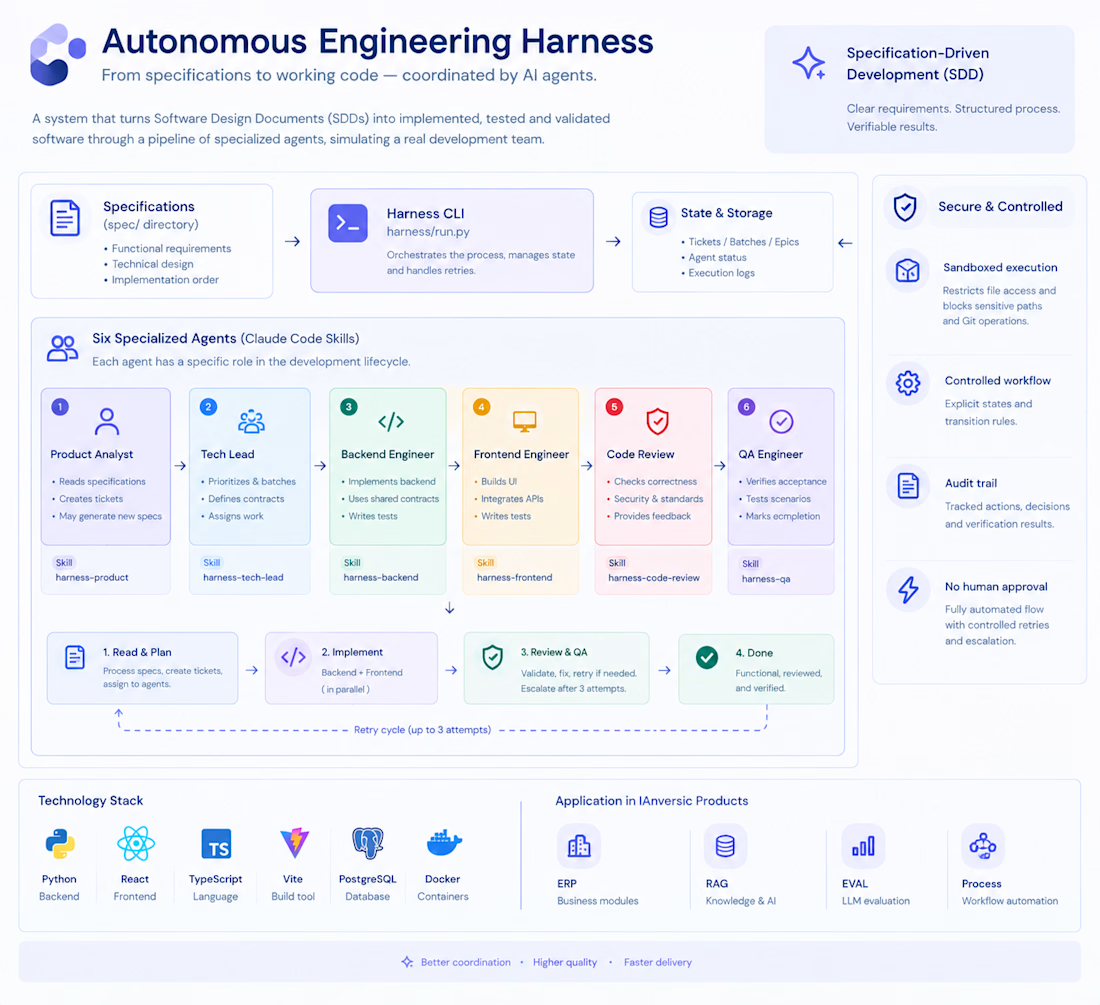
I've been developing my own Autonomous Engineering Harness to structure how I build software with AI.
The idea is simple: instead of relying on AI to generate code one task at a time, I wanted a more structured process that connects specifications, task planning, implementation, code review, and QA.
The harness organizes the workflow into clear stages:
- Specifications: define what needs to be built.
- Task planning: break requirements into manageable units.
- Implementation: coordinate AI-assisted development.
- Review: check the result against the intended requirements.
-QA: validate the software before considering the work complete.
The goal isn't to make AI autonomous for the sake of it. It's to make AI-assisted engineering more structured, repeatable, and easier to validate.
I'm applying this approach to my own projects and continuing to refine the framework as I learn what works in practice.
I wrote more about the approach, the engineering decisions behind it, and how the framework works on my website.
Read the full story: https://yitsymosqueda.com/autonomous-engineering


I'd carry acceptance criteria from the spec into QA as explicit checks, with a result attached to each one. When the spec changes mid-build, does the workflow flag which completed tasks and QA results need to be revisited?