The network for creativity
Join 1.25M professional creatives like you
Connect with clients, get discovered, and run your business 100% commission-free
Creatives on Contra have earned over $150M and we are just getting started
Back to feedPost

Sleep Debt Co.
What I built
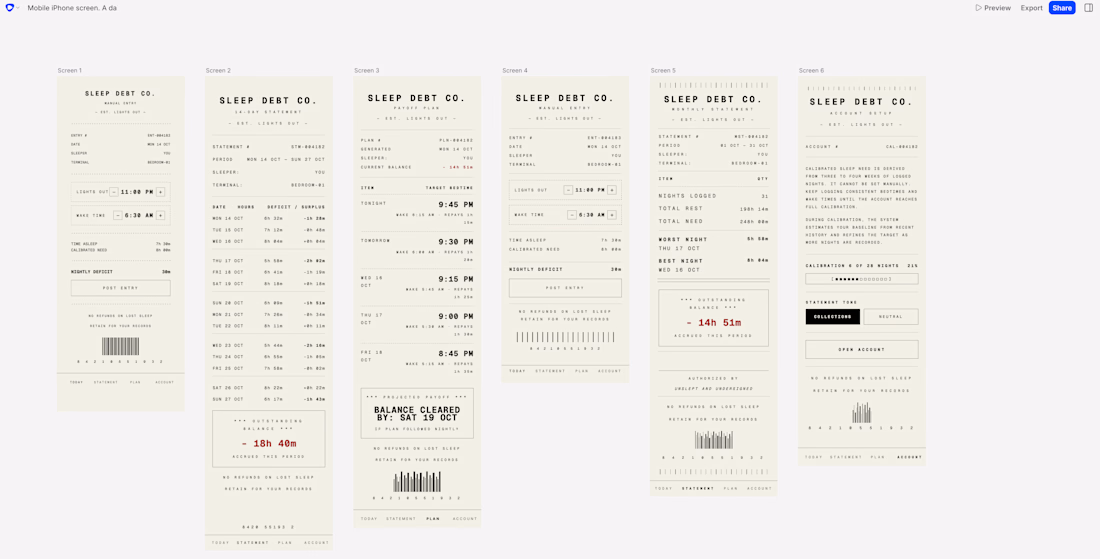
Sleep Debt Co. is a sleep tracker that behaves like a creditor. Every morning it prints a thermal receipt: hours logged, hours owed, and a rolling 14-day balance stamped OVERDUE in red.
Tap the balance and it hands you a payoff plan with a target bedtime for each of the next five nights and the exact date your account clears. Your sleep need isn't a setting you pick, it's calibrated over 28 logged nights, and the app tells you so on the setup screen.
Six screens, clickable end to end: daily receipt, 14-day statement, payoff plan, manual entry, monthly statement, account setup.
Why I wanted it to exist
Every sleep app I've used gives me a score out of 100 and a purple donut chart. I have never once looked at a sleep score and changed my behavior, because a score is an opinion and it's easy to ignore. A bill is not. I wanted the version that treats lost sleep as something owed, with a balance that keeps growing until you pay it back the only way you can, which is by sleeping.
How I built it
I wrote the design system before writing a single prompt. A DESIGN.md with exact hex codes, rules for where each color is allowed to appear, and a prohibited list: no moons, no stars, no clouds, no purple, no gradients, no progress rings, no drop shadows, no glassmorphism. Every cliché the genre defaults to, banned up front. Then I let Flowstep generate against it.
The useful failure came halfway through. I selected all four screens and gave per-screen instructions in one message, and it scrambled two of them into each other, turning my manual entry form into a duplicate of the daily receipt. The rule I got out of it: multi-select is for global changes only, anything screen-specific needs one screen selected at a time. I kept the broken screenshot. It's the most useful thing in the build.
The best moment was the opposite. Navigation didn't exist until I added one consistent tab bar across all six screens in a single global edit. Flowstep wired the whole flow automatically after that, no manual linking needed.
Built in one night, entirely on the free tier.
Prototype: https://app.flowstep.ai/file?activeFileId=de6d6a56-3c72-4be8-ac23-f1b9e1436b52
The network for creativity
Join 1.25M professional creatives like you
Connect with clients, get discovered, and run your business 100% commission-free
Creatives on Contra have earned over $150M and we are just getting started
Related posts

Excited to be joining the #FlowstepChallenge
Building a product I've always wished existed and finally bringing it to life as a real prototype. Looking forward to sharing the process, the iterations, and the final result.
Stay tuned.
@flowstep_ai #BuildInPublic
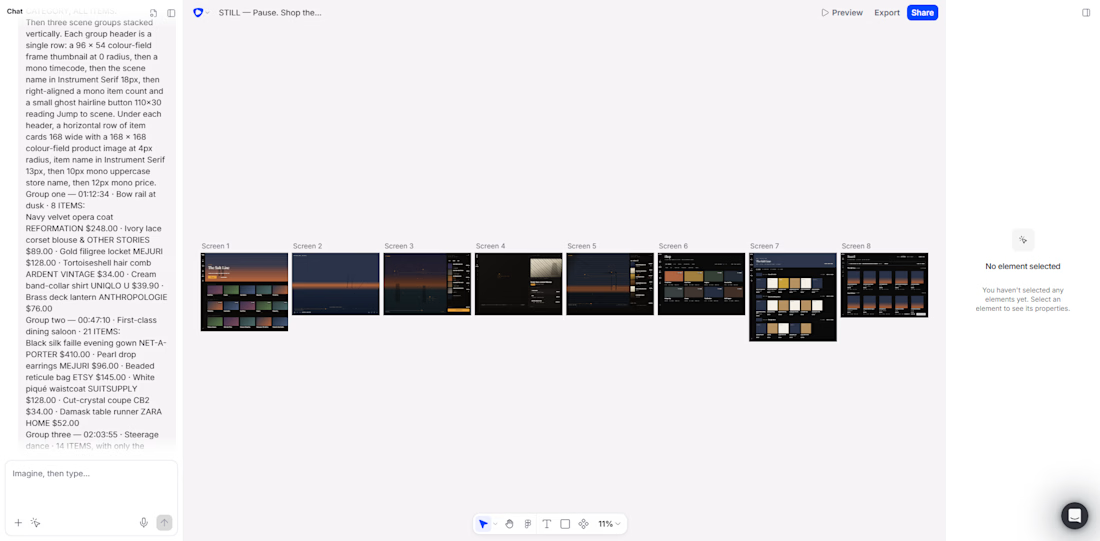

project link: https://app.flowstep.ai/file?activeFileId=c8f98ac8-2246-4a9b-a7fb-4447863cc4d7
linkedin post link: https://www.linkedin.com/posts/christa-maria-el-hage-34901127b_flowstepchallenge-ugcPost-7485658897421238273-OWL0/?utm_source=share&utm_medium=member_ios&rcm=ACoAAEQqyakBs9q6sTNWuVY-vt7pjEQqhDaCeUk
ReturnEasy is an AI-powered purchase management platform that helps users organize online orders, track return deadlines, monitor refunds, and manage warranties in one place. I built it because online shopping has become easier, but managing receipts, return policies, and refunds is still frustrating and time-consuming. ReturnEasy gives users a smarter way to protect their purchases and never miss important deadlines again.
#flowstepchallenge
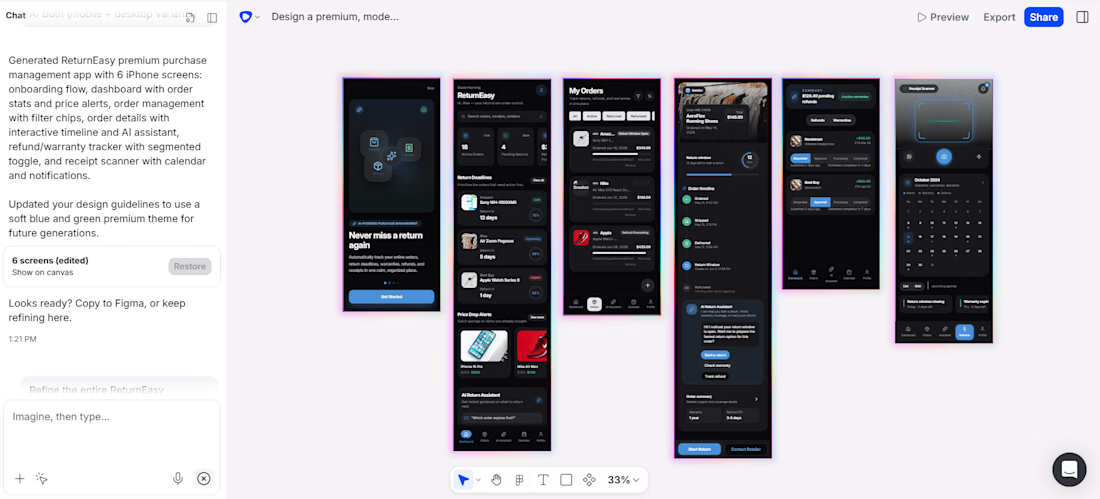

I have created 3D animation of this product, this is my submission for competition and if you like it rate it out of 10










Trending

Claude
Claude has entered the design space. How are you using Claude Design?

Contra University
Learn from expert creatives how to earn more using next-gen AI tools.
creativeaiflow
Creative AI workflows are evolving. What tools do you use, and what are their strengths and weaknesses?
freelancerlife
Freelancer life is wins, pivots, and everything in between. What’s yours right now?