The network for creativity
Join 1.25M professional creatives like you
Connect with clients, get discovered, and run your business 100% commission-free
Creatives on Contra have earned over $150M and we are just getting started
Back to feedPost

AI Jukebox to increase venue revenue


The network for creativity
Join 1.25M professional creatives like you
Connect with clients, get discovered, and run your business 100% commission-free
Creatives on Contra have earned over $150M and we are just getting started



Related posts

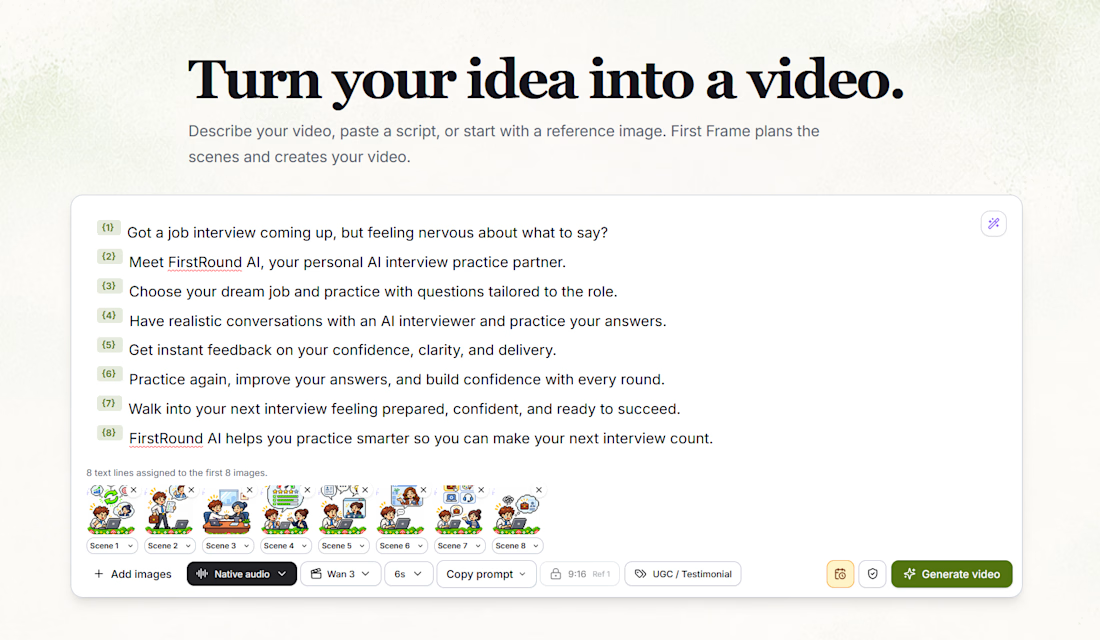
Instead of spending hours editing, stitching clips together, and figuring out production workflows, you can describe your idea, paste a script, or upload reference images.
First Frame helps turn that into a structured, multi-scene video.
Here's what I've been building into it:
AI Scene Planning — Turn a script into individual scenes with matching reference images.
Multiple AI Video Models — Generate scenes using models like Wan 3.
Visual Continuity — Keep characters, scenes, and storytelling consistent.
Audio Integration — Support for narration and audio generation.
Automated Video Assembly — Bring individual scenes together into one finished video.
Creative Controls — Adjust scene duration, video formats, prompts, and generation settings.
The screenshot shows an eight-scene promotional video I'm creating for FirstRound AI, with each script line connected to its own visual reference.
My goal is to make AI video creation more accessible, without needing a complicated editing suite or a production team.
It's still evolving, and I'm continuing to improve the generation pipeline, transitions, audio synchronization, and final exports.
From an idea to a storyboard to a finished video — all in one place.

Great work 👏🏻



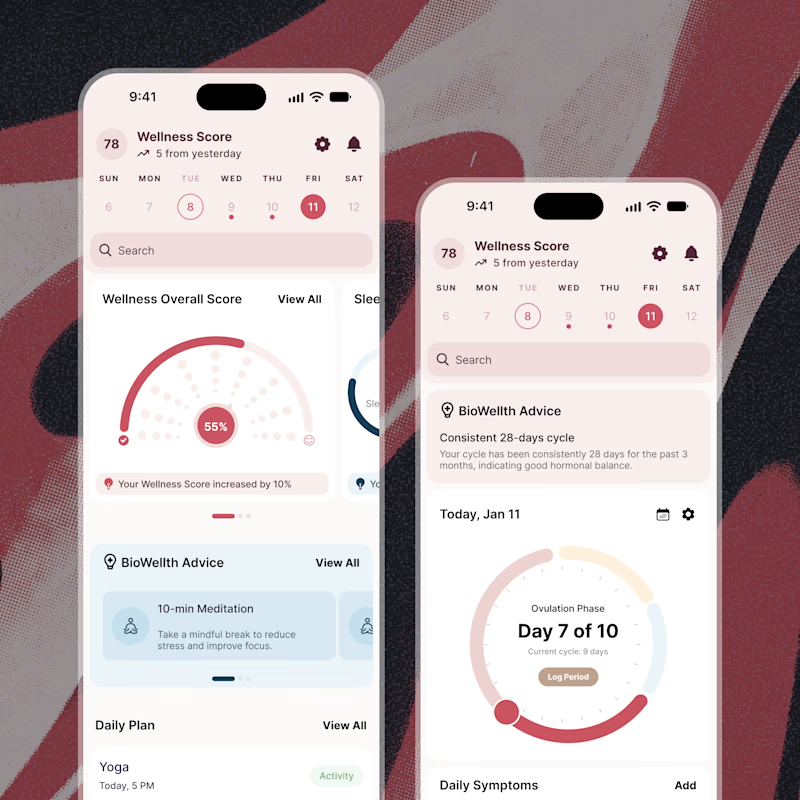
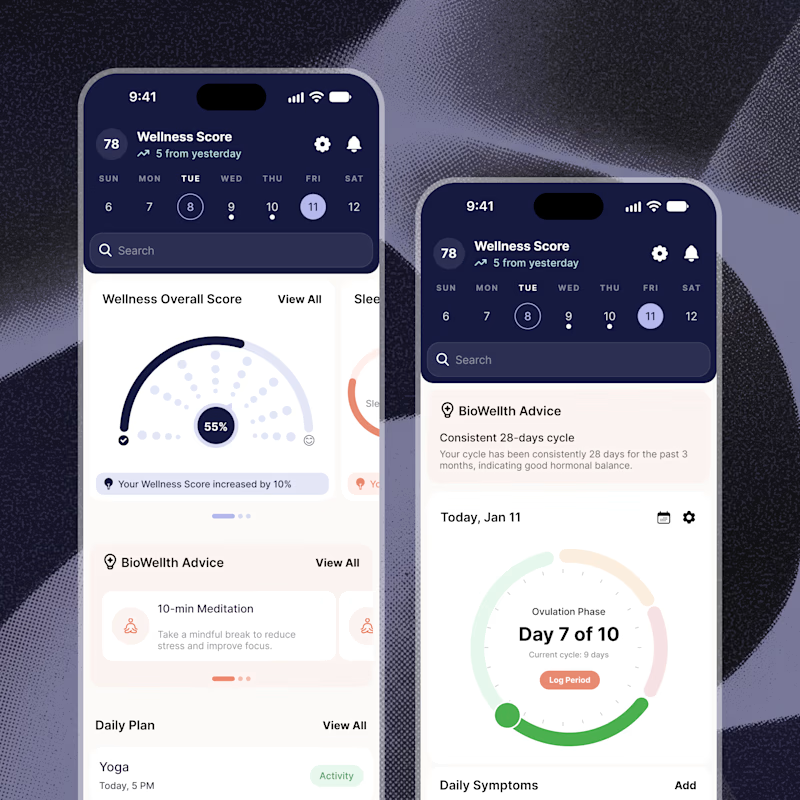
Exploring two color palette directions for a women’s health app. Which one feels right to you? 👀
32 voted
56%
25 voted
44%
57 votes
Closed

Both are amazing! The purple definitely has better contrast, but I’d still go with the berry one, purely a personal preference