The network for creativity
Join 1.25M professional creatives like you
Connect with clients, get discovered, and run your business 100% commission-free
Creatives on Contra have earned over $150M and we are just getting started


The network for creativity
Join 1.25M professional creatives like you
Connect with clients, get discovered, and run your business 100% commission-free
Creatives on Contra have earned over $150M and we are just getting started











Related posts

The power of the "Pre-Click" preview in UX.
When designing this website navigation concept, my primary goal was to drastically reduce the friction of user exploration.
By embedding interactive imagery into the menu hover states, users get an instantaneous visual cue of what lies behind each tab—like "Home," "Work," or "Studio"—without waiting for a brand new page to load.
It changes the website navigation experience from a blind click into an interactive map.
Design takeaways used here:
Keep typography massive so the hitboxes are easily accessible.
Use smooth easing curves on the transitional page wipe to keep it feeling light and fast.
Fellow interaction designers—do you prefer hidden full-screen menus like this, or persistent top-bar navigation layout models? Let me know below! 👇


serif on that roma details card is a nice surprise in a dev tool shot. what did you end up fixing first?

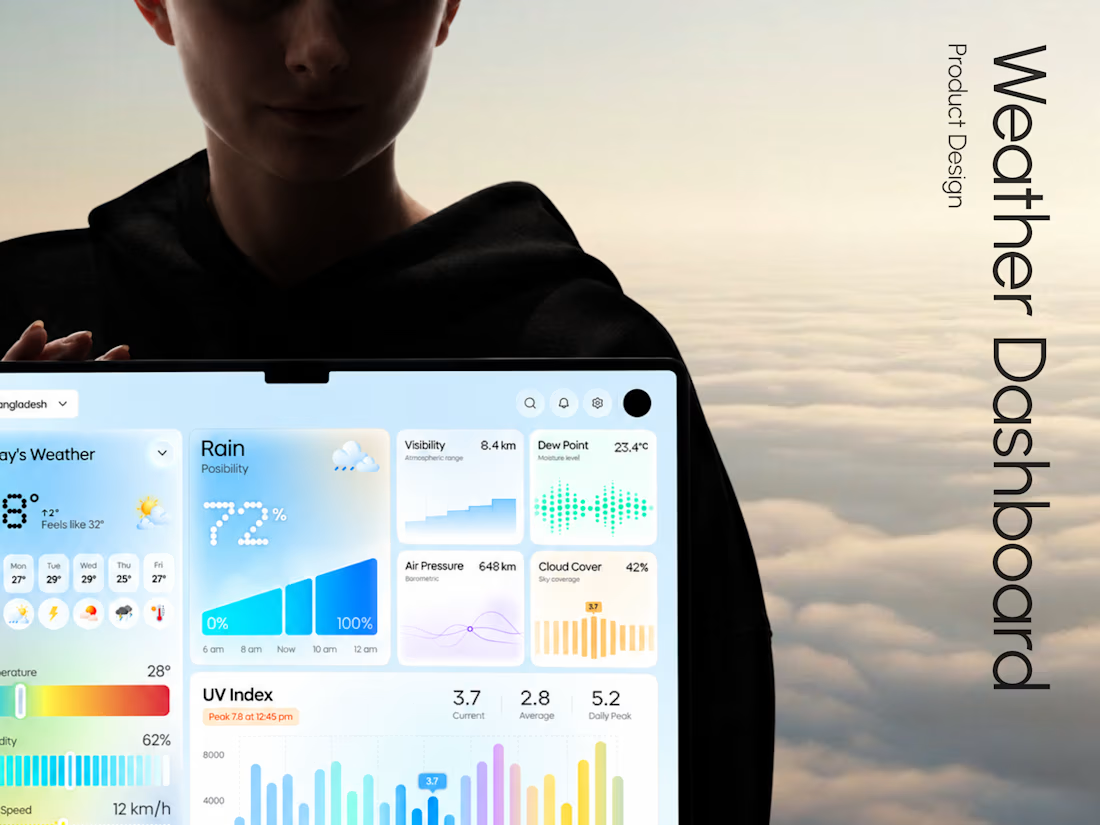
Weava - Making Weather Data Feel Effortless
Weather dashboards often display plenty of information.
The real challenge is making that information useful.
With Weava, we explored a modern weather dashboard concept that puts clarity, visual structure, and usability at the center of the experience.
The design direction focuses on:
• Clean and structured dashboard layouts
• Clear weather data visualization
• Intuitive information hierarchy
• Minimal, distraction-free interface design
The result is a design concept that explores how everyday weather information can become a more understandable digital experience.
Building a SaaS product, analytics dashboard, or custom web application?
At Taqwah, we specialize in designing modern, scalable UI/UX experiences for startups and growing businesses.
From product concepts to developer-ready interface designs, we help turn complex product ideas into intuitive digital experiences.
👉 Have a dashboard project in mind? Send us your requirements and let's discuss a custom UI/UX design solution.