The network for creativity
Join 1.25M professional creatives like you
Connect with clients, get discovered, and run your business 100% commission-free
Creatives on Contra have earned over $150M and we are just getting started
Back to feedPost

Safety Film: a Video.js 10 skin where nothing sits on the picture
Live: https://safety-film-player.netlify.app
I make video ads, and the first rule of the edit suite is that nothing sits on the picture. Most players break it with a bar or a row of icons over the work. So Safety Film puts the player where film puts everything that isn't the image: in the edge.
The player is one frame of 35mm on a lightbox. Inline, the title, time and every control live in the black rebate around the picture, and they read the same over a white, black or busy frame. Only what is passing or asked for crosses the frame line: the play mark before you start, a menu you open, the frame preview, captions. The demo opens on the launch film, streamed from Mux. Paste your own Mux playback ID or open a file from your computer to try it on your worst footage.
The seek bar is the row of sprocket holes. Light moves through the perfs as the film plays and travels wherever you jump. Chapters are splices with frame numbers, and the hover preview is a frame cut from the strip. Press play and the lamp strikes, and the play and pause marks advance like frames through a gate. At the end it says END OF ROLL, and replay winds the light back.
It's plain HTML and CSS on the stock Video.js 10 components. Every control works from the keyboard with a visible focus ring, touch targets are at least 44 px, and reduced motion, more contrast and forced colours are honoured. It works in right-to-left languages and in all 52 languages in the workbench.
The same skin runs the video lightbox on my portfolio: https://evantran.netlify.app (press play on the reel).
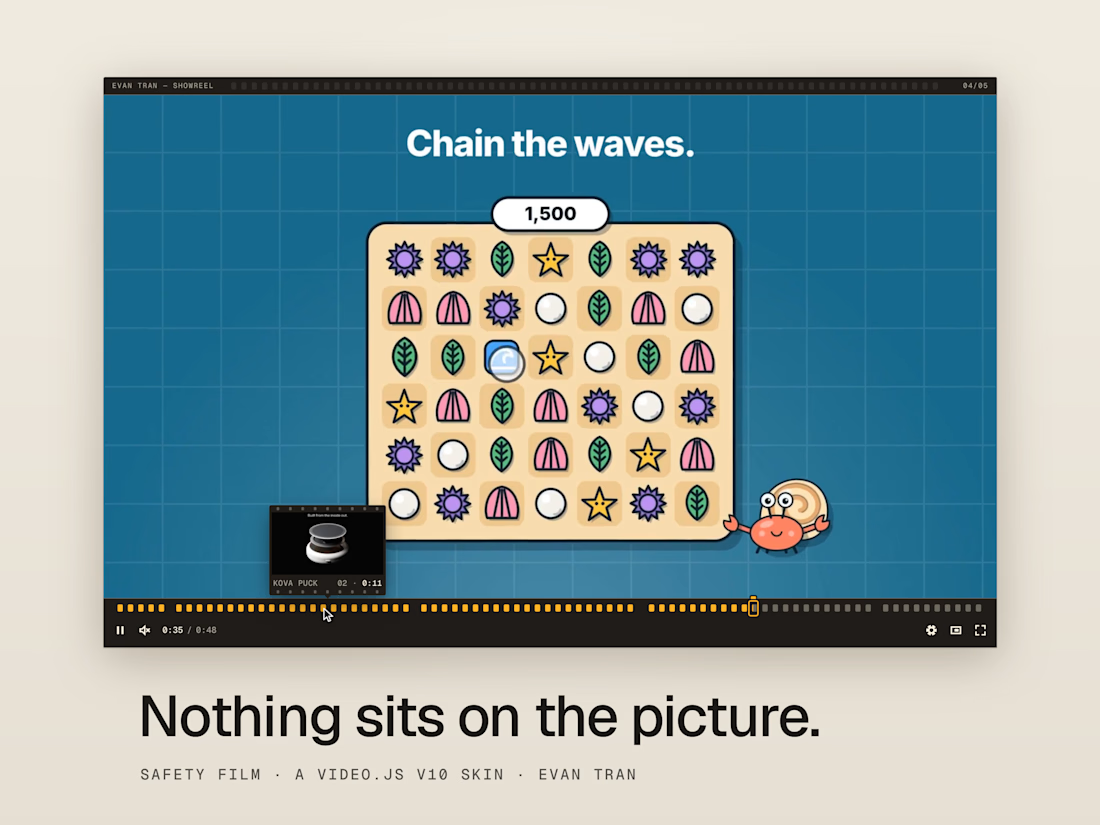
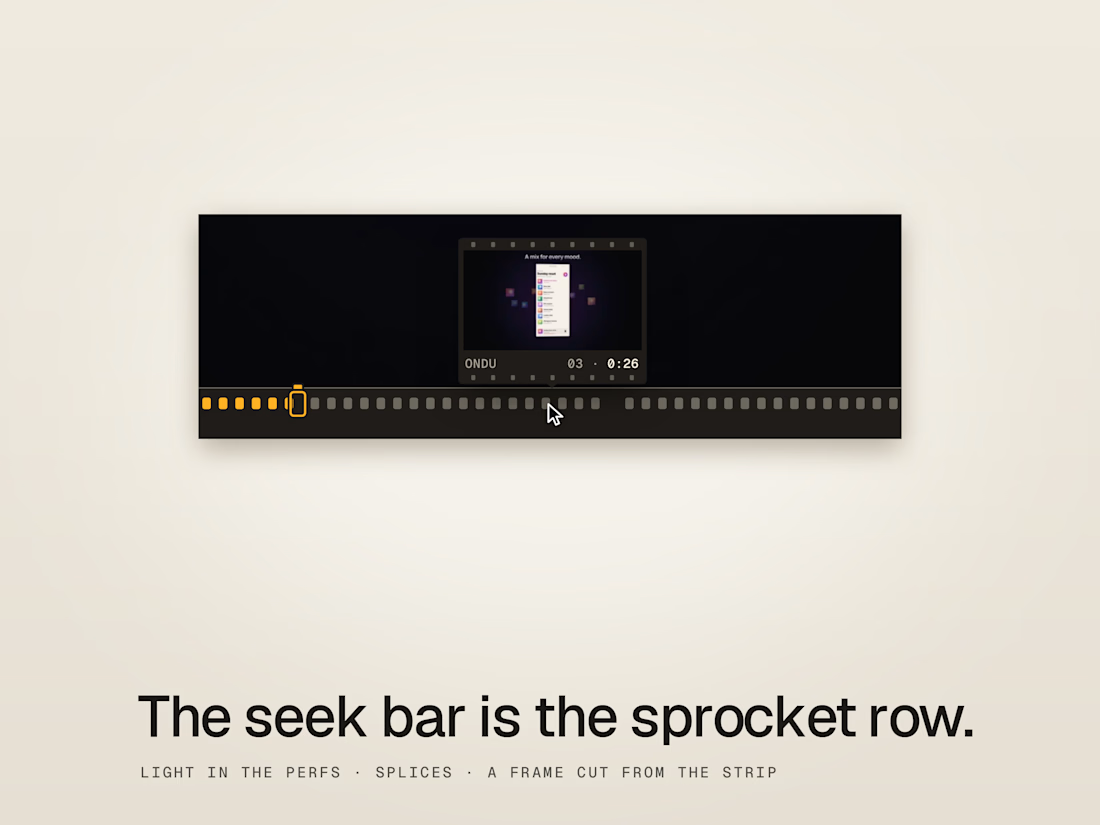
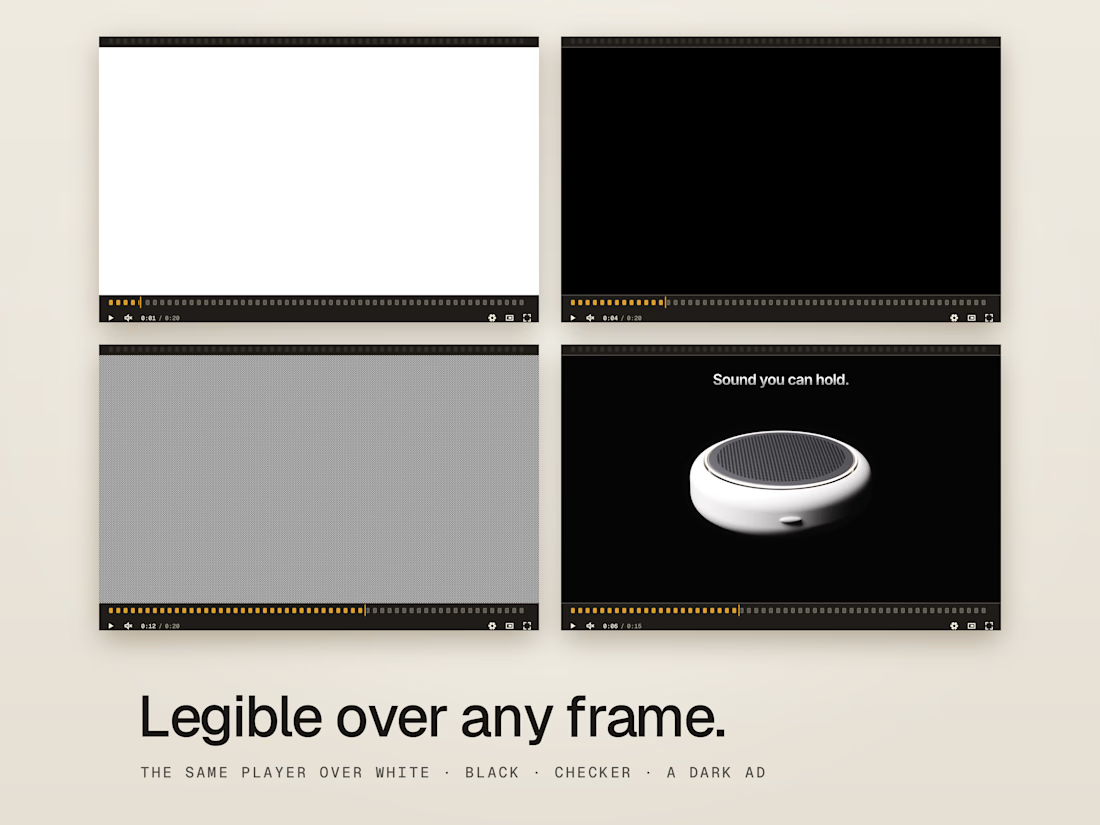


controls off the picture. FINALLY

Nothing sits on the picture, the first rule of the edit suite. Right instinct.

As someone who edits video ads, your first rule is exactly right — nothing should sit on the picture. The frame-edge controls and the way the timeline only appears when you need it keeps the work front and center. That is the kind of restraint clients notice even when they can't name it.
The network for creativity
Join 1.25M professional creatives like you
Connect with clients, get discovered, and run your business 100% commission-free
Creatives on Contra have earned over $150M and we are just getting started


Related posts

Video is more than a sequence of frames, it is a continuous passage of time. Inspired by the static eye of a watch and the human impulse to freeze a moment, this custom player transforms the timeline into an interactive space for memory and reflection. Viewers can anchor thoughts, notes, and reactions to exact timestamps using an integrated Markdown editor with rich-text formatting.
It was a simple exploration, but I learned some interesting things, and it gave me a lot of ideas for the future.
You can edit the skin colors using the dial kit to open it—just press Cmd + E.
Try it and let me know what you think.


VIDEOBOY: a video player that feels like the handheld you never put down.
Remember the click of the cartridge going in? The two-note chime, the green glow, the back seat of the car while everyone else was asleep?
VIDEOBOY brings that back for video. Press Play and the film runs in full colour inside a little console. Press Pause and the screen turns into a four-tone dot-matrix panel, the way it looked under a blanket at 2am.
Every part of it is a real button. The D-pad seeks and changes the volume, Select opens the menu, and A and B do what your thumbs expect. Your keyboard works too: X plays, the arrow keys move.
Pick a cartridge from the shelf and slot in another film. Bright scenes, dark scenes, wild colour: the dot-matrix screen keeps them all readable.
Choose your shell: Tangerine, Classic or Night. The whole page changes colour with it.
It fits whatever space you give it, from a phone to a full-width hero, and it's built on Video.js v10 with Mux. It's also keyboard and screen-reader friendly, because everyone deserves a turn.
Go on. One more level.

a gameboy skin? impressive!!
nice concept!🔥🔥

Tint: a Video.js skin that takes its colors from the film playing. The poster shows the film's color fingerprint, the timeline is a slice of every frame, and the scene you're watching tints the controls. Built with jelly physics, custom subtitles, and scene-aware UI. Open source.

Pulling the palette from the film itself is such a smart move, the controls can never clash with the footage. Does the tint ease between scenes or switch right on the cut?