The network for creativity
Join 1.25M professional creatives like you
Connect with clients, get discovered, and run your business 100% commission-free
Creatives on Contra have earned over $150M and we are just getting started
Back to feedPost

Spreadsheet cleanup tip: Before deleting duplicate rows, check whether the key column should be unique and flag blank IDs first. Keep an untouched copy of the source so you can trace each cleanup step. I offer cleanup for small spreadsheets (up to 100 rows and 10 columns), with an audit trail and unclear entries flagged. Details: https://contra.com/s/sNoArgMb-clean-up-to-100-spreadsheet-rows-with-an-audit-trail — $15.
contra.com
Clean up to 100 spreadsheet rows with an audit trail by Adam Pope
Read more about Clean up to 100 spreadsheet rows with an audit trail by Adam Pope on Contra.
The network for creativity
Join 1.25M professional creatives like you
Connect with clients, get discovered, and run your business 100% commission-free
Creatives on Contra have earned over $150M and we are just getting started




Related posts


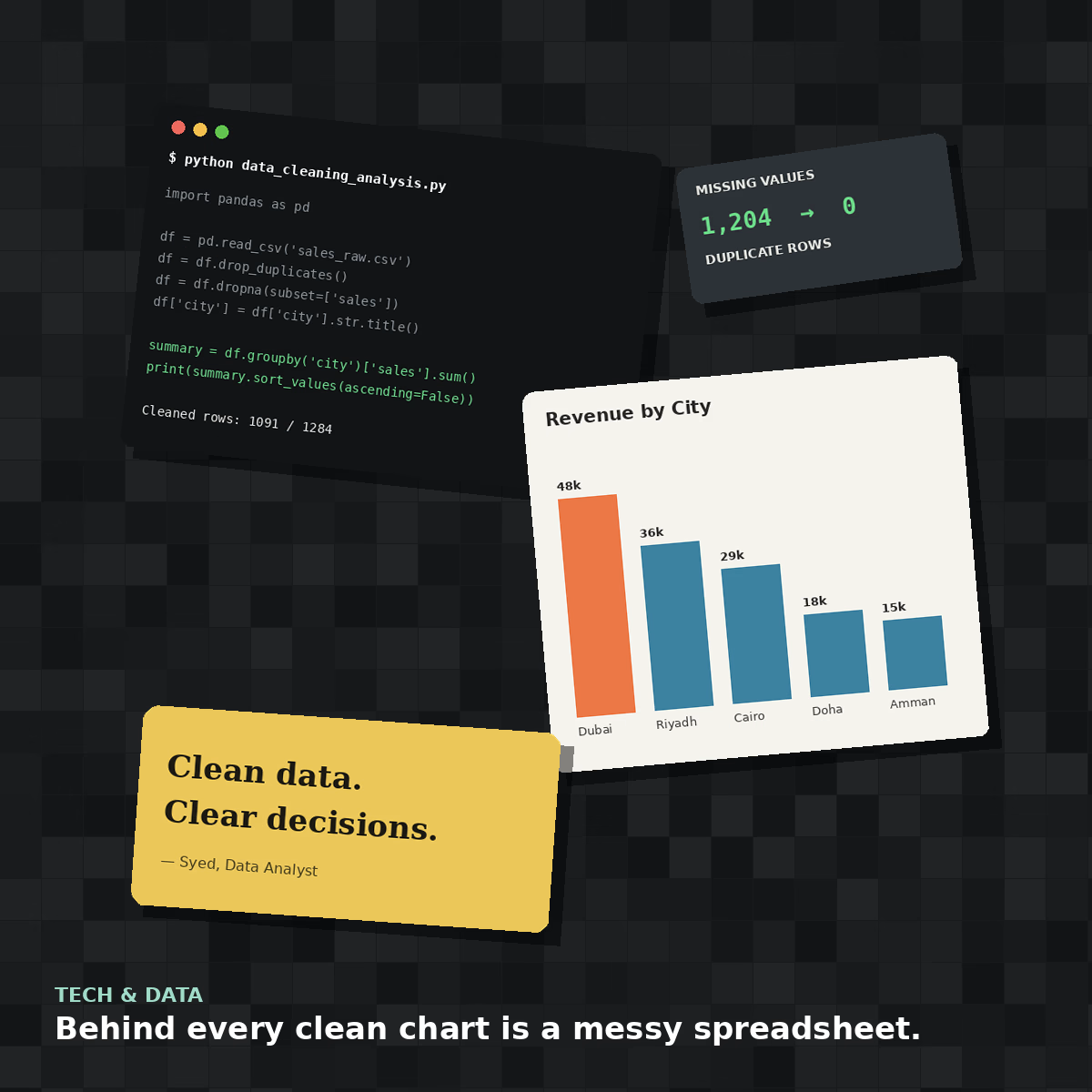
Behind every clean chart is a messy spreadsheet 🧹
This is what a real data cleaning job looks like before it becomes an elegant bar chart — duplicate rows, missing values, inconsistent formatting, all sorted out with Python and Pandas.
#collage attempt: a look inside the data analyst's actual desk, not just the pretty output.



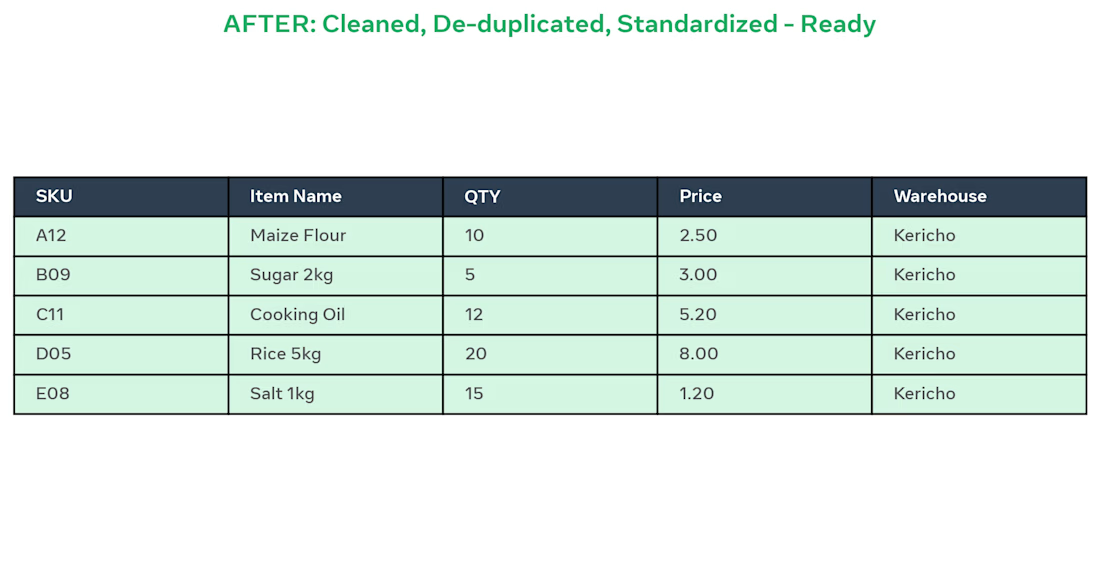
BEFORE: Client had messy Excel inventory with 500 rows, duplicates (A12 / a12), blanks, wrong prices like "$ 2.5" and "N/A", and different warehouse names (KER / ker / Kericho).
AFTER: I did:
Removed 12 duplicate SKUs
Standardized item names to Title Case
Fixed QTY and Prices to 2 decimals
Unified Warehouse to Kericho
Made sheet ready for pivot dashboard
Result: Clean, ready-to-use inventory in 2 days using Excel.
Tools: Excel, Remove Duplicates, Text to Columns, TRIM, PROPER

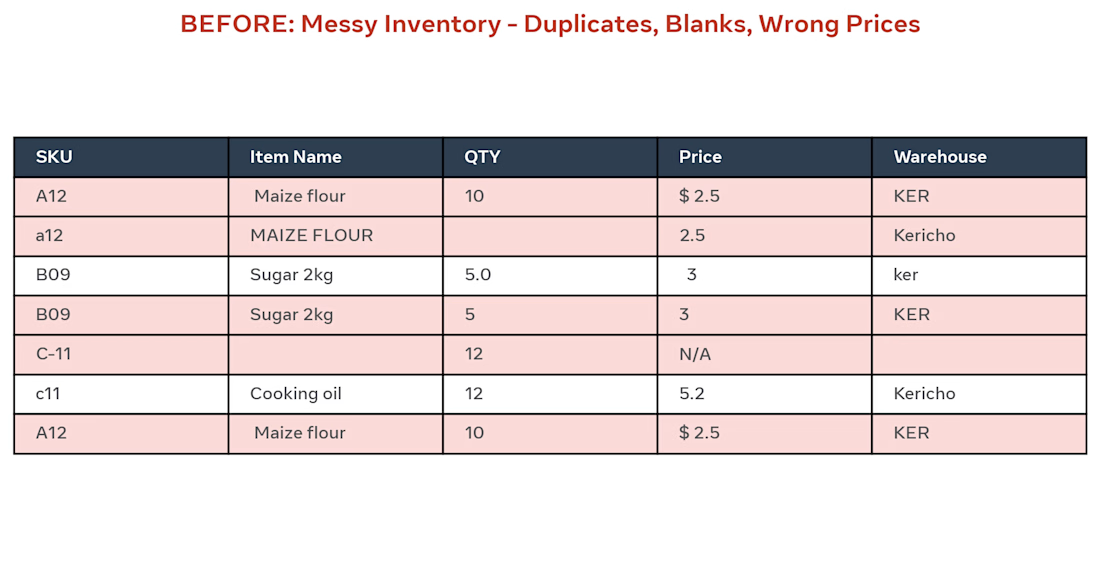

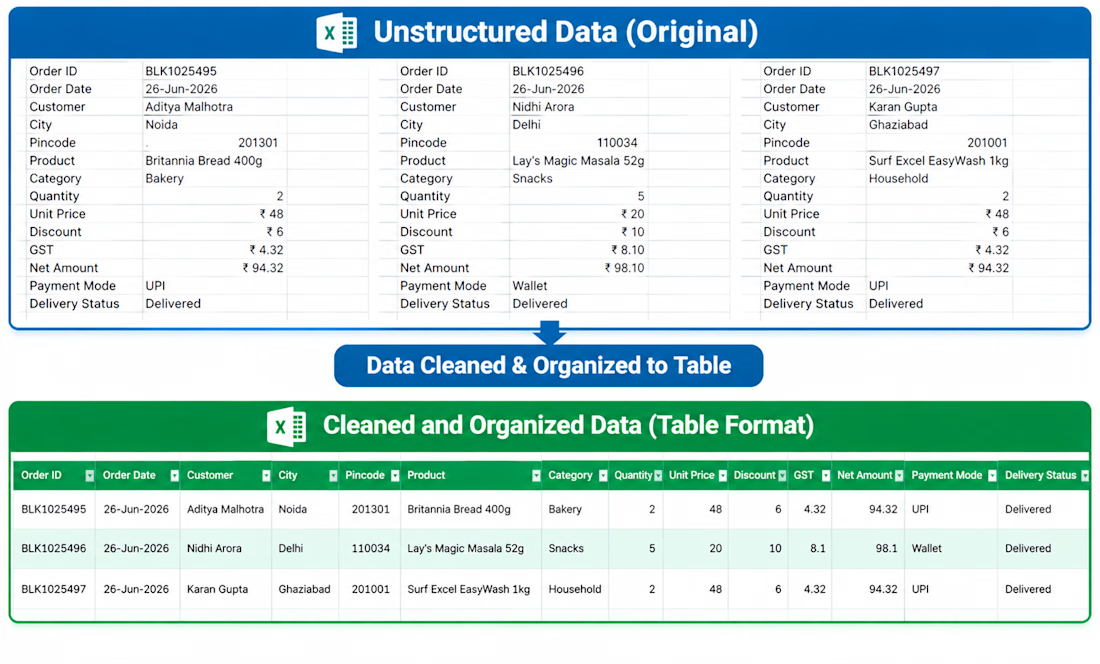
Cleaned and formatted a raw dataset in Excel by removing duplicates, fixing formatting issues, handling missing values, and organizing the data into a structured format for analysis.