The network for creativity
Join 1.25M professional creatives like you
Connect with clients, get discovered, and run your business 100% commission-free
Creatives on Contra have earned over $150M and we are just getting started
Back to feedPost

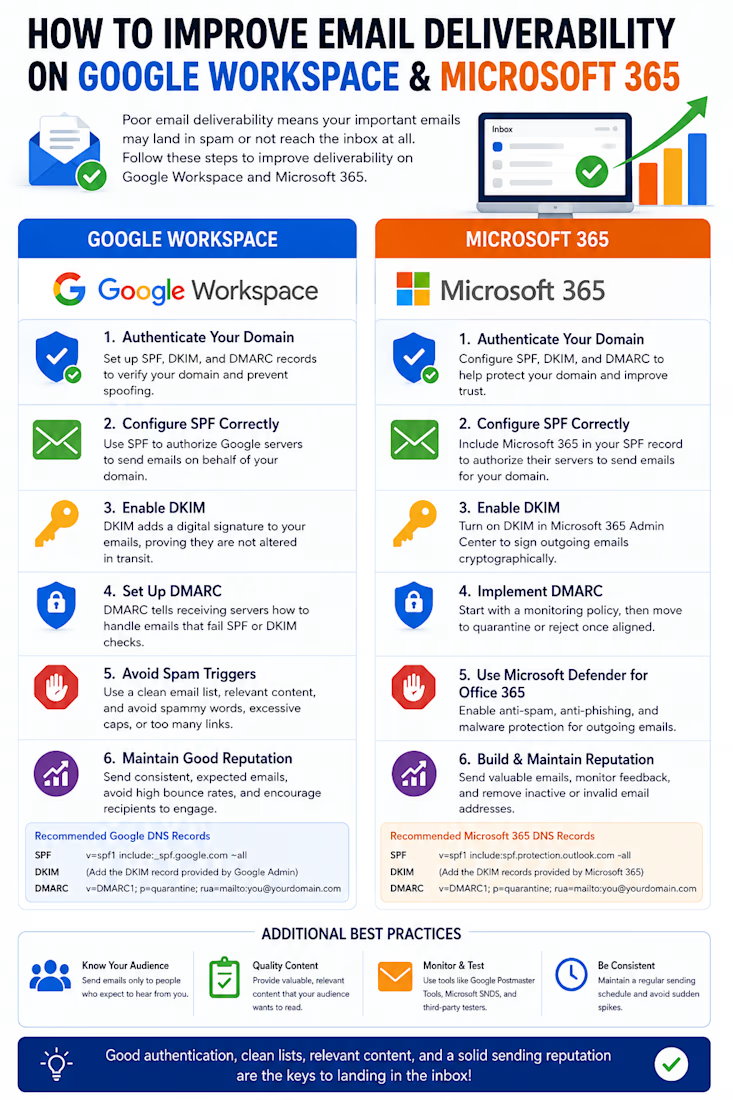
Improve Your Email Deliverability with Google Workspace & Microsoft 365
Email authentication plays a critical role in ensuring your messages reach the inbox instead of the spam folder. By properly configuring SPF, DKIM, and DMARC, maintaining a healthy sending reputation, and following email best practices, businesses can significantly improve deliverability, protect their domains from spoofing, and build trust with recipients.
Whether you're using Google Workspace or Microsoft 365, taking the time to optimize your email infrastructure leads to better inbox placement, stronger security, and more reliable communication.
#GoogleWorkspace #Microsoft365 #EmailDeliverability #SPF #DKIM #DMARC #DNS #EmailSecurity #ITSupport #BusinessEmail


The network for creativity
Join 1.25M professional creatives like you
Connect with clients, get discovered, and run your business 100% commission-free
Creatives on Contra have earned over $150M and we are just getting started





Related posts

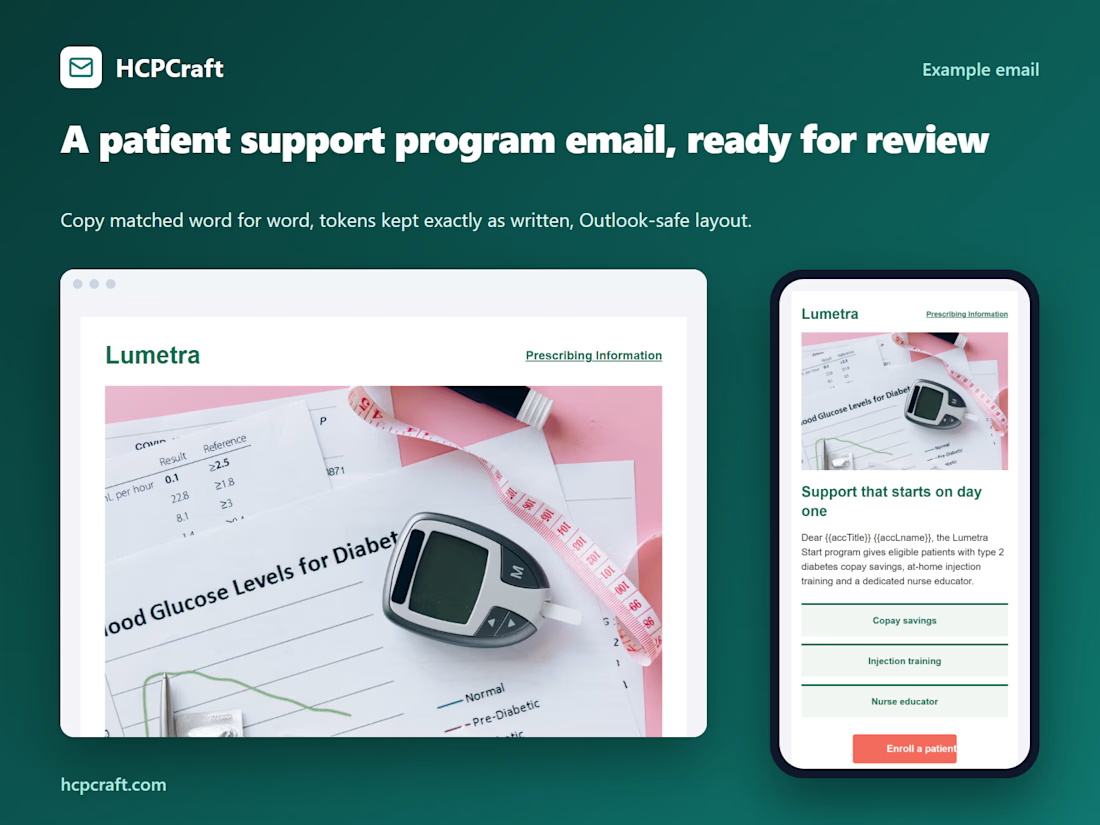
Example patient support program email built by HCPCraft. Approved copy is matched word for word, Veeva tokens are verified, and the layout is Outlook-safe, with compliance checks that flag missing or changed text before review.



Impressive work! Compliance and accuracy are crucial in healthcare emails. 👏

Your Social Media Might Be Someone’s First Conversation With Your Business
Think about the last time someone recommended a business to you.
Before reaching out, you probably looked it up. Maybe you scrolled through Instagram, checked its LinkedIn page, or read a few comments.
You were looking for a feeling: Does this business seem like someone I can trust?
Your potential customers may be doing the same thing right now.
That’s why social media management deserves attention. Every post, reply, and unanswered question helps shape someone’s impression of your business—often before you know they’re interested.
A good business needs a clear online presence.
Running a business takes work. You’re managing customers, delivering projects, handling payments, and trying to make time for everything else.
Social media becomes the task you’ll get to “when things settle down.”
So you post when you remember. Then work gets busy. A few weeks pass. Suddenly, you’re searching for something to share just to keep the page active.
It’s understandable. But for someone discovering your business, an outdated page can leave basic questions unanswered.
Are you still offering this service? What does your work look like now? How can they contact you?
Thoughtful social media management makes those answers easier to find.
Consistency gives people a chance to know you.
One post can introduce your business. A series of useful, recognizable posts helps people understand it.
Over time, your audience gets to see how you work, what you care about, and which problems you can help them solve.
You don’t need to post every day to do this. You need a realistic rhythm and content with a purpose.
A designer might explain a decision behind a recent project. A real estate business might answer a question buyers feel nervous asking. A small shop might show the care that goes into packing an order.
These everyday details give people something to connect with.
The conversation matters as much as the content.
Imagine walking into a shop, asking a question, and getting no response.
An unanswered message online can feel similar.
Social media management includes the quieter work: responding to enquiries, acknowledging feedback, checking comments, and helping someone take the next step.
A helpful response won’t guarantee a sale. It does show that there’s a person behind the account who is paying attention.
That matters when customers are deciding whom to trust with their time and money.
Your audience can help you create better content.
You don’t always need to brainstorm from a blank page.
Look at what people ask you.
If customers repeatedly ask how your service works, explain the process. If they’re unsure which option to choose, create a comparison. If they hesitate because they don’t know what to expect, walk them through it.
Good social media management creates space to notice these questions and turn them into useful content.
It also means reviewing the response. Which posts bring relevant enquiries? What gets saved or shared? Which topics start meaningful conversations?
Likes can be encouraging, but the results that matter should connect to your business goals.
A manageable plan makes showing up easier.
There’s a real difference between opening an app and thinking, “What should I post today?” and knowing you already have something useful prepared.
Planning content, organizing visuals, and setting aside time for replies can make social media feel less overwhelming. It also gives your brand a more coherent voice.
For me, thoughtful social media management starts with understanding the business and the people it wants to reach. The design, captions, and schedule should all support that relationship.
Your next customer might quietly scroll through your page long before sending a message.
Give them something that answers their questions, shows your care, and makes reaching out feel easier.
Need help giving your business a more consistent, thoughtful social media presence? Let’s connect here on Contra.

Consistency builds trust. Well said! 👏

whats killing your cold email right now?
2 voted
33%
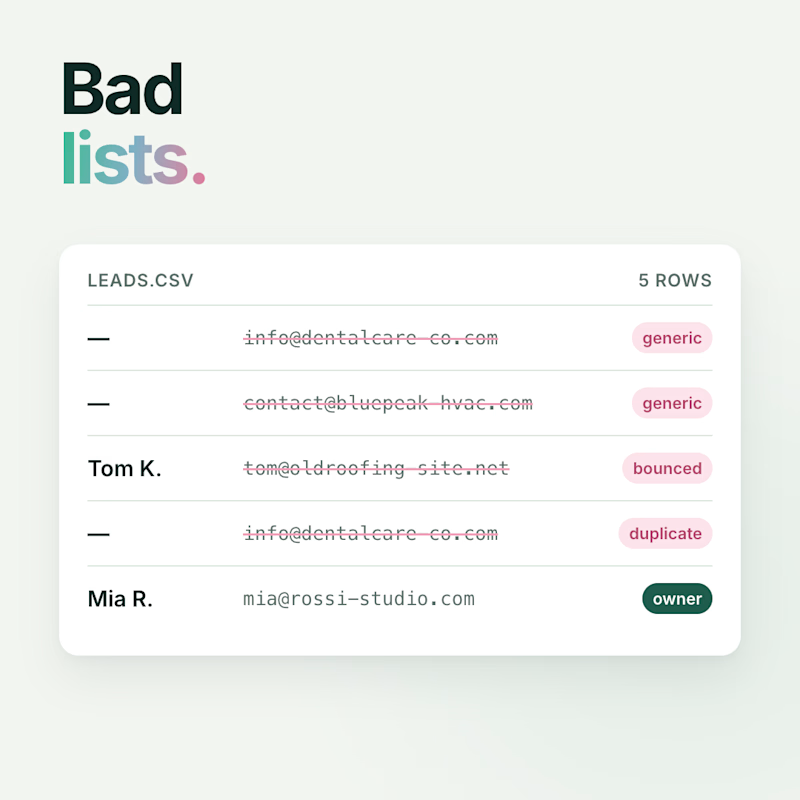
4 voted
67%
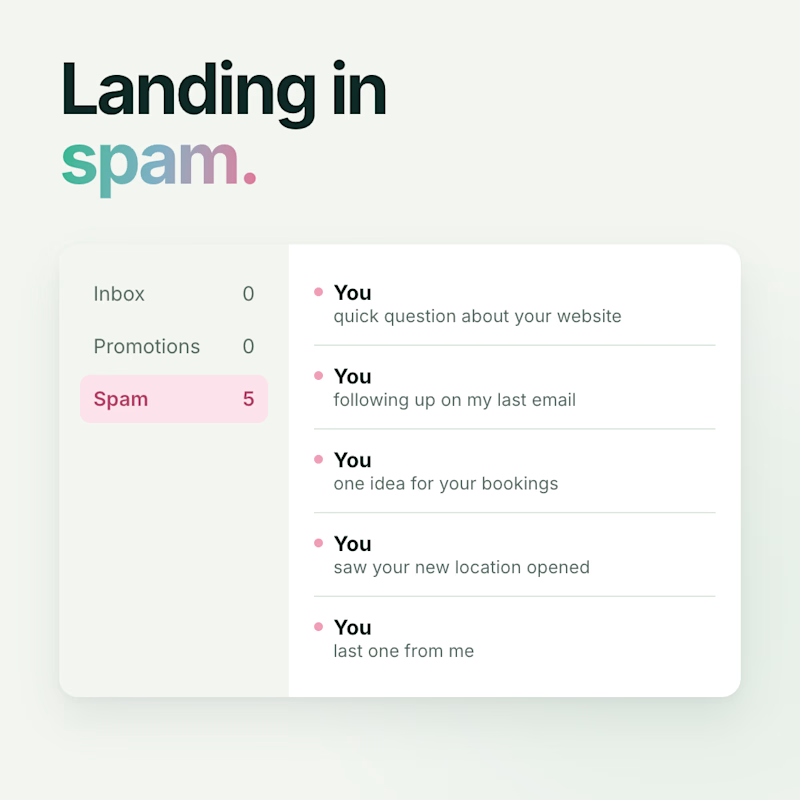
6 votes
Closed