The network for creativity
Join 1.25M professional creatives like you
Connect with clients, get discovered, and run your business 100% commission-free
Creatives on Contra have earned over $150M and we are just getting started
Back to feedPost

Automation should make work easier — not create another system that needs constant attention.
The most useful business automations often start with small, repetitive tasks:
• Moving information between tools
• Sending follow-ups
• Processing incoming requests
• Generating reports
• Organizing data
Before automating a workflow, understand how it works manually. If the process is unclear or constantly changing, automation may only make the confusion faster.
The best automation removes friction, reduces repetitive work, and gives people more time to focus on decisions that actually matter.
At Shipmind Labs, we build custom software, integrations, and automation solutions around real business workflows.
What task would you automate first if you could?
The network for creativity
Join 1.25M professional creatives like you
Connect with clients, get discovered, and run your business 100% commission-free
Creatives on Contra have earned over $150M and we are just getting started


Related posts

An insurance advisory firm came to me with a GoHighLevel account that was fighting them.
Automations only fired from forms, not when a deal moved.
One pipeline was carrying four different processes.
Some stages only existed as workarounds.
We're rebuilding it. The first piece is live: a stage gate that holds every move until the right information is saved and checked.
→ Every stage move asks for confirmation, so no accidental drags
→ Application Submitted won't go through without a sold value
→ Recontact tags can't be applied without a date and a reason
→ Uploaded documents are attached straight to the deal
→ A small backend on Vercel validates, saves, reads the data back, and only then moves the card. No API keys in the browser.
The team works in French and English, through a white-label GHL domain, and it all runs inside their normal GHL screen.
If your CRM has stages your team only uses as workarounds, that's usually the first thing worth fixing.
Free 30-minute automation audit: link in the comments 👇
#GoHighLevel #GHL #CRM #InsuranceAgency #WorkflowAutomation #SmallBusiness

Maya is a client who has been running a one chair nail studio in Toronto. Her problem had always been managing her customers and she needed us to automate that for her to the extent, that customers keep booking and rescheduling on their own without her losing any revenue. So that’s exactly what we did!


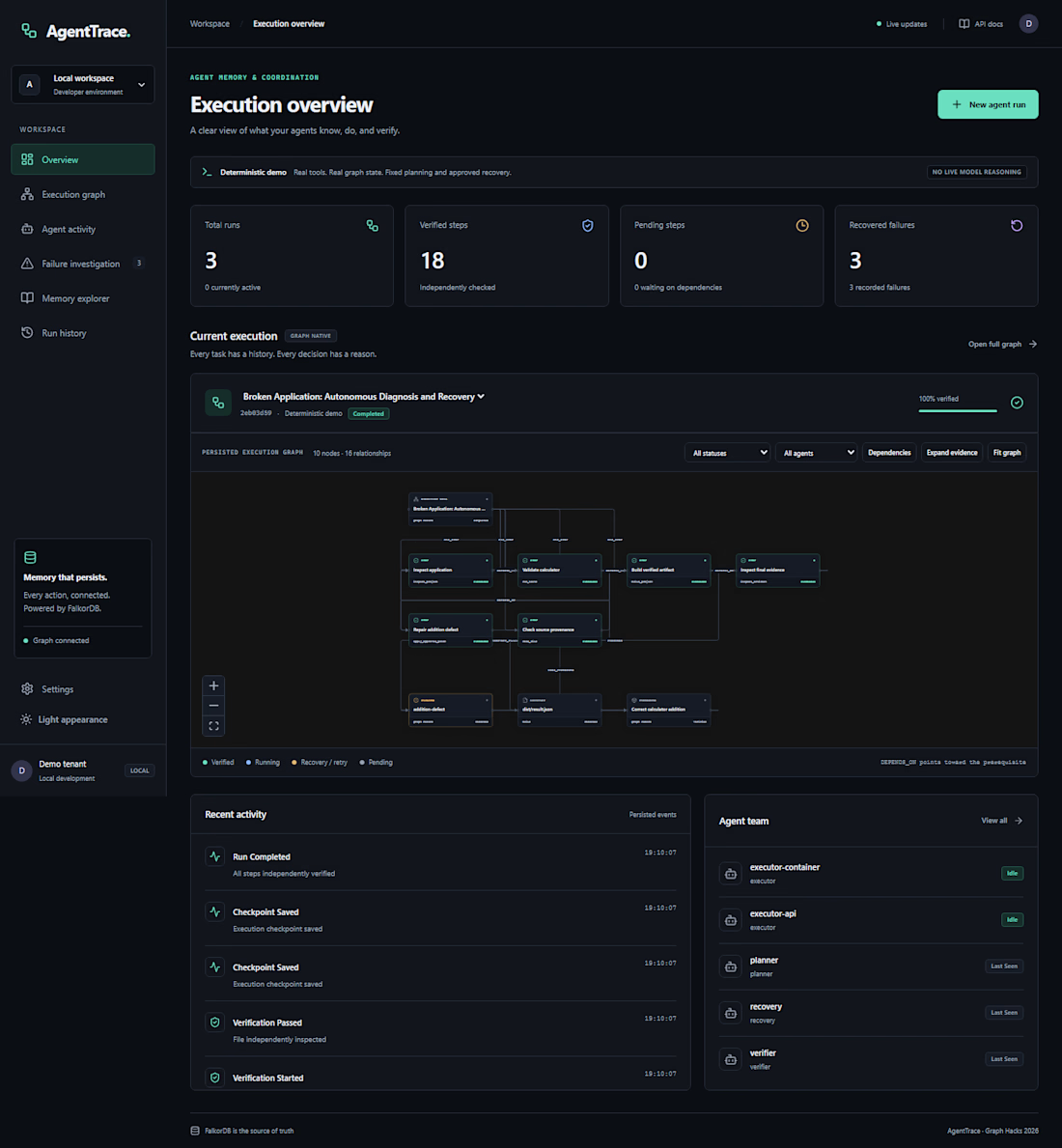
An AI agent fails halfway through a job. What should it remember when it tries again?
That question led me to build AgentTrace, a Python and FalkorDB project for keeping track of agent runs. It records task progress and decisions in a graph so you can inspect what happened and see where a run stopped. That’s especially useful when several agents share a workflow.
When you debug an agent run, what do you look for first: the failed step, the input that caused it, or the decision that sent it down that path?