The network for creativity
Join 1.25M professional creatives like you
Connect with clients, get discovered, and run your business 100% commission-free
Creatives on Contra have earned over $150M and we are just getting started
Back to feedPost


Advanced Make.com Automation System (Airtable, Email, API & CRM Workflows)
Project Description
I build powerful no-code automation systems using Make.com to help businesses automate their operations, eliminate manual work, and streamline data flow across multiple tools.
This project showcases an advanced multi-step automation workflow designed to handle real business processes such as lead management, communication, scheduling, and data synchronization.
The system integrates tools like Airtable, email services, HTTP APIs, and scheduling platforms to create a fully automated backend workflow that runs without manual input.
What This Automation Does
This workflow is designed to intelligently process and route data using conditional logic:
Triggers automation from Airtable records
Uses a router to split workflows based on conditions (e.g. approved, rejected, or new records)
Sends automated emails for notifications, follow-ups, and confirmations
Creates scheduled meetings via Google Meet integration
Updates external databases (such as Airtable) automatically
Handles API requests and file retrieval using HTTP modules
Ensures every step of the process is tracked and synchronized
Key Features
Multi-path conditional automation (router-based logic)
Airtable CRM integration for data management
Email automation for communication workflows
Google Meet scheduling automation
HTTP/API integration for external services
Scalable no-code system architecture
Fully automated end-to-end workflow design
Use Cases
Lead management and CRM automation
Sales pipeline automation
Client onboarding systems
Appointment scheduling workflows
Marketing and email follow-up automation
Internal business process automation
Tools Used
Make.com (core automation engine)
Airtable (database / CRM layer)
Email automation modules
HTTP/API integrations
Google Meet integration
Outcome
This system helps businesses reduce manual workload, speed up response time, improve lead conversion, and create a fully automated operational workflow that runs 24/7.


The network for creativity
Join 1.25M professional creatives like you
Connect with clients, get discovered, and run your business 100% commission-free
Creatives on Contra have earned over $150M and we are just getting started



Related posts

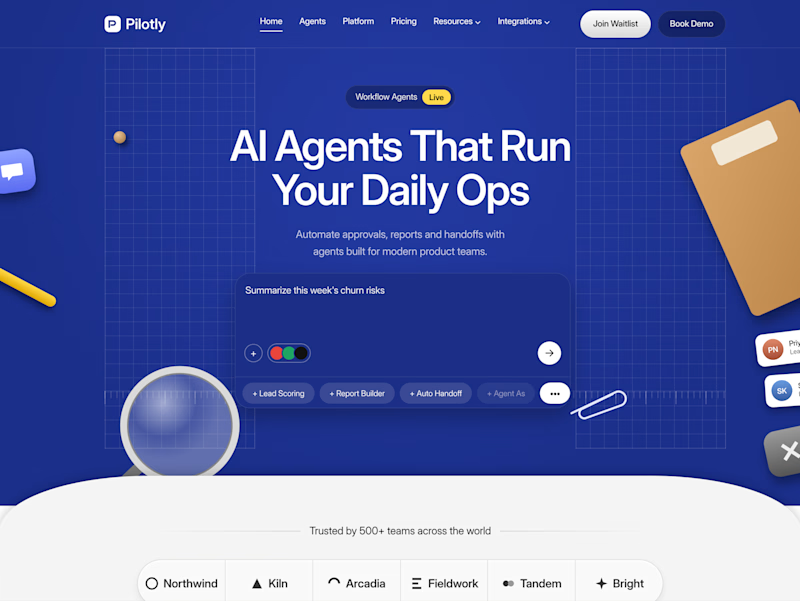
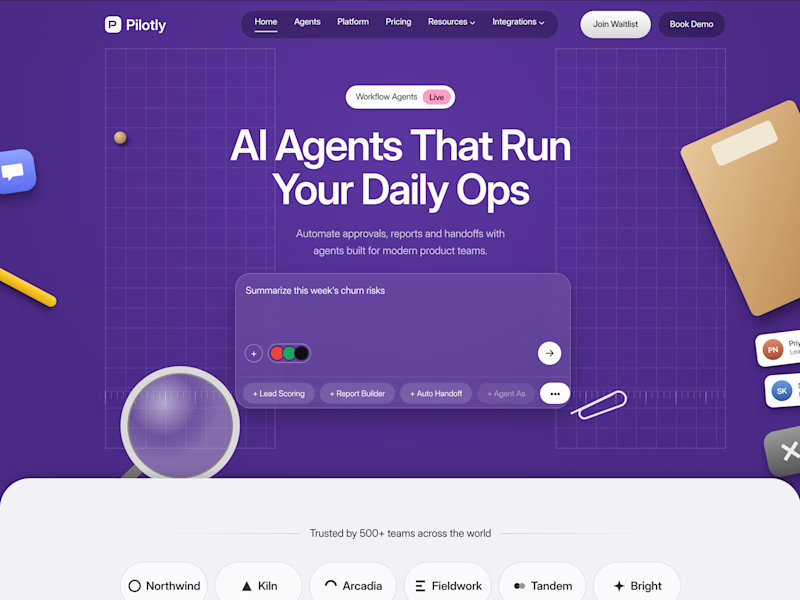
Testing two color directions for Pilotly, an AI agent platform for product teams.
Which direction would you pick for an AI automation product?


3 voted
100%
0 voted
0%
3 votes
Closed

I'd pick Violet Desk. Blue is what every SaaS uses, violet stands out and still says AI, and the orange sticky notes pop more against it. Does the hero chip row under the headline work on mobile?


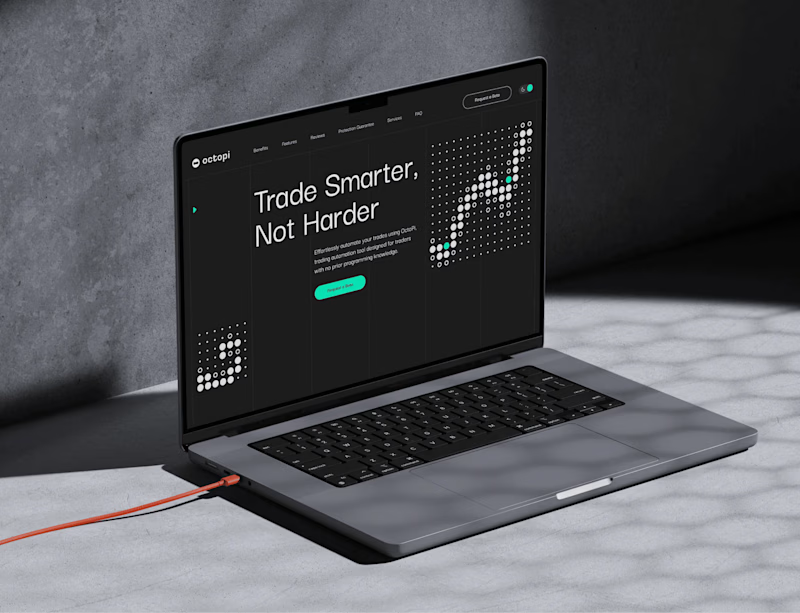
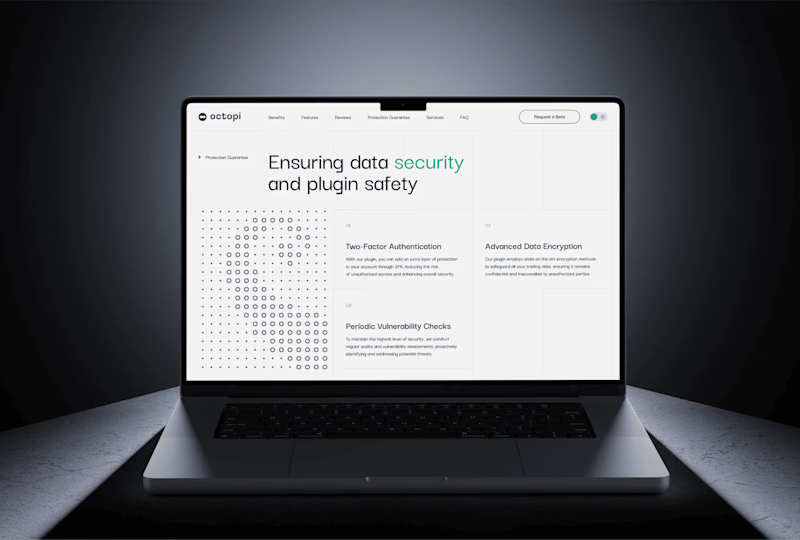
Dark mode is the default for trading tools. But is it the right choice for a website? 🤔
For Octopi, a no-code trading automation plugin for, we explored both directions:
🅰️ Dark: focused, pro-level, feels at home next to trading charts
🅱️ Light: clean, open, feels approachable for traders who don’t code
Which one would make you click “Get started”? 👇
1 voted
33%
2 voted
67%
3 votes
Closed