The network for creativity
Join 1.25M professional creatives like you
Connect with clients, get discovered, and run your business 100% commission-free
Creatives on Contra have earned over $150M and we are just getting started
Back to feedPost

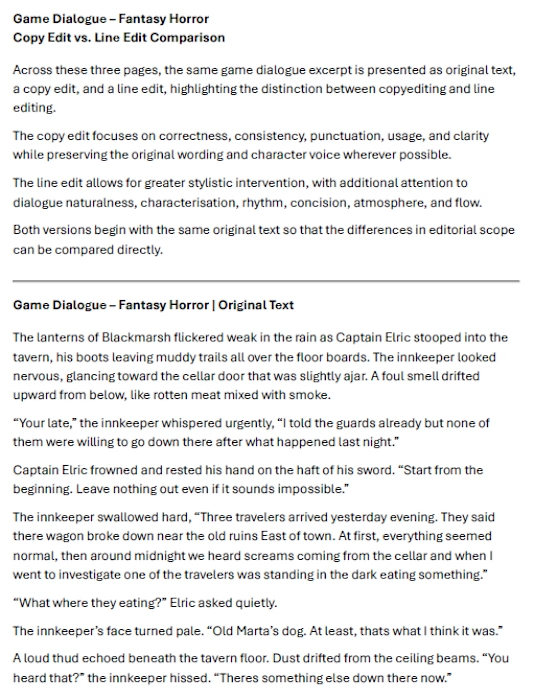
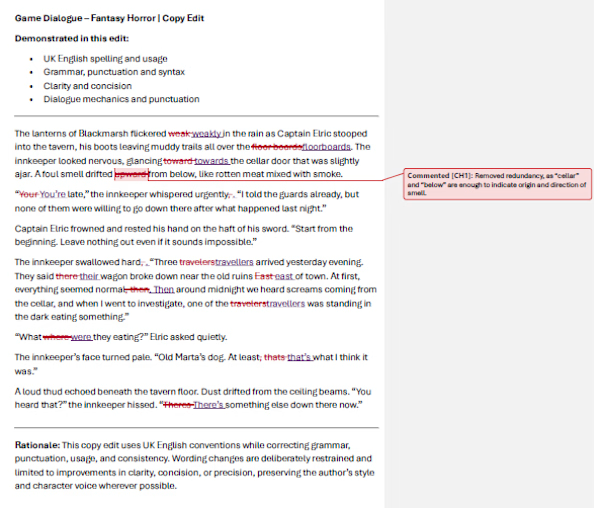
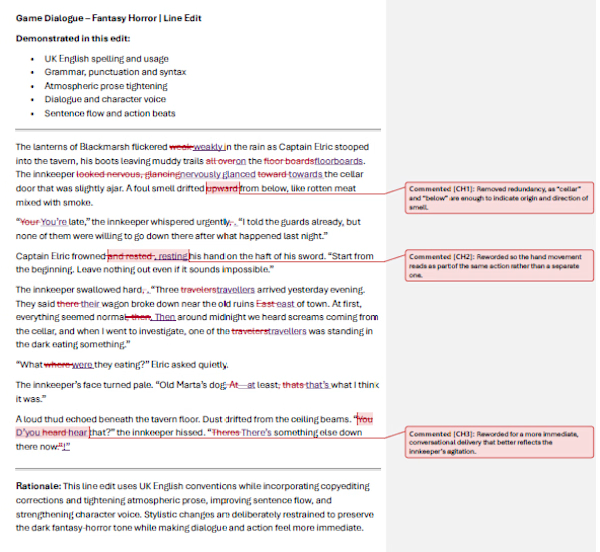
Game Dialogue – Copy Edit vs. Line Edit


The network for creativity
Join 1.25M professional creatives like you
Connect with clients, get discovered, and run your business 100% commission-free
Creatives on Contra have earned over $150M and we are just getting started


Related posts



The cookie row at the bottom does a lot of work. Looks fun to play.

Frameline is a Video.js v10 skin for the tools people make video with. Its Studio mode brings capabilities of a professional monitor for video creators: frame stepping and timecode, an In/Out range, markers, frame grab, safe-area and platform guides, and pixel zoom, all of it keyboard-first.
Why: the browser has become the app platform, and video editing is moving into it. Web editors and AI generators are mostly built on open-source players that are made for watching, not for working. Frameline skin for Video.js brings professional tools to that layer.

Safe-area guides, In/Out range and frame grab in a player, creators will love Studio mode.

Most Claude Code sessions go wrong in the first message.
Not because the model is weak, but because the starting prompt is vague: “fix this bug” or “add tests.” With nothing else to go on, the model starts editing before it has looked at the repository, and you spend the next ten minutes steering it back.
What changes the outcome is the order of the work. Inspect the repo first. Learn the existing conventions. Plan before editing. Make focused changes, add or update tests, run real commands to verify, then summarize what changed. A prompt that builds that sequence in means you don’t have to remember to ask for it every time.
I put together a set of 2,000 prompts around that workflow, covering areas like debugging, testing, security, architecture, APIs, and cloud. They come as JSON, CSV, and JSONL, so you can browse them, filter them, or feed them into your own scripts.
If you’d rather not start every session from a blank screen, it’s here: https://contra.com/products/5w55SuJ3-claude-code-prompt-vault-2000

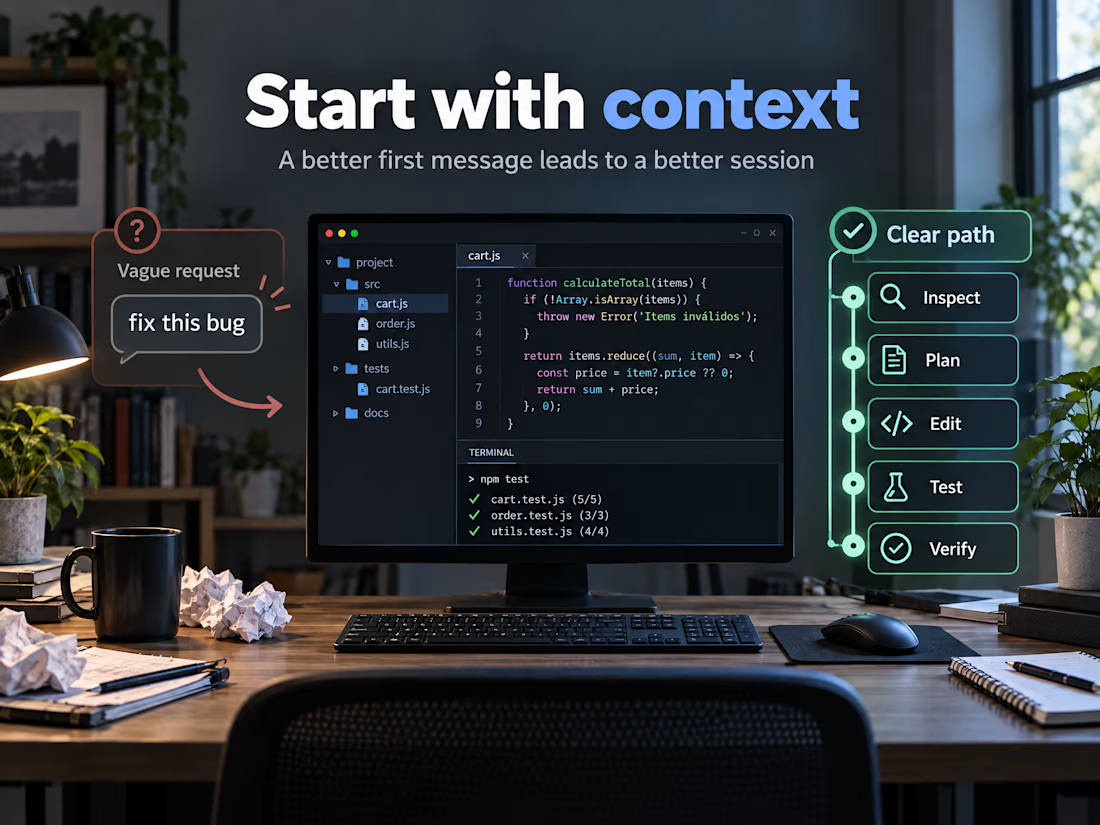

Plan before editing is the step I see skipped most. When I build with Claude, asking it to restate the repo's conventions back to me before any change catches most wrong assumptions early.