The network for creativity
Join 1.25M professional creatives like you
Connect with clients, get discovered, and run your business 100% commission-free
Creatives on Contra have earned over $150M and we are just getting started
Back to feedPost

🎨 Figma Trick You (Probably) Didn’t Know
Replace images fast without dragging anything.
Copy the new image/component → Cmd+C / Ctrl+C
Select the layer(s) you want to replace (multi-select works)
Paste to Replace
Mac: Shift + Cmd + R
Windows: Ctrl + Shift + R
Boom 💥 the new asset swaps in, keeping the same size and position.
The network for creativity
Join 1.25M professional creatives like you
Connect with clients, get discovered, and run your business 100% commission-free
Creatives on Contra have earned over $150M and we are just getting started











Related posts

Unusual Dither — Motion Experiment
Turning pixels into movement. An experiment with dithering, grain, and motion to create a raw, digital aesthetic where imperfection becomes the visual language.


So... I played around with Typography in my new portfolio. Looking forward to your response ; )
https://ateeb.markaz.network/
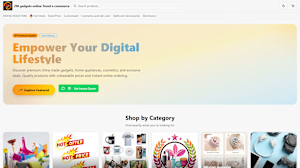
ateeb.markaz.network
Ateeb Hussain, full-stack developer in Lahore
Web apps, AI workflows and scrapers for small businesses. Live client work, honest project statuses.

Snap — Interactive 3D Patch Studio
The problem
Customizing clothes online creates a gap between what the customer imagines and what ends up on the sewing table. People want creative freedom; production needs exact instructions. The result is endless back-and-forth and “where do I put this patch?” messages.
The build
I’m a designer, so everything started in Figma — every screen, hover and sticker. Then I rebuilt it in Base44, one prompt at a time: layout first, then motion, then the 3D studio.
In the studio, you drop patches anywhere on a real 3D shirt, then rotate, resize, duplicate or undo. On mobile, it’s built for one thumb: separate modes for viewing, placing and editing, and quick zones like Chest or Sleeve. Small details carry the brand: hover a patch in the catalog to see it sewn on a shirt, or hover the headline letters to watch them turn into 3D type.
Three things fought back:
Patches on a real 3D shirt — solved with surface decals that follow the fabric.
Saving exactly what people design — solved with automatic front/back snapshots.
One-thumb mobile editing — solved by splitting the studio into clear modes instead of shrinking the desktop layout.
Automation
Snapshot → production (saves time, removes errors). The moment you add to bag, snap captures your design front and back. The snapshots go to production with the order, and the admin can download a ready-to-print production sheet as a PDF. What you see is exactly what we sew.
Status emails (customer experience). Change an order’s status in the admin, and the customer is notified automatically: in production, shipped with tracking, delivered.
Owner alerts (operations). New orders and contact messages land in my inbox right away, with a link to the order.
Waitlist (leads). Unreleased items like the hoodie collect sign-ups instead of being a dead end. The moment I switch it live, everyone waiting gets an email.
Vibe code. Vibe design. Real thread.
Life project:
https://figma-snap-416e61aa.base44.app
Figma file (for personal use)
Full screencasts are in the comments: the customer flow (from the catalog to checkout, on desktop and mobile) and the admin flow (the order with its snapshots → the production PDF → a status change → the automatic email).


Ohhhh wowww this is nice