The network for creativity
Join 1.25M professional creatives like you
Connect with clients, get discovered, and run your business 100% commission-free
Creatives on Contra have earned over $150M and we are just getting started
Back to feedPost

How to remove the "Edit with Base44" badge, and what to do on the Free plan.
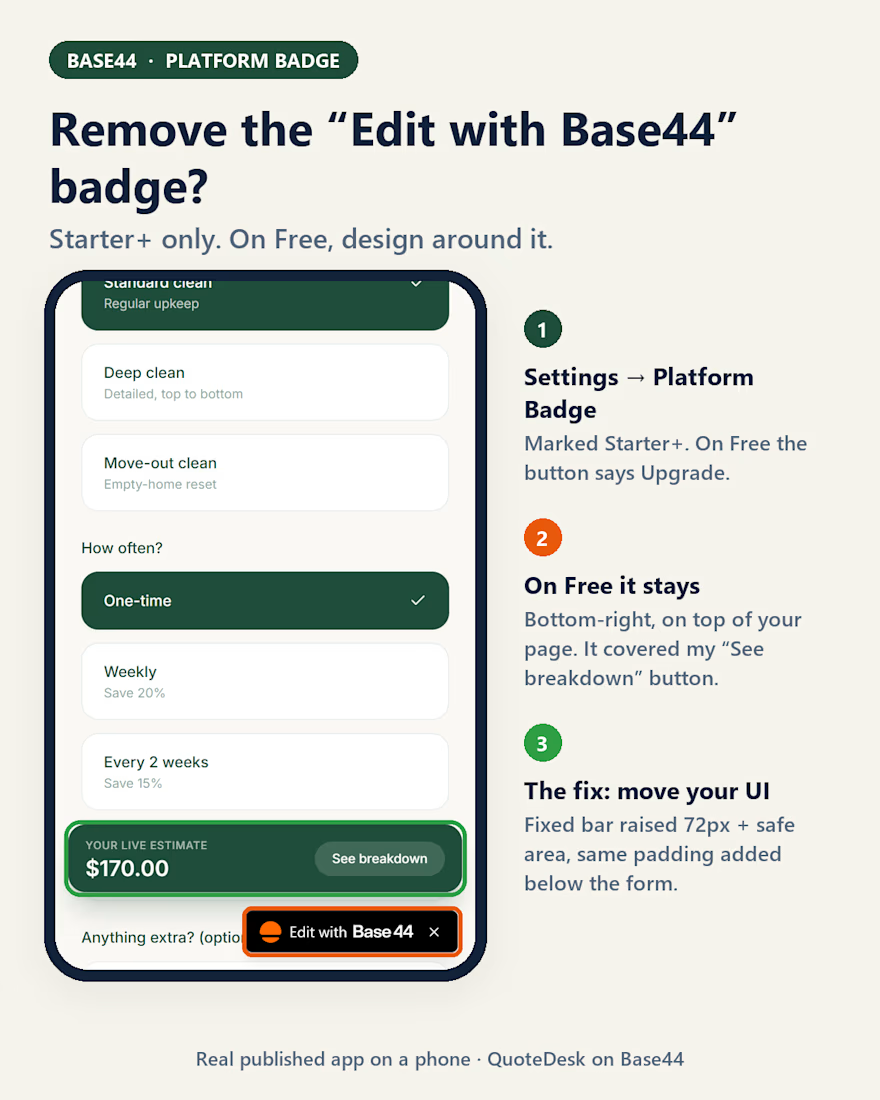
I ran into this badge on QuoteDesk, my Base44 app for a cleaning company. Here is what the dashboard shows, checked today:
Where the setting is
• Dashboard → Settings → Platform Badge. The Overview page also has a "Hide badge" shortcut that leads to the same row.
• The row is marked Starter+. On the Free plan the button says Upgrade, so on Free the badge stays.
What it actually broke
On a phone, the badge sits in the bottom-right corner, on top of your page. My sticky price bar had its "See breakdown" button in that exact corner, and the badge covered it. The editor preview didn't show it. Only the published app on a phone did.
The fix on Free, no upgrade needed
• Keep anything fixed to the bottom of the screen above the badge. I raised the bar to 72px plus the phone's safe-area inset.
• Add the same amount of bottom padding to the page, so the last field isn't hidden behind the bar.
• After each publish, open the live URL on a real phone, not only the preview.
Visitors can close the badge with its ×, but I wouldn't build around that.
Has the badge covered anything in your Base44 app?

The network for creativity
Join 1.25M professional creatives like you
Connect with clients, get discovered, and run your business 100% commission-free
Creatives on Contra have earned over $150M and we are just getting started



Related posts

We will be announcing winners for the Base44 Challenge in the feed here next week - stay tuned and thank you all for your hard work!



Congrats!!

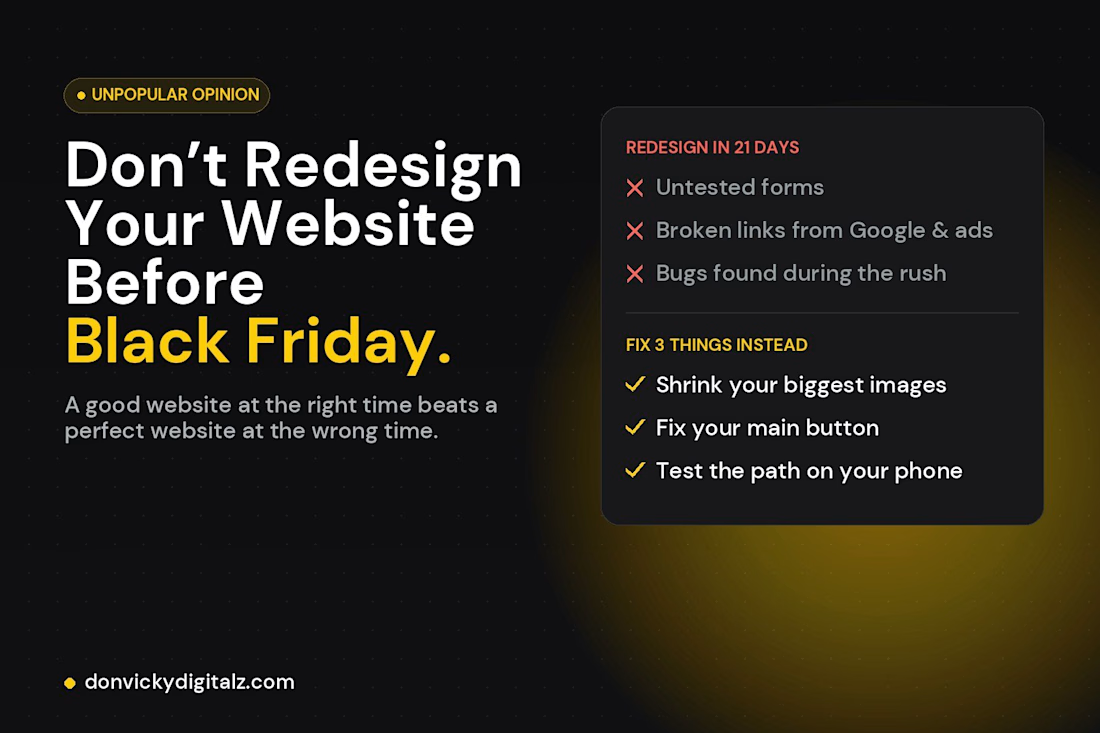
𝗜𝗳 𝘆𝗼𝘂’𝗿𝗲 𝗽𝗹𝗮𝗻𝗻𝗶𝗻𝗴 𝗮 𝘄𝗲𝗯𝘀𝗶𝘁𝗲 𝗿𝗲𝗱𝗲𝘀𝗶𝗴𝗻 𝗯𝗲𝗳𝗼𝗿𝗲 𝗕𝗹𝗮𝗰𝗸 𝗙𝗿𝗶𝗱𝗮𝘆, 𝗽𝗹𝗲𝗮𝘀𝗲 𝗱𝗼𝗻’𝘁.
I design websites for a living, and I still say wait.
A redesign 3 weeks before your busiest season means untested forms, broken links from Google and ads, and bugs you discover during the rush.
Instead, fix three things on the site you already have: speed, your main button, and the path from ad to checkout on your phone. Then redesign properly in January.
If you'd like those three fixed on your WordPress or Elementor site before the rush, send me a message here on Contra.

For that phone checkout check, I'd place a small test order. I'd want to see the confirmation reach both the buyer and the person fulfilling it before the rush.