The network for creativity
Join 1.25M professional creatives like you
Connect with clients, get discovered, and run your business 100% commission-free
Creatives on Contra have earned over $150M and we are just getting started
Back to feedPost

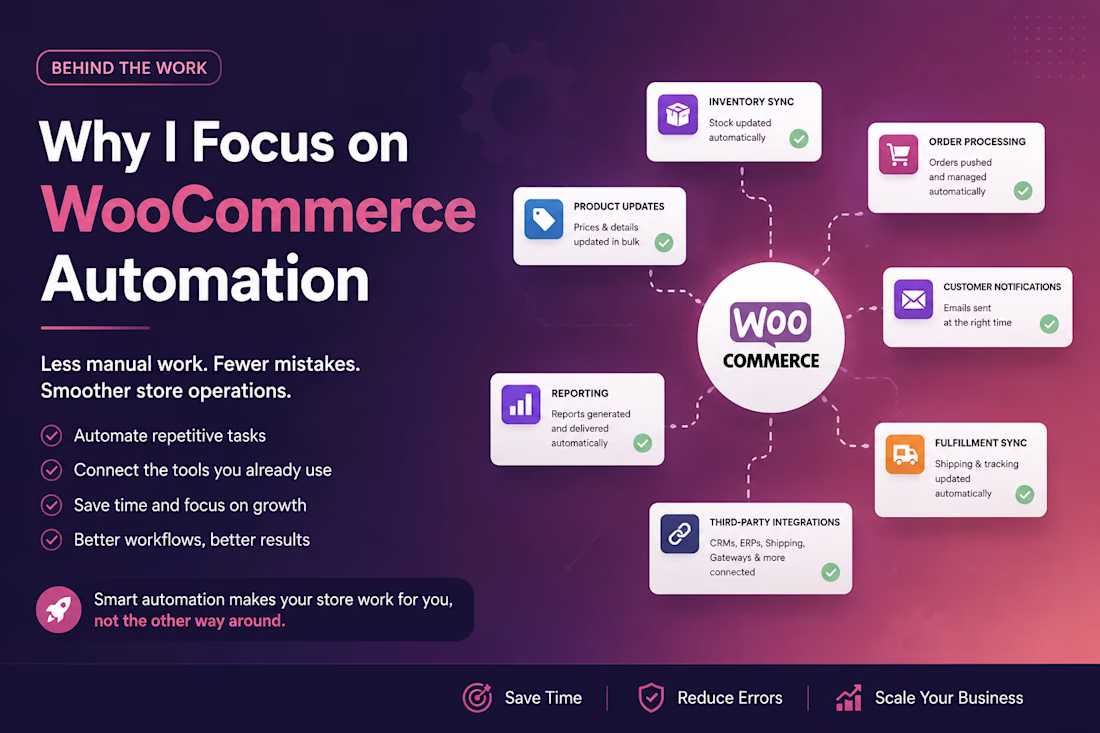
Many growing WooCommerce stores eventually reach a point where manual work starts slowing the business down.
Common examples:
Updating inventory by hand
Exporting product data manually
Checking failed orders one by one
Copying customer/order data between systems
Sending repetitive internal updates
Managing dealer or wholesale pricing manually
These are the types of problems I like solving.
With custom WordPress development, API integrations, webhooks, CSV exports, scheduled tasks, and automation workflows, a store can become much easier to operate.
The goal is simple: less manual work, fewer mistakes, and a cleaner system for the business.
The network for creativity
Join 1.25M professional creatives like you
Connect with clients, get discovered, and run your business 100% commission-free
Creatives on Contra have earned over $150M and we are just getting started


Related posts

Redesigned the ModaZ fashion e-commerce storefront with a clean, modern shopping experience focused on product discovery and brand presentation. The project included a refreshed homepage, curated product collections, new arrivals, best-selling sections, and responsive layouts.
I also focused on improving navigation, product visibility, and the overall shopping journey to create a more engaging online store.
Have a fashion brand that needs a storefront upgrade? Let's talk.


I love the layout. Impressive work

Demarvelousfashion | Fashion & Clothing Ecommerce Website Design
I designed a modern, stylish, and fully responsive fashion ecommerce website for Demarvelousfashion, a clothing brand focused on bold designs, elegance, and individuality.
The goal of this project was to create an attractive online shopping experience that showcases fashion collections, strengthens brand identity, and makes it easy for customers to discover and purchase products.
Key Features & Deliverables:
Modern and visually appealing homepage design.
Responsive layouts for desktop, tablet, and mobile devices.
Fashion product catalog with high-quality product displays.
Product pricing, sale labels, and shopping cart functionality.
Featured collections and new arrivals sections.
Brand storytelling and About section.
Clear navigation and user-friendly shopping experience.
Newsletter subscription and professional footer design.
My Focus: Combining attractive visuals, intuitive navigation, responsive design, and ecommerce functionality to create a seamless shopping experience that helps fashion brands establish a strong online presence and convert visitors into customers.
Looking for a professional ecommerce website for your fashion brand or business? I can help bring your vision to life with a website tailored to your brand and business goals.

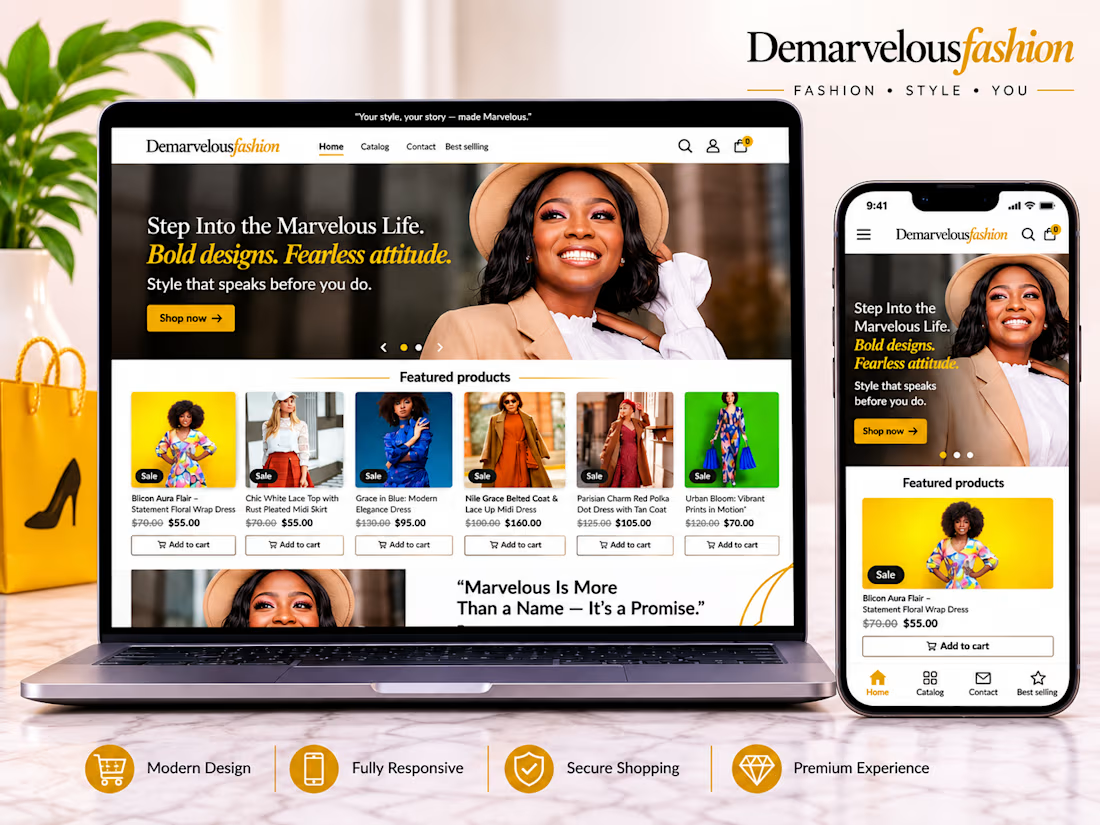

The yellow accent and the "Bold designs. Fearless attitude." line match the brand tone well. Did the brand give you the color, or did you choose it?

Buried in DMs? Let automation turn missed messages into organized, responded leads. 📲✨
Stay focused on selling while your system captures, tags, and follows up with every opportunity.
#RealEstate #RealEstateAgent #LeadManagement #CRM #RealEstateMarketing #Automation #BusinessGrowth #InstagramMarketing #Productivity #DigitalMarketing
Missed DMs turning into lost leads is a real problem for agents. What's the first automated reply you set up: an instant greeting or a qualifying question?